
1. Introduction
This manual provides essential instructions for the installation, operation, and maintenance of your Aninerel 3000W Hybrid Solar Inverter, model ANJ-3KW-LV-WIFI. This device is designed to convert 24V DC power to 110V AC pure sine wave power, suitable for various off-grid and backup power applications. Please read this manual thoroughly before installation and use to ensure safe and efficient operation.
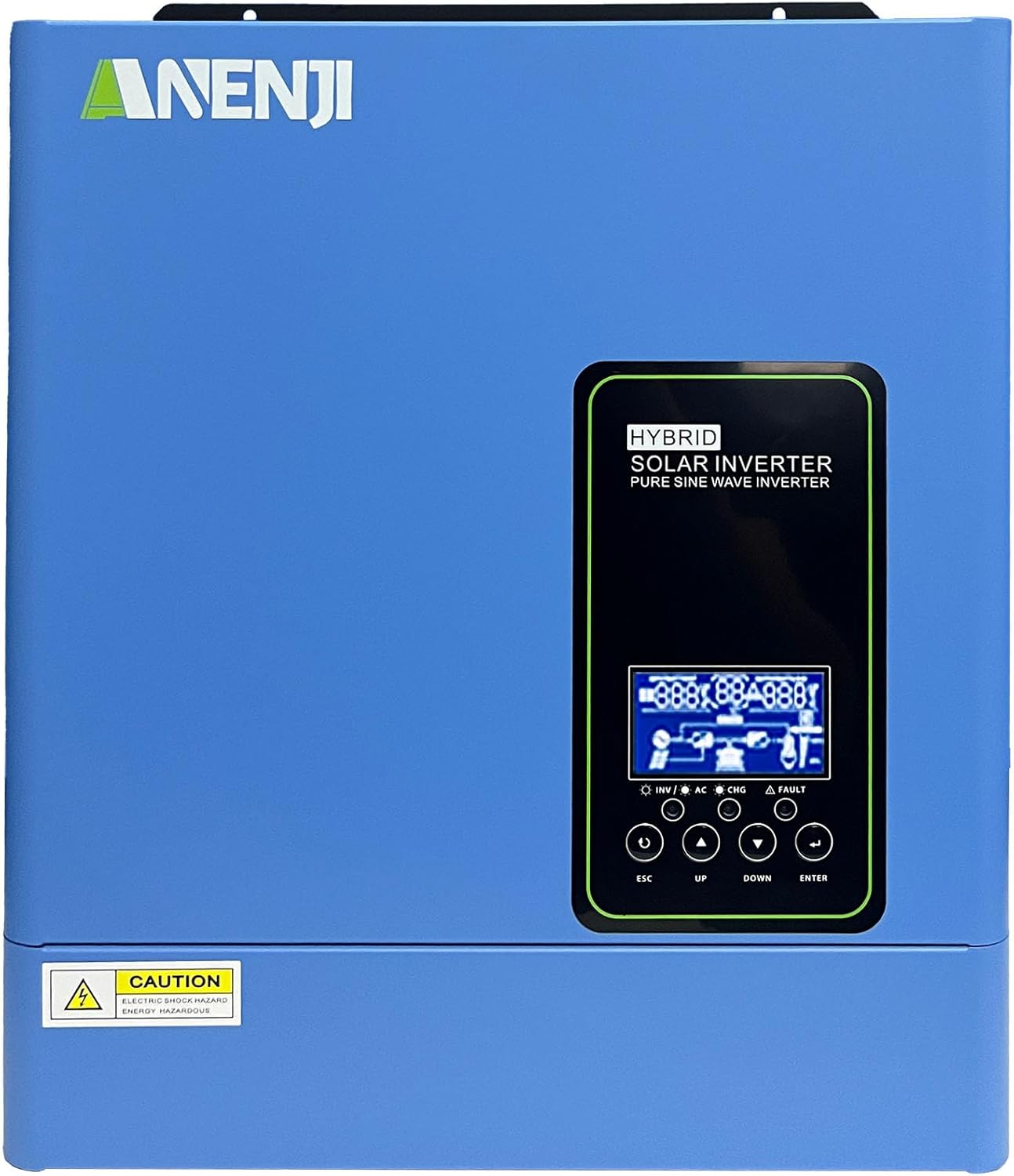
Figure 1.1: Front view of the Aninerel 3000W Hybrid Solar Inverter. The inverter features a blue casing with the Aninerel logo and a central LCD display panel with control buttons.
2. Safety Instructions
Always observe the following safety precautions to reduce the risk of electric shock, fire, or injury:
- Read all instructions and cautionary markings on the unit and in this manual before installation or operation.
- Do not disassemble the inverter. Refer servicing to qualified personnel. Incorrect reassembly may result in electric shock or fire.
- To reduce the risk of electric shock, disconnect all wiring before attempting any maintenance or cleaning.
- This inverter is designed for indoor or semi-outdoor use with an IP65 rating. Avoid direct exposure to rain or snow.
- Ensure proper ventilation around the inverter to prevent overheating. Do not block ventilation openings.
- Use appropriate tools and personal protective equipment during installation.
- Ensure all wiring connections are tight and secure to prevent loose connections that can cause overheating.
- Do not connect the inverter to a public utility grid without proper authorization and safety measures.
3. Product Overview
The Aninerel 3000W Hybrid Solar Inverter integrates a pure sine wave inverter, an MPPT solar charge controller, and a battery charger into one compact unit. It is designed to provide uninterrupted power support.
3.1 Key Features
- 3000W Pure Sine Wave Output: Converts 24V DC to 110V AC, providing stable power for sensitive electronics.
- Integrated 100A MPPT Solar Charge Controller: Maximizes solar energy harvesting with up to 500VDC PV input.
- Flexible Charging and Output Modes: Offers multiple modes (Solar Only, AC Priority, Hybrid Charging; Mains Priority, PV Priority, Hybrid Output) for diverse power management.
- Wide Battery Compatibility: Supports AGM, GEL, Lead-acid, Li-ion, and LiFePO4 24V batteries.
- Smart LCD Display: Provides real-time monitoring and allows for easy configuration of system settings.
- Built-in Wi-Fi: Enables remote monitoring of the inverter status (registration required).
- Robust Design: IP65-rated enclosure for durability in various environments, with intelligent cooling.
- Comprehensive Protections: Includes overvoltage, undervoltage, reverse polarity, and short circuit protection.

Figure 3.1: Front and Rear Panel Overview. This diagram labels the LCD display, indicators, function buttons, RS485 communication port, grounding terminal, battery input, dry contact port, built-in Wi-Fi, AC input, AC output, PV input, and power on/off switch.
3.2 Front Panel and Indicators
- LCD Display: Shows system status, operational data, and configuration settings.
- Charging Indicator: Illuminates to indicate battery charging status.
- Status Indicator: Provides general operational status of the inverter.
- Fault Indicator: Lights up to signal system errors or warnings.
- Function Buttons (ESC, UP, DOWN, ENTER): Used for navigating menus and adjusting settings on the LCD.
3.3 Rear Panel Connections
- RS485 Communication Port: For external communication and monitoring.
- Grounding Terminal: Essential for safety grounding.
- Battery Input: Connects to the 24V battery bank.
- Dry Contact Port: For external control or signaling.
- Built-in Wi-Fi Module: For wireless monitoring.
- AC Input: Connects to grid utility or generator AC power.
- AC Output: Connects to household loads.
- PV Input: Connects to solar panel arrays.
- Power On/Off Switch: Controls the main power to the inverter.
4. Installation & Setup
Proper installation is crucial for the safe and efficient operation of your hybrid solar inverter. Ensure all connections are made by a qualified electrician and adhere to local electrical codes.
4.1 Mounting the Inverter
- Choose a suitable location that is dry, well-ventilated, and protected from direct sunlight and moisture.
- Ensure sufficient clearance around the inverter for proper airflow and cooling.
- Mount the inverter vertically on a sturdy surface using appropriate fasteners.
4.2 Wiring Connections
Follow the wiring diagram carefully. All wiring should be performed with the inverter and all power sources disconnected.
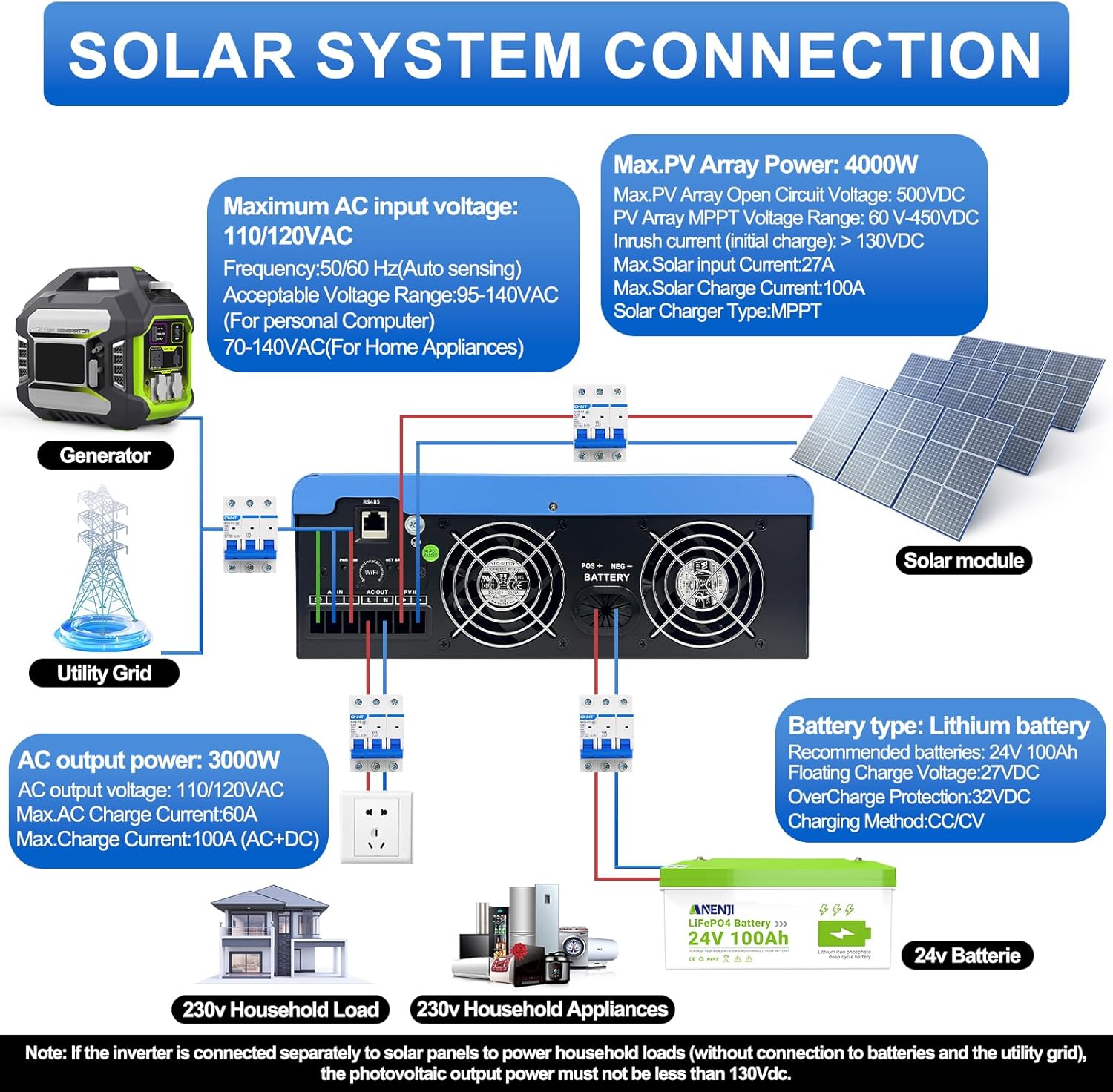
Figure 4.1: Solar System Connection Diagram. This diagram illustrates the connections for solar panels, generator, utility grid, 24V battery, and household loads to the inverter. It shows the PV input, battery input, AC input, and AC output terminals.
4.2.1 Battery Connection
- Connect the 24V battery bank to the battery input terminals on the inverter. Ensure correct polarity (+ to + and - to -).
- Use appropriate cable gauges for the battery connections to handle the expected current.
- The ANJ-3KW-LV-WIFI model supports a 24-volt DC system and is recommended for use with batteries of at least 100 ampere-hours capacity.

Figure 4.2: Inverter Battery Connection. This diagram shows wiring configurations for both 12-volt and 24-volt battery systems, emphasizing correct series/parallel connections for the desired voltage.
4.2.2 PV (Solar Panel) Connection
- Connect the solar panel array to the PV input terminals. Observe correct polarity.
- Ensure the total open circuit voltage of the PV array does not exceed 500VDC.
- The MPPT voltage range is 60-450VDC. Ensure your PV array voltage falls within this range for optimal charging.
4.2.3 AC Input Connection
- Connect the utility grid or generator AC power to the AC input terminals.
- The inverter supports 110/120VAC input with auto-sensing frequency (50/60Hz).
4.2.4 AC Output Connection
- Connect your household loads or appliances to the AC output terminals.
- The inverter provides 3000W continuous AC output at 110/120VAC.
4.3 Initial Power-Up
- After all connections are secure, switch on the battery breaker first.
- Then, switch on the PV array breaker (if applicable).
- Finally, switch on the AC input breaker (if applicable) and the inverter's main power switch.
- Observe the LCD display for initial boot-up and status indicators.
5. Operation
The inverter offers various configurable settings to optimize power management based on your specific needs.
5.1 LCD Display and Settings
The LCD display provides real-time information and allows you to configure operational parameters using the function buttons.
- Use the UP and DOWN buttons to navigate through menu options.
- Press ENTER to select an option or confirm a setting.
- Press ESC to exit a menu or cancel an action.
5.2 Charging Priority Modes
These settings determine how the battery bank is charged from available power sources.

Figure 5.1: Charger Source Priority. This diagram illustrates three charging priority options: Solar First (solar panels charge first, AC input only if solar is unavailable), Solar and AC Input Simultaneously (both solar and utility charge at the same time), and Solar Only (solar energy is the exclusive charging source).
- Solar First: Prioritizes solar power for charging. AC input will only charge the battery when solar power is insufficient or unavailable.
- AC Priority (Utility Priority): Prioritizes AC input (utility or generator) for charging. Solar power will supplement or take over if AC input is unavailable.
- Solar Only: The inverter will only charge the battery bank from solar power. AC input will not be used for charging.
5.3 Output Priority Modes
These settings determine the power source for your connected loads.

Figure 5.2: Output Source Priority. This diagram shows three output priority options: Solar First (power from solar first, AC input supplements if solar is insufficient), AC First (redirects AC input to power loads, uses solar/batteries when AC is unavailable), and DC Priority (prioritizes solar first, then battery, then AC input only when voltage drops to a programmable value).
- Solar First (PV Priority): Prioritizes solar power to supply loads. If solar power is insufficient, the battery bank will supplement, and then AC input will be used.
- AC First (Mains Priority): Prioritizes AC input (utility or generator) to power loads. If AC input is unavailable, the inverter will switch to battery power.
- DC Priority (Battery Priority): Prioritizes solar power first, then battery power. AC input will only engage when the battery voltage drops below a programmable threshold.
5.4 Wi-Fi Monitoring
The built-in Wi-Fi module allows for remote monitoring of your inverter's performance and status via a dedicated application. Registration may be required to access this feature.

Figure 5.3: Wi-Fi Monitoring. This image depicts a user monitoring the hybrid inverter's status wirelessly via a smartphone application, highlighting the convenience of the built-in Wi-Fi feature.
6. Maintenance
Regular maintenance helps ensure the longevity and optimal performance of your Aninerel Hybrid Solar Inverter.
- Cleaning: Periodically clean the exterior of the inverter with a dry cloth. Ensure ventilation openings are free from dust and debris.
- Connections: Annually check all electrical connections (battery, PV, AC input/output) for tightness and corrosion. Tighten any loose connections.
- Environment: Ensure the installation environment remains within the specified temperature and humidity ranges.
- Firmware: Check the manufacturer's website for any available firmware updates for improved performance or new features.
7. Troubleshooting
This section provides solutions to common issues you might encounter. If the problem persists, contact customer support.
| Problem | Possible Cause | Solution |
|---|---|---|
| Inverter not turning on | No battery connection or low battery voltage; Power switch off; Loose wiring. | Check battery connections and voltage; Ensure power switch is ON; Verify all wiring is secure. |
| No AC output | Overload; Short circuit on output; Inverter in fault mode; Output priority setting. | Reduce load; Check for short circuits; Refer to LCD fault codes; Adjust output priority settings. |
| Battery not charging from solar | Low PV voltage; Incorrect PV connection; Solar charging disabled; Faulty solar panels. | Check PV array voltage (must be >60VDC); Verify PV polarity; Check charging priority settings; Inspect solar panels. |
| Overheating warning | Insufficient ventilation; Excessive ambient temperature; Overload. | Ensure clear airflow around inverter; Relocate to cooler area; Reduce connected load. |
| Wi-Fi monitoring not working | No Wi-Fi signal; Incorrect app configuration; Registration issue. | Check Wi-Fi signal strength; Reconfigure app settings; Contact support for registration issues. |
8. Specifications
Technical specifications for the Aninerel 3000W Hybrid Solar Inverter ANJ-3KW-LV-WIFI:
| Feature | Specification |
|---|---|
| Model Number | ANJ-3KW-LV-WIFI |
| Continuous Power Output | 3000W |
| Peak Power Output | 6000W |
| DC Input Voltage | 24V |
| AC Output Voltage | 110V AC |
| Output Waveform | Pure Sine Wave |
| Max. PV Input Power | 4000W |
| MPPT Controller Current | 100A |
| Max. PV Open Circuit Voltage | 500VDC |
| PV Array MPPT Voltage Range | 60-450VDC |
| Max. AC Input Current | 60A |
| Output Frequency | 50/60Hz (Auto sensing) |
| Battery Compatibility | AGM, GEL, Lead-acid, Li-ion, LiFePO4 (24V) |
| Protection Rating | IP65 |
| Product Dimensions | 15 x 6.98 x 18 inches |
| Item Weight | 16.5 pounds |
9. Warranty & Support
For warranty information, please refer to the warranty card included with your product or visit the official Aninerel website. For technical support, troubleshooting assistance, or service inquiries, please contact Aninerel customer service through their official channels.
Manufacturer: Shenzhen Anenji Energy Technology Co.,Ltd


