1. Product Overview
The Generic KD-791 TWS Earbuds offer a wireless audio experience with Bluetooth 5.3 technology, ensuring a stable connection up to 10 meters. Featuring active noise cancellation, intuitive touch controls, and a built-in microphone, these earbuds are designed for comfort and clear audio. The ergonomic design provides a secure fit for extended use, delivering high-quality stereo sound with deep bass and clear treble. The long-lasting battery and compact charging case ensure your music is always available.
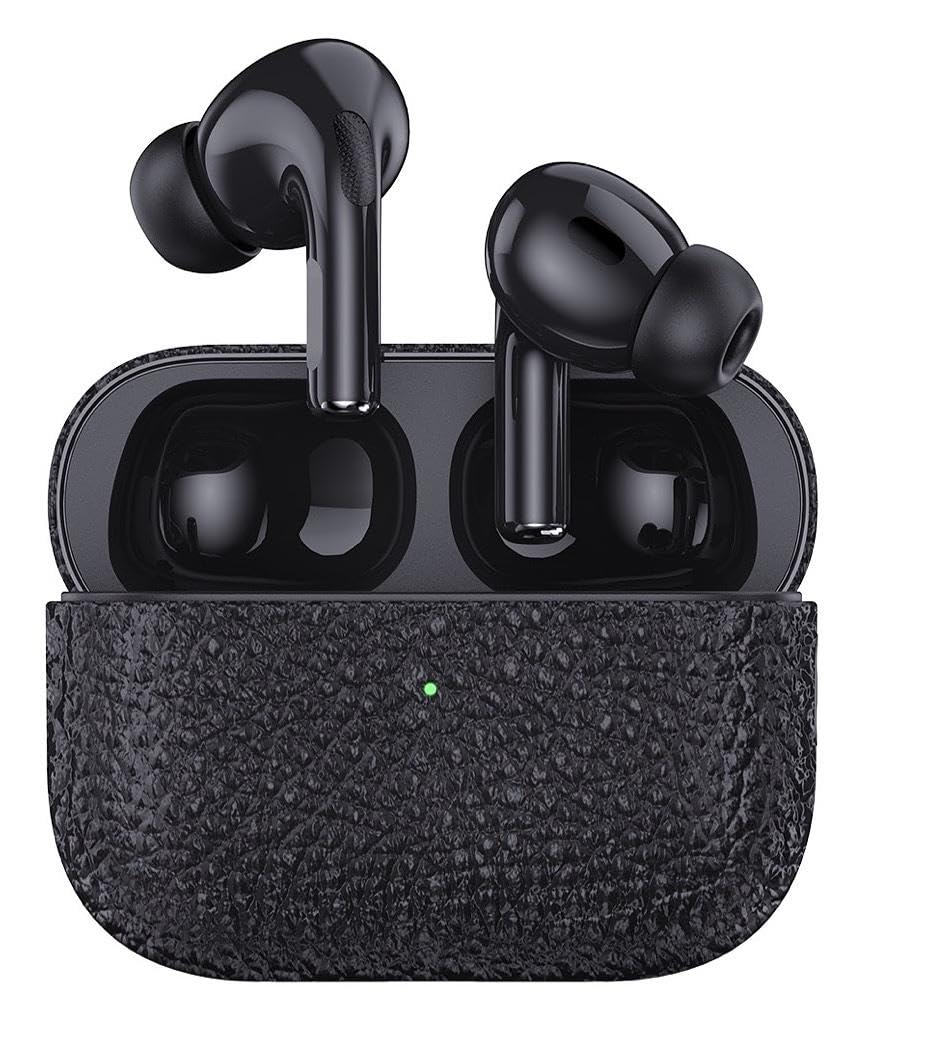
Image: Generic KD-791 TWS Earbuds and Charging Case.
2. What's Included
The package includes the following components:
- Two (2) KD-791 TWS Earbuds
- One (1) Wireless Charging Case
- One (1) Charging Cable
- One (1) User Manual
3. Setup
3.1 Charging the Earbuds and Case
Before first use, fully charge the earbuds and the charging case. The charging case has a capacity of 300mAh, and the earbuds have a battery life of approximately 6 hours of playback and 3.5 hours of call time. The charging time for the case is approximately 2.5 hours.
- Place the earbuds into the charging case. Ensure they are correctly seated.
- Connect the charging cable to the charging port on the case and to a compatible USB power source (DC 5V 1A).
- The LED indicator on the charging case will show the charging status. Once fully charged, the indicator will change or turn off.
3.2 Bluetooth Pairing
The KD-791 earbuds utilize Bluetooth 5.3 for a fast and stable connection.
- Open the charging case. The earbuds will automatically enter pairing mode.
- On your device (smartphone, tablet, laptop), enable Bluetooth.
- Search for available Bluetooth devices and select "KD-791" from the list.
- Once connected, you will hear an audio prompt, and the LED indicator on the earbuds will change.
- For subsequent uses, the earbuds will automatically connect to the last paired device when removed from the case.
Video: Demonstrates the earbuds and their features, including the charging case and different wearing options. This video is provided by a seller and is relevant to the product.
4. Operating Instructions
4.1 Power On/Off
- Power On: The earbuds automatically power on when removed from the charging case.
- Power Off: Place the earbuds back into the charging case to automatically power them off and begin charging.
4.2 Touch Controls
The KD-791 earbuds feature intuitive touch controls for managing audio playback and calls:
- Play/Pause: Single tap on either earbud.
- Next Track: Double tap on the right earbud.
- Previous Track: Double tap on the left earbud.
- Answer/End Call: Single tap on either earbud during an incoming call.
- Reject Call: Press and hold on either earbud during an incoming call.
- Activate Voice Assistant: Triple tap on either earbud.
4.3 Active Noise Cancellation (ANC)
The earbuds are equipped with Active Noise Cancellation to reduce external noise, providing a more immersive listening experience. Refer to the specific touch control gestures in the full manual for activating or deactivating ANC, if available.
4.4 Wearing the Earbuds
The ergonomic design ensures a comfortable and secure fit. The earbuds can be used with or without the included ear hooks, depending on user preference and activity level. For activities requiring more stability, such as exercise, using the ear hooks is recommended to prevent accidental drops.
5. Maintenance
5.1 Cleaning
- Regularly clean the earbuds and charging case with a soft, dry, lint-free cloth.
- Do not use abrasive cleaners, alcohol, or chemical solvents.
- Ensure charging contacts on both earbuds and case are clean and dry.
5.2 Storage
When not in use, store the earbuds in their charging case to protect them and keep them charged.
5.3 Water Resistance
The KD-791 earbuds are not water-resistant. Avoid exposure to water, sweat, or moisture to prevent damage.
6. Troubleshooting
- Earbuds not pairing:
- Ensure both earbuds are charged.
- Turn off Bluetooth on your device and turn it back on.
- Forget "KD-791" from your device's Bluetooth list and attempt to pair again.
- Place earbuds back in the case, close the lid, wait a few seconds, then open to re-enter pairing mode.
- No sound or low volume:
- Check the volume level on both your device and the earbuds.
- Ensure earbuds are properly connected to your device.
- Clean any debris from the earbud speakers.
- Charging issues:
- Verify the charging cable is securely connected to both the case and the power source.
- Try a different charging cable or power adapter.
- Ensure the charging contacts on the earbuds and case are clean.
- Intermittent connection:
- Ensure your device is within the 10-meter Bluetooth range.
- Avoid physical obstructions between the earbuds and your device.
- Minimize interference from other wireless devices.
7. Specifications
| Model Name | KD-791 |
| Connectivity Technology | Bluetooth 5.3, Wireless |
| Wireless Communication Technology | Bluetooth |
| Noise Control | Active Noise Cancellation |
| Headphone Jack | Wireless |
| Control Type | Touch |
| Ear Placement | In-Ear |
| Headphone Form Factor | True Wireless |
| Battery Life (Average) | 6 Hours |
| Charging Time | 2.5 Hours |
| Charging Case Capacity | 300mAh |
| Material | Plastic, Silicone |
| Water Resistance Level | Not Water Resistant |
| Item Weight | 45 Grams |
| Certification | Anatel 22566-23-12308 |
8. Warranty and Support
The Generic KD-791 TWS Earbuds come with a manufacturer's warranty of 30 days from the date of purchase. Please retain your proof of purchase for warranty claims.
For technical support, troubleshooting assistance, or warranty inquiries, please contact your retailer or the manufacturer's customer service department. Refer to the packaging or product documentation for specific contact information.


