
Introduction
This manual provides detailed instructions for the setup, operation, and maintenance of your great dachong Robot Dog Toy, model BG1533. Please read this manual thoroughly before using the product to ensure proper function and safety.
Safety Information
WARNING: Not for children under 3 years.
Always supervise children during play. Ensure the toy is used on a flat, clear surface to prevent falls or damage. Keep away from water and extreme temperatures. Do not attempt to disassemble or modify the toy, as this may cause damage or injury and will void the warranty.
What's in the Box
- 1 x great dachong Robot Dog Toy
- 1 x Remote Control
- 1 x USB Charging Cable (for robot dog)
- 1 x Instruction Manual (this document)
Note: Batteries for the remote control are not included.
Setup
- Robot Dog Charging:
Locate the charging port on the robot dog. Connect the provided USB charging cable to the robot dog and a compatible USB power adapter (not included). The indicator light will show charging status. Allow approximately 2-3 hours for a full charge. Disconnect once fully charged.
- Remote Control Battery Installation:
Open the battery compartment on the back of the remote control. Insert 2 x AAA batteries (not included), ensuring correct polarity (+/-). Close the battery compartment securely.
- Power On:
Turn on the robot dog using the power switch, usually located on its underside or back. Turn on the remote control. The robot dog and remote control should automatically pair. If not, turn both off and on again.
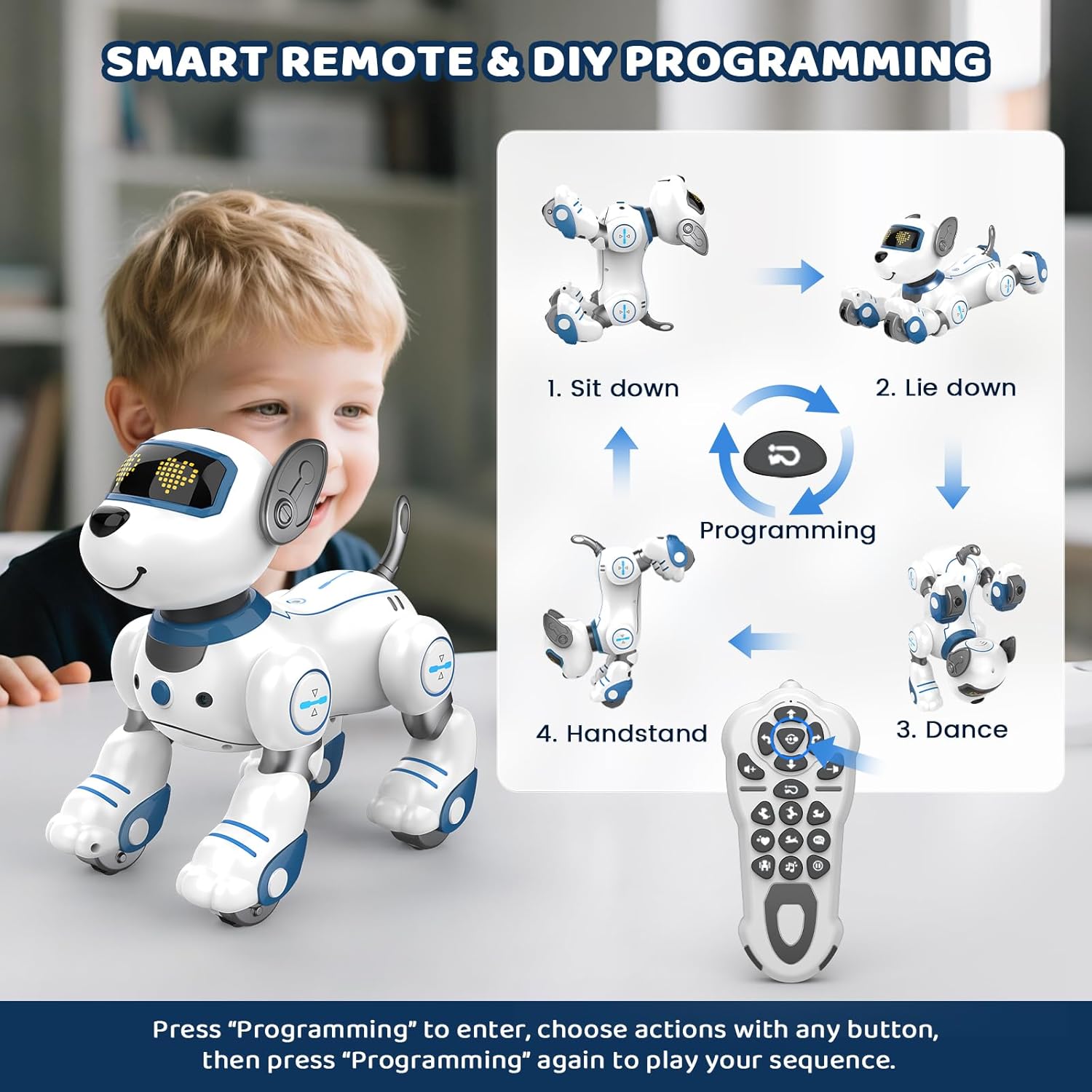
Figure 1: Robot dog and remote control. The remote is used for various functions including programming.
Operating Instructions
Basic Movement and Remote Control
Use the directional buttons on the remote control to move the robot dog forward, backward, left, and right. The robot dog can perform various movements such as walking, running, and turning.
Interactive Touch Sensor
The robot dog is equipped with touch sensors. Gently pat its head, and it will respond with adorable sounds, movements, and tail wags. This feature enhances interactive play.

Figure 2: The robot dog responds to touch on its head with sounds and movements.
Follow Function
Activate the follow function using the dedicated button on the remote control. The robot dog will then follow your movements, providing an engaging play experience.

Figure 3: The robot dog can follow its owner, enhancing interactive play.
Programmable Tricks and Actions
The robot dog can perform a variety of pre-programmed tricks and actions, including sitting, bowing, handstands, push-ups, and tail wagging. Refer to the remote control for specific buttons corresponding to these actions.

Figure 4: The robot dog performs a range of tricks and actions.
DIY Programming
To program custom movement sequences:
- Press the "Programming" button on the remote control.
- Select desired actions by pressing the corresponding buttons on the remote (e.g., sit down, lie down, dance, handstand).
- Press the "Programming" button again to save and play the sequence.
Dance and Music Performance
The robot dog can dance to upbeat tunes and perform stunts in rhythm with music. Its eyes light up during performances. Use the dedicated music button on the remote to activate this feature.
Volume Control
Adjust the volume of the robot dog's sounds and music using the volume control buttons on the remote control. There are typically 4 volume levels.
Official Product Video: Demonstration of Robot Dog Features
This video demonstrates the touch and follow functions, programmable actions, dancing, and walking capabilities of the great dachong Robot Dog Toy.
Maintenance
- Cleaning: Wipe the robot dog with a soft, dry cloth. Do not use water or cleaning solutions, as this can damage electronic components.
- Storage: When not in use for extended periods, turn off both the robot dog and the remote control. Store in a cool, dry place away from direct sunlight.
- Battery Care: Remove batteries from the remote control if storing for a long time to prevent leakage. Ensure the robot dog is fully charged before storage if it will be unused for a while, then recharge periodically.
Troubleshooting
| Problem | Possible Cause | Solution |
|---|---|---|
| Robot dog does not turn on. | Low battery or power switch off. | Ensure the power switch is in the "ON" position. Charge the robot dog fully. |
| Remote control not working. | Dead batteries or incorrect battery installation. | Replace remote control batteries, ensuring correct polarity. |
| Robot dog not responding to remote. | Not paired or interference. | Turn off both the robot dog and remote, then turn them back on to re-establish connection. Ensure no strong interference sources are nearby. |
| Robot dog not moving smoothly. | Low battery or obstruction. | Charge the robot dog. Check wheels and joints for any obstructions. |
| Charging cable/port issue. | Damaged cable or port. | Inspect the USB charging cable and the robot's charging port for damage. Use a different USB cable if available. Contact customer support if damage is apparent. |
Specifications
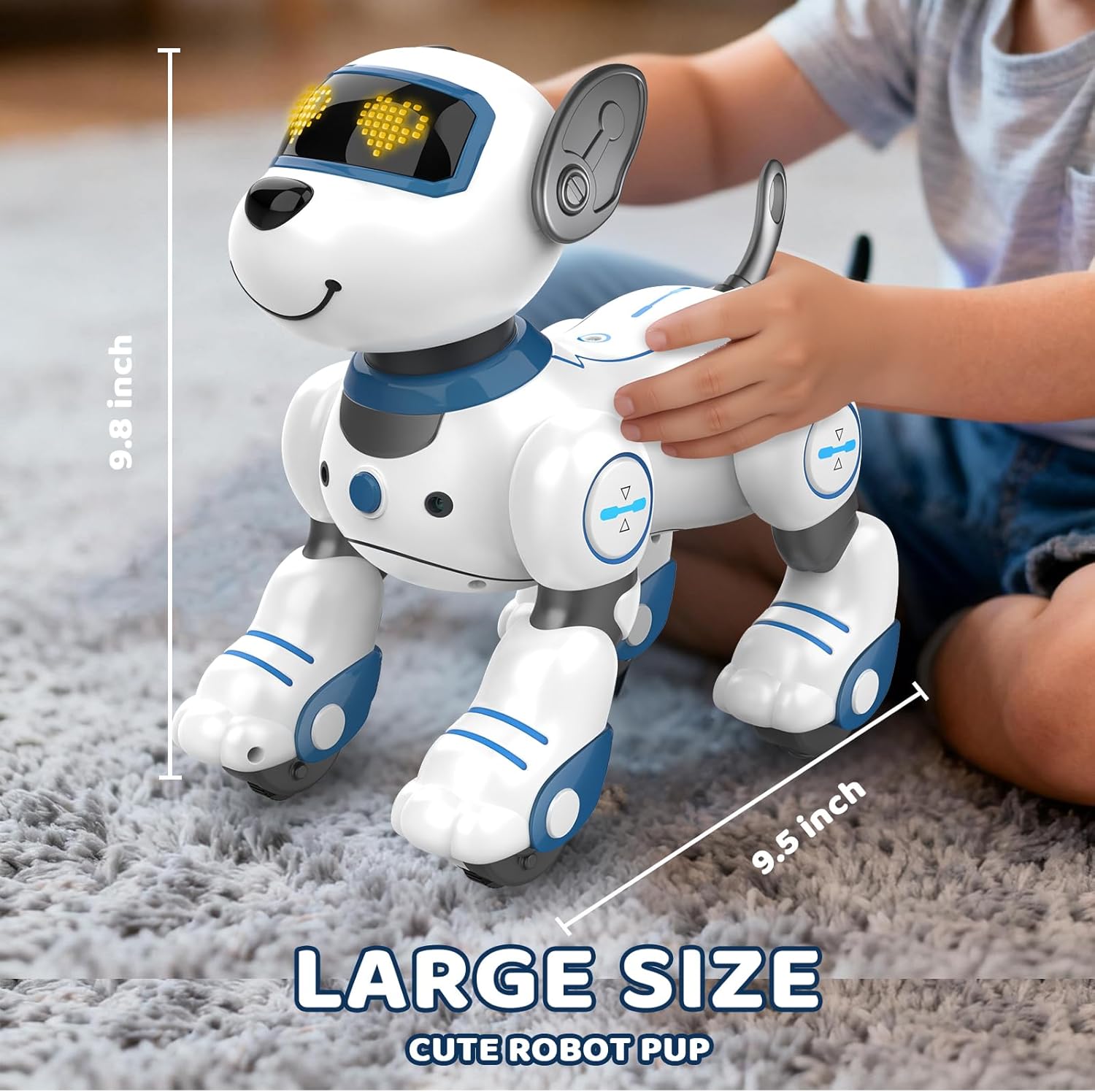
Figure 5: Dimensions of the great dachong Robot Dog Toy.
- Brand: great dachong
- Model Name: Robot Dog
- Model Number: BG1533
- Material: Plastic
- Item Dimensions (L x W x H): 9 x 9 x 5 inches
- Recommended Age: 3-12 years
- Power Source: Battery (Robot Dog: Rechargeable via USB; Remote Control: 2 x AAA batteries)
- Features: Interactive Audio, Motion Sensing, Programmable Tricks, Touch Sensor, Follow Function, Dancing, Walking
Warranty and Support
For warranty information or technical support, please contact great dachong customer service. Refer to the product packaging or the official great dachong website for contact details.
Manufacturer: great dachong
