
Verkstar V-08
Verkstar V-08 Portable Karaoke Machine User Manual
Model: V-08
Introduction
This manual provides detailed instructions for the setup, operation, and maintenance of your Verkstar V-08 Portable Karaoke Machine. Please read thoroughly before use to ensure optimal performance and longevity of your device.
Package Contents
The Verkstar V-08 Portable Karaoke Machine package includes the following items:
- V-08 Karaoke Machine ×1
- Wireless Microphone ×2
- USB-C Charging Cable ×2
- HD OUT Cable ×1
- User Manual ×1

Initial Setup
1. Charging and Powering On
Before first use, ensure the karaoke machine and microphones are fully charged. Connect the main unit to a power source using the provided charger. The microphones charge when placed in their designated slots on the machine or via USB-C cables.
2. Microphone Setup
Insert the provided batteries into each wireless microphone. Power on each microphone by pressing and holding the power button. The microphones can be stored securely in the side holders of the main unit.

3. Connecting the Device
The Verkstar V-08 offers multiple connectivity options:
- Wi-Fi: Access online content and karaoke apps by connecting to a Wi-Fi network through the touchscreen settings.
- Bluetooth: Pair your smartphone or tablet via Bluetooth 5.3 for audio streaming.
- HDMI: Connect the machine to a TV using the HD OUT cable for a larger display of lyrics and visuals.
- USB/TF Card: Play media directly from USB drives or TF cards.

Operating Instructions
1. Touchscreen Interface
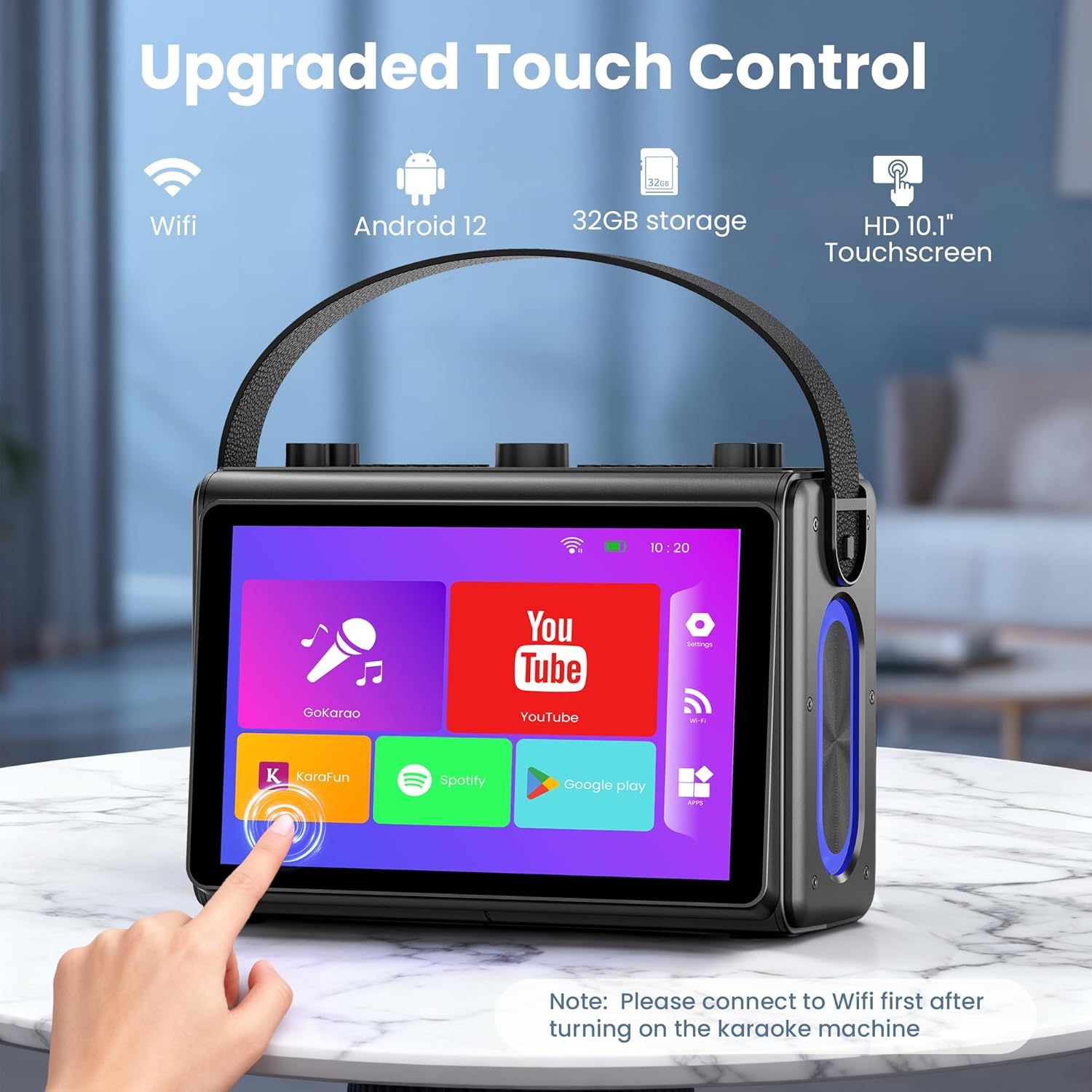
Navigate the 1080p full-laminated HD touchscreen to access various functions. Pre-installed apps like YouTube, Spotify, and dedicated karaoke applications (e.g., GoKarao, Karafun) are available for immediate use. Ensure Wi-Fi is connected for online content.
2. Microphone Functions
Each wireless microphone features controls for power, volume, and sound effects. Experiment with different sound modes such as Original, Karaoke, Super, Popular, Cartoon, Monster, Profession, and Custom to enhance your vocal performance.
3. Speaker Controls
The top panel of the machine provides knobs and buttons for adjusting microphone volume, music volume, echo, bass, and treble. LED modes can also be selected to create a dynamic lighting atmosphere.

Key Features
- Smoother Touch Screen: 1080p full-laminated HD screen for clear lyrics and visuals, with sensitive touch operation.
- Premium Hi-Fi Sound: Professional high-fidelity audio system with dual 3.5-inch woofers and dual 1.5-inch tweeters, featuring built-in noise reduction.
- HDMI Projection Ready: Connects to your TV for casting lyrics to a large screen, enhancing visual enjoyment.
- Portable Design: Lightweight with a sturdy leather wristband and a built-in 6000 mAh high-efficiency battery for on-the-go use.
- All-in-One Karaoke Set: Equipped with Bluetooth 5.3, Wi-Fi, USB, TF card, and compatibility with mobile phones, tablets, and TVs. Includes 2 wireless microphones.

Care and Maintenance
To ensure the longevity and optimal performance of your Verkstar V-08 Karaoke Machine, follow these care guidelines:
- Cleaning: Use a soft, dry cloth to clean the exterior. Avoid abrasive cleaners or solvents.
- Storage: Store the device in a cool, dry place away from direct sunlight and extreme temperatures.
- Battery Care: For safety, do not use the device while charging. Turn off the device when charging is complete.
Troubleshooting
If you encounter any issues with your Verkstar V-08 Karaoke Machine, please refer to the following common solutions:
- Device Not Powering On: Ensure the device is fully charged. Connect to the power adapter and allow it to charge for at least 30 minutes before attempting to power on again.
- Microphones Not Connecting/Working: Check that the microphone batteries are correctly inserted and fully charged. Ensure the microphones are powered on. Re-pair Bluetooth if necessary.
- No Sound: Verify that both the microphone volume and music volume are turned up. Check all audio connections (Bluetooth, AUX, HDMI).
- Wi-Fi Connectivity Issues: Ensure the device is within range of a strong Wi-Fi signal. Re-enter Wi-Fi password if connection fails.
Product Specifications
| Specification | Detail |
|---|---|
| Item Weight | 7.43 pounds |
| Product Dimensions | 4.8 x 10.8 x 12 inches |
| Item Model Number | V-08 |
| Color | Black |
| Compatible Devices | Smartphone, Tablet, Television |
| Connector Type | USB Type C |
| Speaker Count | 4 |
| Power Source | Battery Powered |
| Special Feature | Karaoke Machine with Screen |
Warranty and Customer Support
Your Verkstar V-08 Portable Karaoke Machine comes with a manufacturer's warranty. For specific warranty details, please refer to the documentation included in your package.
If you have any questions, require technical assistance, or need customer support, please go to your order on Amazon, locate the product, and click "Contact Seller." Our support team is dedicated to providing prompt and helpful assistance.
Ask a question about this manual
Ask about setup, troubleshooting, compatibility, parts, safety, or missing instructions. Manuals+ will review the question and use this page’s manual context to help answer it.