
Introduction
Thank you for choosing the Grandder 55x28 Inch Electric Standing Desk. This manual provides detailed instructions for assembly, operation, and maintenance to ensure optimal performance and longevity of your desk. Please read this manual thoroughly before assembly and use, and retain it for future reference.
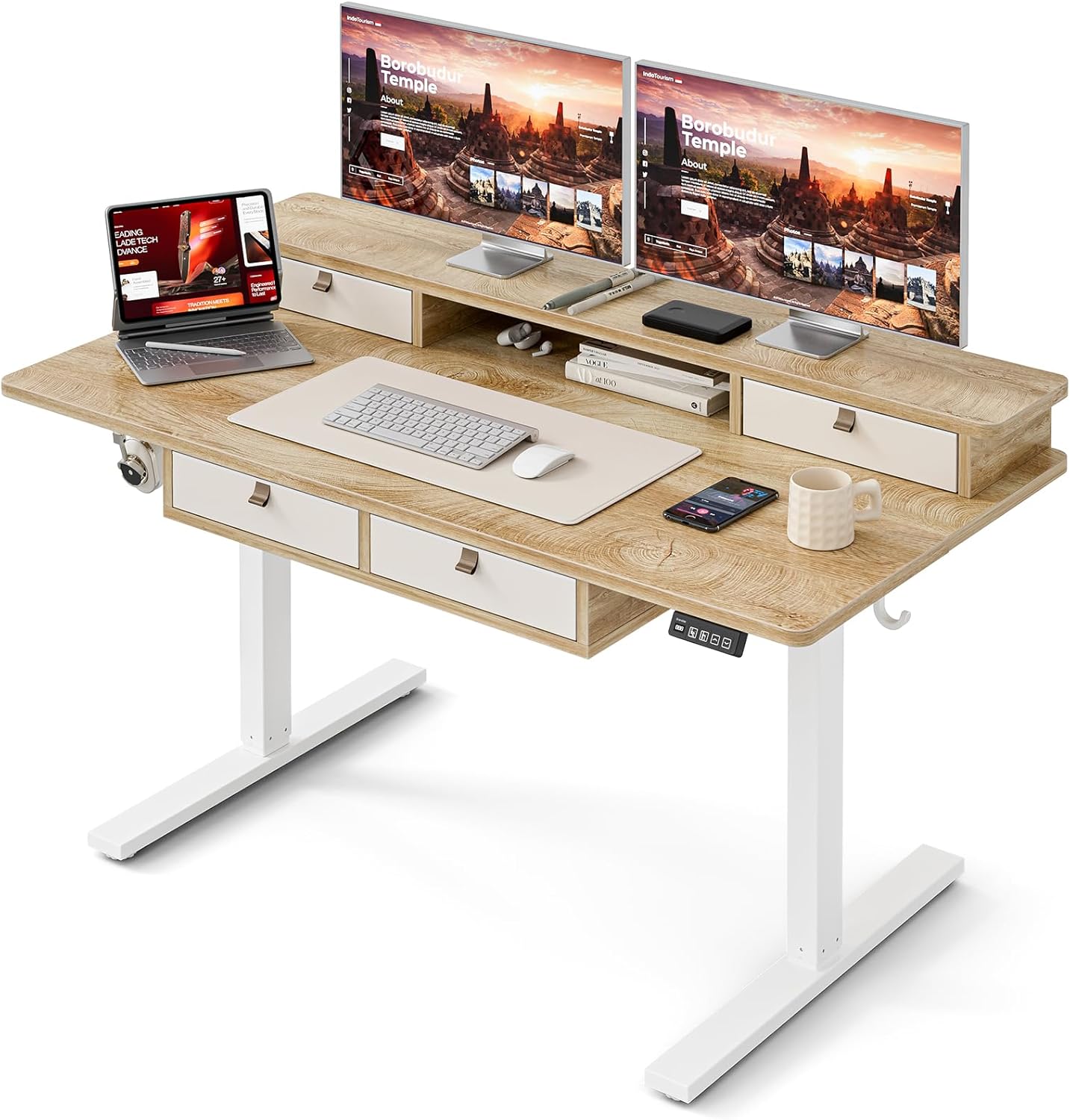
Image: The Grandder electric standing desk, showcasing its spacious desktop, integrated storage, and monitor stand.
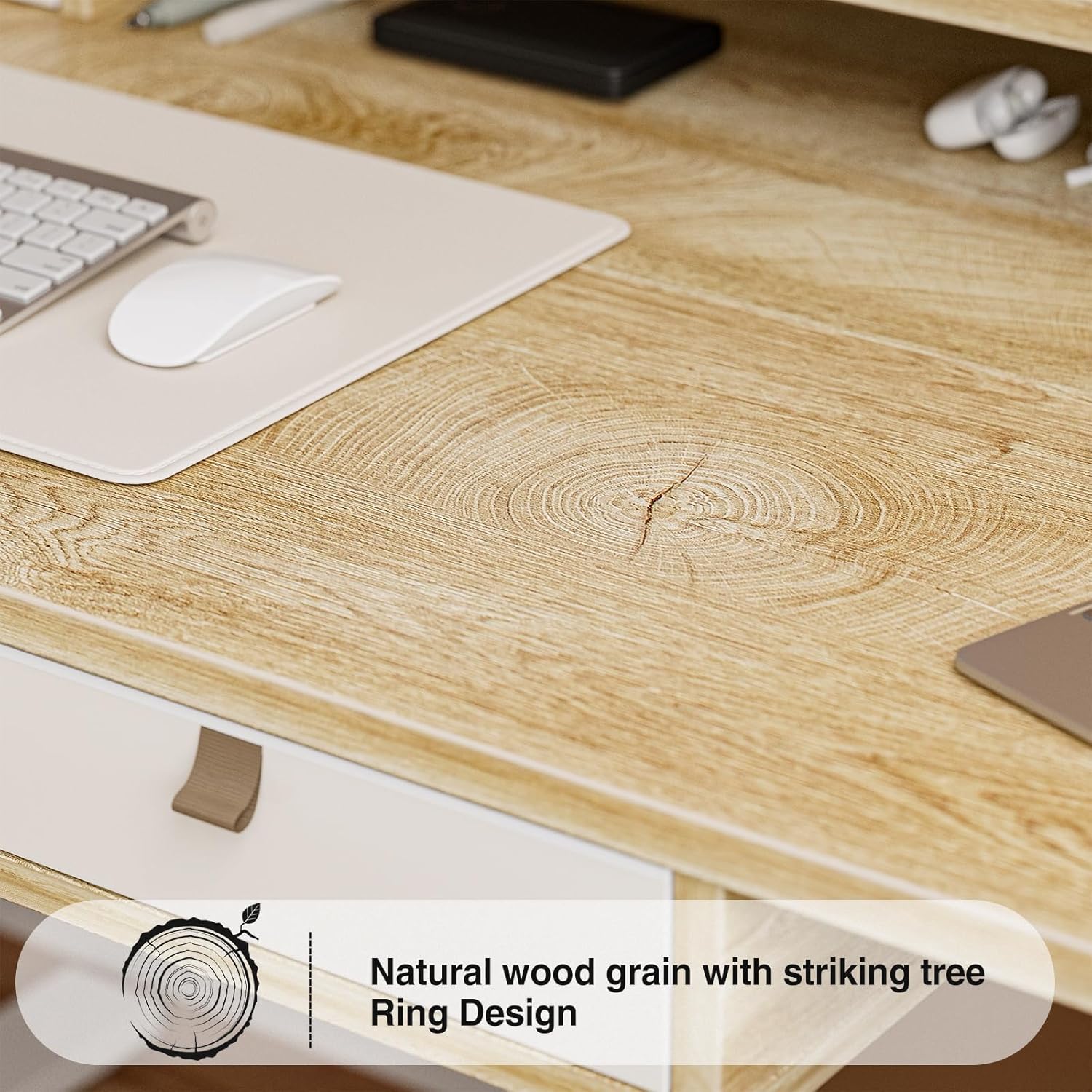
Image: Detail of the natural wood grain desktop finish.

Image: The desk's robust construction, tested for over 50,000 lifts, ensuring stability and durability.
Safety Information
To prevent injury or damage to your desk, please observe the following safety precautions:
- Ensure all components are securely fastened before use.
- Keep children and pets away from the desk during operation.
- Do not overload the desk. Refer to the specifications for maximum weight capacity.
- Avoid placing liquids directly on the control panel or motor components.
- Disconnect power before cleaning or performing maintenance.
- Do not attempt to modify the desk's electrical components.
- Ensure there are no obstructions in the desk's path during height adjustment.
Package Contents
Please verify that all parts are present before beginning assembly. If any parts are missing or damaged, contact customer support.
- Desktop (Splice Board)
- Desk Frame (Legs and Crossbar)
- Electric Lifting Mechanism (Motor and Control Box)
- Control Panel
- 4 Storage Drawers
- Monitor Stand/Upper Shelf
- Cable Grommets
- Headphone Hook
- Assembly Hardware (Screws, Allen Wrenches, etc.)
- Power Adapter
- User Manual
Assembly Instructions
Assembly typically requires two people. Follow the steps below carefully. An estimated assembly time is 50-60 minutes.
- Unpack Components: Carefully remove all parts from the packaging and lay them out on a clean, soft surface to prevent scratches. Verify all parts against the package contents list.
- Assemble Desk Frame: Attach the desk legs to the crossbar using the provided hardware. Ensure all connections are secure.
- Attach Desktop: Carefully place the desktop onto the assembled frame. Align the pre-drilled holes and secure the desktop to the frame with screws.
- Install Electric Mechanism: Mount the motor and control box to the designated areas under the desktop. Connect all necessary cables according to the wiring diagram (refer to specific diagrams in the full manual, if available).
- Install Control Panel: Attach the control panel to the underside of the desktop, typically on the right side, and connect its cable to the control box.
- Assemble Storage Elements: Install the four storage drawers into their respective slots. Attach the monitor stand/upper shelf to the desktop.
- Attach Accessories: Install cable grommets and the headphone hook as desired.
- Connect Power: Plug the power adapter into the control box and then into a wall outlet.
- Initial Test: Perform an initial test of the height adjustment function to ensure smooth operation.

Image: Desk dimensions for reference during assembly and placement.
Operating Instructions
Your Grandder electric standing desk features an intuitive control panel for easy height adjustment and memory presets.
Control Panel Functions

Image: The hand controller for the electric standing desk, showing the digital display and control buttons.
- Up/Down Arrows (▲ / ▼): Press and hold to manually adjust the desk height. Release to stop at the desired position.
- Digital Display: Shows the current desk height in inches or centimeters.
- Preset Buttons (Icons): Your desk features preset buttons to save and recall preferred sitting and standing heights.
- To Save a Preset: Adjust the desk to your desired height using the up/down arrows. Press and hold one of the preset icon buttons (e.g., sitting person icon) until the display flashes or beeps, indicating the height is saved.
- To Recall a Preset: Briefly press the corresponding preset icon button. The desk will automatically move to the saved height.
Height Adjustment
The desk allows for smooth electric height adjustment, enabling you to switch between sitting and standing positions. The height range is approximately 28 inches to 45.6 inches.
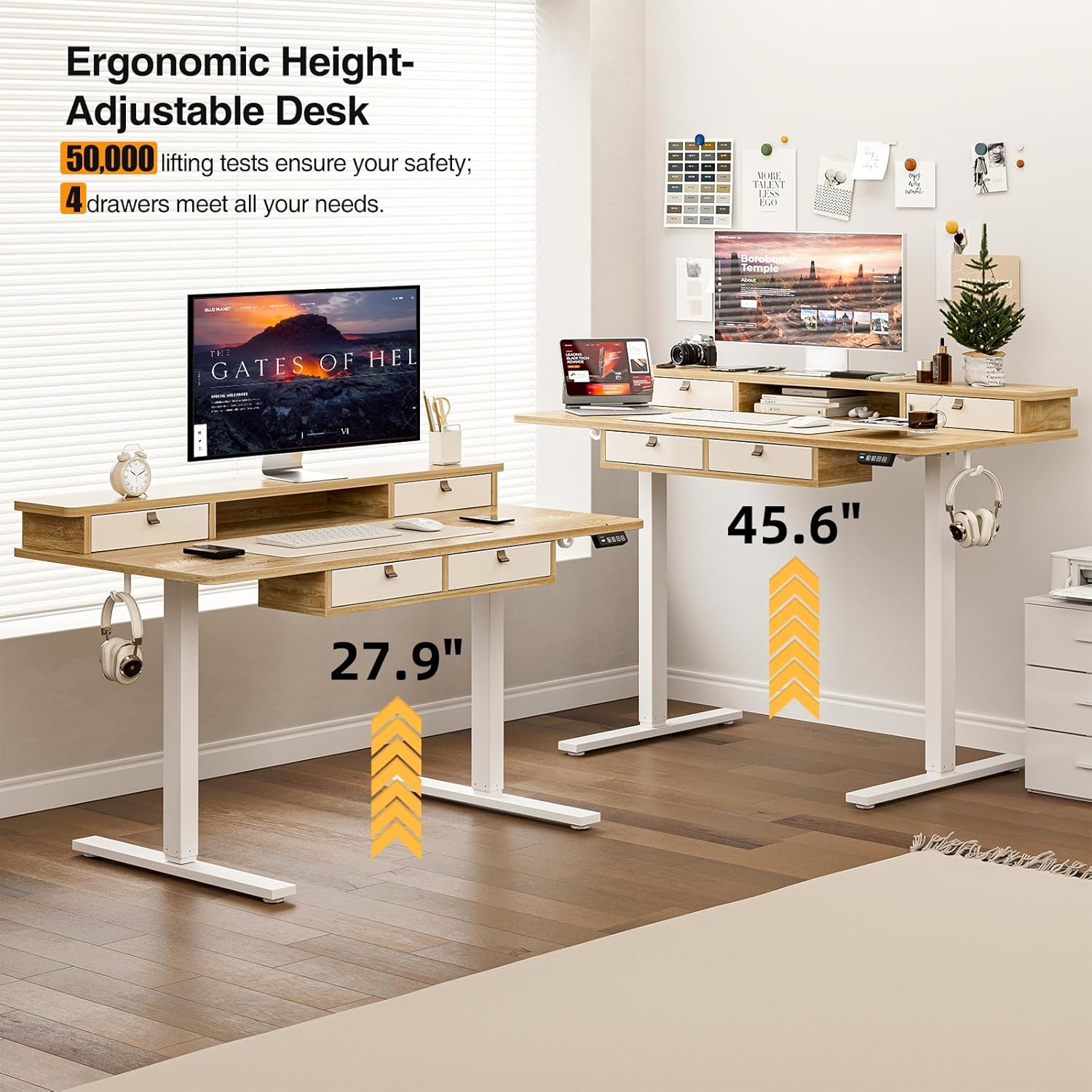
Image: Visual representation of the desk's adjustable height range, from sitting to standing positions.
Storage Features
The desk includes four integrated drawers and an upper shelf for organized storage of office essentials, helping to maintain a tidy workspace.

Image: The four storage drawers providing ample space for organization.

Image: Comparison illustrating the enhanced storage capabilities of the Grandder desk.
Additional Features
- Anti-Collision Design: The desk is equipped with an anti-collision system that automatically stops movement if an obstruction is detected, preventing damage or injury.
- Adjustable Foot Pads: The desk features adjustable foot pads to ensure stability on uneven floors.
- Headphone Hook: A convenient hook is included for hanging headphones or other accessories.

Image: Details of the control panel, adjustable foot pads, and anti-collision feature.
Maintenance
Regular maintenance ensures the longevity and smooth operation of your desk.
- Cleaning: Wipe the desktop and frame with a soft, damp cloth. Avoid abrasive cleaners or harsh chemicals that could damage the finish.
- Cable Management: Periodically check and organize cables to prevent tangles and ensure they do not interfere with the desk's movement.
- Fastener Check: Every few months, check all screws and fasteners to ensure they are tight. Retighten if necessary.
- Motor Care: The electric motor is designed for maintenance-free operation. Do not attempt to lubricate or disassemble it.
Troubleshooting
| Problem | Possible Cause | Solution |
|---|---|---|
| Desk does not move. | Power cable disconnected; motor overload; control panel issue. | Check power connections. Unplug and replug the power cable. Reduce weight on the desk. Contact customer support if the issue persists. |
| Uneven height adjustment. | Uneven load; loose fasteners. | Distribute weight evenly on the desktop. Check and tighten all assembly fasteners. |
| Desk stops mid-movement. | Overload protection activated; anti-collision system triggered. | Reduce weight on the desk. Check for obstructions under or around the desk. Wait a few moments before attempting to adjust again. |
| Control panel display not working. | Power issue; loose cable connection. | Ensure the power cable is securely connected. Check the connection between the control panel and the control box. |
Specifications
| Brand | Grandder |
| Model Number | A205-55DX |
| Product Dimensions (D x W x H) | 27.6"D x 55"W x 37"H (at lowest point, approximate) |
| Adjustable Height Range | Approx. 28" - 45.6" |
| Desktop Material | Engineered Wood with Laminated Finish |
| Frame Material | Metal |
| Color | Oak |
| Item Weight | 59 Pounds |
| Weight Capacity | Up to 220 lbs |
| Special Features | Ergonomic, 4 Storage Drawers, Monitor Stand, Cable Grommets, Headphone Hook |

Image: The desk's capacity to hold various office items, up to 220 lbs.
Warranty and Support
Grandder products are designed for quality and durability. For warranty information, technical support, or assistance with missing/damaged parts, please contact Grandder customer service through the retailer's platform or the official Grandder website. Please have your model number (A205-55DX) and purchase date ready when contacting support.