1. Introduction
Thank you for choosing the INGCO CIDLI20968 20V Brushless Cordless Impact Drill. This powerful and versatile tool is designed for efficient drilling and driving in various materials, including wood, metal, and masonry. Featuring a high-efficiency brushless motor, 96Nm of torque, and a robust 13mm metal chuck, it offers precision and durability for both DIY enthusiasts and professional tradespeople. This manual provides essential information for safe operation, setup, maintenance, and troubleshooting to ensure optimal performance and longevity of your tool.
2. Safety Instructions
Always observe basic safety precautions to reduce the risk of fire, electric shock, and personal injury when operating power tools. Read all instructions carefully before use.
- Work Area Safety: Keep your work area clean and well-lit. Cluttered or dark areas invite accidents. Do not operate power tools in explosive atmospheres, such as in the presence of flammable liquids, gases, or dust.
- Electrical Safety: Avoid body contact with earthed or grounded surfaces. Do not expose power tools to rain or wet conditions.
- Personal Safety: Always wear eye protection. Use hearing protection when operating the tool for extended periods. Dress properly; avoid loose clothing or jewelry. Secure long hair.
- Tool Use and Care: Do not force the power tool. Use the correct power tool for your application. Disconnect the battery pack from the power tool before making any adjustments, changing accessories, or storing power tools.
- Battery Pack Safety: Recharge only with the charger specified by the manufacturer. Do not disassemble, crush, or expose battery packs to high temperatures or fire.
3. Product Overview and Components
The INGCO CIDLI20968 impact drill is designed for versatility and power. Familiarize yourself with its key components for effective operation.
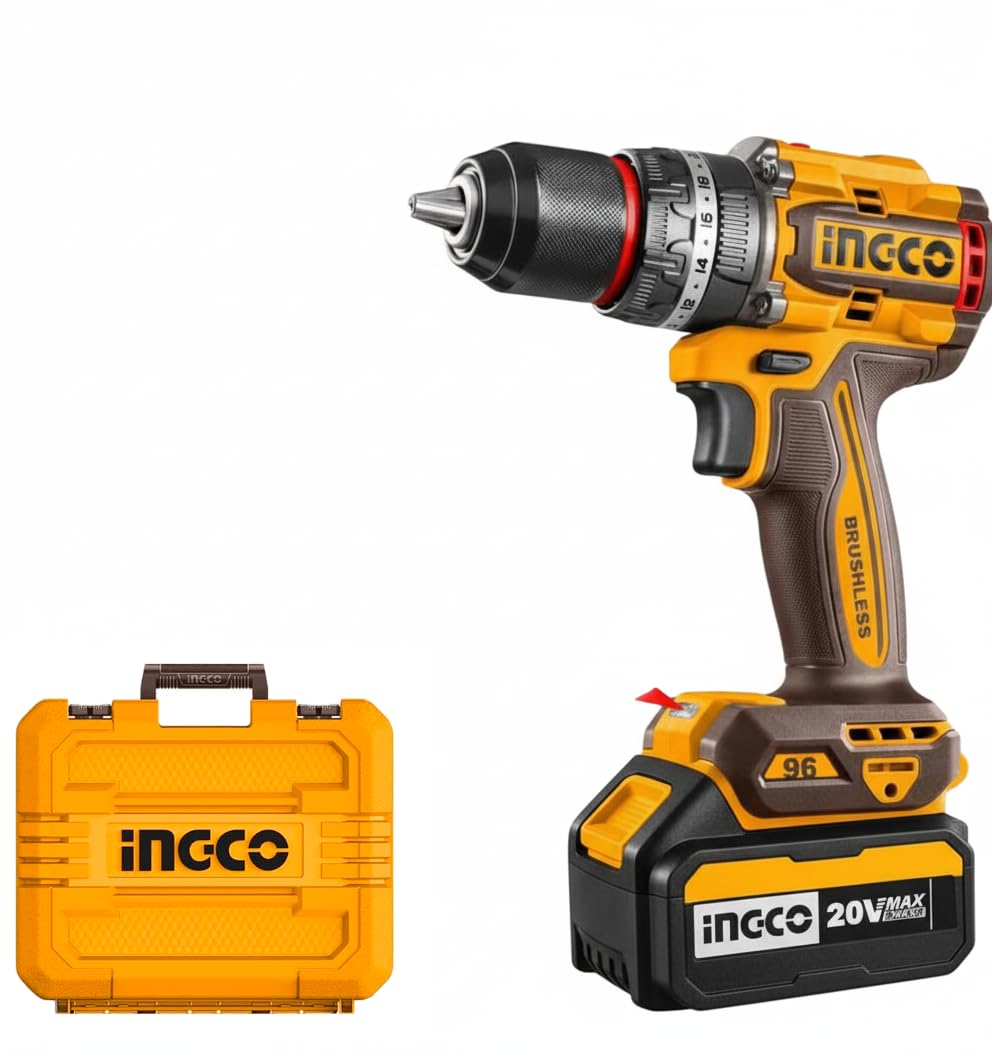
Image: The INGCO CIDLI20968 20V Brushless Cordless Impact Drill shown with two 4.0Ah batteries, a charger, a selection of HSS, masonry, and wood flat drill bits, and a carrying case. Key features like 'IMPACT FUNCTION', '96N.m', 'BL MOTOR', and 'SPINDLE LOCK FUNCTION' are highlighted.
Key Components:
- 13mm Metal Chuck: For secure bit holding and easy bit changes. Features spindle lock function.
- Torque/Mode Selector: Adjusts torque settings (22+1+1) and selects between drilling, impact drilling, and screwdriving modes.
- 2-Speed Gear Selector: Allows selection between low speed (0-500 RPM) for high torque applications and high speed (0-2000 RPM) for fast drilling.
- Forward/Reverse Switch: Changes the rotation direction of the chuck.
- Variable Speed Trigger: Controls the operating speed based on pressure applied.
- LED Work Light: Illuminates the work area for improved visibility.
- LED Battery Indicator: Displays the remaining battery charge level.
- Brushless Motor: Provides high efficiency, longer runtime, and extended tool life.
Included in Package:
- 1 x INGCO CIDLI20968 Cordless Impact Drill
- 2 x 4.0Ah Batteries (FBLI20021)
- 1 x Charger (FCLI20411)
- 3 x Wood Flat Drill Bits (16/19/22mm)
- 3 x Masonry Drill Bits (5/6/8mm)
- 3 x HSS Drill Bits (4/5/6mm)
- 2 x 65mm Impact Screwdriver Bits (PH2+PH2, PH2+SL6)
- 1 x Durable Carrying Case
4. Setup
4.1. Charging the Battery
- Connect the charger (FCLI20411) to a suitable power outlet.
- Slide the 4.0Ah battery (FBLI20021) into the charger until it clicks into place.
- The charger indicator light will show the charging status. Refer to the charger's specific manual for detailed light indications.
- Once fully charged, remove the battery from the charger.
4.2. Installing and Removing the Battery
- To Install: Align the battery with the base of the drill handle and slide it in until it locks securely.
- To Remove: Press the battery release button (usually located on the sides of the battery pack) and slide the battery out.
4.3. Installing and Removing Drill Bits/Accessories
- To Install: Rotate the chuck counter-clockwise to open the jaws. Insert the desired drill bit or accessory into the chuck. Rotate the chuck clockwise to tighten the jaws firmly around the bit. The spindle lock function assists in single-hand tightening.
- To Remove: Rotate the chuck counter-clockwise to loosen the jaws and remove the bit.
5. Operating Instructions
5.1. Powering On/Off
The drill is powered on by pressing the variable speed trigger and powered off by releasing it.
5.2. Selecting Speed
Use the 2-speed gear selector located on top of the drill:
- Position 1 (Low Speed): For high torque applications, such as driving screws or drilling large holes in tough materials (0-500 RPM).
- Position 2 (High Speed): For fast drilling in softer materials or smaller holes (0-2000 RPM).
5.3. Selecting Torque and Mode
The torque/mode selector ring allows you to choose the appropriate setting:
- Torque Settings (1-22): For screwdriving applications. Adjust the ring to the desired torque level. Lower numbers are for smaller screws or softer materials, higher numbers for larger screws or harder materials.
- Drill Mode (Drill Bit Icon): For general drilling without impact.
- Impact Drill Mode (Hammer Icon): For drilling into masonry or concrete, providing a hammering action in addition to rotation.
5.4. Forward/Reverse Operation
The forward/reverse switch, located above the trigger, controls the direction of rotation:
- Pushing the switch to the left (when viewed from the rear) sets the drill to forward rotation for drilling and driving.
- Pushing the switch to the right sets the drill to reverse rotation for removing screws or backing out bits.
- Centering the switch locks the trigger, preventing accidental startup.
5.5. LED Work Light and Battery Indicator
- The integrated LED work light automatically illuminates when the trigger is pressed, providing visibility in dark areas.
- The LED battery indicator on the battery pack shows the remaining charge level. Press the button on the battery to check the status.
6. Maintenance
Regular maintenance ensures the longevity and optimal performance of your INGCO impact drill.
- Cleaning: Keep the ventilation openings clean to prevent overheating. Use a soft, damp cloth to clean the tool's exterior. Do not use harsh chemicals or abrasive cleaners.
- Storage: Store the tool and batteries in a cool, dry place, away from direct sunlight and moisture. Ensure the battery is removed from the tool before storage.
- Battery Care: Do not store batteries in a discharged state. Recharge them regularly, even if not in use, to maintain battery health. Avoid extreme temperatures.
- Chuck Maintenance: Periodically clean the chuck jaws to ensure proper gripping of bits.
7. Troubleshooting
If you encounter issues with your drill, refer to the following common problems and solutions:
| Problem | Possible Cause | Solution |
|---|---|---|
| Drill does not start | Battery not charged or improperly installed; Forward/Reverse switch in center (locked) position. | Charge battery and ensure it is securely installed. Move F/R switch to forward or reverse. |
| Loss of power during operation | Battery charge is low. | Recharge the battery. |
| Bit slips in chuck | Chuck not tightened sufficiently; Bit shank is dirty or damaged. | Tighten chuck firmly. Clean or replace the bit. |
| Excessive vibration or noise | Damaged or bent drill bit; Loose components. | Replace the drill bit. Check for loose parts and tighten if possible, or contact service. |
8. Specifications
| Feature | Detail |
|---|---|
| Model Number | CIDLI20968 |
| Voltage | 20V |
| Motor Type | Brushless |
| Max. Torque | 96Nm |
| No-load Speed (Low) | 0-500 RPM |
| No-load Speed (High) | 0-2000 RPM |
| Chuck Size | 13mm Metal Chuck |
| Torque Settings | 22+1+1 (Drill, Impact, Screwdriver) |
| Product Dimensions | 25 x 12 x 18 cm |
| Included Batteries | 2 x 4.0Ah (FBLI20021) |
| Included Charger | 1 x (FCLI20411) |
9. Warranty and Support
INGCO products are manufactured to high-quality standards and are warranted against defects in materials and workmanship. For specific warranty terms and conditions, please refer to the warranty card included with your product or visit the official INGCO website. For technical support, spare parts, or service inquiries, please contact your local INGCO dealer or authorized service center.


