
Introduction
Thank you for choosing the COTAO XY70 Wireless Earbuds. This manual provides detailed instructions on how to set up, operate, maintain, and troubleshoot your new earbuds. Please read this manual carefully before use to ensure optimal performance and longevity of your device.
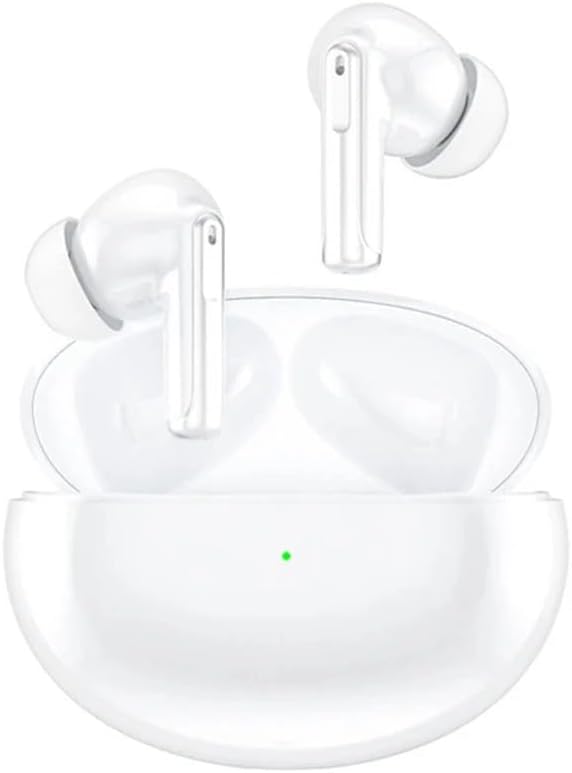
Image: The COTAO XY70 Wireless Earbuds, white in color, resting inside their open charging case. A small green indicator light is visible on the front of the case, suggesting it is powered on or charging.
1. Setup
1.1 Charging the Earbuds and Case
Before first use, fully charge the earbuds and the charging case. The case supports both wired and wireless charging.
- Wired Charging: Connect the provided USB-C cable to the charging port on the case and to a power source. The indicator light on the case will show charging status.
- Wireless Charging: Place the charging case on a compatible wireless charging pad. Ensure the case is centered for efficient charging.
A full charge provides up to 24 hours of total battery life with the charging case, and approximately 4 hours of single use per earbud.

Image: A graphic illustrating the battery performance of the earbuds. It shows "4H For single use" and "24H Hours of battery life," indicating the individual earbud playback time and the total playback time with the charging case.
1.2 Pairing with a Device
- Open the charging case. The earbuds will automatically enter pairing mode.
- On your device (smartphone, tablet, etc.), enable Bluetooth.
- Search for "COTAO XY70" in the list of available Bluetooth devices.
- Select "COTAO XY70" to connect. Once connected, a voice prompt will confirm successful pairing.
The earbuds utilize Bluetooth 5.3 for a fast and stable connection.

Image: The COTAO XY70 Wireless Earbuds in their open charging case, placed next to a smartphone displaying a Bluetooth connection icon. This illustrates the pairing process between the earbuds and a mobile device.

Image: A detailed view of microchips labeled "Bluetooth 5.3" and "EDR," highlighting the advanced wireless connectivity technology integrated into the earbuds.
1.3 Wearing the Earbuds
Gently insert the earbuds into your ear canals and rotate them slightly to find a comfortable and secure fit. A proper fit is essential for optimal sound quality and noise cancellation.

Image: A man wearing one of the COTAO XY70 earbuds, with a graphic representation of sound waves emanating from the earbud, emphasizing the audio experience and proper wearing technique.
2. Operating the Earbuds
2.1 Touch Controls
The COTAO XY70 earbuds feature intuitive touch controls on each earbud. Specific functions may vary slightly depending on your device and operating system.
- Play/Pause: Single tap on either earbud.
- Next Track: Double tap on the right earbud.
- Previous Track: Double tap on the left earbud.
- Answer/End Call: Single tap on either earbud.
- Reject Call: Press and hold either earbud for 2 seconds.
- Activate Voice Assistant: Triple tap on either earbud.
- Toggle ANC/Transparency Mode: Press and hold the touch area for 2 seconds.
2.2 Active Noise Cancellation (ANC) and Adaptive Sound Modes
The earbuds feature Deep ANC Noise Cancellation to minimize ambient sounds, allowing for an immersive listening experience. They also offer adaptive sound modes, enabling you to choose between quiet immersion or awareness of your surroundings.
- ANC Mode: Reduces external noise for focused listening.
- Transparency Mode: Allows you to hear your surroundings while still enjoying your audio.
Toggle between these modes using the touch controls as described above.
2.3 Clear ENC Call Noise Reduction
The earbuds are equipped with Environmental Noise Cancellation (ENC) technology to ensure clear calls by reducing background noise during phone conversations.
2.4 Flexible Single/Dual Use
You can use either earbud independently or both together. Simply take one earbud out of the case to use it in mono mode, or both for stereo sound.
3. Maintenance
3.1 Cleaning
- Regularly clean the earbuds and charging case with a soft, dry, lint-free cloth.
- Do not use abrasive materials, solvents, or aerosol sprays.
- Gently remove any earwax or debris from the ear tips and speaker mesh using a small, clean brush or cotton swab.
3.2 Storage
When not in use, store the earbuds in their charging case to protect them from dust, damage, and to keep them charged.
3.3 Battery Care
To prolong battery life, avoid fully discharging the earbuds and charging case frequently. Charge them regularly, even if not in constant use.
4. Troubleshooting
4.1 Earbuds Not Pairing
- Ensure both earbuds are charged.
- Place both earbuds back into the charging case, close the lid, wait a few seconds, then open it again to re-enter pairing mode.
- Turn off and on your device's Bluetooth.
- Forget "COTAO XY70" from your device's Bluetooth list and attempt to pair again.
4.2 No Sound or Low Volume
- Check the volume level on both your device and the earbuds.
- Ensure the earbuds are properly connected to your device.
- Clean any debris from the earbud speaker mesh.
- Try resetting the earbuds (refer to manufacturer's website for specific reset instructions if needed).
4.3 Charging Issues
- Ensure the charging cable is securely connected to both the case and the power source.
- Try a different charging cable or power adapter.
- If using wireless charging, ensure the case is correctly positioned on the charging pad.
- Clean the charging contacts on the earbuds and inside the case.
5. Specifications

Image: A technical drawing showing the dimensions of the COTAO XY70 charging case and an individual earbud, with measurements in millimeters.
| Feature | Detail |
|---|---|
| Model Name | XY70 |
| Brand | COTAO |
| Connectivity Technology | Wireless (Bluetooth 5.3) |
| Form Factor | In-Ear |
| Colour | White |
| Included Components | Earbuds, Charging Case, USB-C Cable |
| Battery Life (Single Use) | Approx. 4 hours |
| Total Battery Life (with Case) | Up to 24 hours |
| Noise Cancellation | Deep ANC (Active Noise Cancellation) |
| Call Noise Reduction | ENC (Environmental Noise Cancellation) |
| Charging | Wireless & Fast Charging |
| Dimensions (Case) | 61.75mm x 48mm x 27.5mm (approximate) |
| Weight (Parcel) | 100 g |
Note: Specifications are subject to change without notice.
6. Warranty and Support
For warranty information and customer support, please refer to the official COTAO website or contact your retailer. Keep your proof of purchase for warranty claims.
If you encounter any issues not covered in this manual, please contact COTAO customer service for assistance.