
1. Product Overview
The ODEJOI M7 is a versatile portable media player running on Android 13, designed for music, audiobooks, podcasts, and videos. It features a 4.5-inch touchscreen, Wi-Fi, Bluetooth, and ample storage for a complete multimedia experience.

Image 1.1: The ODEJOI M7 MP3 Player showing its 4.5-inch screen, physical dimensions (6.6cm width, 11.6cm height), and key features including Android 13, WiFi (2.4Ghz/5Ghz), and Bluetooth 5.0.
Key Features:
- Operating System: Android 13
- Display: 4.5-inch HD Touchscreen
- Storage: 32GB internal + 128GB microSD card (total 163GB), expandable up to 1TB
- RAM: 3GB
- Processor: Powerful 8-Core MTK Processor
- Connectivity: Dual-band Wi-Fi (2.4Ghz / 5Ghz), Bluetooth 5.0
- Battery: 2000mAh Lithium Polymer
- Pre-installed Apps: Spotify, YouTube Music, Amazon Music, Pandora, Google Play Store
- Additional Functions: FM Radio, Voice Recorder, Built-in Speaker, Alarm Clock, Calendar, Photo Viewer

Image 1.2: An illustration of the ODEJOI M7's internal components, highlighting the 8-Core MTK 6762 processor, 3GB RAM, 32GB ROM, and the included 128GB memory card, all powered by Android 13.
2. Setup Guide
2.1 Unboxing and Initial Charge
Upon unboxing, ensure all accessories are present: the ODEJOI M7 player, a USB-C cable, a protective film, wired headphones, and a silicone case. Before first use, fully charge the device.
- Connect the provided USB-C cable to the player and a compatible USB power adapter (not included) or a computer.
- A full charge takes approximately 3 hours.

Image 2.1: Visual representation of the ODEJOI M7's charging capabilities and battery performance, indicating 3 hours for fast charging, 20 hours of music playback via Bluetooth, 5 hours of video playback, and a 2000mAh battery capacity.

Image 2.2: The ODEJOI M7 package contents, including a 128GB microSD card, USB-C cable, protective film, wired headphones, and a silicone case. It also illustrates file sharing capabilities between the player and a phone/PC via Bluetooth.
2.2 Inserting the MicroSD Card
The device comes with a 128GB microSD card pre-installed. If you wish to replace or upgrade it:
- Locate the microSD card slot on the side of the player.
- Gently insert the microSD card into the slot until it clicks into place. The device supports up to 1TB microSD cards.
2.3 Connecting to Wi-Fi
To access streaming services and download apps, connect your player to a Wi-Fi network:
- From the home screen, swipe down from the top to open the Quick Settings panel.
- Tap and hold the Wi-Fi icon to open Wi-Fi settings.
- Toggle Wi-Fi on if it's off.
- Select your desired network from the list and enter the password if prompted. The device supports dual-band Wi-Fi (2.4Ghz and 5Ghz).
2.4 Bluetooth Pairing
Pair your player with Bluetooth headphones, speakers, or car audio systems:
- Ensure the Bluetooth device you want to pair is in pairing mode.
- On your ODEJOI M7, swipe down from the top to open Quick Settings.
- Tap and hold the Bluetooth icon to open Bluetooth settings.
- Toggle Bluetooth on if it's off.
- The player will scan for available devices. Select your device from the list to pair.
2.5 File Transfer
Transfer music, videos, and other files to your ODEJOI M7:
- From PC: Connect the player to your computer using the USB-C cable. On the player, select "File Transfer" when prompted. You can then drag and drop files to the player's internal storage or microSD card.
- From Android Phone: Files can be transferred via Bluetooth. (Note: File transfer with iOS devices is not supported.)
3. Operating Instructions
3.1 Basic Navigation
The ODEJOI M7 operates like a standard Android device. Use the 4.5-inch HD touchscreen for all interactions:
- Tap: Select an item or open an app.
- Swipe: Navigate through screens, lists, or pages.
- Pinch-to-Zoom: Zoom in or out on images or web pages.
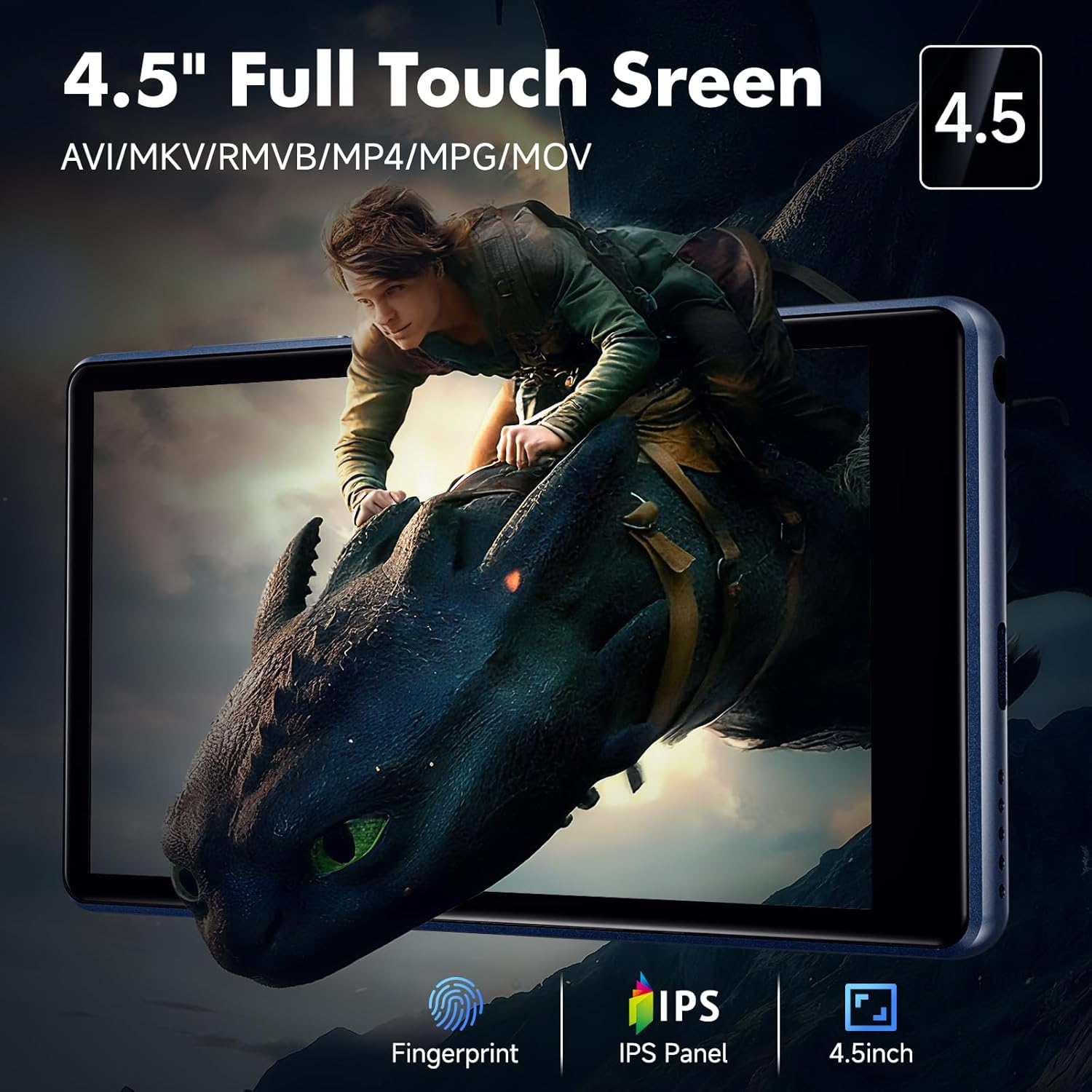
Image 3.1: The ODEJOI M7 featuring its 4.5-inch full touch screen, capable of displaying various video formats like AVI, MKV, RMVB, MP4, MPG, and MOV, and utilizing an IPS panel for clear visuals.
3.2 Music Playback
The player includes a local music app and supports various streaming services.
Local Music Playback:
The local music app scans your internal storage and microSD card. It supports MP3, FLAC, WAV, AAC, APE, OGG, M4A, WMA, MP2, AMR, and other formats.
- Browse: Navigate music by title, album, artist, or genre. You can also browse by folder.
- Playlists: Create and manage your own playlists directly within the app.
- Equalizer: Adjust audio settings using the built-in equalizer for a customized sound experience.

Image 3.2: The interface of the ODEJOI M7's local music player app, demonstrating features such as searching music by keywords, creating custom playlists, browsing music by sliding pages, and accessing an equalizer for sound customization. Supported formats include MP3, WAV, FLAC, APE, OGG, M4A, AAC, WMA, MP2, AMR, etc.
Streaming Music:
The device comes with Spotify, YouTube Music, Amazon Music, and Pandora pre-installed. Connect to Wi-Fi to stream or download content for offline listening.
- Open the desired streaming app from the home screen or app drawer.
- Log in with your account credentials.
- Browse and play music as you would on any other device.
3.3 Video Playback
The 4.5-inch HD touchscreen supports popular video formats without conversion, including AVI, MKV, RMVB, MP4, MPG, and MOV.
- Transfer video files to the player's storage.
- Use the pre-installed video player app or download a preferred one from the Google Play Store.
3.4 Other Functions
- FM Radio: Access the FM Radio app to listen to local stations. Wired headphones may be required as an antenna.
- Voice Recorder: Use the built-in voice recorder for memos or lectures.
- E-books: The device supports e-book reading. Download e-book apps from the Google Play Store for a comfortable reading experience.
- Alarm Clock, Calendar, Photo Viewer: Standard Android applications are available for these functions.

Image 3.3: The ODEJOI M7 being used in a family setting, illustrating its use for playing music, cartoons, and bedtime stories, with an emphasis on parental controls for child-friendly content.
4. Maintenance
4.1 Battery Care
- To prolong battery life, avoid fully discharging the battery frequently.
- Charge the device using the provided USB-C cable and a compatible power source.
- Avoid exposing the device to extreme temperatures.
4.2 Cleaning the Device
- Use a soft, lint-free cloth to clean the screen and body of the player.
- Do not use harsh chemicals or abrasive materials, as they may damage the screen or finish.
4.3 Storage Management
- Regularly check your storage usage in the device settings.
- Delete unnecessary files or apps to free up space.
- Utilize the microSD card for large media files to keep internal storage clear for system operations and apps.
5. Troubleshooting
5.1 Common Issues and Solutions
- Device not turning on: Ensure the battery is charged. Connect to a power source and try again.
- Wi-Fi connectivity issues: Check if Wi-Fi is enabled and you are within range of a known network. Restart the device and your router if problems persist.
- Bluetooth pairing failure: Ensure both devices are in pairing mode and within close proximity. Try unpairing and re-pairing the device.
- Apps crashing or freezing: Close and reopen the app. If the issue continues, clear the app's cache or reinstall it.
- Slow performance: Close background apps, clear cache, or free up storage space. A factory reset can resolve persistent performance issues (Note: This will erase all data on the device. Back up important files first.)
5.2 Important Considerations
- iOS File Transfer: Direct file transfer from iOS devices to the ODEJOI M7 is not supported. Use a computer as an intermediary or cloud services.
6. Specifications
| Feature | Detail |
|---|---|
| Model Number | M7 |
| Operating System | Android 13 |
| Processor | 8-Core MTK Processor |
| RAM | 3GB |
| Internal Storage (ROM) | 32GB |
| Included MicroSD Card | 128GB |
| Total Storage | 163GB (32GB ROM + 128GB MicroSD) |
| Expandable Storage | Up to 1TB via MicroSD card |
| Screen Size | 4.5 Inches |
| Display Type | HD Touchscreen, IPS Panel |
| Wi-Fi | Dual-band (2.4Ghz / 5Ghz) |
| Bluetooth | Version 5.0 |
| Battery Capacity | 2000mAh Lithium Polymer |
| Charging Port | USB-C |
| Charging Time | Approx. 3 hours for full charge |
| Music Playback (Bluetooth) | Up to 20 hours |
| Music Playback (Wired) | Up to 35 hours |
| Video Playback | 5-6 hours |
| Product Dimensions | 0.39 x 2.6 x 4.57 inches |
| Item Weight | 0.351 ounces (9.96 Grams) |
| Supported Audio Formats | MP3, FLAC, WAV, AAC, APE, OGG, M4A, WMA, MP2, AMR, etc. |
| Supported Video Formats | AVI, MKV, RMVB, MP4, MPG, MOV |
7. Support
For any questions or assistance with your ODEJOI M7 MP3 Player, please contact our support team. Refer to the contact information provided with your product packaging or visit the official ODEJOI website for further details.


