
Introduction
Thank you for choosing the Dolphin S100 Bluetooth Waterproof Wireless Speaker. This portable speaker is designed to deliver powerful audio with deep bass, featuring a durable, water-resistant construction suitable for various environments. It includes a built-in power bank for charging your devices and offers multiple connectivity options. Please read this manual carefully to understand the speaker's functions and ensure proper use and maintenance.
Safety Information
- Do not expose the speaker to extreme temperatures or direct sunlight for prolonged periods.
- Ensure all port covers are securely closed before exposing the speaker to water to maintain its IPX5 water resistance.
- Do not attempt to disassemble or modify the speaker. This may void the warranty and cause damage.
- Use only the provided power cable or a certified equivalent for charging.
- Keep the speaker away from medical devices and strong magnetic fields.
- Clean the speaker with a soft, damp cloth. Avoid using abrasive cleaners or solvents.
Package Contents
Verify that all items are present in your package:
- Dolphin S100 Bluetooth Waterproof Wireless Speaker
- Power Cable
- User Manual (this document)
Product Overview
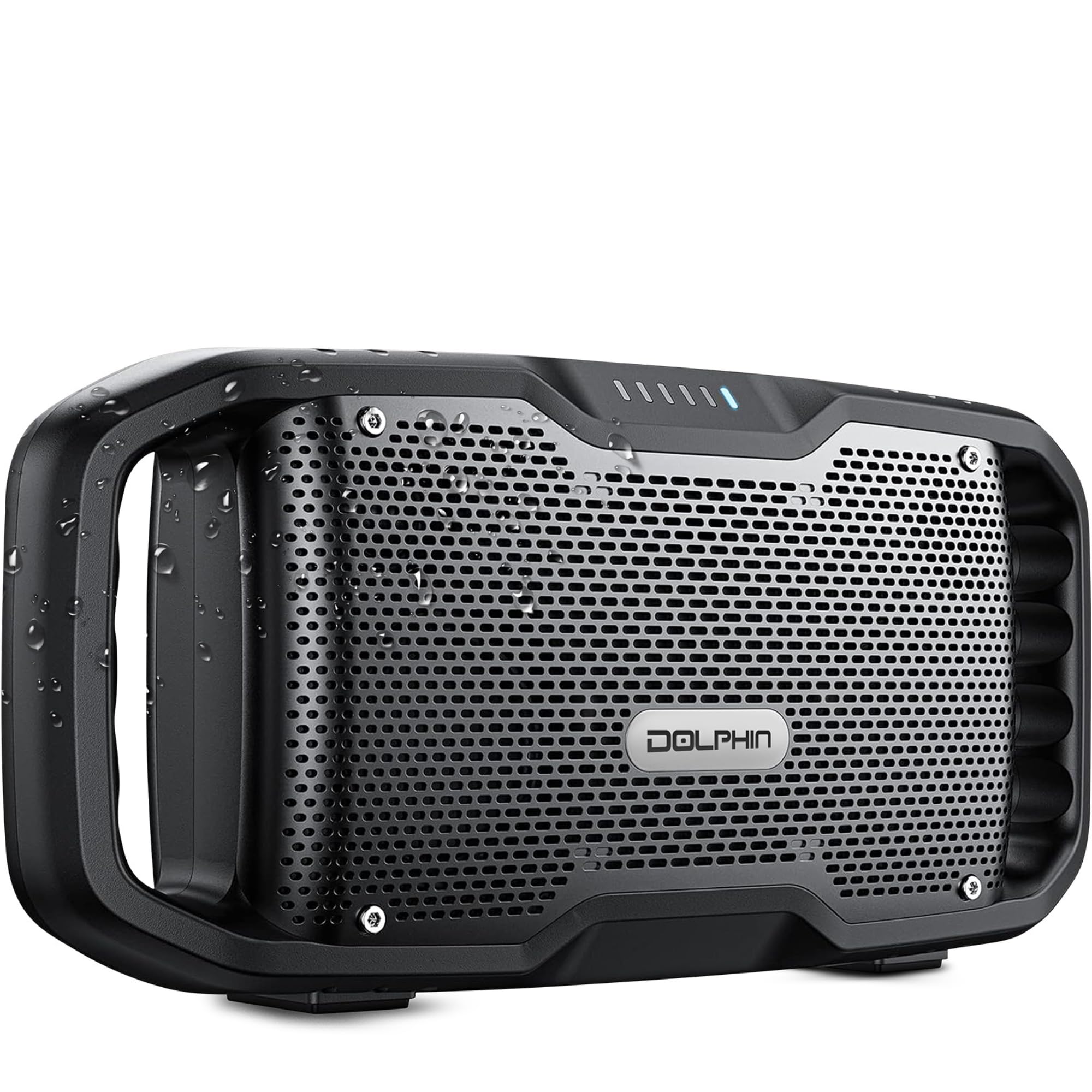

Key Features:
- Dual Woofers: Provides enhanced bass and clear audio output.
- 20-Hour Battery Life: Offers extended playback time on a single charge.
- IPX5 Water Resistance: Protects against splashes and rain, suitable for outdoor use.
- Portable Design: Features a rugged handle for easy transport.
- Built-in Power Bank: Allows charging of external devices via the USB port.
- Intuitive Controls: Six easy-access buttons for managing audio and modes.
Setup
1. Charging the Speaker
Before first use, fully charge the speaker. Connect the provided power cable to the Type-C charging port on the speaker and to a compatible USB power adapter (not included). The LED indicator will show charging status and turn off or change color when fully charged.

2. Powering On/Off
- To Power On: Press and hold the Power button (usually marked with a power symbol) for a few seconds until you hear an audible tone and the LED indicator lights up.
- To Power Off: Press and hold the Power button again for a few seconds until the LED indicator turns off.
3. Bluetooth Pairing
- Ensure the speaker is powered on and in Bluetooth pairing mode. The Bluetooth LED indicator will typically flash.
- On your smartphone, tablet, or other Bluetooth-enabled device, go to the Bluetooth settings.
- Search for available devices and select "Dolphin S100" from the list.
- Once paired, the Bluetooth LED indicator on the speaker will stop flashing and remain solid, and you will hear a confirmation tone.
4. Auxiliary (AUX) Connection
For devices without Bluetooth, use an auxiliary cable (not included) to connect to the speaker's AUX input port.
- Connect one end of a 3.5mm audio cable to the AUX input port on the speaker.
- Connect the other end of the cable to the headphone jack or audio output of your device.
- The speaker will automatically switch to AUX mode, or you may need to press the Mode button to select AUX input.
5. USB Playback
The speaker supports audio playback from USB storage devices.
- Insert a USB flash drive containing audio files into the USB port.
- The speaker should automatically detect the USB device and begin playback. If not, press the Mode button to switch to USB mode.
Operating
Basic Controls
- Power Button: Press and hold to power on/off.
- Play/Pause Button: Press once to play or pause audio.
- Volume Up (+): Press to increase volume. Press and hold for continuous volume increase.
- Volume Down (-): Press to decrease volume. Press and hold for continuous volume decrease.
- Next Track Button: Press to skip to the next track.
- Previous Track Button: Press to go to the previous track.
- Mode Button: Press to switch between Bluetooth, AUX, and USB input modes.
Using the Power Bank Feature
The Dolphin S100 can charge your mobile devices.
- Connect your device's charging cable to the USB-A output port on the speaker.
- The speaker will begin charging your device. Ensure the speaker has sufficient battery charge to power both itself and your external device.
Water Resistance (IPX5)

The Dolphin S100 is rated IPX5, meaning it is protected against low-pressure water jets from any direction. This makes it suitable for use near pools, beaches, or in light rain. However, it is not designed to be submerged in water. Always ensure the rubber flap covering the ports is securely closed before exposing the speaker to moisture.
Maintenance
Cleaning
Wipe the speaker with a soft, damp cloth. Do not use harsh chemicals, cleaning solvents, or strong detergents. Ensure the speaker is dry before charging or using it again after cleaning.
Storage
Store the speaker in a cool, dry place away from direct sunlight and extreme temperatures. If storing for an extended period, charge the battery to approximately 50% every few months to prolong its lifespan.
Battery Care
To maximize battery life, avoid fully discharging the speaker frequently. Charge the speaker regularly, even if not in use, to maintain battery health.
Troubleshooting
| Problem | Possible Cause | Solution |
|---|---|---|
| Speaker does not power on. | Battery is depleted. | Charge the speaker using the provided power cable. |
| No sound. | Volume is too low or muted. Incorrect input mode. Device not connected. | Increase speaker and device volume. Ensure correct input mode (Bluetooth, AUX, USB). Re-pair Bluetooth or check cable connection. |
| Bluetooth pairing fails. | Speaker not in pairing mode. Device too far. Interference. | Ensure speaker is in pairing mode (flashing LED). Move device closer to speaker. Turn off other Bluetooth devices. |
| Poor sound quality. | Low battery. Device too far. Interference. | Charge the speaker. Move device closer. Reduce interference from other electronics. |
| Power bank not charging device. | Speaker battery low. Cable issue. | Ensure speaker has sufficient charge. Try a different USB cable. |
Specifications
| Feature | Detail |
|---|---|
| Brand | Dolphin |
| Model Number | S100 |
| Model Name | SOUNDBYTE 100 |
| Speaker Maximum Output Power | 100 Watts |
| Connectivity Technology | Auxiliary, Bluetooth, USB |
| Audio Output Mode | Stereo |
| Speaker Type | Portable Speaker |
| Additional Features | Bass Boost, Built-In Powerbank, Hi Res Audio, Stereo Pairing, Waterproof |
| Color | Gray |
| Water Resistance Level | IPX5 (Water Resistant) |
| Control Method | Touch |
| Specific Uses For Product | Party, Travel |
| Battery Average Life | 20 Hours |
| Item Dimensions (D x W x H) | 3.7"D x 14.3"W x 6.9"H |
| Item Weight | 5 Pounds |
| Compatible Devices | Laptop, Smartphone, iPhone, Android, Google |
| Audio Driver Type | Dynamic Driver |
| Number of Audio Channels | 2.0 |
| Wireless Technology | Bluetooth |
| Power Source | Battery Powered |
| Number of Batteries | 2 Nonstandard Battery (included) |
| UPC / GTIN | 810059432918 |
| Manufacturer | General Sound Co |
Warranty and Support
The Dolphin S100 speaker comes with a Limited Warranty. For specific details regarding the warranty coverage, duration, and terms, please refer to the documentation included with your purchase or contact the seller directly.
Warranty Description: Contact Seller
For technical support, troubleshooting assistance, or warranty claims, please contact the manufacturer, General Sound Co, or the retailer from whom you purchased the product.


