
1. Product Overview
This document provides instructions for the Generic Replacement Remote Control, designed to operate specific TOPVISION Mini LED Projector models. This remote is an aftermarket replacement and may not replicate all functions of an original remote control.
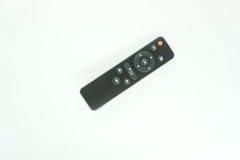
Image 1: Front view of the Generic Replacement Remote Control. It is a black, rectangular remote with various buttons for navigation and function control.
2. Compatibility
This replacement remote control is compatible with the following TOPVISION Mini LED Projector models:
- TOPVISION T21
- TOPVISION T25
- TOPVISION T26L
- TOPVISION TP-01
- TOPVISION 04602
Please note that while designed for these models, some advanced or unique functions of your original projector remote may not be supported by this replacement unit.
3. Setup
3.1 Battery Installation
The remote control requires two AAA batteries (not included) for operation.
- Locate the battery compartment cover on the back of the remote control.
- Slide the cover downwards or press the latch and lift to open the compartment.
- Insert two AAA batteries, ensuring the positive (+) and negative (-) terminals align correctly with the markings inside the compartment.
- Replace the battery compartment cover by sliding it back into place until it clicks securely.
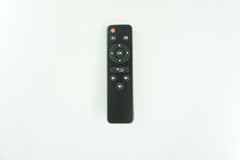
Image 2: Back view of the remote control, indicating the location of the battery compartment.
4. Operating Instructions
Point the remote control directly at the infrared receiver on your TOPVISION projector. Ensure there are no obstructions between the remote and the projector.
4.1 Basic Functions
- Power Button: Turns the projector on or off.
- Directional Pad (Up/Down/Left/Right): Navigates through menus and options.
- OK/Enter Button: Confirms selections.
- Back/Return Button: Returns to the previous menu or screen.
- Source Button: Cycles through input sources (HDMI, USB, AV, etc.).
- Volume Up/Down: Adjusts the audio output level.
- Mute Button: Mutes or unmutes the audio.
4.2 Specific Projector Functions
The functionality of certain buttons may vary slightly depending on your specific TOPVISION projector model. Refer to your projector's original user manual for detailed information on its features.
5. Maintenance
- Cleaning: Wipe the remote control with a soft, dry cloth. Do not use liquid cleaners or abrasive materials.
- Storage: Store the remote control in a cool, dry place away from direct sunlight and extreme temperatures.
- Battery Replacement: If the remote control becomes unresponsive or operates intermittently, replace the batteries with fresh ones. Remove batteries if the remote will not be used for an extended period to prevent leakage.
6. Troubleshooting
- Remote not responding:
- Ensure fresh batteries are correctly installed.
- Check for any obstructions between the remote and the projector's IR receiver.
- Verify that the remote is pointed directly at the projector.
- Confirm the remote is compatible with your specific projector model.
- Some functions not working:
- As a replacement remote, it may not support all functions of the original projector remote. Refer to the projector's original manual.
- Short operating range:
- Replace batteries if they are low.
- Ensure no strong light sources (like direct sunlight) are interfering with the IR signal.
7. Specifications
- Brand: Generic
- Model Name: vietRM#070903567
- Model Number: ATFO-RPL-RMT-070925-03567
- Connectivity Technology: Infrared
- Maximum Range: 5 Meters
- Battery Type: AAA (x2, not included)
- Color: Black/White
- Special Feature: Ergonomic design
- Compatible Devices: TOPVISION T21, T25, T26L, TP-01, 04602 Mini LED Projectors
8. Warranty and Support
This product is a replacement remote control. It is not a genuine TOPVISION product. For specific warranty information, please refer to the retailer or seller from whom the product was purchased. Standard return policies typically apply within a specified period (e.g., 30 days from purchase). For technical support or further assistance, please contact the seller directly.