Introduction
Welcome to your new Generic replacement remote control for Onida Model ZH/TX-02 televisions. This manual provides instructions for setup, operation, maintenance, and troubleshooting to ensure optimal performance and compatibility with your Onida television.
Setup
Installing Batteries
Your remote control requires two AAA batteries (not included).
- Locate the battery compartment on the back of the remote control.
- Slide the battery cover downwards to open.
- Insert two AAA batteries, ensuring the positive (+) and negative (-) terminals match the diagrams inside the compartment.
- Slide the battery cover back into place until it clicks securely.
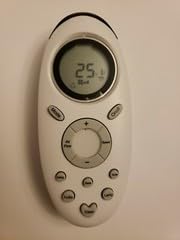 This image shows the general appearance of the remote control, similar to the one you have purchased. The battery compartment is typically located on the rear side.
First Use
This remote control is a direct replacement for Onida Model ZH/TX-02. No programming is typically required. Simply insert the batteries and point the remote towards your Onida television to begin operation.
Operating the Remote Control
The remote control features standard buttons for television operation.
- Power Button: Turns the television on or off.
- Number Buttons (0-9): Selects channels directly.
- Channel Up/Down: Changes channels sequentially.
- Volume Up/Down: Adjusts the television volume.
- Mute Button: Silences the television audio.
- Input/Source Button: Cycles through available input sources (HDMI, AV, etc.).
- Menu Button: Accesses the television's main menu.
- Navigation Buttons (Up, Down, Left, Right, OK): Used to navigate menus and confirm selections.
- Exit/Back Button: Exits menus or returns to the previous screen.
Note: Some advanced functions of your original remote may not be supported by this replacement unit. Refer to your television's original manual for specific function details.
Maintenance
Cleaning
To clean the remote control, gently wipe it with a soft, dry cloth. Do not use liquid cleaners or abrasive materials, as these can damage the surface or internal components.
Battery Replacement
Replace batteries when the remote control's response becomes sluggish or stops working. Always replace both batteries at the same time with new AAA batteries. Do not mix old and new batteries, or different types of batteries.
Storage
If the remote control will not be used for an extended period, remove the batteries to prevent leakage and potential damage. Store in a cool, dry place.
Troubleshooting
| Problem | Possible Cause | Solution |
|---|---|---|
| Remote not working | Dead or incorrectly inserted batteries. Obstruction between remote and TV. Remote out of range. | Replace batteries, ensuring correct polarity. Remove any obstructions. Move closer to the TV. |
| Some functions not working | This is a replacement remote; some advanced functions may not be supported. | Confirm if the function is standard. This remote may not replicate all original remote features. |
| Remote works intermittently | Low batteries. Infrared sensor on TV is dirty or obstructed. | Replace batteries. Clean the TV's infrared sensor. |
Specifications
- Model: ZH/TX-02 (Replacement for Onida)
- Power: 2 x AAA Batteries (not included)
- Compatibility: Designed for Onida televisions originally using ZH/TX-02 remote.
- Special Feature: Ergonomic
- Color: Black/White
- Max Number of Supported Devices: 1
- Compatible Devices: Television
Note: Specifications are subject to change without notice.
Warranty and Support
This product is a replacement remote control. Please refer to the seller's return policy for information regarding returns or exchanges. For technical support, please contact the seller directly through the platform where the purchase was made.
Disclaimer: This is a replacement product and not an original Onida brand remote control.


