
Introduction
The Mingtawn AI Smart Glasses W610 are designed to integrate advanced technology into everyday eyewear. Featuring a 4K HD camera, Bluetooth calling, dual microphones, and AI capabilities for object recognition and simultaneous interpretation, these glasses offer a versatile hands-free experience. This manual provides essential information for setting up, operating, and maintaining your smart glasses.
What's in the Box
Please verify that all items are present in your package:
- Mingtawn AI Smart Glasses W610
- Charging Cable
- Storage Pouch
- Microfiber Cleaning Cloth
- Temple Tips (2 pairs)
- User Manual
- Packaging Box
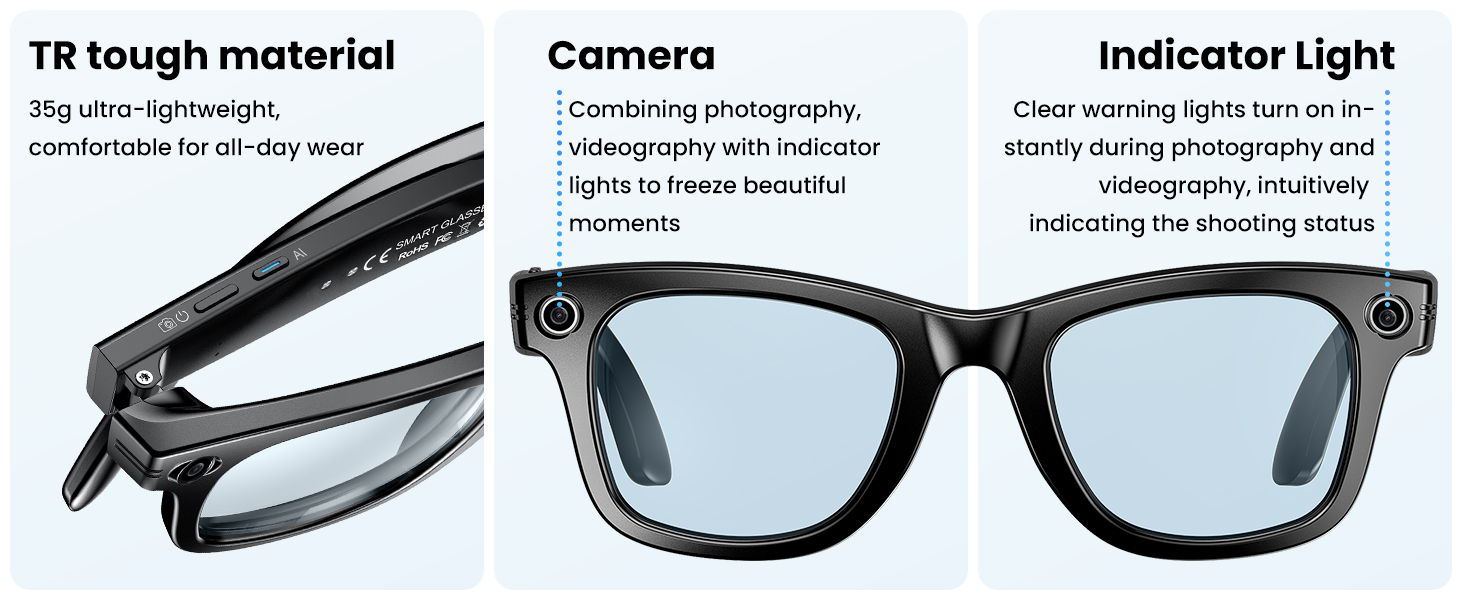
Image: All components included in the Mingtawn AI Smart Glasses W610 package.
Setup
1. Charging the Glasses
Before first use, fully charge your Mingtawn AI Smart Glasses. Connect the magnetic charging cable to the charging port located on the temple of the glasses and plug the USB end into a compatible power source. A blue indicator light will typically show charging status.

Image: Smart glasses connected to their magnetic charging cable.
2. Downloading the Companion App
To unlock the full potential of your smart glasses, download the 'Hey Cyan' app on your mobile phone. Scan the QR code provided in the user manual or search for 'Hey Cyan' in your device's app store (Apple App Store or Google Play Store for Android).
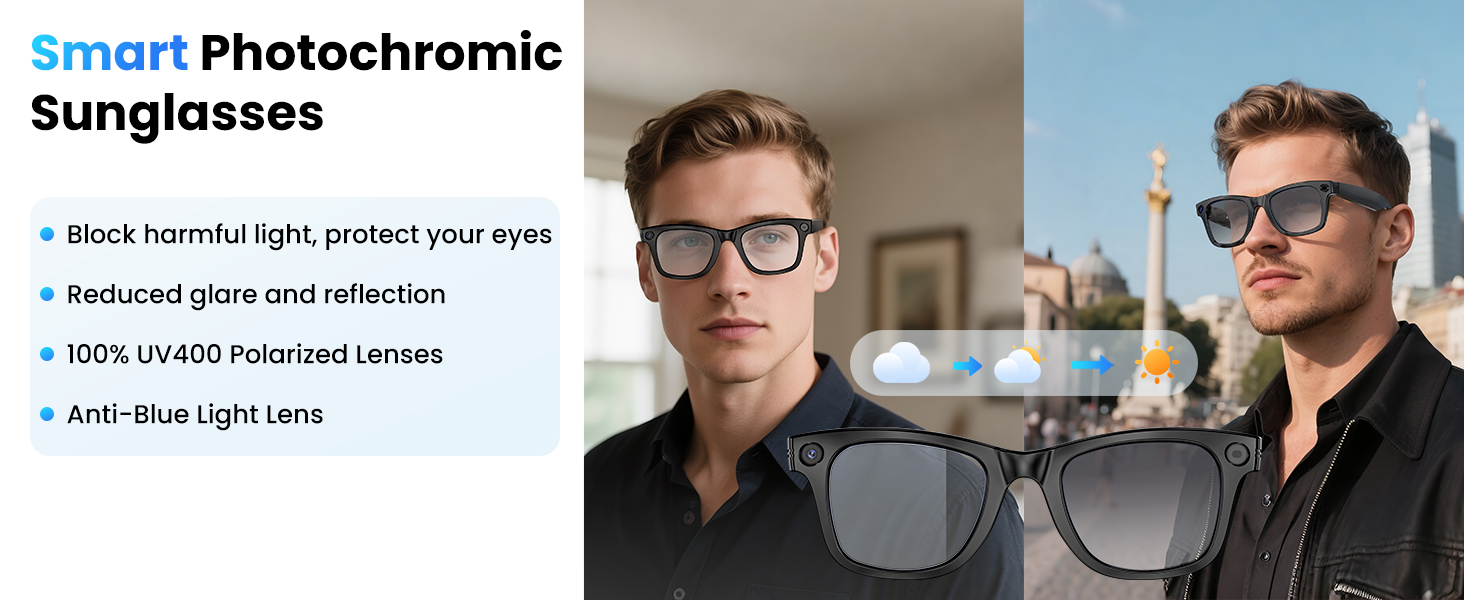
Image: Instructions for downloading the 'Hey Cyan' companion app.
3. Connecting to Your Mobile Phone
- Ensure your smart glasses are powered on.
- Enable Bluetooth on your mobile phone.
- Open the 'Hey Cyan' app and follow the on-screen prompts to connect your glasses. The app uses low-power BT5.3 chip and Wi-Fi dual transmission technology for real-time data transfer.
4. Attaching Temple Tips (Optional)
For a more secure fit during active use, you can attach the provided temple tips to the arms of the glasses.
Operating Instructions
Power On/Off
- Power On: Press and hold the power button (usually located on one of the temples) for a few seconds until an indicator light appears.
- Power Off: Press and hold the power button again until the indicator light turns off.
Video Recording and Photo Capture
The built-in 800W HD camera supports 2K HD image capture and 1080P video recording. An anti-shake algorithm optimizes image quality.
- Take Photo: Single-click the designated camera button.
- Start Video Recording: Double-click the camera button.
- End Video Recording: Short-press the camera button once during recording.

Image: Examples of video recording from a first-person perspective using the smart glasses.
Video: Demonstrating the 4K HD camera features of the Mingtawn AI Smart Glasses, including video recording and object identification.
AI Voice Assistant and Object Recognition
The smart glasses feature a built-in ChatGPT model for high-accuracy recognition and voice assistance.
- Activate Assistant: Use voice commands or a designated button press (refer to app instructions for specific gestures).
- Object Recognition: Point your glasses at an object, and the AI will automatically recognize it (e.g., menus, landmarks, plants) and announce the results in real-time.

Image: Object recognition feature in action, identifying household items.
Bluetooth Call and Music Playback
Enjoy hands-free communication and audio with ENC dual microphones for noise reduction.
- Answer/End Calls: Touch and click the temple area (refer to app for specific gestures).
- Adjust Volume: Use touch controls on the temple.
- Music Playback: Control music (play, pause, skip tracks) via touch gestures on the temple.

Image: The 3D surround music feature provides an immersive audio experience.
Simultaneous Interpretation
The glasses can instantly capture speech and translate it audibly during conversations. The companion app provides live transcriptions on your phone screen, breaking down language barriers.

Image: The smart glasses facilitate real-time language translation during conversations.
Maintenance
Cleaning
Use the provided microfiber cleaning cloth to gently wipe the lenses and frame. Avoid using harsh chemicals or abrasive materials that could damage the glasses.
Water Resistance
The Mingtawn AI Smart Glasses are rated IP65 for dustproof and waterproof capabilities. This means they are resistant to splashes and light rain, but should not be submerged in water.

Image: The IP65 rating ensures resistance against dust and water splashes.
Troubleshooting
- No Power: Ensure the glasses are fully charged. Check the charging cable and adapter.
- Connectivity Issues: Verify Bluetooth is enabled on your phone and the glasses are in pairing mode. Restart both devices if necessary. Ensure the 'Hey Cyan' app is open and has necessary permissions.
- Poor Audio Quality: Check the volume settings on both the glasses and your connected device. Ensure microphones are not obstructed.
- AI Features Not Responding: Confirm the glasses are connected to the 'Hey Cyan' app and the app is running in the foreground or has background permissions.
- Touch Controls Unresponsive: Ensure you are touching the correct area on the temple. Some users may need to practice to find the precise touch points.
Specifications
| Feature | Detail |
|---|---|
| Brand Name | Mingtawn |
| Model Number | W610 |
| Item Weight | 5.6 ounces (approx. 42g for glasses only) |
| Battery Capacity | 270 Milliamp Hours |
| Battery Life (Music Playback) | Up to 15 hours |
| Battery Life (Standby) | Up to 7 days |
| Camera | 800W HD (supports 2K image, 1080P video) |
| Video Recording Duration | Up to 1 hour continuous, 3 minutes per shot |
| Connectivity | Bluetooth 5.3, Wi-Fi |
| Microphones | ENC Dual Microphones (Noise Reduction) |
| AI Model | Built-in ChatGPT model |
| Water Resistance | IP65 Dustproof and Waterproof |
| Lenses | Removable, Blue Light Blocking |
| Operating System | Android Wear 1.0 |
| Memory Storage Capacity | 32 GB |
Warranty and Support
Mingtawn is committed to providing quality products. The brand offers a 24-month warranty and 7/24 customer service. For any issues or inquiries, please contact Mingtawn customer support.
Additionally, protection plans are available for purchase:
- 2-Year Protection Plan
- 3-Year Protection Plan
- Complete Protect: One plan covers all eligible past and future purchases (monthly billing)
