
Product Overview
The Huuger 27.6 Inch Tall Nightstand is designed to complement modern high-profile beds, providing convenient bedside storage and charging capabilities. This nightstand features an integrated charging station, two spacious drawers, and a durable construction with a refined finish.
- Dimensions: 23.6 inches (Width) x 15.7 inches (Depth) x 27.6 inches (Height).
- Charging Station: Includes 2 AC outlets, 1 USB-A port, and 1 USB-C port.
- Storage: Two large drawers with smooth-gliding rails.
- Design: Modern aesthetic with high legs, golden accents, and rounded corners.
- Material: Engineered wood with a premium painted finish.

Image: The Huuger 27.6 Inch Tall Nightstand in white, showcasing its design and features.
Setup and Assembly
This nightstand requires assembly. Follow the easy-to-follow illustrated instructions provided in the package. All parts are clearly labeled to ensure a smooth and hassle-free setup. Anti-tip hardware is included for secure installation and safety.
Dimensions and Components

Image: A detailed diagram illustrating the product dimensions and the length of the power cord.
Safety Features
The nightstand includes an anti-tip device to prevent accidental tipping. Ensure this device is properly installed and secured to a wall according to the instructions. Felt pads are also provided to protect your flooring.

Image: Visual details of the anti-tip device, smooth drawer rails, felt pads, and rounded corners.
Operating Instructions
Integrated Charging Station
The nightstand features a built-in charging station on its top surface. This station includes 2 standard AC outlets (125V/12A), 1 USB-A port (5V/2A), and 1 USB-C port (5V/2A). To use, simply plug the nightstand's power cord into a wall outlet. You can then connect your devices such as phones, tablets, and lamps directly to the integrated ports.
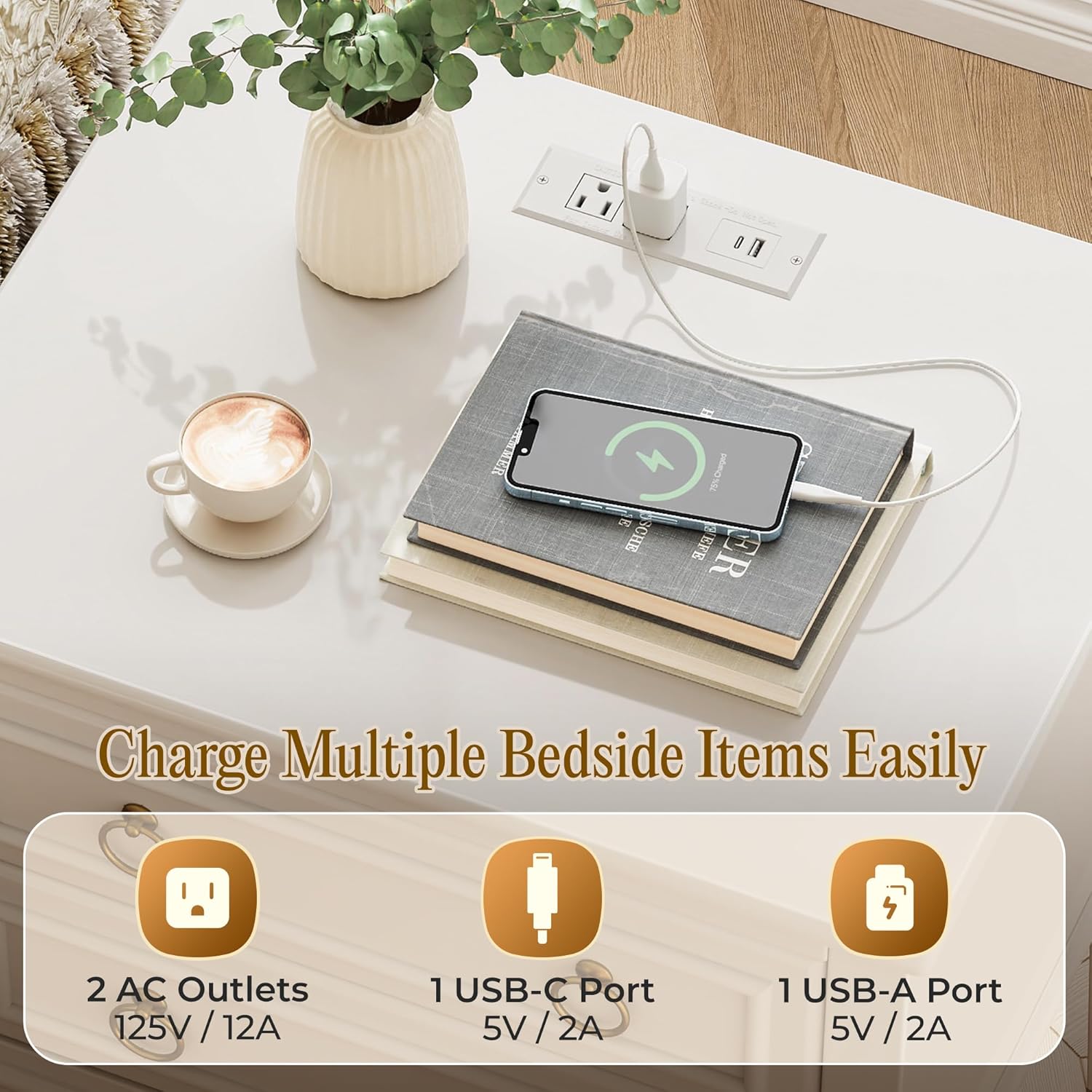
Image: A close-up view of the charging station with various ports in use.
Drawer Operation
The nightstand is equipped with two drawers designed for smooth operation. Gently pull the round drawer pulls to open and push to close. The drawers utilize premium bearing roller slides for ease of use.

Image: The nightstand with both drawers open, demonstrating storage capacity.
Maintenance
To maintain the appearance and longevity of your Huuger nightstand, follow these care guidelines:
- Cleaning: The premium painted surface is waterproof and easy to clean. Wipe with a soft, damp cloth. Avoid abrasive cleaners or harsh chemicals that could damage the finish.
- Spills: Promptly wipe up any spills to prevent staining or damage to the engineered wood.
- Protection: Use coasters under drinks and protective pads under heavy or sharp objects placed on the top surface.
- Movement: When moving the nightstand, lift it rather than dragging to prevent damage to the legs and floor. The felt pads on the legs help reduce noise and protect flooring during minor adjustments.

Image: Representation of the nightstand's smooth, durable painted finish.
Troubleshooting
This section addresses common concerns you might encounter with your nightstand.
- Drawer Pulls Clanking: If the drawer pulls produce a clanking sound when opening or closing drawers, especially if using only one handle, this is due to the design of the ring pulls. This is generally not a functional issue. If desired, the pulls can be replaced with alternative knob-style hardware.
- Nightstand Not Sitting Flush Against Wall: The integrated charging station uses a standard plug that extends from the wall. If your wall outlet is directly behind the nightstand, the unit may not sit flush against the wall, requiring approximately 3.5 inches of clearance. This can affect the effectiveness of the anti-tip brackets if they do not extend far enough to reach the wall. Consider using a low-profile extension cord or relocating the nightstand if a flush fit is critical.
- Assembly Difficulties: If you encounter issues during assembly, double-check the illustrated instructions and ensure all parts are correctly identified and oriented. The parts kit includes some extra pieces in case of loss.
Specifications
| Feature | Detail |
|---|---|
| Brand | Huuger |
| Product Dimensions (D x W x H) | 15.8" x 23.6" x 27.6" |
| Item Weight | 38.1 Kilograms |
| Frame Material | Engineered Wood |
| Color | White |
| Shape | Rectangular |
| Table Design | Nightstand |
| Style Name | Modern |
| Furniture Finish | Painted |
| Leg Length | 11.4 Inches |
| Number of Drawers | 2 |
| Included Components | Assembly Guide, Charging Station, Installation Tool |
| Special Features | Charging Station, Storage, USB Port |
| Required Assembly | Yes |
| Room Type | Bedroom, Home Office, Living Room |
Warranty Information
Please refer to your purchase documentation or contact the retailer for specific warranty details regarding your Huuger nightstand. Standard warranties typically cover manufacturing defects for a limited period from the date of purchase.
Customer Support
For any questions, missing parts, or assistance with assembly or product operation, please contact Huuger customer support. Refer to the contact information provided in your product packaging or visit the official Huuger website for support options.