
1. Introduction
The MBHB KC91 AI Smartwatch is a robust and feature-rich activity tracker designed for active lifestyles. It combines advanced health monitoring, extensive sports tracking, AI voice assistance, and durable construction to support your daily activities and adventures. This manual provides essential information for setting up, operating, and maintaining your smartwatch.
2. What's in the Box
- KC91 Smart Watch
- Charging Cable
- User Manual
3. Setup
3.1. Charging the Smartwatch
Before initial use, fully charge your KC91 Smartwatch. Connect the magnetic charging cable to the charging contacts on the back of the watch and plug the USB end into a power adapter (not included) or a computer's USB port. A full charge typically takes approximately 2 hours. The watch features a 530mAh battery, providing up to 10 days of typical use and 90 days of standby time.
3.2. App Installation and Pairing
To unlock the full potential of your KC91 Smartwatch, download the DaFit App from your smartphone's app store (compatible with iOS and Android devices). Follow these steps to pair your watch:
- Ensure your smartwatch is charged and powered on.
- Enable Bluetooth on your smartphone.
- Open the DaFit App and create an account or log in.
- In the app, navigate to the 'Device' section and select 'Add Device'.
- Select 'KC91' from the list of available devices.
- Confirm the pairing request on both your phone and smartwatch.
Once paired, the watch will synchronize data with the app, and you can customize settings, watch faces, and view detailed activity logs.
4. Operating Instructions
4.1. Basic Navigation
The KC91 Smartwatch features a 1.39-inch HD screen. Swipe left, right, up, or down to navigate through menus and functions. Use the physical buttons on the side for quick access to specific features or to return to the home screen.
4.2. GPS and Sports Modes
The smartwatch supports 107 comprehensive sports modes, including hiking, cycling, and running. It can sync with your phone's GPS to map real-time routes and precisely track metrics such as steps, distance, and calories burned. Auto goal reminders can be set within the DaFit App.

Image: The KC91 Smartwatch interface showing multiple sports tracking options, including running, swimming, basketball, and weightlifting, with corresponding data.

Image: The KC91 Smartwatch showing GPS route tracking, illustrating how it records your path during outdoor activities.
4.3. Health Monitoring
The KC91 Smartwatch acts as a 24/7 health guardian, tracking various vital signs:
- Heart Rate: Continuous monitoring of your heart rate.
- Blood Oxygen (SpO2): Measures blood oxygen levels.
- Sleep Stages: Analyzes your sleep patterns and quality.
- Female Health Reminders: Provides reminders for menstrual cycles and ovulation.
- Stress Testing: Helps monitor your stress levels.
- Breathing Exercises: Guides you through breathing exercises for relaxation.
Video: This video demonstrates the KC91 Smartwatch's GPS tracking, various health monitoring features including heart rate, blood oxygen, stress testing, breathing exercises, female health tracking, and sleep monitoring. It also showcases the AI (GPT) functionality, AI watch faces, flashlight, Bluetooth calling, and multiple sports modes, highlighting its 3ATM waterproof rating and built-in sensors like compass and barometer.
4.4. AI Voice Assistant (GPT) & AI Dial
The KC91 integrates real-time GPT for smart Q&A, allowing you to ask questions (e.g., fitness advice, translation) and receive quick answers directly on your watch. You can also create personalized AI watch faces via the DaFit App.
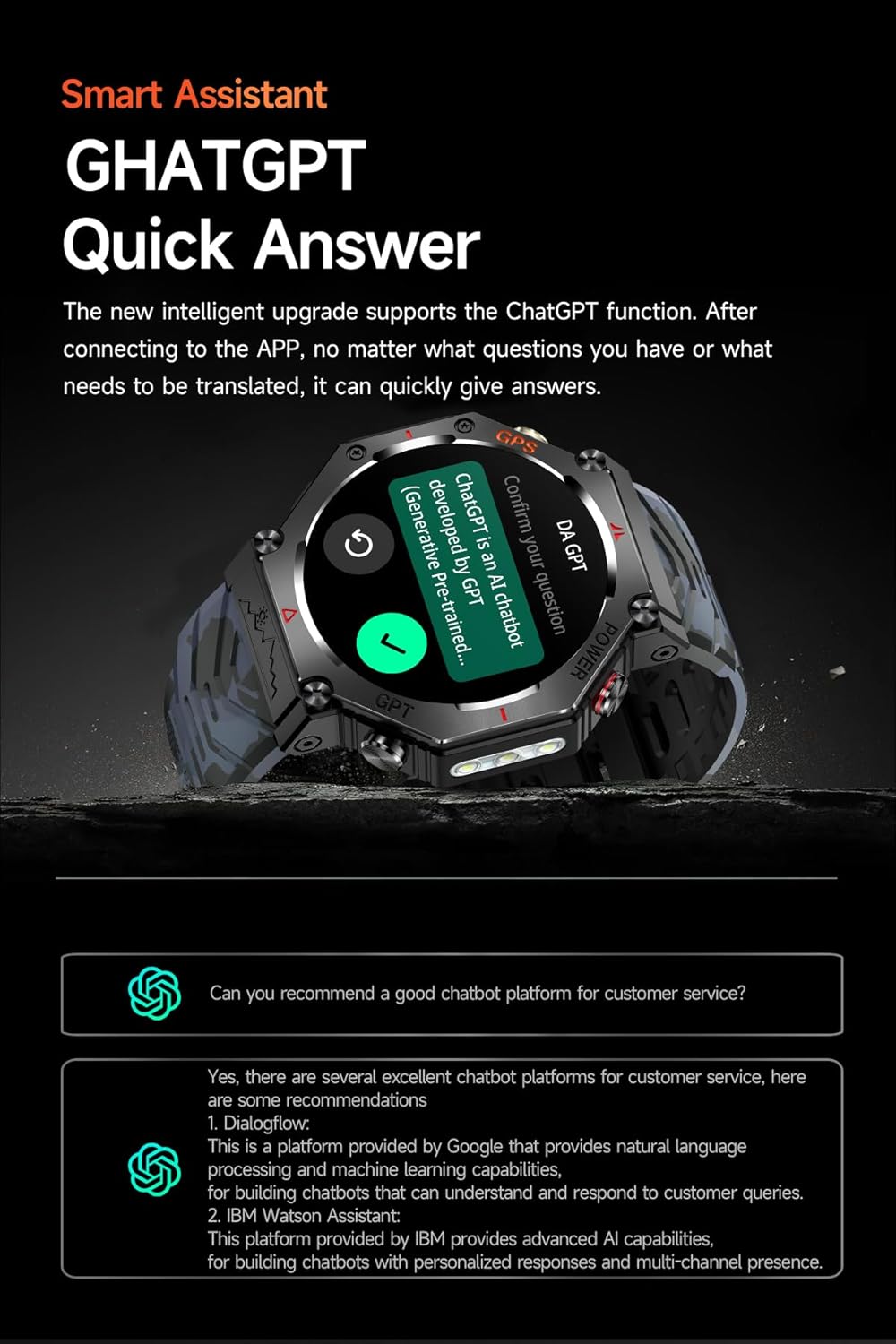
Image: The KC91 Smartwatch screen showing an interaction with the integrated GPT voice assistant, demonstrating its smart Q&A capability.
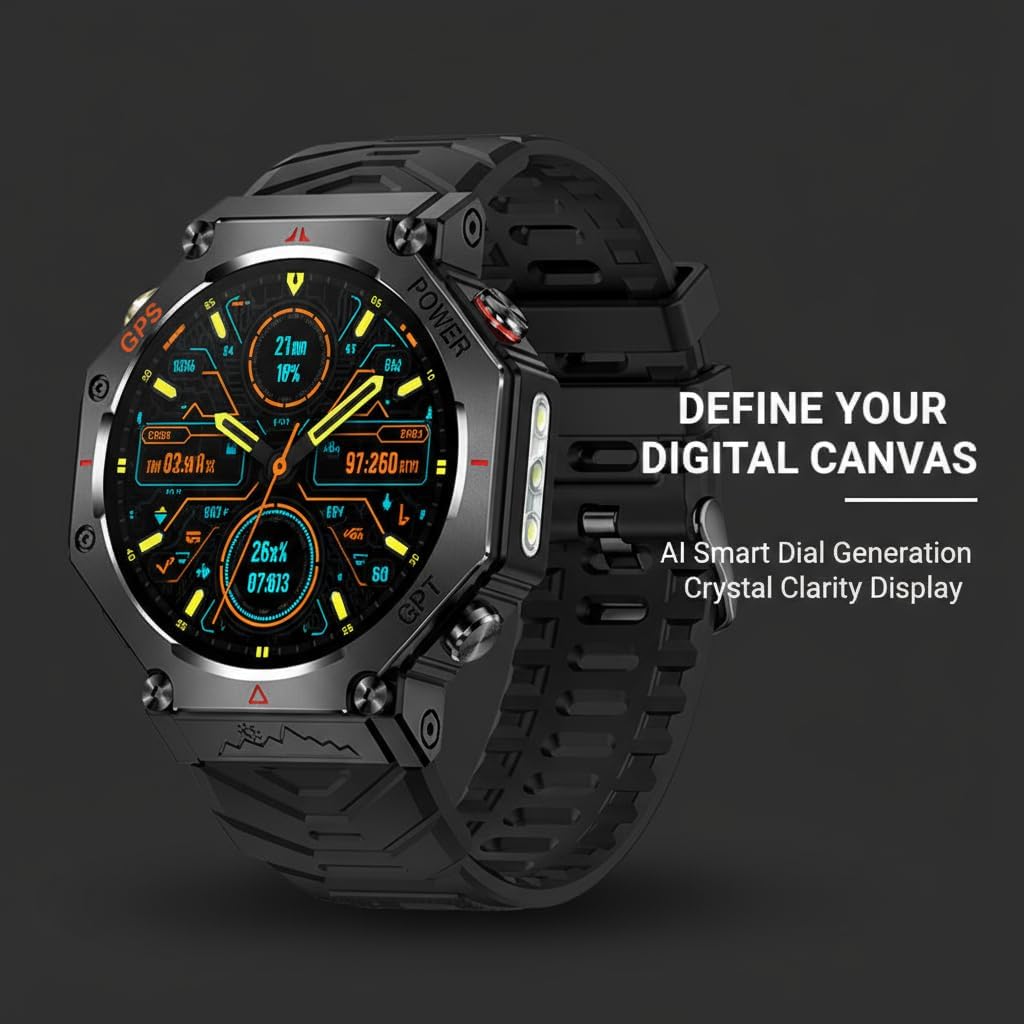
Image: The KC91 Smartwatch showcasing a personalized AI-generated watch face, highlighting the ability to customize the display.
4.5. Bluetooth Calls & Notifications
With Bluetooth 5.3, the KC91 enables stable calls directly from your wrist. You can answer, reject, or view call records. The watch also provides message alerts and other notifications from your connected smartphone.

Image: The KC91 Smartwatch screen showing an incoming call and a separate screen displaying message notifications, illustrating its communication features.
4.6. Outdoor Flashlight
The built-in LED flashlight offers 3 modes, including an SOS strobe, providing utility in low-light conditions or emergencies.
4.7. Durability Features
The KC91 Smartwatch is built with a full zinc-alloy frame and a scratch-resistant HD screen, designed to withstand extreme temperatures from -20°C to 50°C. It is 3ATM waterproof, meaning it can withstand water pressure equivalent to a depth of 30 meters, making it suitable for swimming and other water activities.

Image: The KC91 Smartwatch showcasing its military-grade durability, emphasizing features like drop-resistance, 3ATM waterproofing, corrosion resistance, high temperature resistance, and dust-proof design.
5. Maintenance
5.1. Cleaning
Regularly clean your smartwatch and strap with a soft, damp cloth. Avoid using harsh chemicals or abrasive materials, as these can damage the device. Ensure the charging contacts are clean and dry before charging.
5.2. Battery Care
To prolong battery life, avoid exposing the watch to extreme temperatures. Charge the watch fully before long periods of inactivity. Do not attempt to replace the battery yourself.
5.3. Water Resistance
While 3ATM waterproof, avoid prolonged submersion in hot water, steam, or exposure to high-pressure water jets. Rinse the watch with fresh water after exposure to saltwater or chlorinated water and dry thoroughly.
6. Troubleshooting
- Watch not turning on: Ensure the watch is fully charged. Connect it to the charger for at least 30 minutes.
- Cannot pair with phone: Make sure Bluetooth is enabled on your phone and the watch is within range. Restart both devices and try pairing again through the DaFit App.
- Inaccurate health data: Ensure the watch is worn snugly on your wrist, not too tight or too loose. Clean the sensor on the back of the watch. Environmental factors and individual physiology can affect readings.
- Notifications not received: Check app permissions on your phone to ensure the DaFit App has access to notifications. Verify that notifications are enabled within the DaFit App settings for your watch.
- Short battery life: Reduce screen brightness, disable unnecessary features like continuous heart rate monitoring if not needed, and limit frequent notifications.
7. Specifications
| Feature | Specification |
|---|---|
| Model Number | KC91 |
| Screen Size | 1.39 Inches |
| Item Weight | 2.1 Ounces |
| Battery Capacity | 530 Milliamp Hours |
| Battery Type | Lithium Ion |
| Connectivity Technology | Bluetooth 5.3 |
| Operating System | Android (Compatible with iOS/Android) |
| Water Resistance | 3ATM (30m depth) |
| Special Features | Activity Tracker, GPS, SOS Button, Shockproof, Voice Control (GPT) |
| Temperature Resistance | -20°C to 50°C |
8. Warranty and Support
Your MBHB KC91 Smartwatch comes with a standard manufacturer's warranty. For detailed warranty information, please refer to the warranty card included in your product packaging or contact MBHB customer support. For technical assistance or further inquiries, please visit the official MBHB website or contact their support team.

