
1. Introduction
This manual provides detailed instructions for the assembly, operation, and maintenance of your OIYN Smart RGBICW LED Corner Floor Lamp (Model LZ-1201000B). This lamp features dynamic RGBICW color technology, music synchronization, and convenient smart controls via a Bluetooth app and remote control. Please read this manual thoroughly before use to ensure proper functionality and safety.
2. What's in the Box
Carefully unpack all components and ensure all items are present:
- LED Lamp Stand
- Power Adapter
- Remote Control
- Screws (for assembly)
- User Manual (this document)
If any items are missing or damaged, please contact customer support.
3. Setup Instructions
Follow these steps to assemble and set up your OIYN Smart RGBICW LED Corner Floor Lamp:
- Unpack Components: Remove all parts from the packaging and place them on a clean, flat surface.
- Assemble the Lamp:
- Connect the lamp sections by gently twisting them together until secure. Ensure the internal wiring is not pinched.
- Attach the assembled lamp pole to the circular base using the provided screws. Tighten securely but do not overtighten.
- Position the Lamp: Place the lamp in your desired corner or indoor space. Ensure it is on a stable, level surface.
- Connect Power: Plug the power adapter into the lamp's power input, then plug the adapter into a standard electrical outlet.
- Initial Power On: The lamp should illuminate. If not, press the power button on the lamp's base or use the remote control.
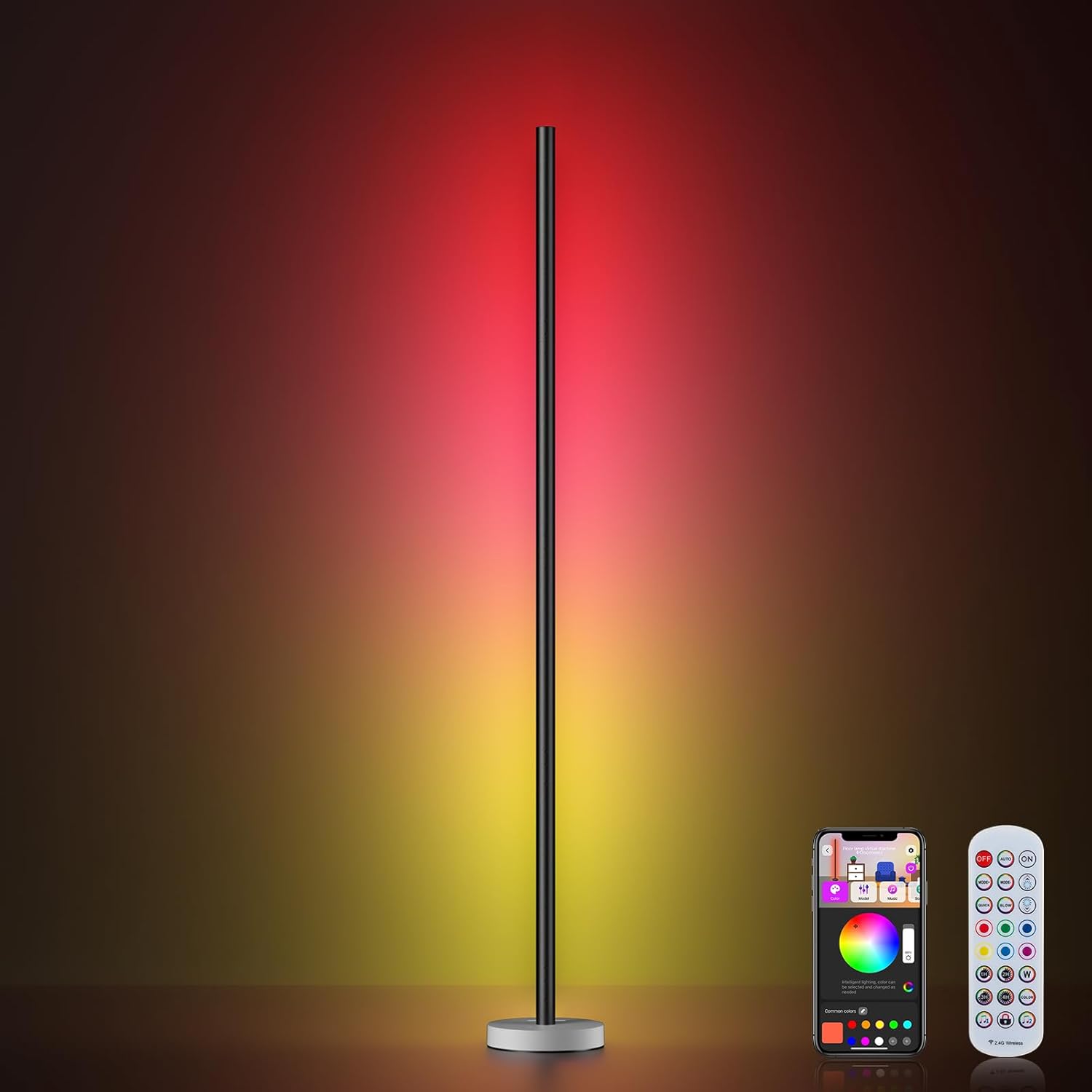
Image: The OIYN Smart RGBICW LED Corner Floor Lamp, fully assembled and emitting light, positioned in a room corner. This image illustrates the product's appearance after successful setup.
4. Operating Instructions
Your OIYN Smart RGBICW LED Corner Floor Lamp can be controlled via a Bluetooth app or the included remote control.
4.1. Bluetooth App Control
To unlock the full potential of your lamp, download the dedicated Bluetooth app:
- Download App: Search for "OIYN Smart Lamp" (or similar name indicated in packaging) in your device's app store (iOS or Android).
- Pairing:
- Ensure Bluetooth is enabled on your smartphone.
- Open the app and follow the on-screen instructions to discover and pair with your lamp.
- App Functions:
- Color Selection: Choose from 16 million colors and adjust brightness levels.
- Scene Modes: Select from 68 pre-programmed dynamic scene modes for various occasions.
- DIY Colors: Create and save your own custom color combinations and effects.
- Timer & Schedule: Set timers for automatic on/off or create custom lighting schedules.
4.2. Remote Control Operation
The included remote control provides convenient access to essential functions:
- Power Button: Turns the lamp on or off.
- Brightness Adjustment: Increase or decrease light intensity.
- Color Selection: Cycle through various static colors.
- Mode Selection: Switch between different dynamic lighting effects.
- Music Sync Activation: Enable or disable music synchronization.
4.3. Music Synchronization
The lamp can synchronize its lighting effects with ambient music or sounds. Activate this feature via the Bluetooth app or the remote control. The lights will adjust colors and brightness in real-time to create an immersive experience.
4.4. Dynamic RGBICW Color Technology
The RGBICW technology allows for individual control of multiple color segments on the lamp, enabling simultaneous multi-color displays and more complex lighting patterns than standard RGB lamps. The 'W' signifies a dedicated white LED for purer white light options.
5. Maintenance
To ensure the longevity and optimal performance of your lamp, follow these maintenance guidelines:
- Cleaning: Wipe the lamp's surface with a soft, dry cloth. Do not use abrasive cleaners or solvents, as these can damage the finish.
- Power Disconnection: Always unplug the lamp from the power outlet before cleaning or performing any maintenance.
- Indoor Use Only: This lamp is designed for indoor use. Avoid exposure to moisture or extreme temperatures.
- LED Lifespan: The integrated LED lights are designed for long-term use and are not user-replaceable.
6. Troubleshooting
If you encounter issues with your lamp, refer to the following common problems and solutions:
| Problem | Possible Cause | Solution |
|---|---|---|
| Lamp does not turn on. | No power, loose connection, remote battery dead. | Check power outlet, ensure adapter is securely plugged in. Replace remote battery if necessary. |
| Remote control not working. | Remote battery dead, obstruction, out of range. | Replace remote battery. Ensure no obstructions between remote and lamp. Operate within effective range. |
| App cannot connect to lamp. | Bluetooth off, lamp not powered, app issue. | Ensure Bluetooth is enabled on your device. Confirm lamp is powered on. Restart the app or your phone. |
| Music sync not responsive. | Microphone obstruction, low volume, incorrect mode. | Ensure the lamp's microphone (if applicable) is not obstructed. Increase music volume. Verify music sync mode is active. |
If the problem persists, please contact customer support.
7. Product Specifications
| Feature | Detail |
|---|---|
| Model Number | LZ-1201000B |
| Brand | OIYN |
| Lamp Type | Floor Lamp |
| Light Source Type | LED (RGBICW) |
| Connectivity | Bluetooth |
| Control Methods | Bluetooth App, Remote Control, Push Button (on base) |
| Product Dimensions (D x W x H) | 55.12"D x 7.09"W x 7.09"H |
| Item Weight | 2 Pounds |
| Material | Aluminum, Plastic |
| Color | Gray |
| Indoor/Outdoor Usage | Indoor Only |
| UPC | 725414787131 |
8. Warranty Information & Customer Support
8.1. Manufacturer's Warranty
This OIYN Smart RGBICW LED Corner Floor Lamp is covered by a 1-year manufacturer's warranty from the date of purchase. This warranty covers defects in materials and workmanship under normal use. It does not cover damage caused by misuse, accidents, unauthorized modifications, or improper installation.
Please retain your proof of purchase for warranty claims.
8.2. Customer Support
For technical assistance, troubleshooting, or warranty inquiries, please contact OIYN customer support. Refer to the product packaging or the official OIYN website for the most current contact information.
When contacting support, please have your product model number (LZ-1201000B) and proof of purchase readily available.