
Introduction
The BIEMHA Smart Ring is a wearable device designed to monitor various health and fitness metrics. This manual provides essential information for setting up, operating, and maintaining your smart ring to ensure optimal performance and accurate data tracking. The device is compatible with both Android and iOS operating systems and does not require a subscription for app access.
Getting Started
1. Package Contents
Upon unboxing, verify that all components are present:
- BIEMHA Smart Ring
- Charging Case
- USB-C Charging Cable
- User Manual

Image: The BIEMHA Smart Ring, its portable charging case, and a smartphone displaying the companion app interface.
2. Sizing and Fit
Proper fit is crucial for accurate data collection. Refer to the sizing chart and measure your finger circumference before selecting your ring size. The ring should fit snugly but comfortably on your finger, typically the index or middle finger, to ensure the sensors maintain consistent contact with your skin.

Image: A detailed sizing chart for the BIEMHA Smart Ring, showing various ring sizes with corresponding inner diameters and finger circumferences. Instructions for measuring finger size are also included.
3. Initial Charging
Before first use, fully charge your BIEMHA Smart Ring. Place the ring into the charging case, ensuring the internal sensors align. Connect the charging case to a power source using the provided USB-C cable. The charging case itself holds multiple charges, extending the ring's battery life up to 30 days with intermittent use.
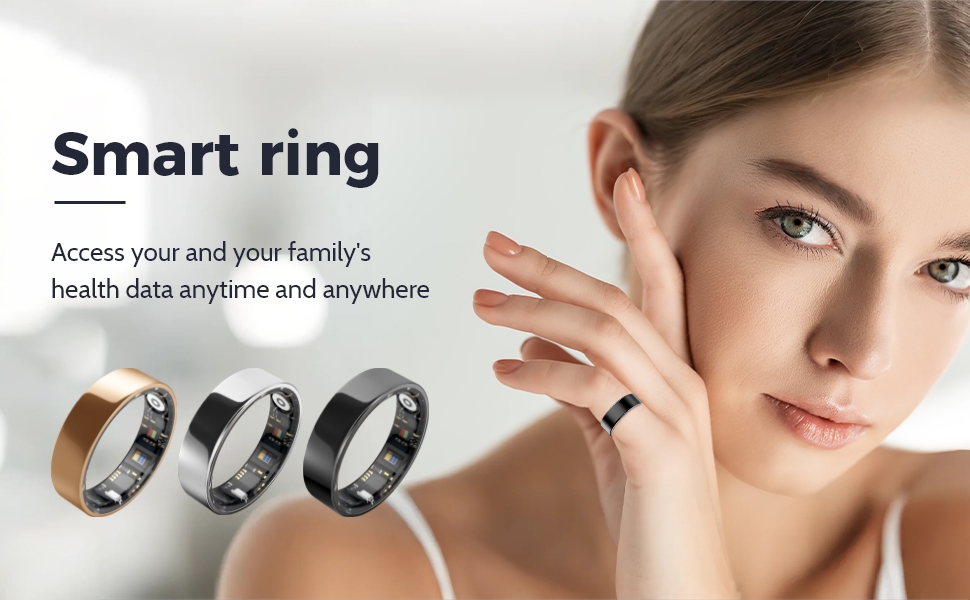
Image: The BIEMHA Smart Ring placed inside its compact, white charging case, indicating the charging process.
4. App Download and Pairing
Download the companion app (e.g., "SmartHealth" or "Da Rings APP" as seen in videos) from your device's app store. Follow the in-app instructions to pair your smart ring via Bluetooth. Ensure Bluetooth is enabled on your smartphone during the pairing process.
Video: Demonstrates the process of downloading the companion app, enabling Bluetooth on a smartphone, and successfully pairing the BIEMHA Smart Ring to the app for initial setup.
Operating Instructions
1. Health Monitoring
The BIEMHA Smart Ring features advanced 4.0 sensors for real-time health tracking. Most measurements are initiated manually through the app to ensure accuracy and conserve battery life.
- Sleep Monitoring: The ring automatically tracks your sleep quality, including deep, light, and REM sleep stages. Access detailed reports in the app to optimize your rest and recovery.
- Heart Rate & Blood Oxygen: Initiate a measurement in the app to get real-time heart rate (BPM) and blood oxygen (SpO2) readings. Ensure the ring is worn properly with the sensors on the inside of your finger and remain still during measurement.
- Temperature: Measure your body temperature by initiating the function in the app. Wear the ring for at least 10 minutes prior to measurement for best results.
- Stress Assessment: The app provides stress assessment based on collected data.

Image: A woman sleeping while wearing the BIEMHA Smart Ring, with a smartphone displaying a detailed sleep analysis report from the companion app.
Video: A demonstration of the BIEMHA Smart Ring's app interface, showcasing its capabilities for sleep monitoring, fitness tracking, heart rate, HRV detection, and stress assessment.
2. Fitness Tracking
Track your daily activities and workouts directly through the app. Select your desired exercise mode (e.g., running, walking, cycling) to monitor steps, calories burned, distance, and heart rate during your activity.

Image: A collage showing individuals participating in different physical activities such as running, swimming, and cycling, highlighting the BIEMHA Smart Ring's ability to track performance during these exercises.
3. Waterproof Capabilities
The BIEMHA Smart Ring boasts an IP68 waterproof rating, allowing it to be submerged up to 80 meters. This means you can wear it during daily activities like showering, hand washing, swimming, and intense workouts without concern for water damage.

Image: A woman enjoying a swimming pool, demonstrating the BIEMHA Smart Ring's IP68 waterproof capability, suitable for various water-related activities.
Maintenance
1. Battery Life and Charging
The smart ring offers a 7-10 day battery life on a single charge. When used with the portable charging case, the total usage time can extend beyond 30 days. Recharge the ring by placing it in its charging case and connecting the case to a power source via the USB-C cable.
2. Cleaning
To maintain hygiene and sensor accuracy, regularly clean your smart ring. Use a soft, damp cloth to gently wipe the ring and its sensors. Avoid harsh chemicals or abrasive materials that could damage the device.
Troubleshooting
- Inaccurate Readings: Ensure the ring is worn correctly and snugly on your finger. Keep the sensors clean and dry. Remain still during manual measurements.
- Connection Issues: Verify Bluetooth is enabled on your phone and the ring is charged. Try restarting both the ring (by placing it in the charger) and your phone. Re-pair the device if necessary.
- App Not Syncing: Check your internet connection and ensure the app is updated to the latest version.
Specifications
- Model Number: 750961721024
- Item Weight: 2.47 ounces
- Package Dimensions: 3.46 x 3.15 x 1.54 inches
- Batteries: 1 Nonstandard Battery (included)
- Waterproof Rating: IP68 (up to 80 meters)
- Connectivity: Bluetooth
- Operating System Compatibility: Android & iOS
- Features: Activity Tracker, Sleep Monitoring, Heart Rate, Blood Oxygen, Temperature, Stress Assessment
Warranty and Support
For warranty information or technical support, please refer to the documentation included with your product or contact BIEMHA customer service directly. Keep your purchase receipt for any warranty claims.