
Iaret Iaret-SW1
Iaret Smartwatch for Women with Bluetooth Call - Model Iaret-SW1 User Manual
Comprehensive guide for setup, operation, and maintenance of your Iaret Smartwatch.
1. Introduction
Thank you for choosing the Iaret Smartwatch. This device is designed to enhance your daily life with features like Bluetooth calling, comprehensive health monitoring, and various sports modes. Please read this manual carefully to ensure proper use and optimal performance.
What's in the Box
- 1 x Iaret Smartwatch
- 1 x Watch Strap (Note: Product comes with three straps of different colors and materials)
- 1 x Charging Cable
- 1 x User Manual
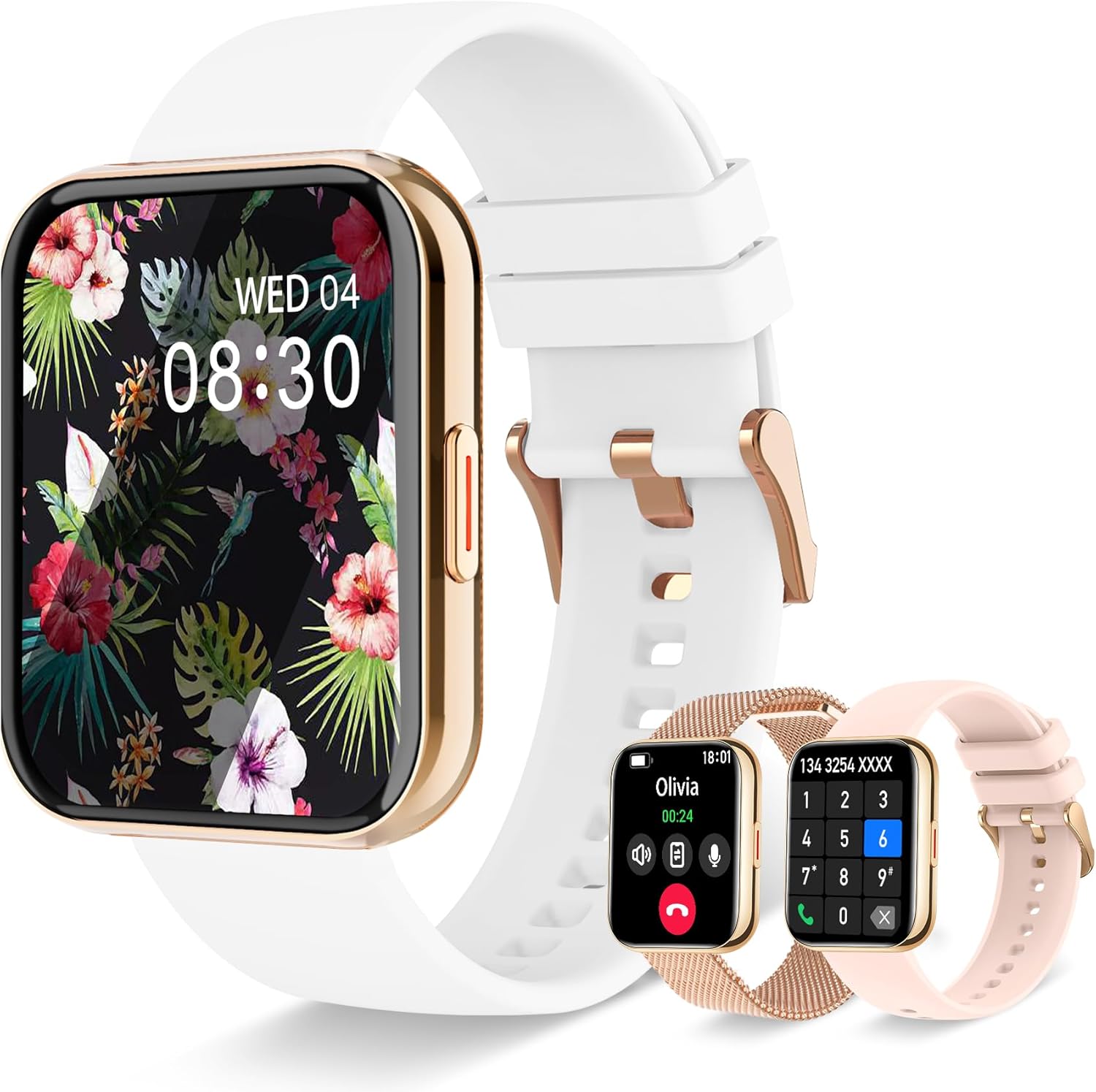
Image: The Iaret Smartwatch displayed with its main components, including the watch body and multiple strap options.
2. Setup
2.1 Charging the Smartwatch
Before first use, fully charge your smartwatch. The device features a 270 mAh lithium-ion battery that recharges completely in approximately 2 hours.
- Connect the charging cable to the charging port on the back of the smartwatch.
- Plug the USB end of the cable into a standard USB power adapter (not included) or a computer's USB port.
- The watch display will indicate charging status.

Image: A visual representation of the smartwatch's product parameters, highlighting the 270 mAh battery capacity and 2.5 hours charging time.
2.2 App Installation and Pairing
To unlock the full potential of your Iaret Smartwatch, download and install the companion application on your smartphone. The watch is compatible with Android and iOS devices.
- Scan the QR code provided in the manual or on the watch packaging, or search for the app name (usually mentioned in the quick start guide) in your smartphone's app store (Google Play Store for Android, Apple App Store for iOS).
- Install the application.
- Open the app and follow the on-screen instructions to create an account and set up your profile.
- Ensure Bluetooth is enabled on your smartphone.
- In the app, navigate to the device pairing section and select your Iaret Smartwatch from the list of available devices.
- Confirm the pairing request on both your smartphone and the smartwatch.
3. Operating Instructions
3.1 Basic Navigation
The Iaret Smartwatch features a 1.85-inch HD full touch screen for intuitive navigation.
- Swipe Up/Down: Scroll through menus and notifications.
- Swipe Left/Right: Access quick functions or different widgets.
- Tap: Select an item or confirm an action.
- Press Side Button: Return to the home screen or power on/off the device.
3.2 Bluetooth Calling and Notifications
With Bluetooth 5.3, the smartwatch allows you to manage calls and receive message notifications directly on your wrist.
- Making/Receiving Calls: Once paired, you can dial numbers, answer, or reject calls using the watch's HD speaker and microphone. You can add up to 10 contacts for quick access.
- Message Notifications: Receive alerts for messages from applications like Facebook, Instagram, WhatsApp, and more.
- Voice Assistant: Control your smartphone's voice assistant (e.g., Siri, Google Assistant, Bixby) directly from the watch.
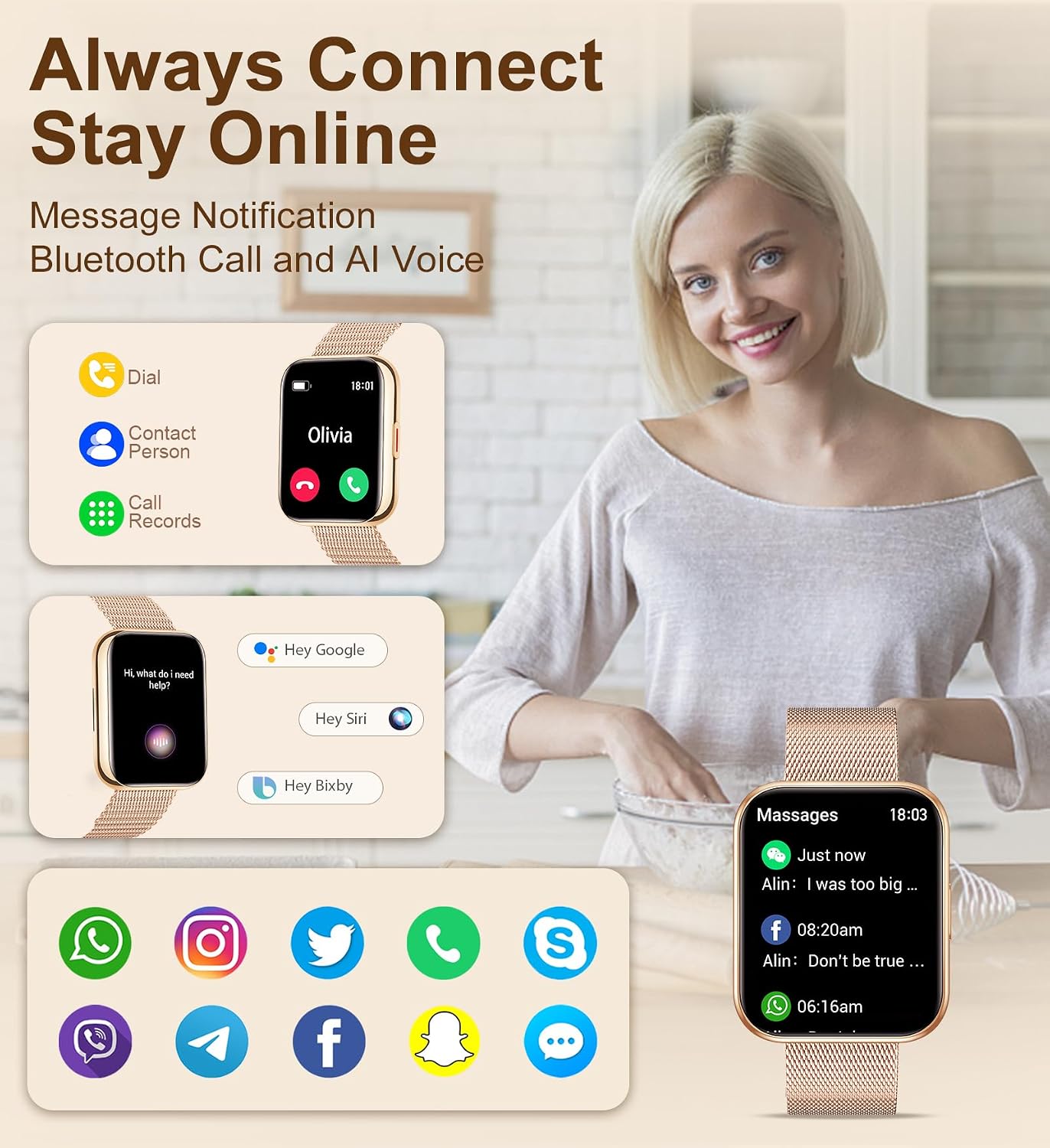
Image: The smartwatch screen showing incoming call interface, message notifications from various apps, and options for voice assistant activation.
3.3 Health Management
The Iaret Smartwatch provides 24/7 health monitoring features to help you stay informed about your well-being.
- Heart Rate Monitoring: Continuously tracks your heart rate.
- Sleep Monitoring: Analyzes sleep patterns (deep, light, awake) to provide insights into sleep quality.
- Blood Oxygen (SpO2) Monitoring: Measures blood oxygen levels.
- Female Health Tracking: Monitors the menstrual cycle.
- Reminders: Includes hydration reminders, sedentary alerts, and guided breathing exercises.

Image: A visual representation of the smartwatch's health tracking capabilities, showing graphs for heart rate, blood oxygen, blood pressure, sleep duration, and a calendar for menstrual cycle tracking.
3.4 Sports Modes and Activity Tracking
The watch supports over 100 sports modes to track your physical activities accurately.
- Activity Tracking: Records real-time data such as heart rate, steps, calories burned, and distance covered for various activities like running, cycling, and yoga.
- Goal Setting: Set personalized sports goals to enhance motivation.
- GPS: Utilizes smartphone GPS for precise route tracking during outdoor activities.

Image: The smartwatch screen showing activity data including time, calories, steps, and distance, alongside icons representing various sports modes.
3.5 Customizable Watch Faces
Personalize your smartwatch with over 200 available watch faces or use your own photos as background.
- Access watch face settings through the companion app or directly on the watch.
- Choose from a wide variety of pre-installed designs.
- Upload personal photos to create custom watch faces.

Image: A collection of different watch face designs shown on the smartwatch screen, including options for custom photos and various data displays.
3.6 Other Functions
The Iaret Smartwatch includes several practical tools for daily use:
- Calculator
- Alarm Clock
- Music Control
- Stopwatch
- Timer
- Find Phone function
- Weather Forecast
- Password Protection
- Brightness Adjustment
- Raise-to-wake feature

Image: Multiple smartwatch screens showcasing various functions such as a calculator, drink water reminder, music player control, weather display, and sedentary reminder.
4. Maintenance
4.1 Cleaning and Care
- Regularly clean the watch screen and straps with a soft, dry cloth.
- Avoid using harsh chemicals or abrasive materials, as they may damage the device.
- Ensure the charging contacts are clean and dry before charging.
4.2 Water Resistance
The smartwatch is designed to be water-resistant for daily use (e.g., hand washing, rain). However, it is not recommended for swimming, diving, or exposure to hot water/steam.
4.3 Battery Care
- Avoid fully discharging the battery frequently.
- Store the watch in a cool, dry place if not used for extended periods.
- Do not expose the watch to extreme temperatures.
5. Troubleshooting
| Problem | Possible Solution |
|---|---|
| Watch does not turn on | Ensure the watch is fully charged. Press and hold the side button for several seconds. |
| Cannot pair with smartphone |
|
| Inaccurate health data |
|
| Notifications not received |
|
| Short battery life |
|
6. Specifications
| Model Number | Iaret-SW1 |
| Brand | Iaret |
| Display | 1.85 inches HD Touch Screen |
| Connectivity | Bluetooth 5.3 |
| Battery Capacity | 270 mAh Lithium-ion |
| Charging Time | Approx. 2 hours |
| Operating System Compatibility | Android, iOS |
| Special Features | Bluetooth Calling, Voice Control, Notifications, Contacts, Call History, Phone Locator, Alarm, Stopwatch, Timer, Customizable Dials, Vibration Intensity, Brightness Adjustment, Raise-to-wake, Lightweight, Password Protection, Touch Screen, Time Display, Weather Forecast, Music Player, Sedentary Reminder, Cycle Tracking, Hydration Reminder, Sleep Monitor, Heart Rate Monitor, Breathing Training, Activity Tracker, Daily Workout Memory, Multisport Tracker, Pedometer, Calorie Counter, Distance Measurement. |
| Internal Storage | 128 MB |
| GPS | Via smartphone |
7. Warranty and Support
7.1 Manufacturer's Warranty
The Iaret Smartwatch comes with a 1-year manufacturer's warranty. Please retain your proof of purchase for warranty claims. The warranty covers defects in materials and workmanship under normal use.
7.2 Customer Support
For technical assistance, troubleshooting, or warranty inquiries, please contact Iaret customer support through the official website or the contact information provided with your purchase. Ensure you have your model number (Iaret-SW1) and purchase details ready.
For more information, you may visit the Iaret Brand Store on Amazon.
Ask a question about this manual
Ask about setup, troubleshooting, compatibility, parts, safety, or missing instructions. Manuals+ will review the question and use this page’s manual context to help answer it.