
1. Introduction
This manual provides essential instructions for setting up, operating, and maintaining your BIEMHA Smart Ring Health Tracker. Please read it carefully to ensure optimal performance and longevity of your device. The BIEMHA Smart Ring is designed to help you monitor various health metrics and track your fitness activities.
2. Important Safety Information
- Do not attempt to disassemble or modify the device.
- Keep the device out of reach of children.
- Consult a physician before starting any new exercise or health monitoring program.
- The BIEMHA Smart Ring is not a medical device and should not be used for diagnosis, treatment, or prevention of any disease.
- Avoid exposing the ring to extreme temperatures or direct sunlight for prolonged periods.
3. Package Contents
Please verify that all items are present in your package:
- BIEMHA Smart Ring
- Charging Cable
- User Manual
4. Product Overview
The BIEMHA Smart Ring is a sophisticated wearable device designed for continuous health and fitness tracking. Its minimalist design allows for comfortable, all-day wear while providing valuable insights into your well-being.
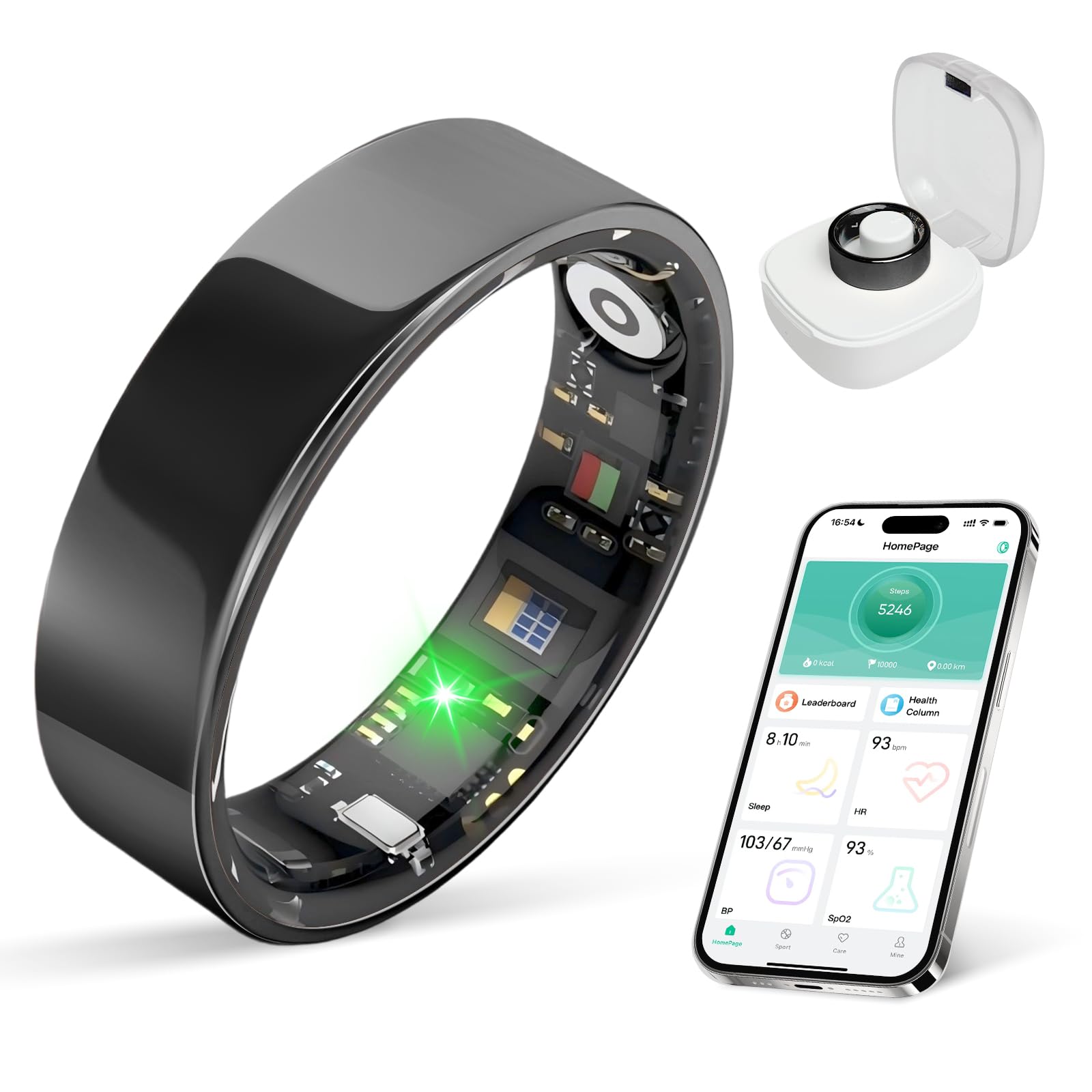
Image: The BIEMHA Smart Ring, showcasing its sleek design.
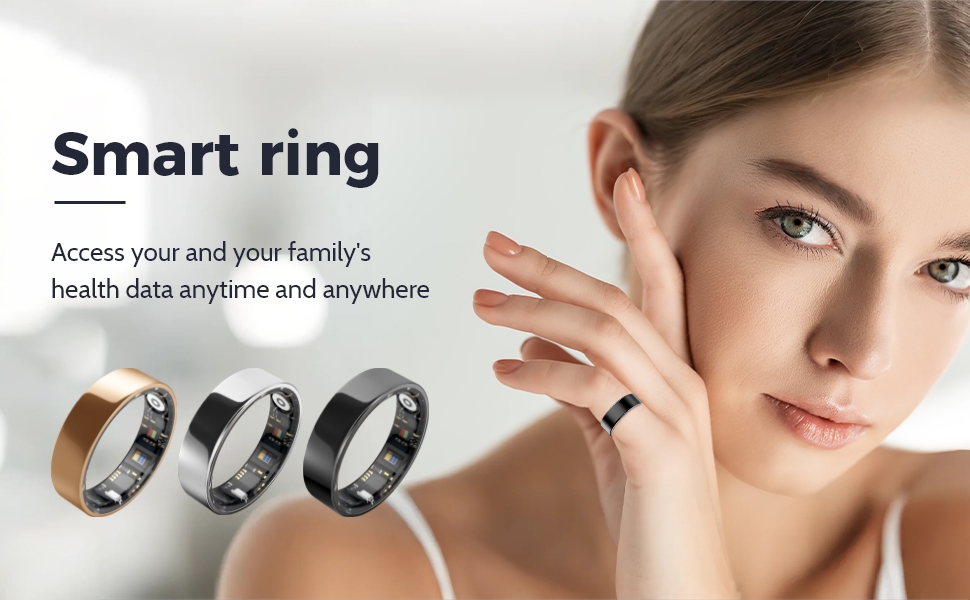
Image: The BIEMHA Smart Ring available in different finishes.
5. Setup Guide
5.1. Choosing the Correct Ring Size
Accurate sizing is crucial for comfortable wear and precise data collection. Please follow these steps to determine your optimal ring size:
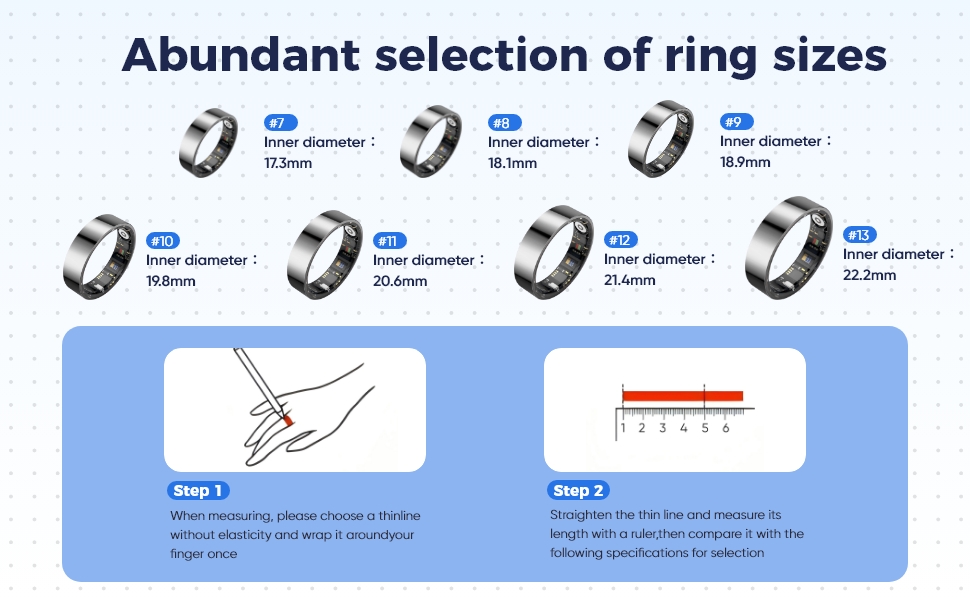
Image: Detailed guide for measuring finger circumference and selecting the correct ring size.
- Step 1: Obtain a thin line or string without elasticity. Wrap it around the base of the finger you intend to wear the ring on.
- Step 2: Mark the point where the string overlaps. Straighten the string and measure its length with a ruler to get the circumference.
- Step 3: Refer to the size chart provided in the image above to find the corresponding inner diameter and ring model number.
Ensure the ring fits snugly but comfortably, allowing for slight swelling throughout the day.
5.2. Initial Charging
Before first use, fully charge your BIEMHA Smart Ring. Connect the charging cable to the ring and a compatible USB power source. The charging indicator (if any, or app notification) will confirm charging status. A full charge typically takes a few hours.
5.3. App Download and Pairing
- Step 1: Download the official BIEMHA Smart Ring application from the Apple App Store (for iOS devices) or Google Play Store (for Android devices).
- Step 2: Open the app and create a new user account or log in if you already have one.
- Step 3: Ensure Bluetooth is enabled on your smartphone.
- Step 4: Follow the in-app instructions to search for and pair your BIEMHA Smart Ring. The app will guide you through the connection process.
6. Operating Instructions
6.1. Wearing the Smart Ring
Wear the BIEMHA Smart Ring on any finger where it fits comfortably and securely. For optimal accuracy of health metrics, ensure the sensors on the inner side of the ring are in good contact with your skin.
6.2. Health Monitoring
The ring continuously monitors various health parameters:
- Heart Rate: Automatically measured at regular intervals.
- Blood Pressure: Automatically measured every 30 minutes when worn.
- SpO2 (Blood Oxygen): Provides insights into your blood oxygen levels.
- Stress: Monitors stress levels throughout the day.

Image: A user interacting with the BIEMHA app to view health data, including heart rate and blood pressure.
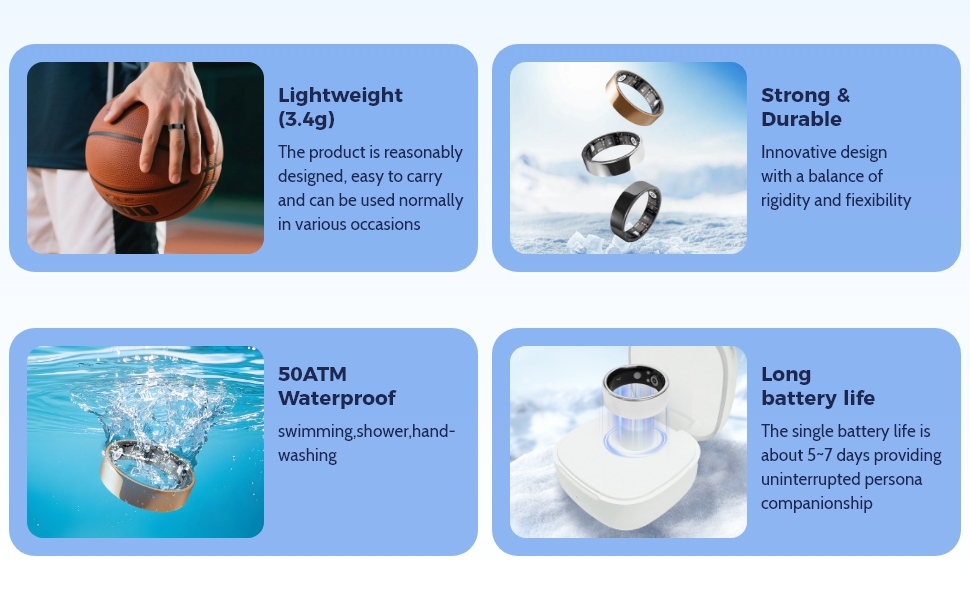
Image: The BIEMHA Smart Ring's ability to track multiple health metrics, including heart rate, SpO2, and blood pressure, with family account linking.
6.3. Sleep Tracking
The BIEMHA Smart Ring automatically detects when you fall asleep and tracks your sleep cycles (deep sleep, light sleep, REM). It provides detailed reports to help you understand and improve your sleep quality.
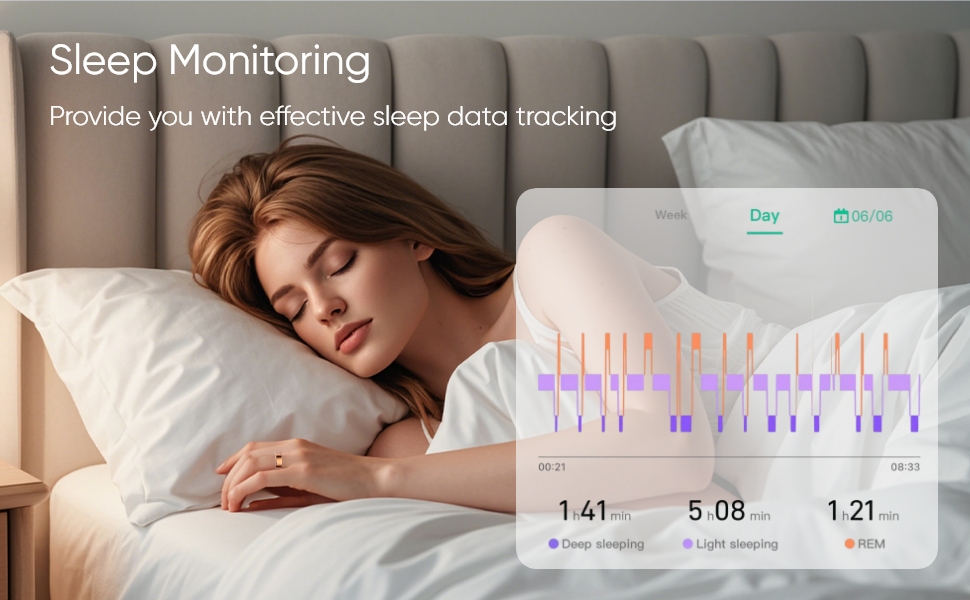
Image: Sleep monitoring data displayed on the BIEMHA app, showing sleep duration and cycles.
6.4. Activity Tracking
Track your daily steps, calories burned, and exercise performance. The ring provides accurate insights to support your fitness goals.
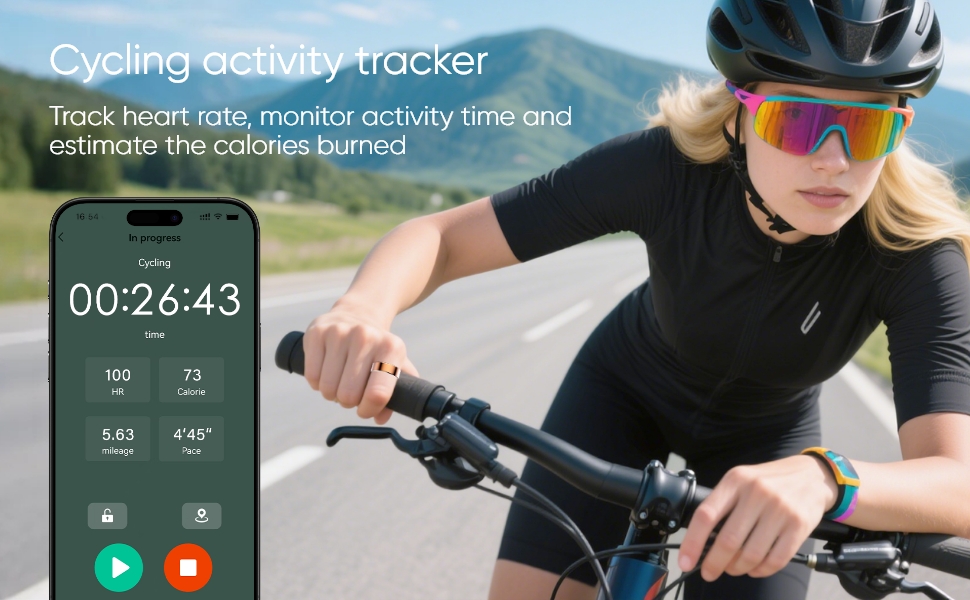
Image: The BIEMHA app tracking cycling activity, including heart rate, calories, and mileage.
6.5. Battery Life and Charging
The BIEMHA Smart Ring offers a 3-5 day battery life on a single charge. When used with its smart charging case (if applicable and purchased separately), the usage time can extend beyond 20 days. Recharge the ring using the provided charging cable when the battery is low.
6.6. Water Resistance
The ring boasts excellent IP68 waterproof performance, allowing submersion up to 80 meters. You do not need to remove the ring for daily activities such as bathing, swimming, or washing your hands.
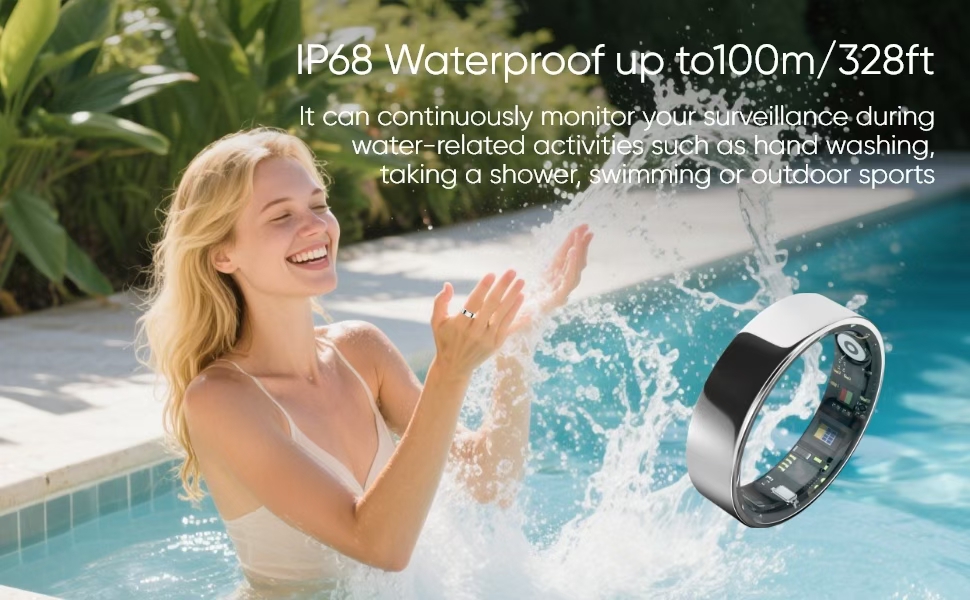
Image: The BIEMHA Smart Ring's IP68 waterproof rating, suitable for swimming and water activities.
7. Maintenance
- Cleaning: Gently wipe the ring with a soft, damp cloth to remove dirt or sweat. Avoid using harsh chemicals or abrasive materials.
- Storage: When not in use for extended periods, store the ring in a cool, dry place away from direct sunlight.
8. Troubleshooting
| Issue | Possible Solution |
|---|---|
| Ring not pairing with app |
|
| Inaccurate readings |
|
| Ring not charging |
|
| App not syncing data |
|
9. Specifications
| Feature | Detail |
|---|---|
| Brand | BIEMHA |
| Model Number | e3251a37-4ab3-4980-8b99-52784add50f5 |
| Connectivity Technology | Bluetooth |
| Wireless Communication Standard | Bluetooth |
| GPS | No GPS |
| Shape | Round |
| Screen Size | 1 Nanometer (No Display) |
| Style | Minimalist |
| Color | Black |
| Compatible Devices | Smartphone (iOS and Android) |
| Display Type | No Display |
| Band Material Type | Metal |
| Water Resistance Level | Waterproof (IP68) |
| Water Resistance Depth | 80 Meters |
| Human Interface Input | Touchscreen (via app) |
| Supported Application | Fitness Tracker, Heart Rate Monitor, Sleep Monitor |
| Metrics Measured | Heart Rate, Sleep Duration, Stress, Blood Pressure, SpO2 |
| Closure Type | Sliding |
| Battery Life | 3-5 days (up to 20+ days with charging case) |
| Subscription Required | No |
| UPC | 750961720928 |
10. Warranty and Support
10.1. Warranty Information
The BIEMHA Smart Ring comes with a standard manufacturer's warranty. Please refer to the warranty card included in your package or contact BIEMHA customer support for specific details regarding warranty coverage and duration.
10.2. Customer Support
For technical assistance, troubleshooting, or any questions regarding your BIEMHA Smart Ring, please contact our customer support team. You can typically find contact information on the BIEMHA official website or within the product packaging.
Online Support: www.biemha.com/support (Example link, replace with actual if available)
Email: support@biemha.com (Example email, replace with actual if available)