
1. Introduction
This manual provides comprehensive instructions for the Generic Remote Control, specifically designed for use with Mirage Flex Minisplit air conditioning units, model EBF120K. This remote control allows you to manage various functions of your air conditioner, ensuring comfortable operation.
Key features include:
- Full control over temperature, fan speed, and operating modes.
- Intuitive interface for ease of use.
- Infrared signal transmission for effective control up to 8 meters.
- Direct compatibility with Mirage Flex Minisplit model EBF120K.
2. Setup
2.1 Battery Installation
The remote control requires two AAA batteries (not included) for operation. Follow these steps to install the batteries:
- Locate the battery compartment cover on the back of the remote control.
- Slide the cover downwards or press the latch and lift to open.
- Insert two AAA batteries, ensuring the positive (+) and negative (-) terminals match the markings inside the compartment.
- Replace the battery compartment cover by sliding it back into place until it clicks securely.
Note: Ensure batteries are inserted correctly to prevent damage to the remote control.
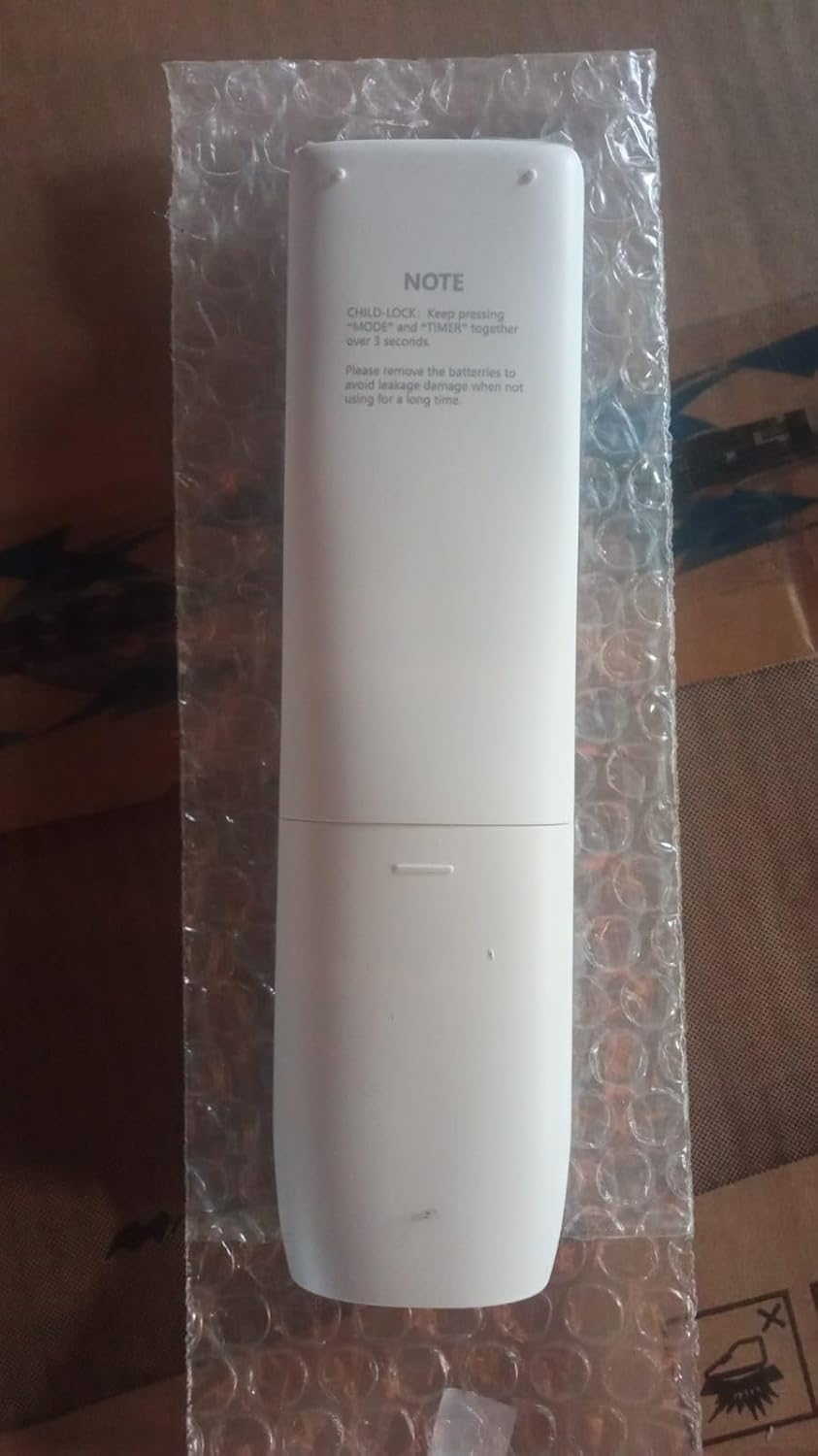
Figure 1: Back view of the remote control with battery compartment.
3. Operating Instructions
Point the remote control directly at the indoor unit of your Mirage Flex Minisplit. Ensure there are no obstructions between the remote and the unit.

Figure 2: Front view of the remote control with button layout.
3.1 Button Functions
| Button | Function |
|---|---|
| Power (⏻) | Turns the air conditioner unit On or Off. |
| MODE | Cycles through operating modes (e.g., Cool, Heat, Fan, Dry, Auto). |
| FAN (▲/▼) | Adjusts the fan speed (e.g., Low, Medium, High, Auto). The up/down arrows within the FAN button control this setting. |
| TURBO | Activates rapid cooling or heating for quick temperature changes. |
| MUTE | Silences the unit's operational beeps or sounds. |
| ECO | Engages energy-saving mode for reduced power consumption. |
| TIMER | Sets a timer for the unit to turn On or Off automatically. |
| DISPLAY | Toggles the display on the indoor unit On or Off. |
| SLEEP | Activates sleep mode, which adjusts temperature and fan speed for comfortable sleep and energy saving. |
| X-DRY | Initiates an extra dry function, often used to prevent mold growth by drying the indoor coil after cooling operation. |
| I FEEL | Activates a sensor in the remote to detect the ambient temperature at the remote's location, adjusting the unit's operation accordingly. |
| CLEAN | Initiates a self-cleaning function for the indoor unit. |
Temperature Adjustment: While dedicated temperature up/down buttons are not explicitly labeled on this remote, the Mirage Flex system allows for temperature adjustment. This is typically managed through the MODE button to select a cooling or heating mode, and then the system may automatically adjust or allow for fine-tuning via other controls or the unit itself. Refer to your Minisplit's main manual for specific temperature adjustment methods if not directly controlled by this remote.
3.2 Child Lock Function
To activate or deactivate the Child Lock function, press and hold the MODE and TIMER buttons simultaneously for more than 3 seconds. This prevents accidental changes to the settings.
4. Maintenance
4.1 Cleaning the Remote Control
To clean the remote control, wipe its surface with a soft, dry cloth. Do not use liquid cleaners, abrasive materials, or chemical solvents, as these may damage the remote's surface or internal components.
4.2 Battery Replacement
Replace the batteries when the remote control's range decreases or if the display becomes dim. Always replace both batteries at the same time with new AAA batteries. Do not mix old and new batteries or different types of batteries.
If the remote control will not be used for an extended period, remove the batteries to prevent leakage and potential damage to the device.
5. Troubleshooting
- Remote not responding:
- Check if the batteries are inserted correctly with the correct polarity.
- Replace old batteries with new ones.
- Ensure there are no obstructions between the remote control and the air conditioner's receiver.
- Confirm the remote is pointed directly at the indoor unit.
- Limited operating range:
- Replace the batteries.
- Ensure the remote is within the maximum effective range of 8 meters.
- Avoid strong light sources (e.g., direct sunlight) that might interfere with the infrared signal.
6. Specifications
| Feature | Detail |
|---|---|
| Brand | Generic |
| Model Name | EBF120K |
| Compatibility | Mirage Flex Minisplit EBF120K |
| Color | White |
| Connection Technology | Infrared |
| Number of Buttons | 16 |
| Maximum Range | 8 Meters |
| Batteries Required | 2 x AAA (not included) |
| Item Weight | 100 Grams |
| Dimensions (L x W x H) | 18 cm x 5 cm x 2 cm |
7. Warranty and Support
7.1 Product Warranty
This product comes with a 30-day warranty from the date of purchase. This warranty covers manufacturing defects under normal use. It does not cover damage caused by misuse, accidents, unauthorized modifications, or improper battery installation.
7.2 Customer Support
For any questions or issues not covered in this manual, please contact your retailer or the point of purchase for assistance. Please have your product model number (EBF120K) and purchase information ready when contacting support.