
Introduction
Thank you for choosing the Unikito 47" Entryway Console Table. This manual provides essential information for the safe assembly, operation, and maintenance of your new furniture. Please read these instructions carefully before beginning assembly and retain them for future reference.
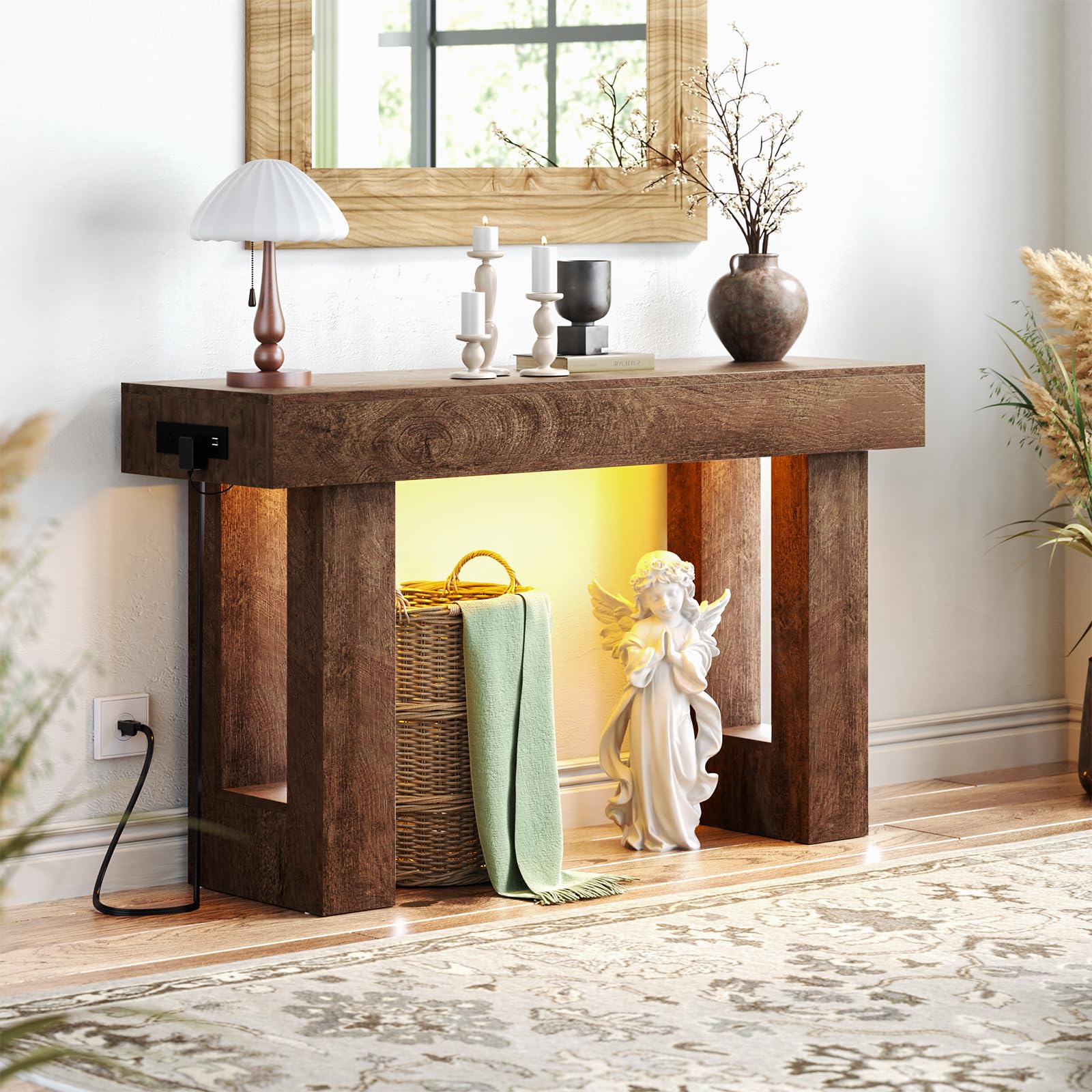
Image: The Unikito 47" Entryway Console Table, showcasing its rustic oak finish and overall design.
Safety Instructions
- Always follow the assembly instructions carefully.
- Ensure all screws and fasteners are securely tightened before use. Periodically check and re-tighten as needed.
- Do not overload the table. Refer to specifications for weight limits.
- Keep small parts and packaging materials away from children to prevent choking hazards.
- Use the included anti-tip kit to secure the table to a wall, especially if children or pets are present, to prevent tipping.
- Avoid placing hot items directly on the tabletop without protective coasters.
- Do not expose the table to excessive moisture or direct sunlight for prolonged periods.
Package Contents
Before assembly, verify that all components are present and undamaged. If any parts are missing or damaged, please contact Unikito customer service.
- Tabletop (1)
- Legs (2)
- Power Outlet Unit (1)
- Sensor Light Strip (1)
- Assembly Tool (1)
- Assembly Guide (1)
- Hardware Pack (screws, connectors, anti-tip kit)
Assembly Instructions
Assembly typically requires two people and can take approximately 2-3 hours. Follow the detailed steps provided in the included Assembly Guide. Ensure you have ample space and keep all parts organized.
- Unpack and Identify Parts: Carefully remove all components from the packaging. Lay them out on a clean, soft surface to prevent scratches. Identify each part using the labels in the Assembly Guide.
- Attach Legs to Tabletop: Securely attach the table legs to the underside of the tabletop using the provided screws and assembly tool. Ensure the legs are oriented correctly as per the diagrams.
- Install Power Outlet Unit: The power outlet unit can be installed on either the left or right side of the tabletop. Follow the guide to properly insert and secure the unit into the designated slot. Connect the power cord.
- Install Sensor Light Strip: Adhere the sensor light strip to the underside of the tabletop, ensuring the motion sensor is positioned to detect movement in the desired area. Connect the light strip to the power outlet unit.
- Final Tightening and Placement: Once all components are assembled, gently stand the table upright. Double-check all connections and tighten any loose screws. Place the table in its desired location and secure it to the wall using the anti-tip kit.

Image: Detailed dimensions of the console table, including height, width, and depth.
Operating Instructions
Charging Station
The console table is equipped with 3 standard AC power outlets and 2 USB charging ports. Simply plug your devices into the available outlets or USB ports to charge them. The charging station is designed for convenience, allowing you to power multiple devices simultaneously.

Image: A close-up view of the integrated charging station, showing the AC outlets and USB ports.
Sensor Light
The integrated human body sensing light automatically turns on when motion is detected nearby and turns off after a period of inactivity. This feature provides ambient lighting in dark hallways or entryways without manual operation. Ensure the sensor is not obstructed for optimal performance.

Image: A detailed view of the sensor light strip, positioned underneath the tabletop.
Product Video
Video: An official product video from Unikito demonstrating the console table with power outlets and sensor light in various home settings.
Maintenance
To maintain the appearance and longevity of your console table, wipe it with a dry cloth regularly. Avoid using harsh chemicals or abrasive cleaners, which can damage the finish. Promptly clean up any spills to prevent staining. Periodically check all hardware connections and tighten if necessary.

Image: A close-up of the tabletop surface, highlighting its vintage natural texture.
Troubleshooting
- Table is wobbly: Ensure all screws are fully tightened. Check that the table is on a level surface. Adjust footpads if applicable.
- Sensor light not turning on: Verify the light strip is properly connected to the power outlet unit and the unit is plugged into a working wall socket. Ensure the motion sensor is not obstructed. Test in a dark environment.
- Charging station not working: Confirm the power outlet unit is securely plugged into a functional wall socket. Test with different devices and cables to rule out device-specific issues.
- Difficulty with assembly: Refer to the detailed Assembly Guide. If issues persist, contact customer support for assistance.
Specifications
| Feature | Detail |
|---|---|
| Brand | Unikito |
| Model Number | DKW-15.2 |
| Product Dimensions | 13.8"D x 47"W x 33.5"H |
| Frame Material | Wood |
| Top Material Type | Engineered Wood |
| Color | Rustic Oak |
| Power Outlets | 3 AC Outlets |
| USB Ports | 2 USB Charging Ports |
| Light Feature | Human Body Sensing Light |
| Required Assembly | Yes |
| Product Care | Wipe with Dry Cloth |

Image: A close-up view illustrating the 6-inch thickened wooden tabletop.
Warranty and Support
Unikito is committed to providing quality products. If you encounter any issues with your entryway table regarding quality or assembly, please do not hesitate to contact our customer service team. We aim to respond to all inquiries within 24 hours to ensure your satisfaction.
For additional protection, extended warranty plans may be available for purchase separately. Please refer to the product listing or contact your retailer for details on available protection plans.
Usage Scenarios
The versatile design of the Unikito console table allows it to be used in various settings:
- Entryway: As a stylish foyer table for keys, mail, and decorative items.
- Living Room: Behind a couch as a sofa table, providing extra surface area and charging capabilities.
- Hallway: As an accent table in narrow hallways, offering both aesthetics and functionality.

Image: The console table elegantly positioned in an entryway, adorned with decorative items.
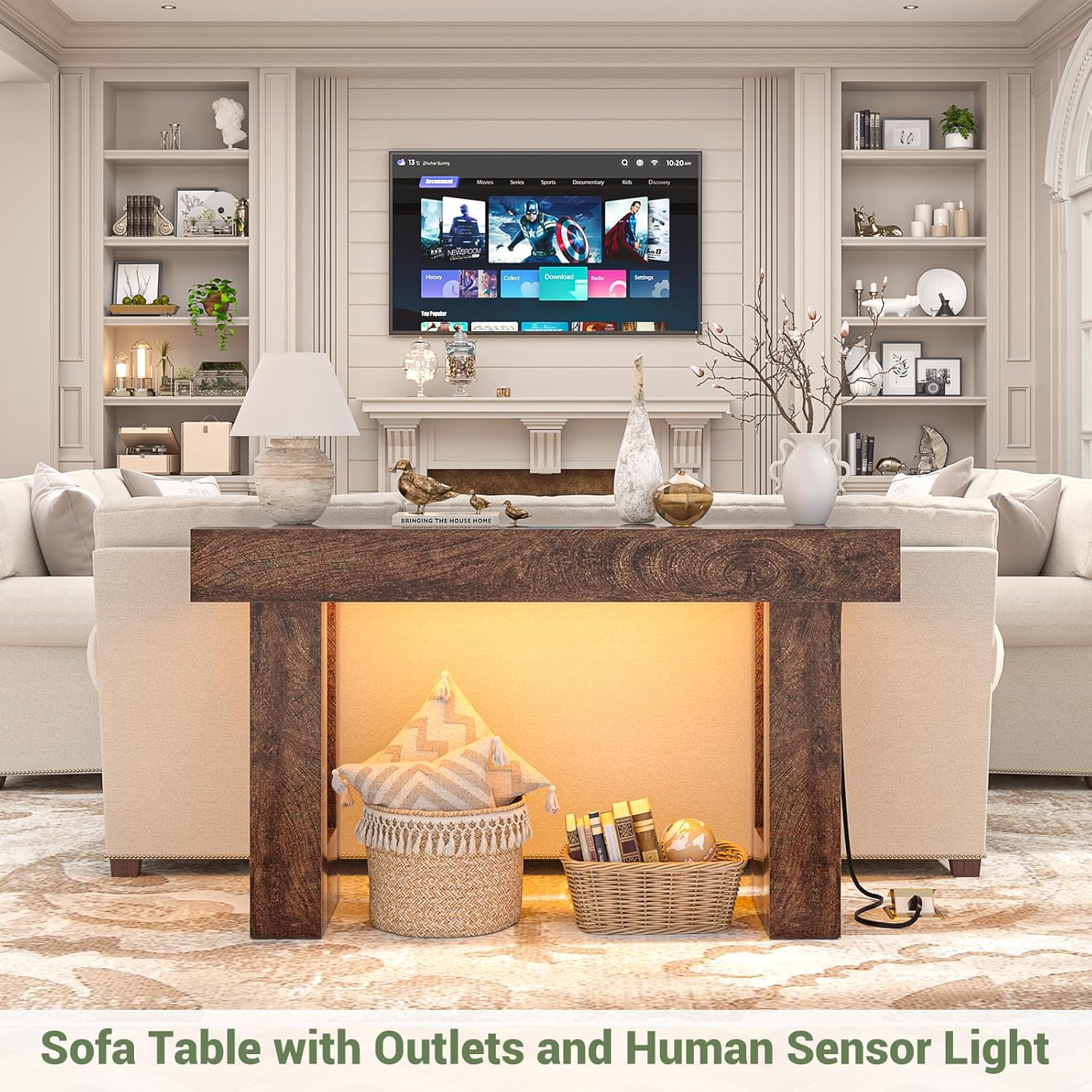
Image: The console table serving as a sofa table in a living room, complementing the decor.