
1. Introduction
Welcome to the user manual for the ZOEYEC FAM-02 Professional Handheld Digital Anemometer. This device is engineered for precise measurement of wind speed, temperature, and humidity, offering a versatile 3-in-1 solution for various professional and recreational applications. Please read this manual thoroughly before operating the device to ensure correct usage and optimal performance.
2. Product Overview
The FAM-02 is a high-accuracy instrument designed for reliable environmental monitoring. Its compact and handheld design makes it suitable for field use.
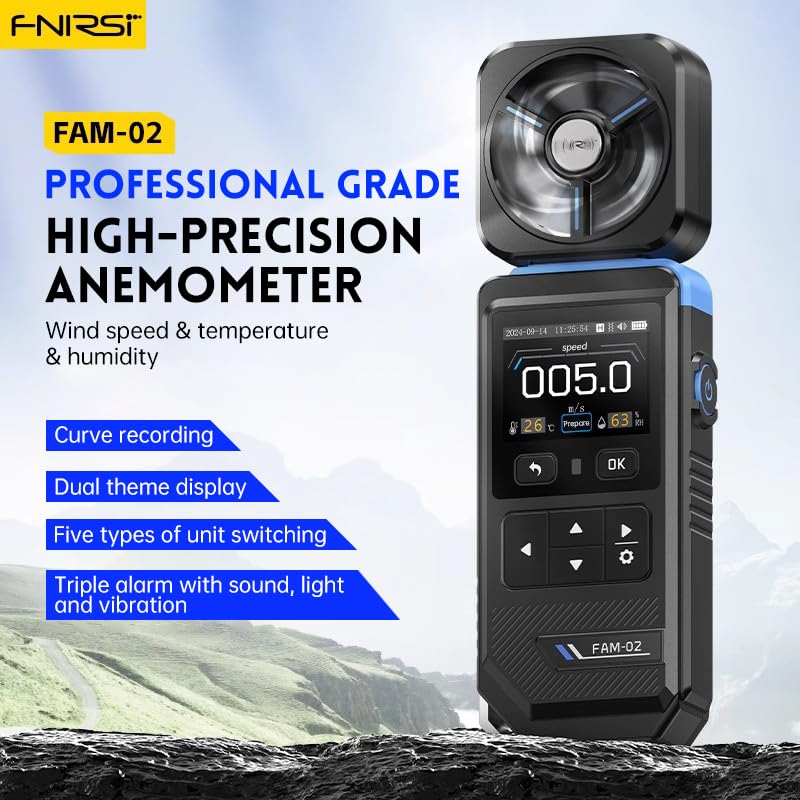
Figure 2.1: ZOEYEC FAM-02 Digital Anemometer. This image displays the device's main body, screen, and the top-mounted impeller.
Key Features:
- Simultaneous Display: Wind speed, temperature, and humidity are displayed concurrently on the screen for comprehensive data at a glance.
- Multiple Unit Options: Five different unit switches are available for wind speed measurement, allowing flexibility based on user preference or regional standards.
- Curve Data Logging: The device features a curve recording mode that makes historical data more intuitive and easier to analyze over time.
- Eight-Blade Impeller: Equipped with an eight-blade impeller for fast and accurate response to changes in wind conditions.
- Triple Alarm System: Provides audible, visual, and vibration alarms to alert users to specific conditions, such as high wind speeds.
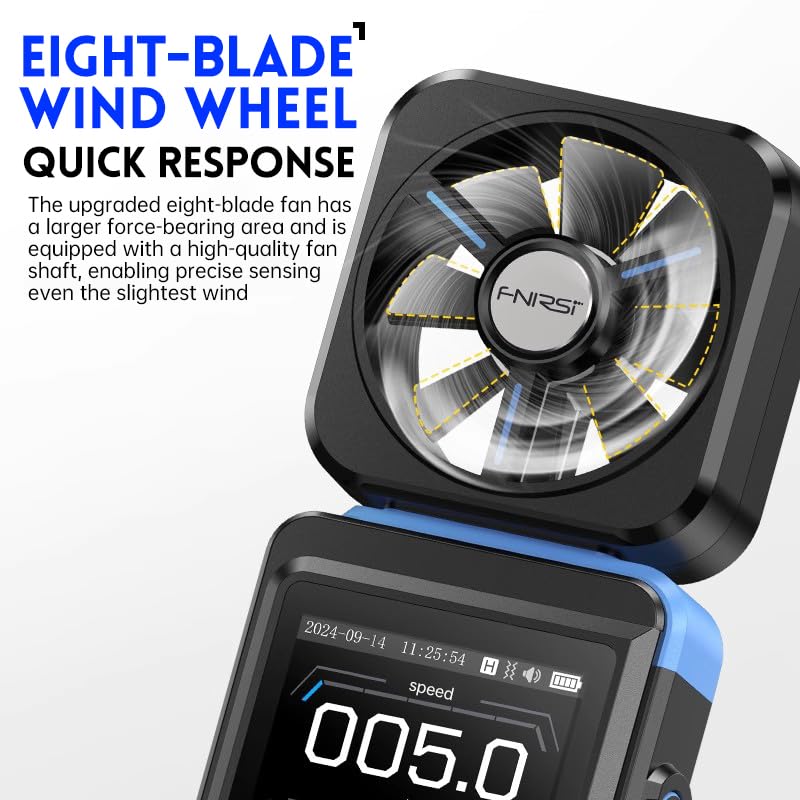
Figure 2.2: Close-up view of the eight-blade impeller. This image highlights the design of the impeller, which contributes to the device's quick response time.
3. What's in the Box
Upon opening the package, please verify that all items listed below are present and in good condition:
- 1 x ZOEYEC FAM-02 3-in-1 Digital Anemometer
- 1 x User Manual (this document)
Note: Batteries may or may not be included depending on the retailer and shipping regulations. Please check the product packaging for details.
4. Setup
4.1. Battery Installation
- Locate the battery compartment cover on the back of the device.
- Slide or unclip the cover to open the compartment.
- Insert the required batteries (e.g., AAA batteries, specific type not provided in product data) according to the polarity indicators (+/-) inside the compartment.
- Replace the battery compartment cover, ensuring it is securely closed.
4.2. Powering On/Off
- To Power On: Press and hold the power button (usually marked with a power symbol) for a few seconds until the display illuminates.
- To Power Off: Press and hold the power button again until the display turns off. The device may also have an auto-power-off feature to conserve battery life.
5. Operating Instructions
5.1. Basic Measurement
Once powered on, the device will typically begin displaying real-time measurements for wind speed, temperature, and humidity simultaneously. Ensure the impeller is exposed to the airflow for accurate wind speed readings.
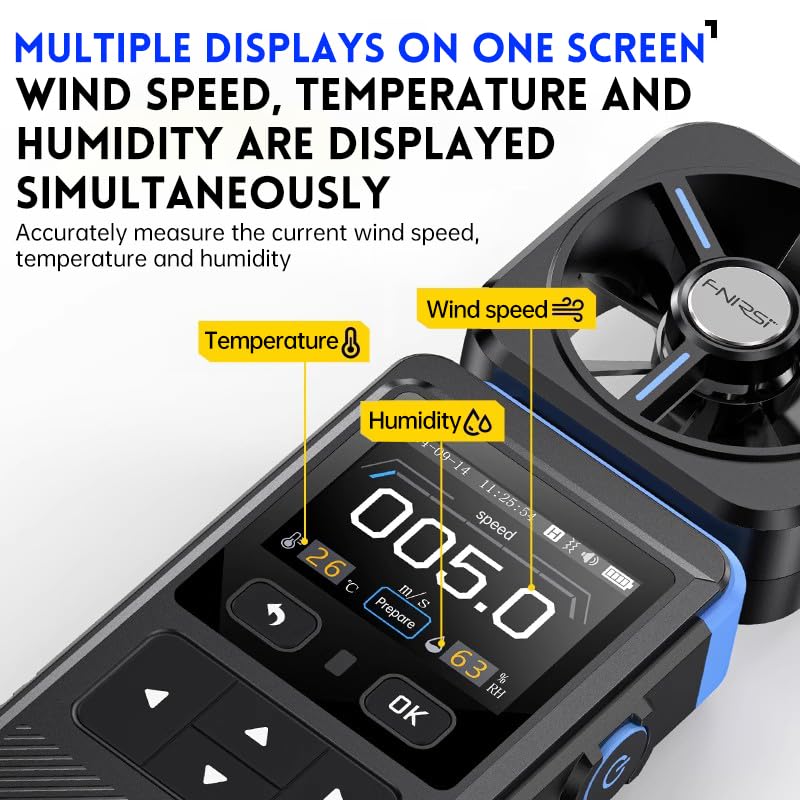
Figure 5.1: Simultaneous display of wind speed, temperature, and humidity. This image illustrates how all three measurements are presented on the device's screen at once.
5.2. Unit Switching
The FAM-02 supports five different units for wind speed measurement. To cycle through the available units (e.g., m/s, km/h, mph, knots, ft/min), locate the 'UNIT' button or a similar function button on the device and press it repeatedly until your desired unit is displayed.
5.3. Curve Recording Mode
The curve recording mode allows for visual tracking of wind speed changes over a period. To activate or view this mode, navigate through the device's menu using the directional buttons (if available) or a dedicated 'MODE' button. The display will show a graphical representation of recorded wind speed data, making trends more apparent.

Figure 5.2: Curve recording mode display. This image shows the device's screen presenting a graph of wind speed data over time, enhancing data analysis.
5.4. Alarm Function
The device features a triple alarm system (audible, visual, and vibration) to alert you when wind speed exceeds a preset threshold. Refer to the device's menu or settings to adjust the alarm threshold. When the wind speed reaches or surpasses this threshold, the device will activate the configured alarms.
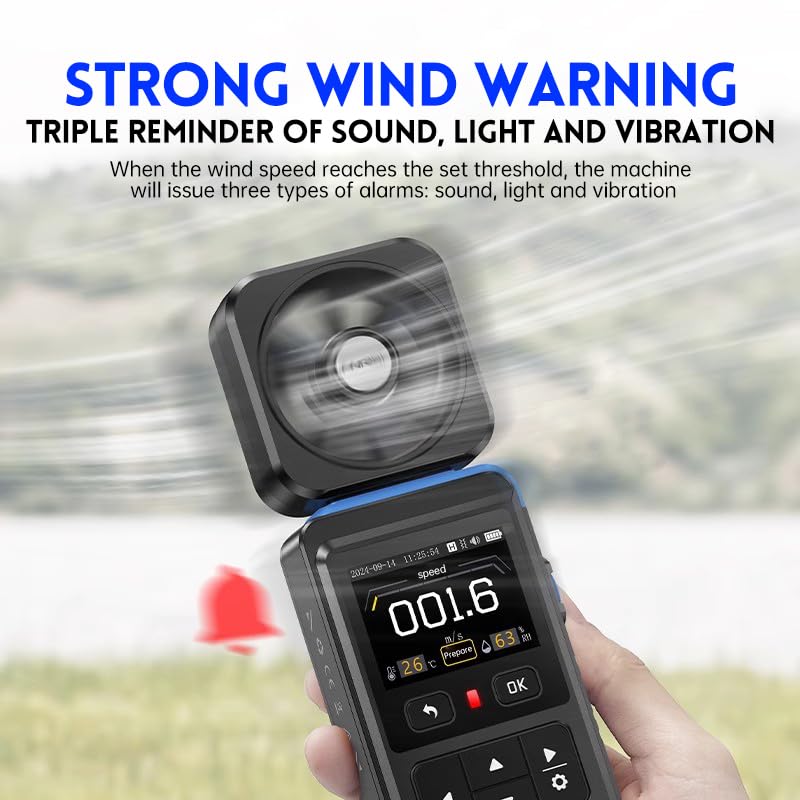
Figure 5.3: Strong wind warning indication. This image shows the device's screen with an alarm icon, indicating that a preset wind speed threshold has been reached or exceeded.
6. Maintenance
6.1. Cleaning
- Wipe the device body with a soft, dry cloth.
- For stubborn dirt, use a slightly damp cloth with mild soap, then wipe dry immediately.
- Do not use abrasive cleaners, solvents, or immerse the device in water.
- Gently clean the impeller blades if necessary, ensuring no debris obstructs their rotation.
6.2. Storage
- Store the device in a cool, dry place away from direct sunlight and extreme temperatures.
- If storing for an extended period, remove the batteries to prevent leakage and damage to the device.
6.3. Battery Replacement
When the battery indicator on the display shows low power, replace the batteries following the instructions in Section 4.1. Always use fresh batteries of the specified type.
7. Troubleshooting
If you encounter issues with your FAM-02 anemometer, please refer to the following common problems and solutions:
| Problem | Possible Cause | Solution |
|---|---|---|
| Device does not power on. | Dead or incorrectly installed batteries. | Check battery polarity; replace with fresh batteries. |
| Inaccurate wind speed readings. | Impeller obstructed or damaged; incorrect unit selected. | Ensure impeller rotates freely; clean any debris; verify selected unit. |
| Display is blank or flickering. | Low battery power; loose battery connection. | Replace batteries; ensure batteries are seated correctly. |
| No alarm sound/vibration. | Alarm settings disabled or threshold not met. | Check alarm settings in the menu; ensure wind speed exceeds the set threshold. |
8. Specifications
The following table outlines the technical specifications for the ZOEYEC FAM-02 Digital Anemometer:
| Feature | Detail |
|---|---|
| Model Number | FAM-02 |
| Brand | ZOEYEC |
| Functions | Wind Speed, Temperature, Humidity Measurement |
| Display | Digital, Simultaneous display of 3 parameters |
| Impeller | Eight-blade, fast response |
| Alarm Type | Audible, Visual, Vibration |
| Data Logging | Curve recording mode |
| Item Weight | 360 Grams (approx. 12.7 ounces) |
| UPC | 724470899741 |
9. Warranty and Support
For warranty information, technical support, or service inquiries regarding your ZOEYEC FAM-02 Digital Anemometer, please refer to the warranty card included with your purchase or contact the retailer or manufacturer directly. Please have your purchase receipt and product model number (FAM-02) available when contacting support.