1. Introduction
The Rockville Titan MIX12A is a powerful and versatile 3200W Peak 12-Inch Powered Column Array PA System designed for various audio applications. This all-in-one system features an integrated 8-channel mixer, Bluetooth audio connectivity, advanced Digital Signal Processing (DSP), and includes travel bags for portability. This manual provides detailed instructions for setting up, operating, and maintaining your MIX12A system to ensure optimal performance and longevity.
2. What's in the Box
- Powered Subwoofer
- (2) Column Speakers
- Travel Bag for Columns
- Travel Cover for Subwoofer
- Power Cable
- User Manual
- Training Video (digital access)
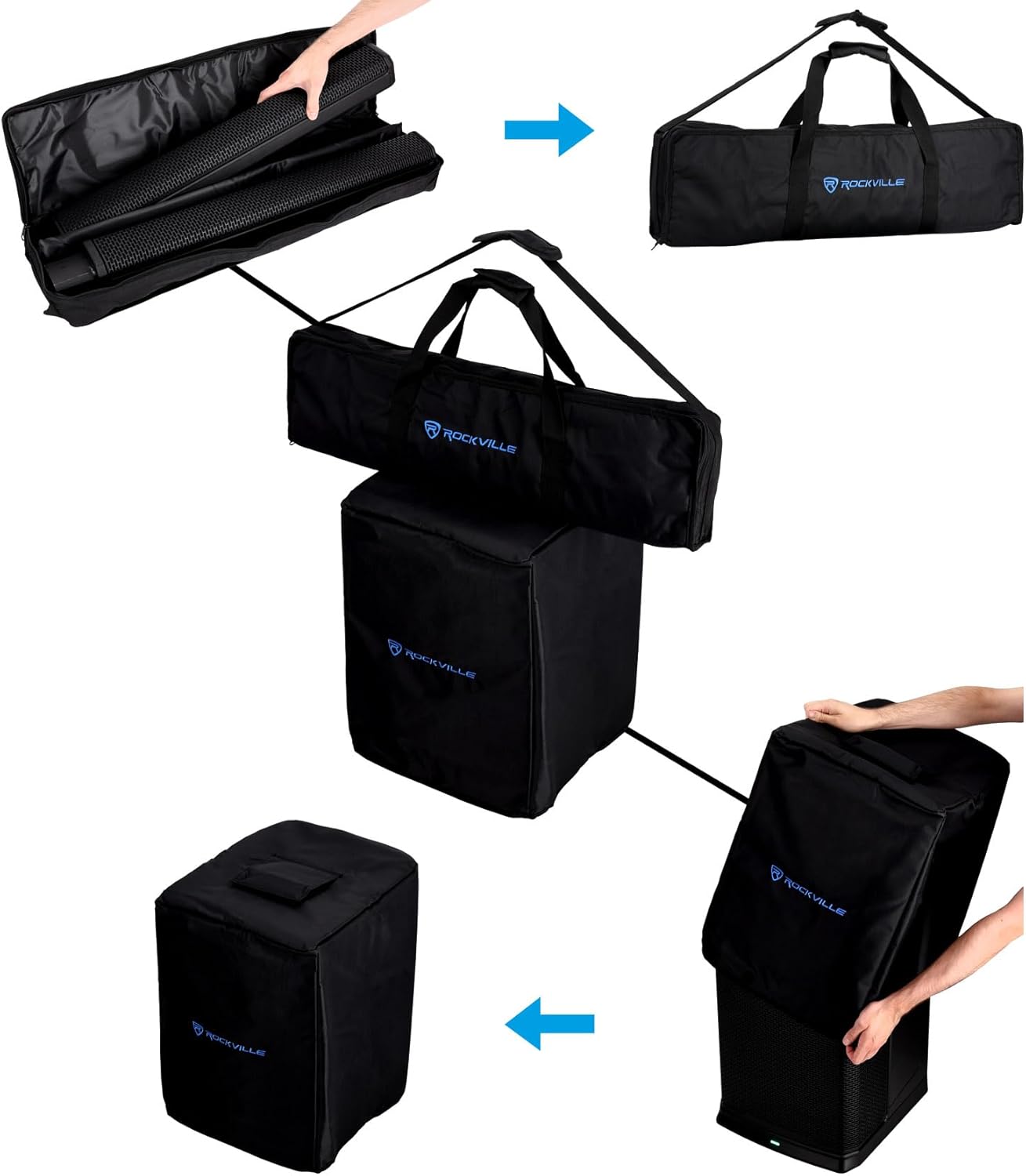
Image: Included travel bags and covers for the subwoofer and column speakers, designed for easy transport and protection.
3. Setup Instructions
3.1 Physical Assembly
- Place the powered subwoofer on a stable, flat surface.
- Carefully insert the first column speaker into the pole mount on top of the subwoofer.
- Align and insert the second column speaker on top of the first, ensuring a secure connection.
- For lower height setups, use the included smaller array mount to position the column closer to the subwoofer.

Image: Step-by-step visual guide demonstrating the assembly of the column speakers onto the subwoofer unit.
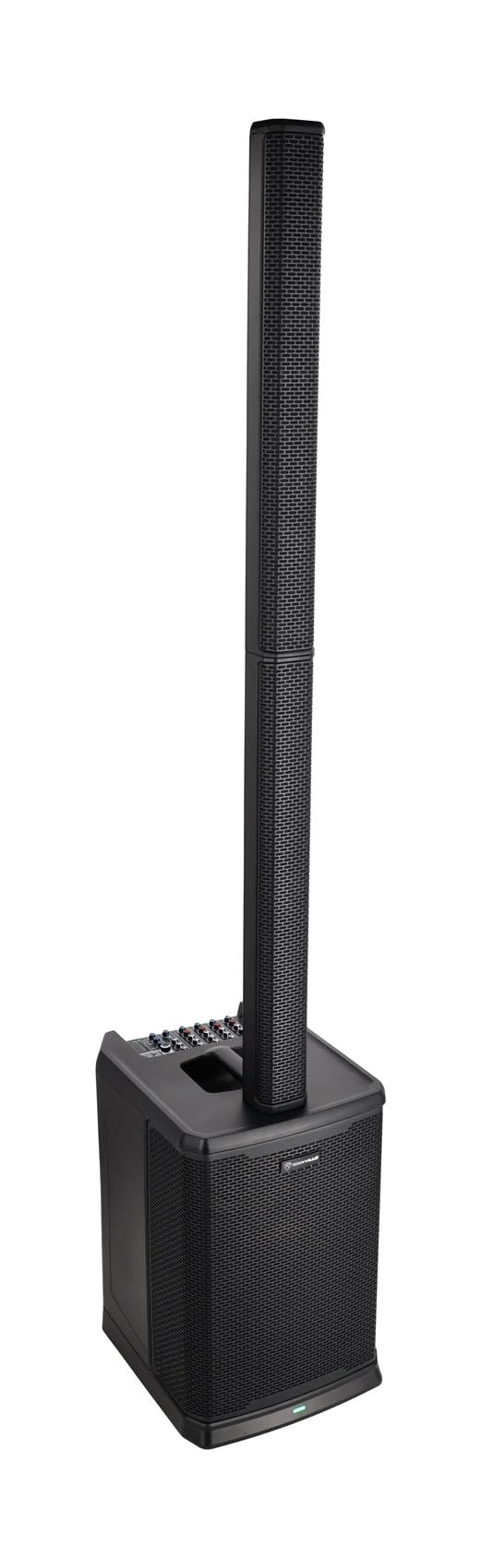
Image: The Rockville Titan MIX12A PA system fully assembled, showing the subwoofer base and the stacked column speakers.
3.2 Connections
The MIX12A offers versatile input options. Refer to the rear panel for all connection ports.
- Channels 1-4: XLR/1/4" TRS combo jacks for microphones or instruments (e.g., guitar, keyboard). Each channel has independent 3-band EQ and effect controls.
- Channels 5/6: 1/4" TRS inputs for line-level devices.
- Channels 7/8: RCA and 3.5mm AUX inputs for connecting smartphones, tablets, or other audio playback devices.
- Mix Out: XLR output to daisy-chain to another speaker, subwoofer, or recording device.
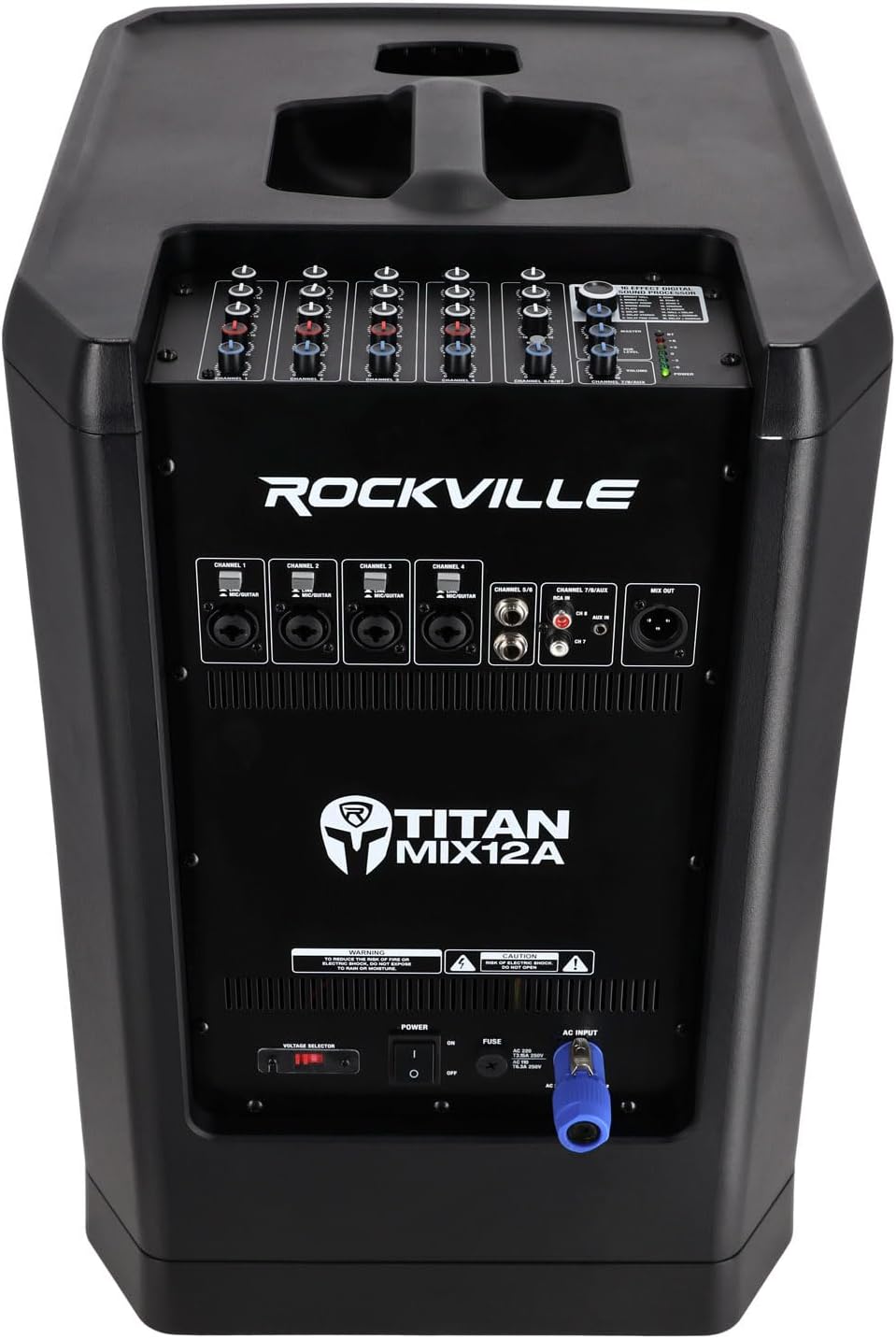
Image: Detailed view of the rear panel of the subwoofer, highlighting the various input and output options including XLR, 1/4" TRS, RCA, and AUX ports.
3.3 Power Connection
Connect the included power cable to the AC input on the rear panel of the subwoofer and then to a suitable power outlet. Ensure the power switch is in the OFF position before connecting.
Video: "How To Set Up Your TITAN MIX12A" - This video provides a visual guide on the initial setup process of the Rockville Titan MIX12A system, including physical assembly and basic connections.
4. Operating Instructions
4.1 8-Channel Mixer Controls
The integrated 8-channel mixer provides comprehensive control over your audio.
- Volume Knobs: Adjust the individual volume for each channel.
- 3-Band EQ: Each of the first four channels features Treble, Mid, and Bass controls for precise tone shaping.
- Reverb/Effect Knobs: Control the amount of effect applied to each channel.
- Master Volume: Adjust the overall output volume of the system.
- Sub Level: Control the volume of the 12-inch subwoofer independently.
4.2 Digital Sound Processor (DSP)
The MIX12A includes a 16-effect digital sound processor.
- Use the dedicated knob to select from 16 premium effects such as Bright Hall, Warm Hall, Bright Room, Warm Room, Plate, Delay 2S, Delay Stereo, Delay Ping Pong, Echo, Echo 2, Echo 3, Chorus, Flanger, Hall + Delay, Hall + Chorus, and Delay + Chorus.
- Press the knob to confirm your selection.
- Adjust the individual channel's effect knob to apply the chosen effect.
4.3 Bluetooth Connectivity (5.2)
Wirelessly stream audio from your Bluetooth-enabled devices.
- Activate Bluetooth on your device.
- Select "TITAN MIX12A" from the list of available devices.
- Once paired, you can stream audio from up to 65 feet away.
4.4 True Wireless Stereo (TWS) Linking
For an expansive stereo sound experience, two MIX12A systems can be linked wirelessly.
- Ensure both MIX12A units are powered on and not connected to any Bluetooth device.
- On one unit (Master), press and hold the "BT/TWS" button until the display shows "TWS".
- On the second unit (Slave), press the "BT/TWS" button briefly. The units will automatically pair.
- Once linked, connect your Bluetooth device to the Master unit. Audio will play in stereo through both systems.
Video: "All About Your TITAN MIX12A" - This video provides a comprehensive overview of the Rockville Titan MIX12A, including its features, connectivity options, and sound capabilities.
5. Features
- Powerful Audio Performance: Delivers 3200W peak power with a 600W RMS subwoofer and 200W RMS column speakers, suitable for events up to 300 people in a 10,000 sq. ft. space.
- Portable All-In-One System: Lightweight subwoofer (44.15 lbs) and compact column speakers (4.5 lbs and 5.75 lbs) with included travel bag and cover for easy transport.
- Versatile 8-Channel Mixer: Built-in mixer with XLR, 1/4" TRS, RCA, and Bluetooth inputs, plus 16 premium effects like reverb and delay.
- Wireless Connectivity: Bluetooth 5.2 for streaming music from 65 feet away, and True Wireless Stereo (TWS) linking for connecting two systems without cables.
- Advanced DSP Tuning: Custom-tuned digital signal processing by Rockville's musician-engineers ensures balanced audio across frequencies with multi-band compression.
- Downfill Pattern: Downward curved arrangement of lower drivers creates a downfill pattern for consistent sound coverage, even for guests close to the stage.
- Class D Amplifier: Operates at 90% efficiency, resulting in less heat, lower power draw, and increased reliability.
6. Specifications
| Mounting Type | Floor Standing |
| Power Source | Corded Electric |
| Connector Type | RCA, XLR, 1/4" TRS, 3.5mm AUX |
| Material | Neodymium, Plastic, Polypropylene (PP), Rubber, Steel |
| Item Weight (Subwoofer) | 44.15 lbs |
| Item Weight (Column Speakers) | 4.5 lbs and 5.75 lbs |
| Number of Channels | 8 |
| Frequency Response | 38 Hz (Subwoofer) |
| Product Dimensions | 22.37 x 17.52 x 14.57 inches |
| Connectivity Technology | AUX, Bluetooth, RCA, TRS (1/4"), XLR |
| Color | Black |
| Compatible Devices | Instruments, Laptop, Microphones, Smartphone, Tablet |
| UPC | 810095684975 |
7. Maintenance
- Keep the unit clean by wiping it with a soft, dry cloth.
- Avoid using harsh chemicals or abrasive cleaners.
- Ensure proper ventilation during operation to prevent overheating.
- Store the system in its travel bags and cover when not in use to protect it from dust and physical damage.
- Regularly check all cables and connections for wear and tear.
8. Troubleshooting
If you encounter any issues with your Rockville Titan MIX12A, please refer to the following common troubleshooting steps:
- No Power: Ensure the power cable is securely connected to both the unit and the power outlet. Verify the power switch is ON. Check the fuse on the rear panel.
- No Sound: Check all input and output connections. Ensure individual channel volumes, master volume, and sub level are turned up. Verify the correct input source is selected. If using Bluetooth, ensure the device is properly paired and not too far from the unit.
- Distorted Sound: Reduce the input gain or volume levels. Check for damaged cables. Ensure speakers are not overdriven.
- Bluetooth Disconnection: Ensure your Bluetooth device is within the 65-foot range. Disconnect and re-pair the device. Avoid obstacles that may interfere with the signal.
- TWS Linking Issues: Ensure both units are not already connected to another Bluetooth device before attempting TWS pairing. Follow the TWS linking steps carefully.
For further assistance, please contact Rockville customer support.
9. Warranty and Support
The Rockville Titan MIX12A comes with a manufacturer's warranty. Please refer to the warranty card included with your product for specific terms and conditions. For technical support, service, or replacement parts, please visit the official Rockville website or contact their customer service department.
Rockville Official Website: www.rockvilleaudio.com