
1. Introduction
The GPUTEK E1 Fuel Transfer Pump is a portable, battery-powered solution designed for efficient and clean fluid transfer. It is suitable for various applications including refueling vehicles, equipment, and transferring water. This manual provides essential information for safe and effective operation of your pump.
2. Safety Information
To ensure your safety and the longevity of the product, please read the following before use:
- Battery Information: The pump requires 6 x AA batteries (Not Included). It is not compatible with D-Cell batteries. Ensure correct polarity during installation.
- Fluid Compatibility: This pump is designed for use with Gasoline, Diesel, Kerosene, and Water.
- Fluid Restrictions: This pump is NOT compatible with E15, E85 fuel, or any corrosive liquids. Use with prohibited fluids will damage the pump and void the warranty.
- Container Requirement: The intake hose requires a container opening of at least 1.25 inches (approximately 3.17 cm) in diameter to function properly. It is not designed for containers with smaller openings.
- Pre-Use Checklist: Always securely tighten all connections before starting the pump to prevent leaks.
- Do not operate the pump near open flames or sources of ignition.
- Keep out of reach of children.
3. Package Contents
Please verify that all items are present in your package:
- GPUTEK E1 Fuel Transfer Pump Unit
- 59-inch (approximately 150 cm) Transfer Hose with Nozzle
4. Setup
4.1 Battery Installation
The pump requires 6 AA batteries (not included). Follow these steps to install them:
- Unscrew the battery cap located at the top of the pump handle.
- Insert 6 AA batteries, ensuring they are oriented according to the polarity markings (+/-) inside the compartment.
- Securely reattach the battery cap, twisting it until it is tight.

Figure 4.1: This image details the battery compartment, illustrating the correct insertion of 6 AA batteries (not included) and explicitly warning against the use of D-Cell batteries, which are incompatible.
4.2 Hose Connection
Connect the 59-inch transfer hose to the pump's outlet. Ensure all connections are securely tightened to prevent leaks.

Figure 4.2: This image highlights the improved seal design, featuring a robust O-ring that ensures a leak-proof connection between the pump and the hose, preventing messy spills. A comparison shows the difference between a secure and a leaky connection.
4.3 Intake Requirement
Verify that the container opening for the fluid source is at least 1.25 inches (approximately 3.17 cm) in diameter for proper pump function.
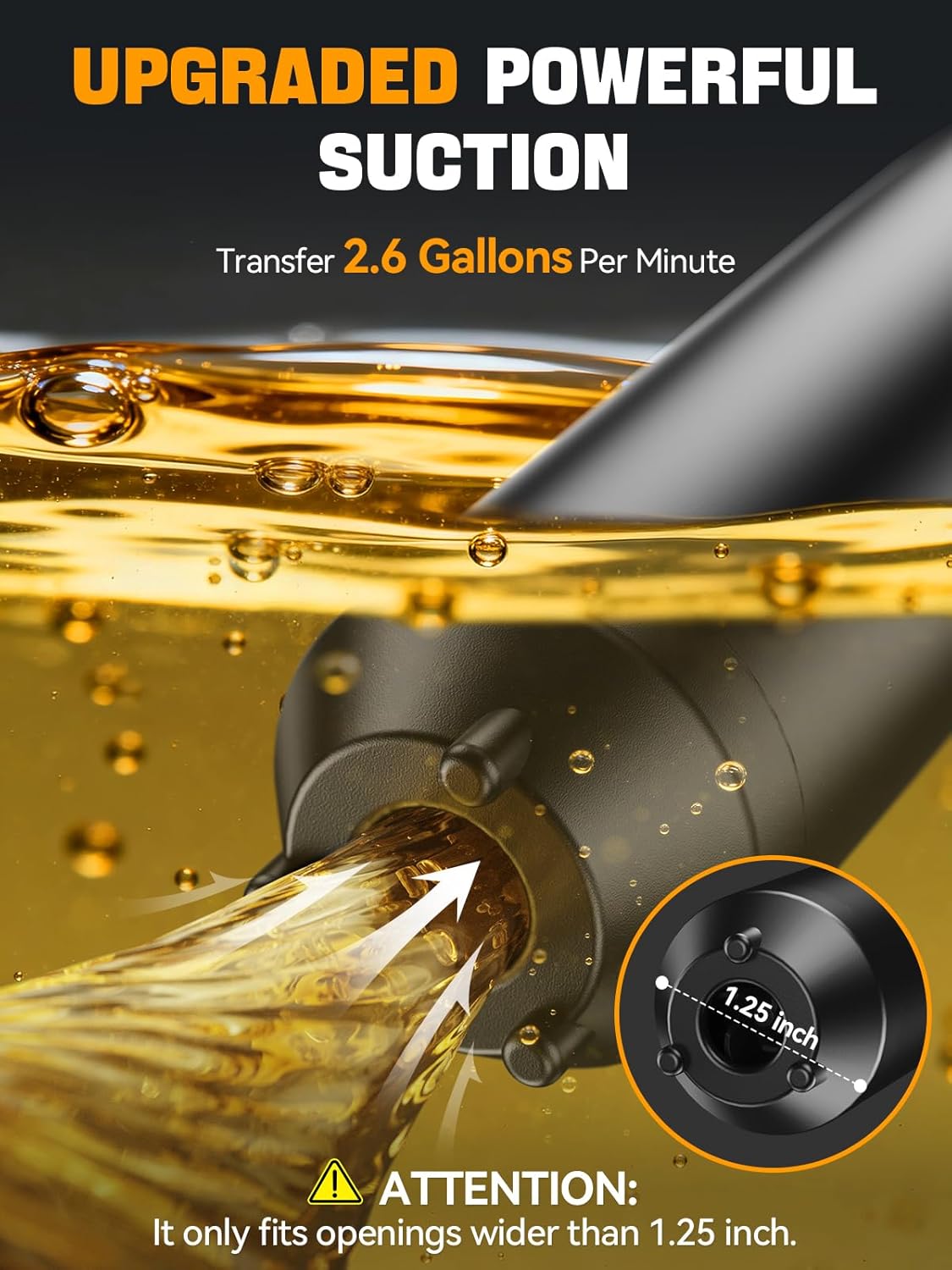
Figure 4.3: This image illustrates the pump's intake mechanism, highlighting its powerful suction capability and the critical requirement for a container opening of at least 1.25 inches for effective operation.
5. Operating Instructions
Follow these steps for safe and efficient fluid transfer:
- Insert the intake end of the pump into the fluid source (e.g., gas can, water tank). Ensure the intake is fully submerged in the fluid.
- Place the nozzle end of the hose into the receiving container (e.g., vehicle fuel tank, aquarium). Ensure the nozzle is securely positioned to prevent spills.
- Press the power button on the pump handle to start the fluid transfer. The pump features a controlled flow nozzle; squeeze the trigger to control the flow rate.
- Monitor the fluid level in the receiving container to prevent overfilling.
- Release the power button to stop the pump.
- After transfer, allow any remaining fluid to drain from the hose before carefully removing the pump and hose from the containers.
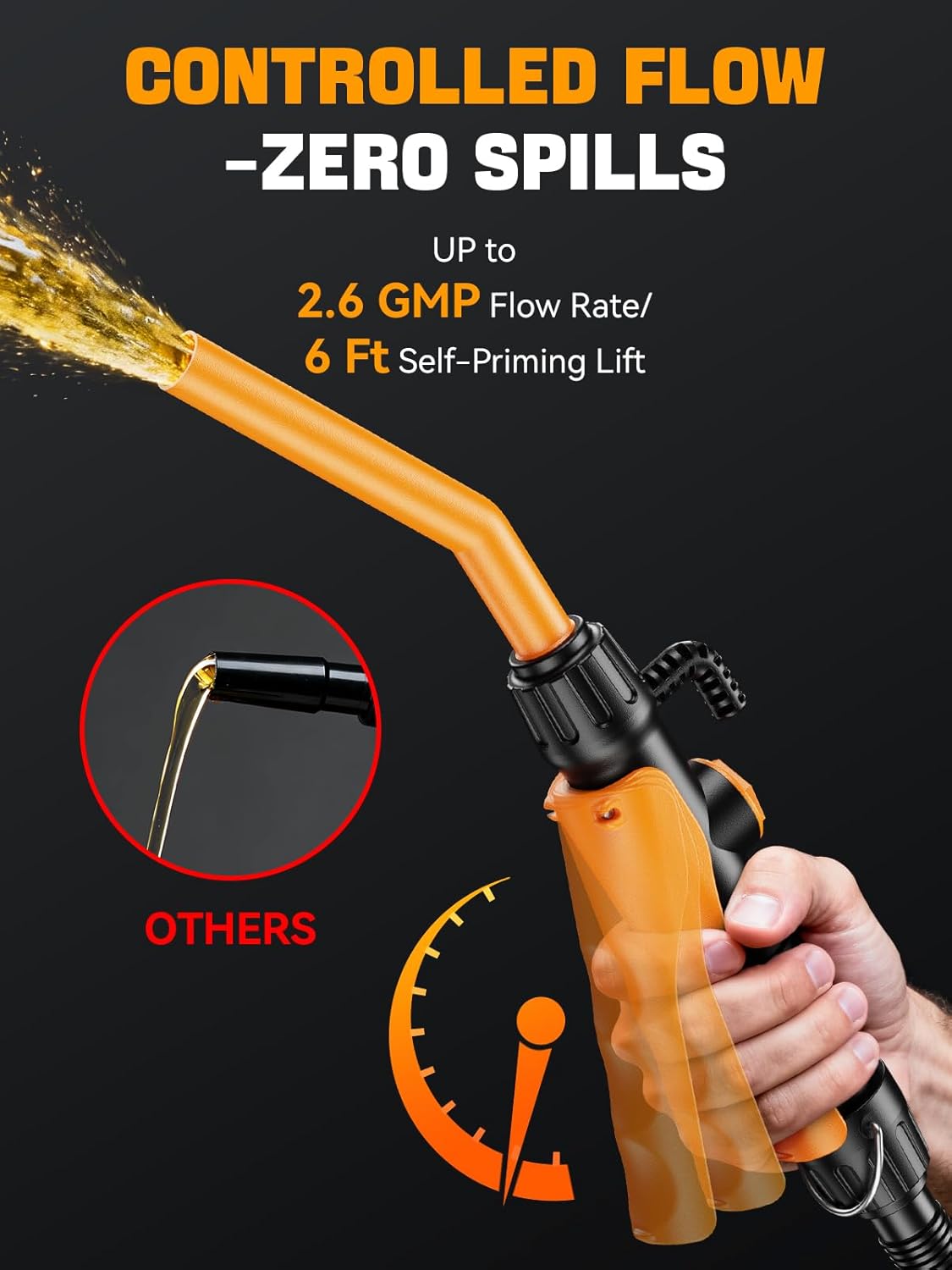
Figure 5.1: This image shows the ergonomic nozzle design with a squeeze trigger, allowing for precise control over the fluid flow and preventing spills during transfer. It also visually compares the controlled flow to a typical uncontrolled pour.

Figure 5.2: This image demonstrates the pump's versatility, showing it in use for transferring fuel (gasoline, diesel, kerosene) into a vehicle and for transferring water, highlighting its multi-fluid capability. A note reminds users about E15/E85 fuel incompatibility.
6. Fluid Compatibility
The GPUTEK E1 pump is designed for specific fluid types. Adhering to these guidelines is crucial for the pump's performance and longevity.
- Compatible Fluids: Gasoline, Diesel, Kerosene, Water.
- Incompatible Fluids: E15, E85 fuel, corrosive liquids, FMD fuel cans.
Warning: Using incompatible fluids will damage the pump and void the warranty. Always ensure the fluid being transferred is listed as compatible.
7. Maintenance
Proper maintenance ensures the longevity and reliable operation of your GPUTEK E1 pump:
- Cleaning: After each use, especially when transferring different types of fluids, it is recommended to flush the pump with a small amount of compatible, clean fluid (e.g., water if transferring water, or a small amount of the same fuel if transferring fuel) to prevent residue buildup.
- Storage: Store the pump in a clean, dry place away from direct sunlight and extreme temperatures.
- Inspection: Regularly check all connections, hoses, and the pump body for signs of wear, cracks, or damage. Replace components as needed.
- Battery Removal: If the pump will not be used for an extended period, remove the batteries to prevent leakage and corrosion.
8. Troubleshooting
If you encounter issues with your GPUTEK E1 pump, refer to the following troubleshooting guide:
| Problem | Possible Cause | Solution |
|---|---|---|
| Pump not starting |
|
|
| Slow flow or no flow |
|
|
| Leaks during operation |
|
|
| Pump damage after use |
|
|
9. Specifications
| Brand | GPUTEK |
| Model | E1 |
| Flow Rate | Up to 2.6 Gallons Per Minute (GPM) |
| Hose Length | 59 inches (approximately 150 cm) |
| Self-Priming Lift | 6 feet (approximately 1.8 meters) |
| Power Source | 6 x AA batteries (not included) |
| Material | Plastic |
| Item Weight | 0.53 Kilograms (531 g) |
| Intake Opening Requirement | Minimum 1.25 inches (approximately 3.17 cm) diameter |
| Parcel Dimensions | 43.89 x 17.4 x 5.21 cm |

Figure 9.1: This image displays the complete pump assembly, emphasizing the extended 59-inch hose length for greater reach and flexibility during fluid transfer. The pump body length is also indicated as 15 inches.
10. Warranty & Support
GPUTEK is committed to the quality of its products and your complete satisfaction. Your experience is our top priority.
If you have any questions, concerns, or require support regarding your GPUTEK E1 Fuel Transfer Pump, please contact GPUTEK customer service through your purchase platform or the official GPUTEK website. Our responsive customer support team is ready to assist you.