
TXGJWRA MT68
TXGJWRA MT68 Digital Wood Moisture Meter User Manual
Model: MT68
1. Introduction
This manual provides detailed instructions for the safe and effective use of your TXGJWRA MT68 Digital Wood Moisture Meter. This device is designed for non-contact detection of moisture content in various materials such as wood, plaster, anhydrite, and cement-based materials. It offers a quick and easy way to assess moisture levels without causing damage to the surface.
2. Safety Precautions
- Read all instructions carefully before operating the device.
- Do not expose the device to extreme temperatures, direct sunlight, or high humidity.
- Keep the device away from water and other liquids.
- Do not attempt to open or repair the device yourself. Refer all servicing to qualified personnel.
- Remove batteries if the device will not be used for an extended period to prevent leakage.
- Dispose of batteries according to local regulations.
3. Product Overview
The TXGJWRA MT68 is a handheld digital moisture meter featuring a non-contact sensor, an LCD screen, and intuitive controls for efficient moisture detection.
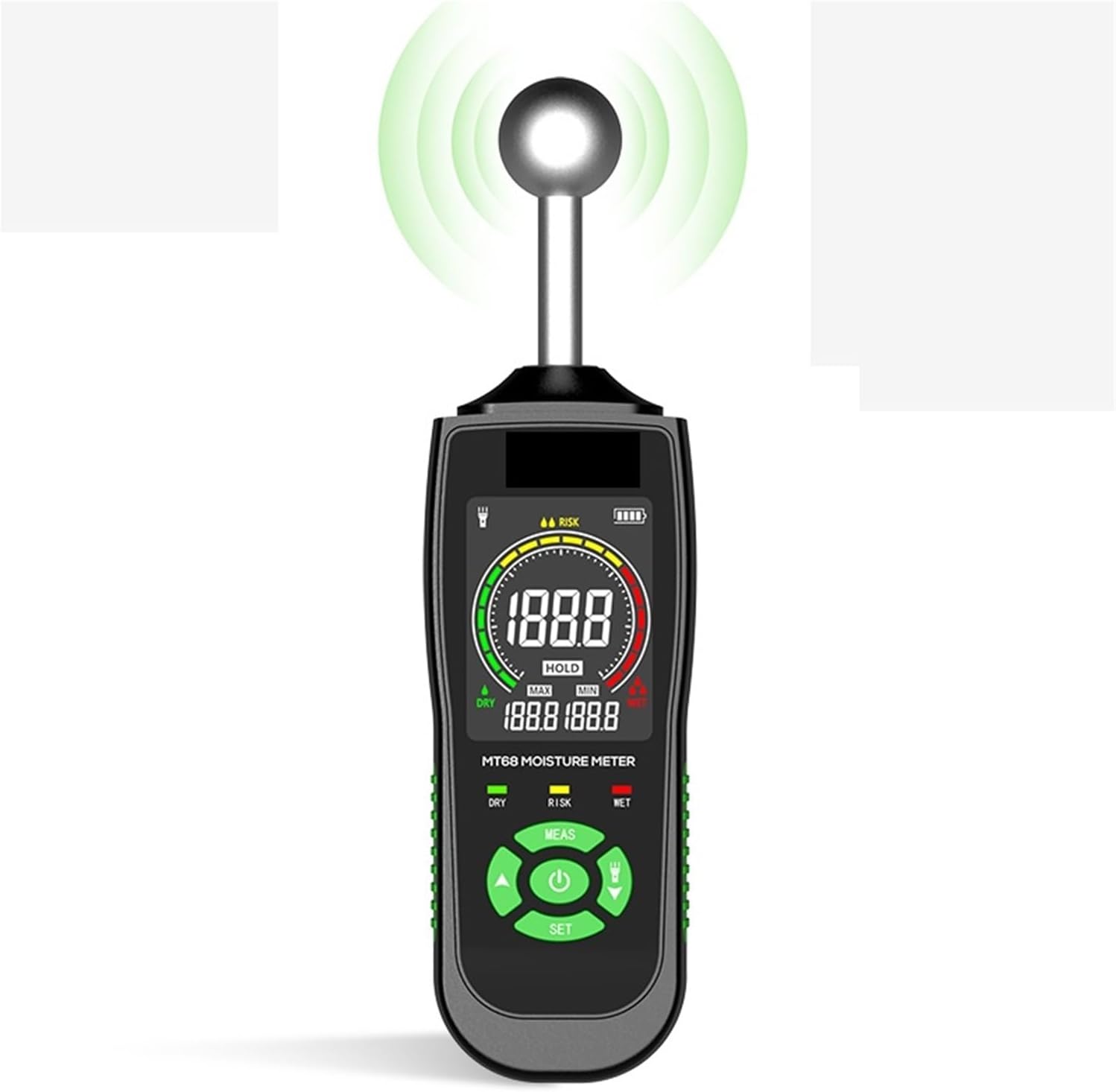
Figure 1: Front view of the TXGJWRA MT68 Digital Wood Moisture Meter.
Device Components

Figure 2: Labeled diagram of the MT68 Moisture Meter components.
- Display Screen: Shows moisture readings, indicators, and settings.
- Battery Compartment: Located on the back for AAA batteries.
- Measure/Hold Button (MEAS/HOLD): Initiates measurement or holds the current reading.
- UP Button: Used for navigation or increasing values in settings.
- Alarm Threshold Setting Button (SET): Accesses and adjusts alarm thresholds.
- Indicator Lights (DRY, RISK, WET): Provide a quick visual assessment of moisture levels.
- Down/Flashlight Button: Used for navigation or decreasing values; also activates the flashlight function.
- Power Button: Turns the device on or off.
4. Setup
Battery Installation
- Locate the battery compartment on the back of the device.
- Open the battery compartment cover.
- Insert three (3) AAA batteries, ensuring correct polarity (+/-).
- Close the battery compartment cover securely.
5. Operating Instructions
5.1 Powering On/Off
- To Power On: Press the Power Button. The LCD screen will illuminate.
- To Power Off: Press and hold the Power Button for a few seconds. The device will also automatically power off after 30 minutes of inactivity to conserve battery life.
5.2 Performing a Measurement
The MT68 uses a non-contact method to detect moisture. The measurement depth ranges from 5mm to 40mm (0.2 to 1.57 inches), depending on the material's bulk density and the degree of moisture penetration.
- Ensure the device is powered on.
- Place the spherical sensor head flat against the surface of the material you wish to measure.
- Press the MEAS button to initiate a reading.
- The moisture level will be displayed on the LCD screen, and the corresponding indicator light (DRY, RISK, WET) will illuminate.

Figure 3: Illustrates the non-contact measurement process and penetration depth.
5.3 Understanding the Display
The high-resolution LCD screen provides clear and comprehensive measurement data.
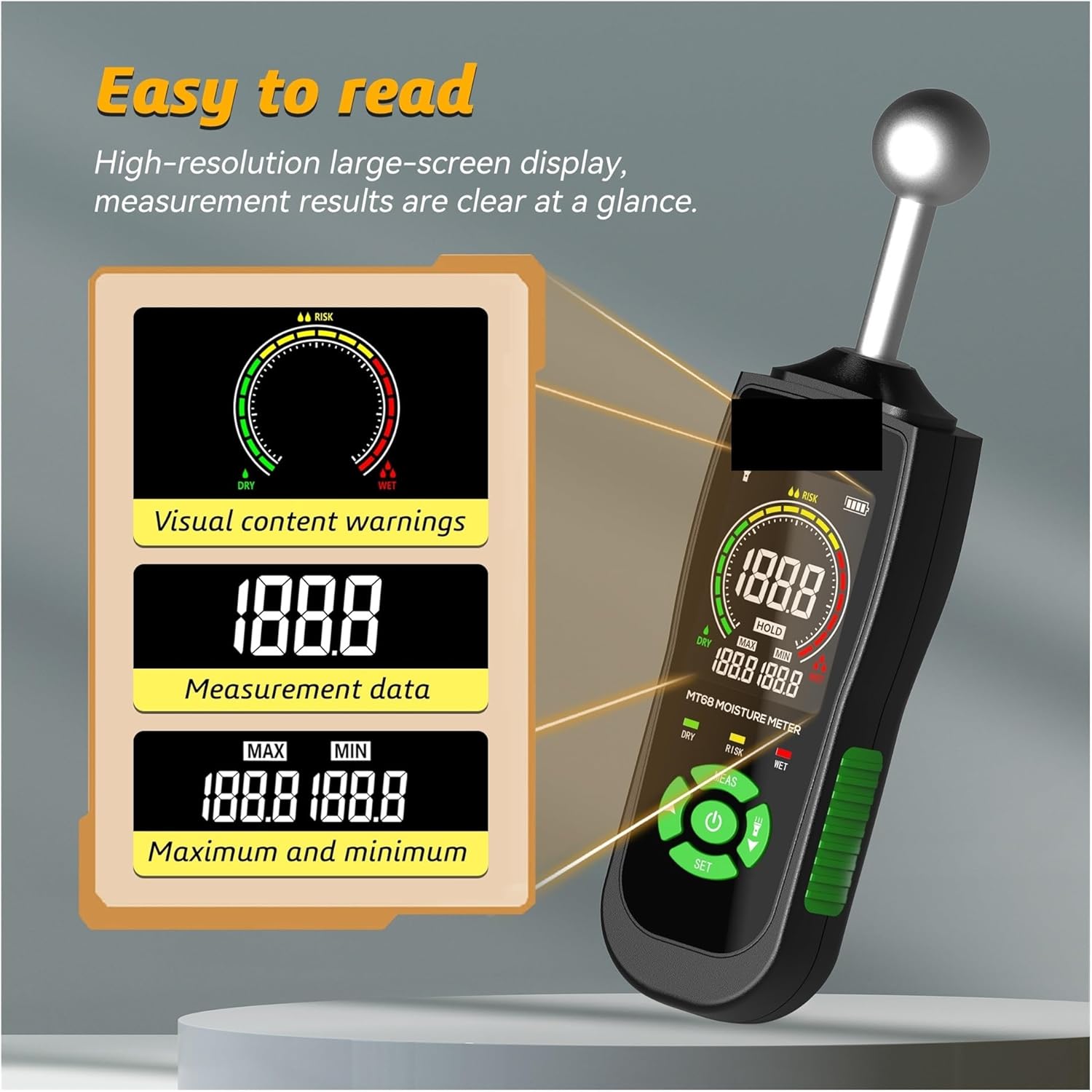
Figure 4: Detailed view of the MT68 LCD display.
- Visual Content Warnings: A graphical representation indicating the moisture level (Dry, Risk, Wet).
- Measurement Data: The primary numerical display showing the current moisture reading.
- Maximum and Minimum Values (MAX/MIN): Displays the highest and lowest readings recorded during a measurement session.
5.4 Interpreting Moisture Levels and Alarm Thresholds
The device provides both numerical readings and visual indicators (DRY, RISK, WET) to help interpret moisture levels. You can also set alarm thresholds for different materials.

Figure 5: Reference table for material moisture alarm thresholds.
The following table provides indicative (non-binding) reference values for setting alarm thresholds:
| Material | LCD Display (digits) | Moisture Level |
|---|---|---|
| Plaster and anhydrite | < 30 | DRY |
| 30 ~ 60 | RISK | |
| > 60 | WET | |
| Cement-based materials | < 25 | DRY |
| 25 ~ 50 | RISK | |
| > 50 | WET | |
| Wood | < 50 | DRY |
| 50 ~ 80 | RISK | |
| > 80 | WET |
To set alarm thresholds, press the SET button and use the UP and DOWN buttons to adjust the desired values for each moisture level category. Confirm your selection by pressing SET again.
5.5 Hold Function
To freeze the current reading on the display, press the HOLD button (often integrated with the MEAS button). Press it again to release the hold and resume live measurements.
5.6 Max/Min Values
The device automatically tracks the maximum and minimum moisture readings during a measurement session. These values are displayed on the LCD screen, providing a range of detected moisture levels.
6. Maintenance
6.1 Cleaning
- Wipe the device with a soft, dry cloth.
- Do not use abrasive cleaners or solvents.
- Ensure the sensor head is clean and free of debris for accurate readings.
6.2 Storage
- Store the device in a cool, dry place, away from direct sunlight and extreme temperatures.
- If storing for an extended period, remove the batteries to prevent leakage and damage.
7. Troubleshooting
- Device does not power on: Check battery installation and ensure batteries are not depleted. Replace if necessary.
- Inaccurate readings: Ensure the sensor head is clean and fully in contact with the measurement surface. Avoid measuring near strong electromagnetic fields.
- Display is dim or flickering: Batteries may be low. Replace with fresh AAA batteries.
- No response from buttons: Try powering the device off and on again. If the issue persists, replace batteries.
8. Specifications
- Moisture Measurement Range: 0-100 (relative units)
- Measurement Error: ±2.5%
- Measured Depth: 5-40mm (0.2-1.57 inches)
- Auto Power Off Trigger: 30 minutes of inactivity
- Storage Temperature: 0~45°C (32~113°F)
- Weight: 160g (5.6oz)
- Power Source: 3x "AAA" battery (not included)
9. Warranty and Support
For warranty information or technical support, please refer to the documentation provided at the point of purchase or contact TXGJWRA customer service through the retailer where the product was acquired. Please have your model number (MT68) and purchase details ready when contacting support.