
1. Product Overview
The SURPN S60 is a compact and versatile wireless lavalier microphone system designed for high-quality audio recording with smartphones and other compatible devices. It features a plug-and-play design, broad compatibility, and extended battery life, making it ideal for content creation, interviews, live streaming, and more.
Key Features:
- AI Voice Changer Function: Offers three voice change modes (Loli, Old Man, Original) for creative vocal styles and adjustable audio effects.
- Extended Battery Life: Each microphone provides over 5 hours of continuous use. The charging case extends total usage time to up to 30 hours, serving as a portable power bank.
- Lightweight Clip-on Design: One of the lightest mini microphones available, offering lossless sound reproduction and superior recording performance. Can be held or clipped to clothing.
- Broad Compatibility: Equipped with a 2-in-1 universal receiver (Type-C and Lightning), compatible with iOS/Android devices including iPhone and iPad.
- Automatic Connection & Plug and Play: No driver installation, app download, Bluetooth, or hotspot connection required. Simplifies setup and optimizes recording efficiency.
- 360° Omnidirectional Sound Pickup: Captures clear audio from all directions.
- Effective Range: Up to 20 meters (approximately 65 feet) for stable communication.
2. Package Contents
Please verify that all items are present in your package:
- 2 x Wireless Microphones
- 1 x Universal Receiver (Type-C & Lightning)
- 1 x Charging Case
- 1 x USB-C Charging Cable
- 2 x Fur Windshields
- 1 x Instruction Manual

Image: The SURPN S60 Wireless Lavalier Microphone system, showing two microphones, the universal receiver, and the charging case.
3. Setup Guide
The SURPN S60 is designed for quick and easy setup. Follow these steps to begin recording:
- Insert the Receiver: Plug the universal receiver into the charging port of your smartphone (Type-C or Lightning, depending on your device).
- Power On Microphones: Press the power button on each wireless microphone you intend to use. The indicator light will show they are powered on and ready to connect.
- Automatic Connection: The microphones will automatically pair with the receiver. No manual pairing, Bluetooth, or app installation is required.
- Start Recording: Open your device's camera or recording app and begin recording immediately.
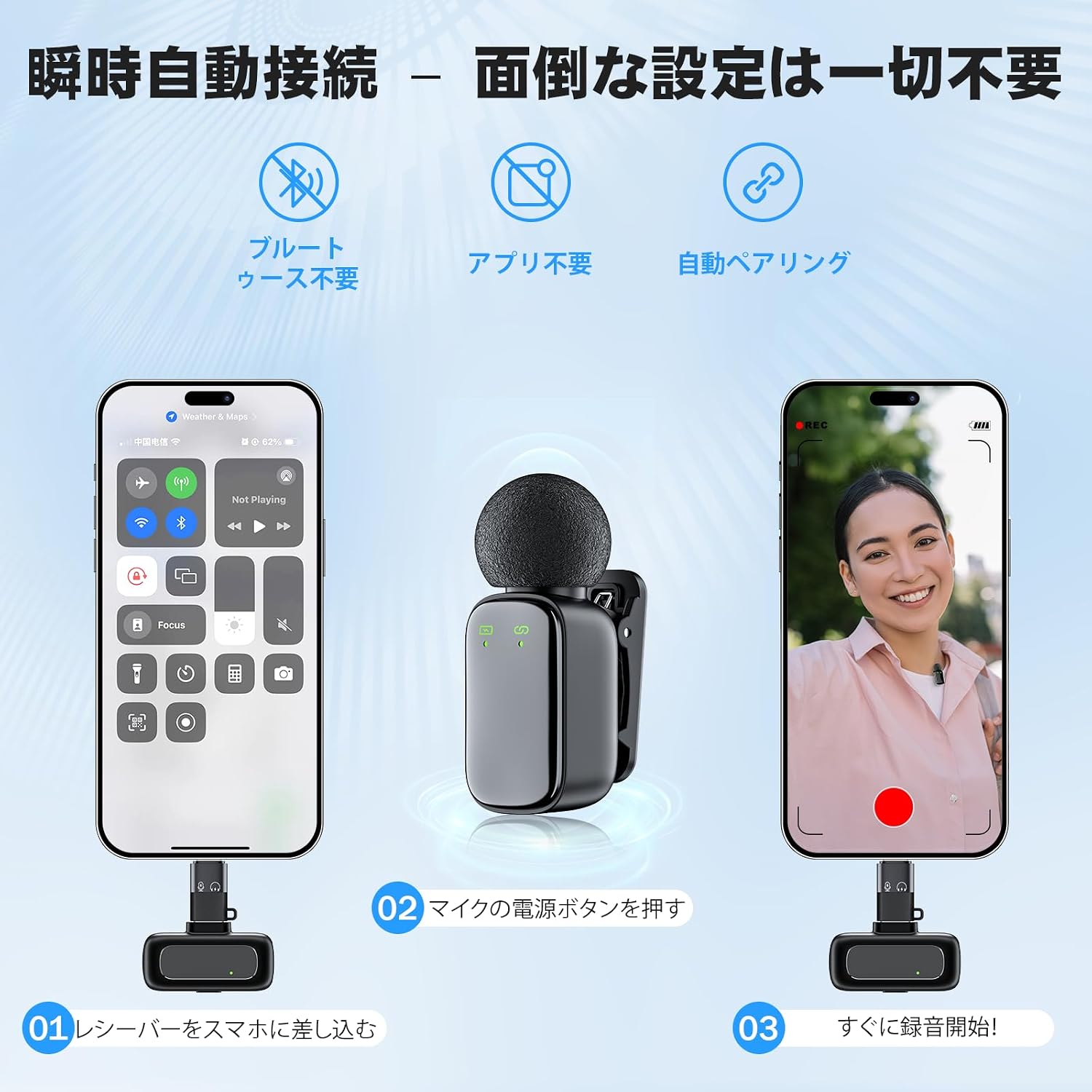
Image: Visual guide demonstrating the three simple steps to set up the SURPN S60 microphone: plug in the receiver, power on the microphone, and start recording.
Compatibility:
The 2-in-1 universal receiver supports a wide range of devices:
- iOS Devices: iPhone, iPad (with Lightning port)
- Android Devices: Smartphones and tablets (with Type-C port)
- Other Devices: Compatible with some PCs and cameras that support Type-C or Lightning audio input.

Image: The SURPN S60 microphone system shown with an iPhone, Android phone, tablet, and laptop, illustrating its broad compatibility.
4. Operating Instructions
Using the Microphones:
- Placement: For optimal sound quality, clip the microphone to your collar or clothing, approximately 6-8 inches from your mouth. You can also hold it if preferred.
- Wind Noise Reduction: Attach the included fur windshields to the microphones when recording outdoors or in windy conditions to minimize environmental noise.

Image: A person demonstrating how to hold the SURPN S60 microphone and how it can be clipped onto a shirt.
AI Voice Changer Function:
The microphones feature an AI voice changer. Refer to the specific button on the microphone for cycling through the voice modes:
- Loli Voice: Transforms your voice into a high-pitched, youthful tone.
- Old Man Voice: Changes your voice to a deeper, older tone.
- Original Voice: Records your natural voice without modification.
Press the designated button (usually a short press) to switch between these modes during recording or live streaming. Experiment to find the desired effect.
Wireless Range:
The SURPN S60 maintains a stable connection up to 20 meters (approximately 65 feet) in open environments. Ensure there are no significant obstructions between the microphone and the receiver for optimal performance.
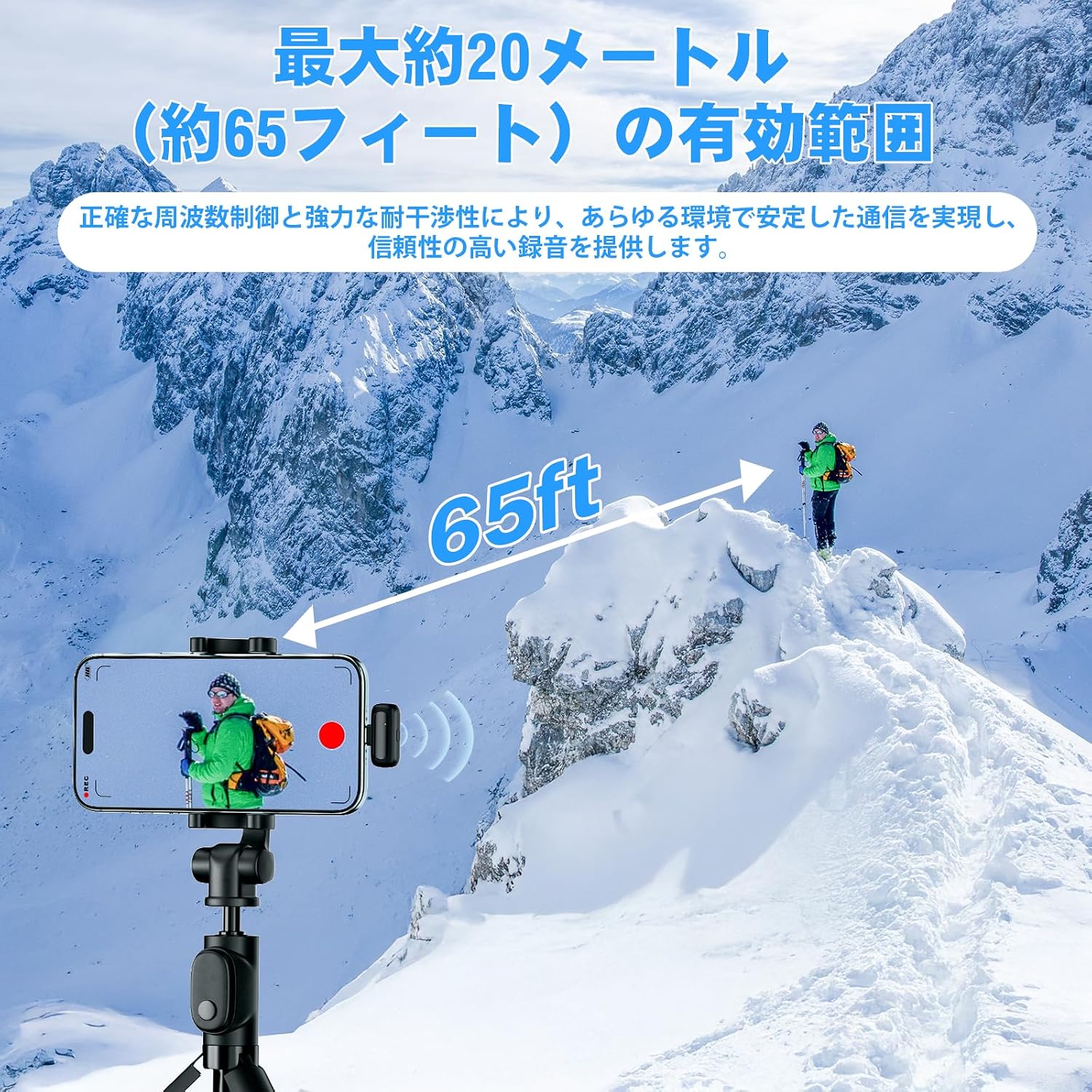
Image: A visual representation of the SURPN S60 microphone's effective wireless range, showing a distance of 65 feet.
5. Maintenance
To ensure the longevity and optimal performance of your SURPN S60 Wireless Lavalier Microphone, follow these maintenance guidelines:
- Cleaning: Use a soft, dry cloth to clean the microphones, receiver, and charging case. Avoid using liquid cleaners or solvents, as they may damage the device.
- Storage: Store the microphone system in its charging case when not in use to protect it from dust, moisture, and physical damage. Keep it in a cool, dry place.
- Battery Care: For best battery health, avoid fully discharging the devices frequently. Charge the microphones and case regularly, even if not in constant use. Do not expose to extreme temperatures.
- Handle with Care: The microphones are lightweight and compact. Avoid dropping them or subjecting them to strong impacts.
6. Troubleshooting
If you encounter any issues with your SURPN S60 Wireless Lavalier Microphone, please refer to the following common solutions:
| Problem | Possible Cause | Solution |
|---|---|---|
| No sound or poor audio quality | Microphone not powered on; Receiver not properly connected; Low battery; Out of range; Obstructions; Wind noise. | Ensure microphones are powered on. Re-insert the receiver firmly into your device. Charge microphones and charging case. Stay within 20m (65ft) range. Remove obstructions. Use fur windshields in windy conditions. |
| Microphone not connecting | Microphone not powered on; Receiver not properly connected; Low battery. | Ensure microphones are powered on. Re-insert the receiver. Charge microphones and charging case. The connection is automatic, no manual pairing is needed. |
| Voice changer not working | Incorrect button press; Microphone not active. | Ensure the microphone is powered on and connected. Short press the designated voice changer button to cycle through modes. |
| Short battery life | Not fully charged; Old battery. | Ensure microphones and charging case are fully charged before use. If battery life significantly degrades over time, contact support. |
If these solutions do not resolve your issue, please contact customer support for further assistance.
7. Specifications
- Brand: SURPN
- Model: S60
- Microphone Type: Wireless Lavalier (Clip-on)
- Compatibility: iOS (Lightning), Android (Type-C)
- Wireless Range: Up to 20 meters (65 feet)
- Microphone Battery Life: Approximately 5 hours (continuous use)
- Total Battery Life (with Charging Case): Up to 30 hours
- Charging Time: Approximately 1.5 hours (for microphones in case)
- Voice Modes: Loli, Old Man, Original
- Features: Lightweight, Plug & Play, Automatic Connection, 360° Omnidirectional Pickup
- Package Dimensions: 10.6 x 10 x 3.7 cm
- Package Weight: 100 g

Image: Details on the SURPN S60's battery life, showing 30 hours with the charging case, 5 hours continuous use per microphone, and approximately 1.5 hours charging time.
8. Warranty and Support
This product comes with a standard manufacturer's warranty. For specific warranty terms and conditions, please refer to the documentation included with your purchase or contact the seller directly.
Customer Support:
If you have any questions, require technical assistance, or need to report an issue with your SURPN S60 Wireless Lavalier Microphone, please contact our customer support team through the platform where you purchased the product or visit the official SURPN website for contact information.
Please have your product model (S60) and purchase details ready when contacting support.