
1. Product Overview
The INTPIHP Fitness Tracker C60 is designed to monitor your daily activities and health metrics. It features a 1.1-inch AMOLED color touchscreen, 24/7 heart rate and blood oxygen monitoring, sleep tracking, and multiple sport modes. The device is IP68 waterproof and connects to your smartphone via Bluetooth for notifications and data synchronization.
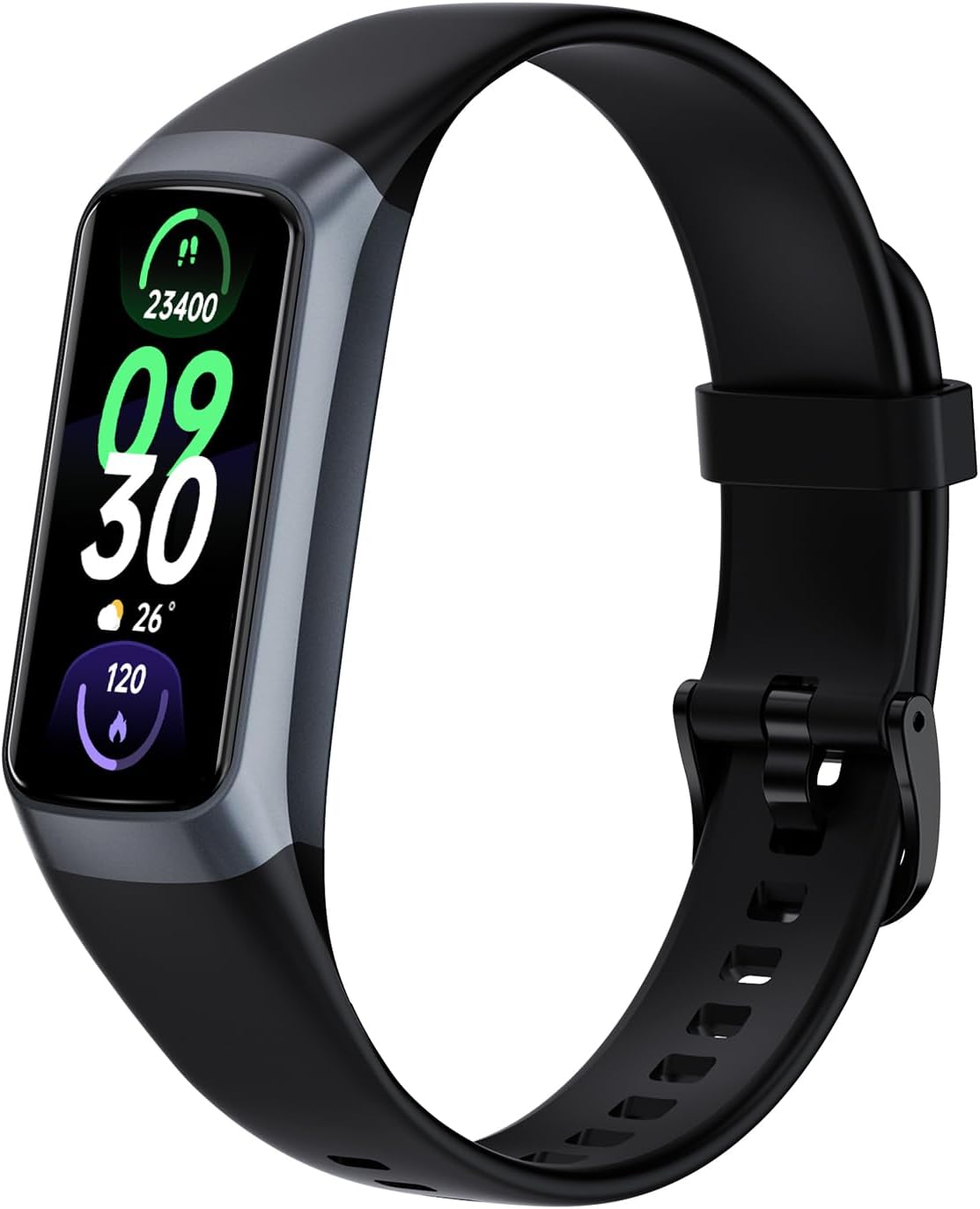
Image 1.1: The INTPIHP Fitness Tracker C60, a sleek black band with a vibrant display showing time, steps, and temperature.
2. What's in the Box
- INTPIHP Fitness Tracker C60
- Charging Cable
- User Manual
- Watch Band
3. Setup Guide
3.1 Initial Charging
Before first use, charge the device to activate it. Connect the provided charging cable to the tracker and a standard USB power source (e.g., computer USB port, USB wall adapter).

Image 3.1: The fitness tracker shown with its USB charging cable, illustrating the charging method.
3.2 App Download and Installation
To utilize all features, download the 'Keep Health' application on your smartphone.
- Search for "Keep Health" in your phone's App Store (iOS) or Google Play Store (Android).
- Alternatively, scan the QR code provided in the physical user manual to directly download the app.
- Install the application on your device.
3.3 Connecting the Tracker to Your Phone
- Ensure your phone's Bluetooth is enabled.
- Open the 'Keep Health' app, create an account, and log in.
- In the app, navigate to the device section and select "Add a Device."
- Locate and select "C60" from the list of available devices to establish a connection.
3.4 User Profile Setup
For accurate measurement results, fill in your basic information within the 'Keep Health' app, including gender, weight, and height.
4. Operating Instructions
4.1 Basic Navigation
The tracker features a 1.1-inch AMOLED color touchscreen. Swipe up, down, left, or right to navigate through menus and functions. Tap to select options.

Image 4.1: The tracker's HD color full touch screen displaying various function icons such as sleep, exercise, heart rate, and blood oxygen.
4.2 Health Monitoring
- Heart Rate Monitoring: The tracker continuously monitors your heart rate 24/7. View real-time data on the device or detailed graphs in the 'Keep Health' app.
- Blood Oxygen (SpO2) Monitoring: Track your blood oxygen levels throughout the day.
- Sleep Tracking: The device automatically analyzes your sleep patterns, including deep sleep, light sleep, and awake periods, providing insights into your sleep quality.

Image 4.2: Illustration of the sleep tracking feature, showing deep sleep, light sleep, and awake time, with a corresponding app interface.

Image 4.3: A graph illustrating continuous 24/7 health monitoring, including heart rate and blood oxygen, with the tracker on a wrist.
4.3 Activity Tracking
- All-Day Activity: The tracker automatically records your steps, distance traveled, and calories burned throughout the day.
- Sport Modes: Choose from over 20 sport modes, including walking, running, cycling, indoor running, and free training. The device stores the last 5 exercise records.
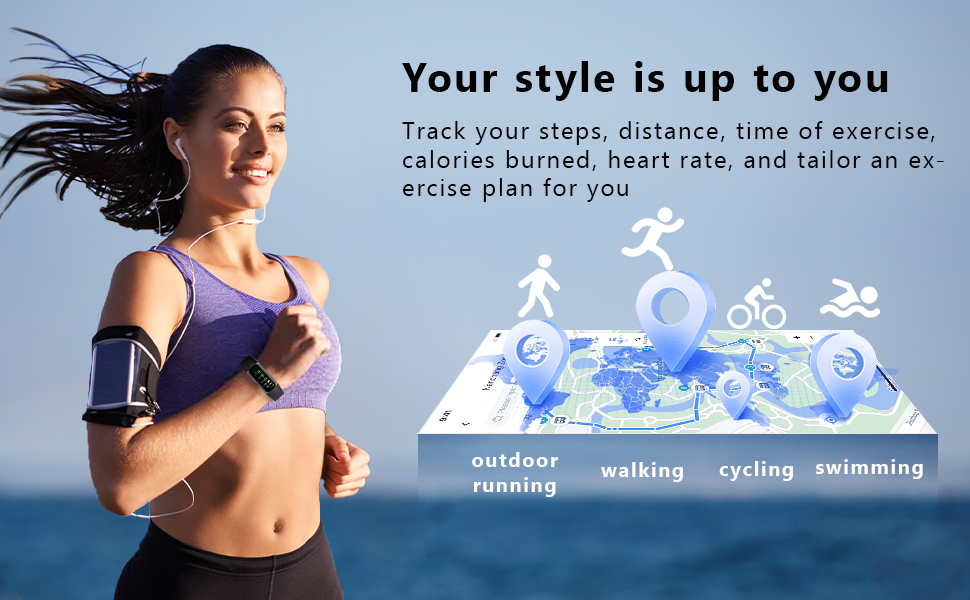
Image 4.4: A visual representation of various activity tracking modes, including outdoor running, walking, cycling, and swimming.
4.4 Smart Notifications
Once connected to your phone, the tracker can display notifications for incoming calls, SMS messages, and alerts from social media applications such as QQ, WeChat, WhatsApp, Facebook, and Twitter. You can also reject calls directly from the tracker.

Image 4.5: The fitness tracker displaying a message notification on a user's wrist, surrounded by icons of various social media apps.
4.5 Customization
- Watch Faces: Choose from over 70 cloud-based watch faces available through the 'Keep Health' app to personalize your device. You can also customize the dial with your favorite photos.
- Reminders: Set up drink water reminders and sedentary reminders through the app to promote healthy habits.
- Photo Control: Use the tracker as a remote shutter for your phone's camera.

Image 4.6: A collection of various stylish watch faces available for customization on the fitness tracker.
5. Maintenance
5.1 Charging
When the battery is low, connect the tracker to the provided USB charging cable and plug it into a USB power source. A full charge typically lasts several days depending on usage.
5.2 Water Resistance
The INTPIHP Fitness Tracker C60 is IP68 waterproof. This means it is resistant to dust and can withstand immersion in water up to 1.5 meters for up to 30 minutes. It is suitable for daily use, such as hand washing, showering (cold water), or light rain. Avoid using it in hot water, saunas, or during diving activities, as steam and high pressure can damage the device.
5.3 Cleaning
Regularly clean your tracker and strap to prevent skin irritation and maintain device functionality. Wipe the screen and sensors with a soft, dry, lint-free cloth. If the strap becomes dirty, gently clean it with a damp cloth and mild soap, then rinse and dry thoroughly before wearing.
6. Troubleshooting
6.1 Notifications Not Received
- App Permissions: Ensure that all necessary permissions (for messages, calls, etc.) are granted to the 'Keep Health' app on your smartphone. Check this in your phone's app settings.
- In-App Settings: Open the 'Keep Health' app. Go to the "Device" page, then "Message Notification," and ensure "Notification alerts" is enabled for the desired applications.
- Bluetooth Connection: Verify that your tracker is properly connected to your phone via Bluetooth.
6.2 Connectivity Issues
- Ensure Bluetooth is active on your phone.
- Keep the tracker within Bluetooth range of your phone.
- Try restarting both your phone and the fitness tracker.
- If issues persist, try unpairing and re-pairing the device in the 'Keep Health' app.
6.3 Inaccurate Health Readings
- Ensure the tracker is worn snugly on your wrist, not too tight or too loose.
- Keep the sensor on the back of the tracker clean and free from debris.
- Verify that your personal information (gender, age, height, weight) is accurately entered in the 'Keep Health' app.
7. Specifications
| Model | C60 |
| Display | 1.1-inch AMOLED Color Touchscreen |
| Water Resistance | IP68 |
| Health Monitoring | 24/7 Heart Rate, Blood Oxygen (SpO2), Sleep Tracking |
| Activity Tracking | Steps, Distance, Calories, 25 Sport Modes |
| Connectivity | Bluetooth |
| App Compatibility | Keep Health (iOS/Android) |
| Device Dimensions | Approx. 4.4 cm (1.73 in) length x 1.9 cm (0.74 in) width |
| Item Weight | 2.43 ounces |
| UPC | 769083027792 |
8. Warranty and Support
For warranty claims, technical support, or any inquiries regarding your INTPIHP Fitness Tracker C60, please contact the manufacturer directly through the contact information provided with your purchase or within the 'Keep Health' application. Please retain your proof of purchase for warranty services.