
1. Safety Information
Always assemble and level the desk properly. Ensure it is securely anchored to the floor to prevent tipping, especially if it is being used with heavy equipment. Do not place heavy objects on the desk that could cause it to tip over.
2. Setup and Assembly
This desk is designed for straightforward assembly. Please follow the included clear and detailed instructions. All parts are numbered to facilitate the assembly process.
2.1 Reversible Design
The L-shaped configuration of this desk features a reversible design, allowing you to position the longer and shorter sections according to your space requirements. Refer to the assembly manual for specific steps on configuring the desk in either left or right orientation.

Image 2.1: The desk features a reversible design, allowing the L-shape to be configured to either the left or right side. Overall dimensions are 78.7 inches in length and 47.2 inches in width.
2.2 Component Overview
Familiarize yourself with the main components before beginning assembly. The desk includes a spacious desktop, storage drawers, a display cabinet, and a monitor stand.

Image 2.2: Overview of the desk's storage features, including two storage drawers, an open shelf, a monitor stand, and a visible storage cabinet.
2.3 Assembly Video Guide
For visual assistance during assembly, refer to the official product video below. This video demonstrates key assembly steps and product features.
Video 2.3: Official product video demonstrating the SEDETA L Shaped Gaming Desk, including assembly and feature highlights.
3. Operating Instructions
3.1 LED Lights Operation
The desk is equipped with an RGB LED light strip. Control the lights using the dedicated remote control or via a smartphone application. Over 60,000 colors and 29 flashing modes are available for customization.

Image 3.1: The L-shaped desk featuring integrated LED lighting, controllable via app, offering a wide range of colors and modes.
3.2 Power Outlet Usage
The integrated charging station includes 4 AC outlets and 2 USB ports (5V/2A) to power up to 6 devices simultaneously. An on/off switch is provided for safe electricity use and convenient power management.
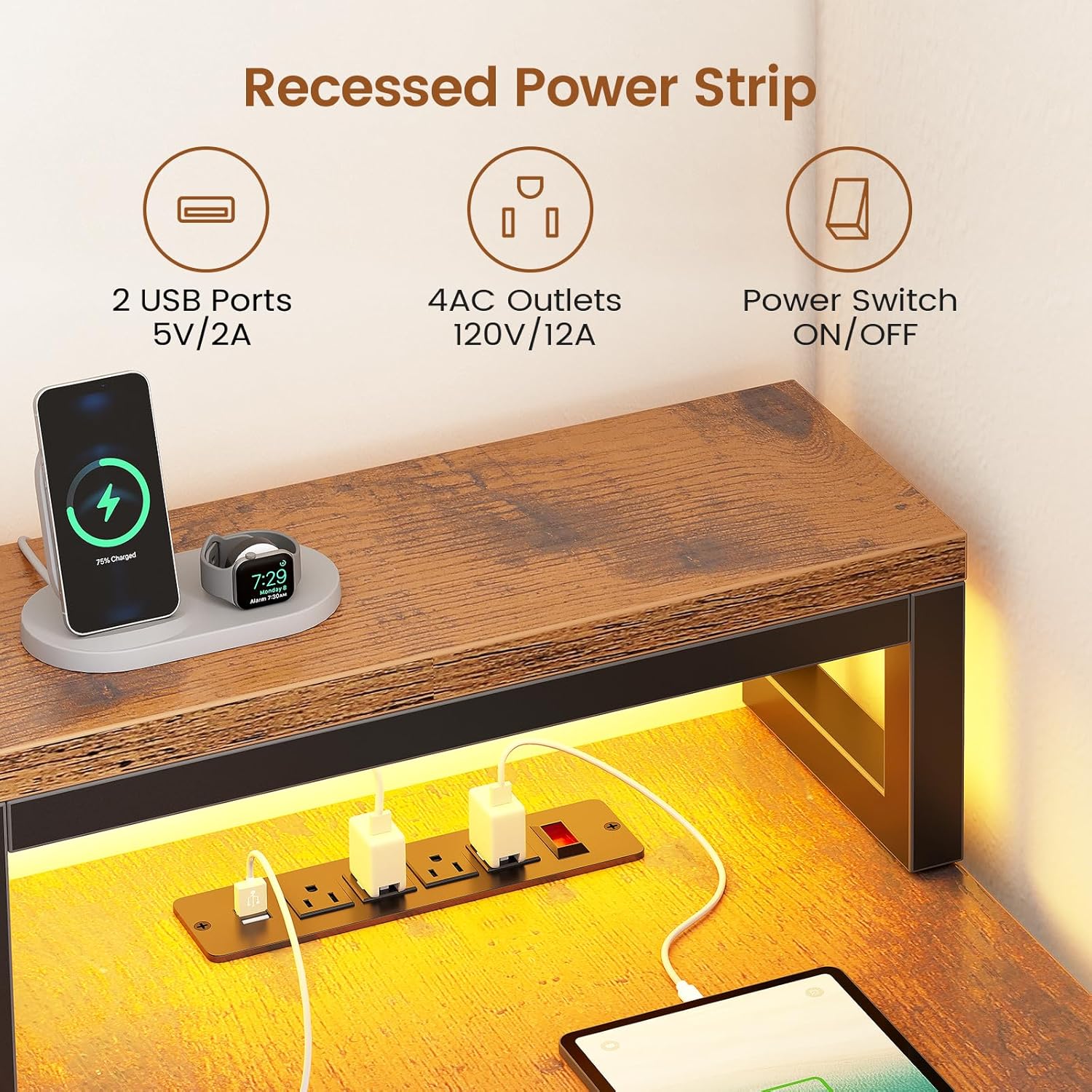
Image 3.2: The recessed power strip provides 2 USB ports and 4 AC outlets with an on/off switch for convenient device charging.
3.3 Storage Drawers
The desk includes two fabric drawers designed for lightweight storage. These drawers are suitable for organizing documents in legal, A4, or letter sizes, as well as other office supplies.

Image 3.3: The two fabric drawers offer versatile storage for various document sizes, including legal, A4, and letter.
3.4 Display Cabinet
The display cabinet features adjustable shelves, allowing you to customize the storage space for various items. The cabinet doors protect contents from dust while providing visibility.
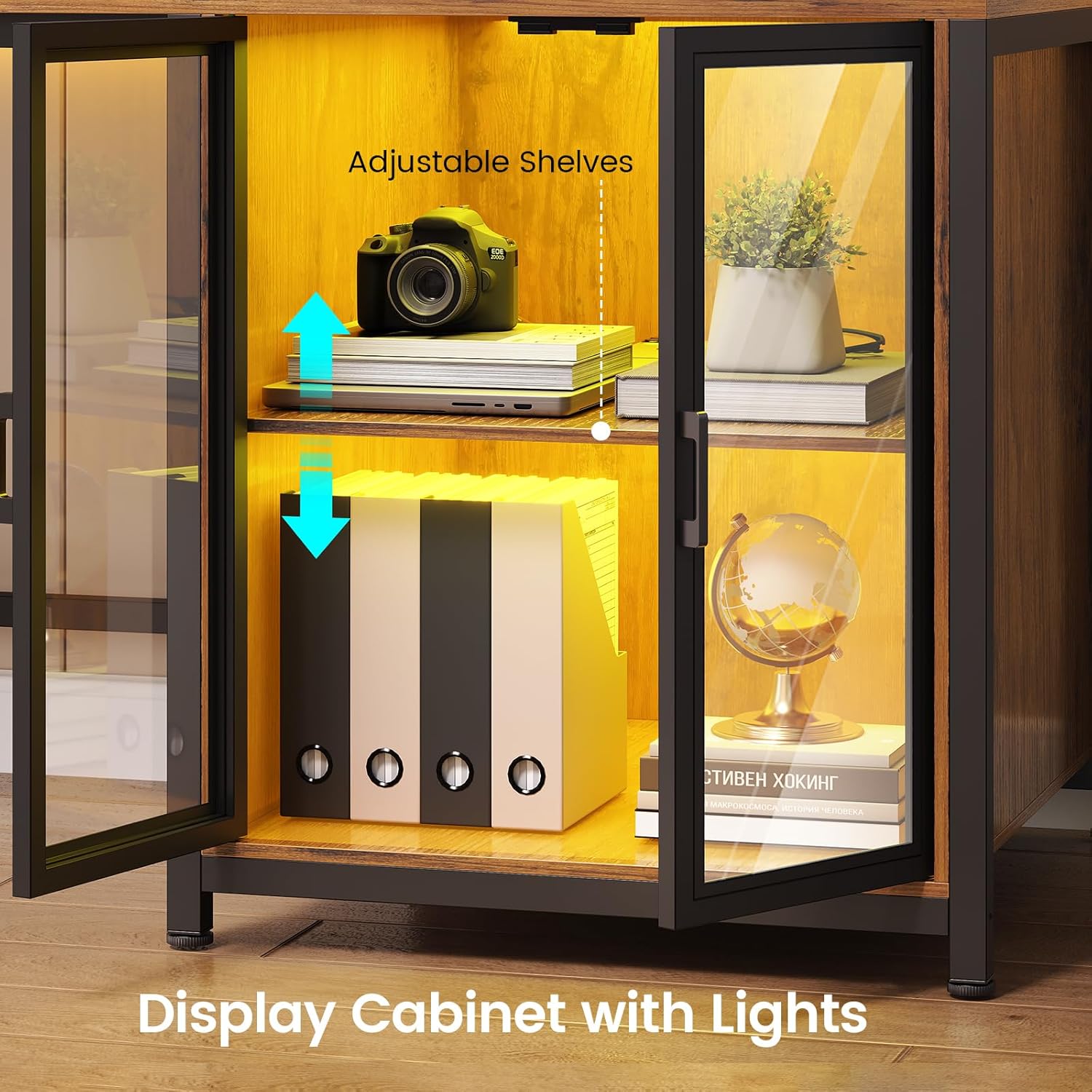
Image 3.4: The display cabinet features adjustable shelves and protective doors, ideal for showcasing items while keeping them dust-free.
4. Maintenance
To maintain the desk's appearance and longevity, wipe surfaces with a damp cloth for general cleaning, followed by a dry cloth to remove any moisture. The tabletop is waterproof and scratch-resistant for easy care.
4.1 Stability
The desk is equipped with adjustable leg pads. Periodically check and adjust these pads to ensure the desk remains stable on uneven floors and to protect your flooring from scratches.
5. Troubleshooting
- LED Lights Not Functioning: Ensure the power adapter is securely connected to both the light strip and a working power outlet. Check the remote control battery or the app connection.
- Power Outlet Not Working: Verify that the main power cord for the charging station is plugged into a live wall outlet. Ensure the on/off switch on the power strip is in the 'on' position. If multiple devices are connected, check for overload.
- Desk Instability: Confirm all assembly screws are tightened. Adjust the leg pads on the bottom of the desk to compensate for uneven flooring.
- Drawers Not Sliding Smoothly: Ensure the fabric drawers are correctly inserted and not overloaded. Check for any obstructions in the drawer slots.
- Missing or Damaged Parts: Refer to the Warranty and Support section for instructions on how to obtain replacement parts.
6. Specifications
| Feature | Detail |
|---|---|
| Brand | SEDETA |
| Shape | L-Shape |
| Desk Design | Computer Desk |
| Product Dimensions (D x W x H) | 47.2" x 78.7" x 35" |
| Color | Rustic Brown |
| Style | Modern |
| Base Material | Metal |
| Top Material Type | Engineered Wood |
| Special Features | Built-In USB Outlet, Convertible, Monitor Stand, LED Lights, Display Cabinet |
| Number of Drawers | 2 (Fabric) |
| Item Weight | 81 Pounds |
| Required Assembly | Yes |
| Included Components | Built-in Outlet, LED Light Strip |
7. Warranty and Support
If your item arrives damaged, scratched, or with missing parts, please contact the seller for assistance. We offer free replacement parts or a partial refund for such issues.
For further support or inquiries, please reach out to the seller, goodgoodsstore, through your purchase platform.
