
1. Introduction to Your Intercom System
This manual provides comprehensive instructions for the installation, operation, and maintenance of your ANJIELO SMART Wired Video Apartment Doorbell Intercom System. Designed for multi-unit residential buildings, this system offers enhanced security and communication capabilities.
The system features a 7-inch touch monitor for each apartment unit, a 1080P outdoor doorbell camera, two-way audio communication, motion detection with automatic video recording, and multiple unlocking options. Its robust design ensures reliable performance in various environmental conditions.

Figure 1: Overview of the ANJIELO SMART Intercom System components, including multiple indoor monitors, an outdoor doorbell unit, RFID key fobs, a 32GB Micro SD card, and a smartphone displaying the control app.
2. Package Contents
Please verify that all items listed below are included in your package:
- Indoor Monitor (7-inch TFT-LCD Touch Screen)
- Outdoor Doorbell Unit (1080P Camera)
- 32GB Micro SD Card (pre-installed in monitor)
- Power Adapter for Monitor
- Mounting Bracket for Monitor
- Mounting Screws and Wall Plugs
- Wiring Cables (including a 5-meter cable for doorbell connection)
- RFID Key Fobs (for unlocking)
- User Manual (this document)
3. Technical Specifications
Outdoor Doorbell Unit:
- Camera Sensor: 2.0MP, 1/4-inch CMOS
- Lens: 3.6 mm
- Field of View: 120 degrees (wide-angle)
- Night Vision: Infrared, 3m range
- Weatherproof Rating: IP65 (Dustproof & Waterproof)
- Material: Aluminium alloy
- Dimensions: 270mm x 125mm x 45mm
- Power Supply: Supplied by indoor monitor
- Operating Temperature: -30°C to 60°C
- Installation: Flush mounting
Indoor Touch Monitor:
- Screen: 7-inch TFT-LCD touch screen
- Resolution: 1024 x 680
- Ringtone: 7-chord melody rings
- Adjustable Settings: Volume, Color
- Connection: 4-wire wired connection to doorbell, Wi-Fi for Tuya app integration
- Panel Material: Acrylic/ABS cover
- Installation: Surface mounting
- Input Voltage: AC 100-240V 50/60Hz
- Working Voltage: DC 12V, 2A
- Dimensions (7-inch): 198mm x 130mm x 21mm

Figure 2: Detailed dimensions of the outdoor doorbell unit and the 7-inch indoor monitor.

Figure 3: The outdoor doorbell unit is designed with IP65 weatherproof rating, ensuring durability against rain and dust, and can operate in temperatures from -30°C to +60°C.
4. Installation Guide
This system requires a wired connection between the outdoor doorbell unit and the indoor monitors for stable operation. While the indoor monitor supports Wi-Fi for app connectivity, the core intercom functionality relies on the wired setup.
4.1. Outdoor Doorbell Unit Installation
- Choose Location: Select a suitable location near your apartment entrance, ensuring it is at an appropriate height for visitors to use and for the camera to capture faces clearly.
- Flush Mounting: The outdoor unit is designed for flush mounting. Prepare the wall opening according to the unit's dimensions (270mm x 125mm x 45mm).
- Wiring: Connect the 4-wire cable from the outdoor unit to the designated wiring points. Ensure proper polarity.
- Secure Unit: Insert the outdoor unit into the prepared opening and secure it using the provided screws.
4.2. Indoor Monitor Installation
- Mounting Bracket: Attach the mounting bracket to an indoor wall using screws and wall plugs.
- Wiring: Connect the 4-wire cable from the outdoor unit to the indoor monitor. Connect the power adapter to the monitor and a power outlet.
- Mount Monitor: Carefully attach the monitor to the mounting bracket.
- Power On: Once all connections are secure, plug in the power adapter to power on the system.

Figure 4: Illustration of the multi-unit system architecture, demonstrating how one outdoor unit connects to individual indoor monitors in each apartment, ensuring no interference between units.
5. System Operation
5.1. Basic Intercom Functions
- Receiving a Call: When a visitor presses the call button on the outdoor unit, the indoor monitor will ring, and the visitor's image will appear on the screen.
- Two-Way Audio: Touch the "Answer" icon on the monitor to initiate two-way communication with the visitor.
- Unlocking: During a call or while monitoring, touch the "Unlock" icon on the monitor to remotely open the door.

Figure 5: The indoor monitor facilitates clear two-way audio communication, allowing residents to speak directly with visitors at the door.
5.2. Motion Detection and Recording
The outdoor unit features motion detection. When motion is detected within the camera's field of view, the system will automatically capture video footage or photos and save them to the included 32GB Micro SD card in the indoor monitor.

Figure 6: The system's motion detection feature automatically triggers recording or photo capture when activity is detected near the doorbell, enhancing security.
5.3. Remote Access via Tuya App
The indoor monitor supports Wi-Fi connectivity, allowing integration with the Smart Tuya app on your smartphone. This enables remote monitoring, two-way communication, and unlocking from anywhere.
- Download App: Download the "Smart Tuya" app from your smartphone's app store.
- Register/Login: Create an account or log in to the app.
- Add Device: Follow the in-app instructions to add your indoor monitor as a new device. Ensure your monitor is connected to your home Wi-Fi network.
- Remote Functions: Once connected, you can receive visitor notifications, view live video, communicate with visitors, unlock the door, and review recorded footage directly from your smartphone.

Figure 7: The Tuya app allows users to receive visitor information, conduct remote intercom, unlock doors, and record videos from their smartphone, providing convenient remote access.
5.4. Night Vision
The outdoor doorbell camera is equipped with infrared night vision, providing clear video monitoring even in low-light or complete darkness up to 3 meters.
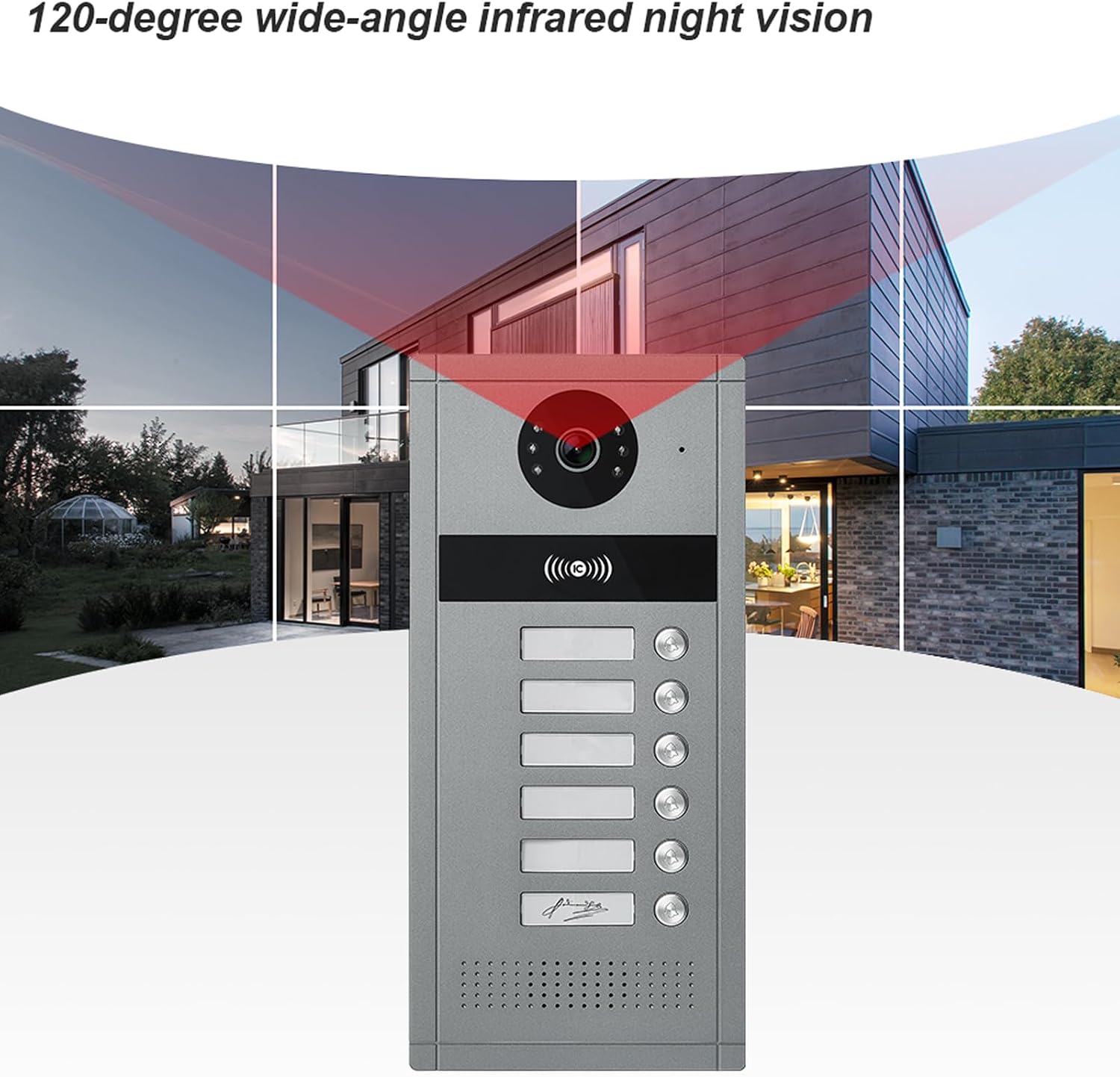
Figure 8: The 120-degree wide-angle lens combined with infrared night vision ensures broad and clear visibility around the entrance, even in dark conditions.
5.5. Monitor Interface and Call Scenarios
The 7-inch touch monitor provides an intuitive interface for various functions. It also handles different call scenarios:
- At Home: When a visitor presses the call button, the indoor monitor rings, and the Tuya APP receives a push notification. If the call is not answered, the outdoor doorbell prompts the visitor to leave a message.
- Message: If the visitor presses the "call" button and the resident is unavailable, the system prompts the visitor to leave a message, which the Tuya APP will receive.
- Mute: When the mute function is active, neither the outdoor doorbell nor the indoor station will ring, and the APP will still receive the call notification.

Figure 9: The indoor monitor's user interface with various function icons and visual examples of how the system handles different visitor interactions, including answering, leaving messages, and muting calls.
6. Maintenance and Care
- Cleaning: Use a soft, dry cloth to clean the indoor monitor screen and the outdoor doorbell unit. Avoid abrasive cleaners or solvents.
- Weather Protection: Although the outdoor unit is IP65 rated, regularly check for any debris or blockages around the camera lens and microphone/speaker.
- Software Updates: Periodically check the Tuya app for any available firmware updates for your monitor to ensure optimal performance and security.
- Cable Inspection: Occasionally inspect all wired connections for any signs of wear or damage.
7. Troubleshooting
| Problem | Possible Cause | Solution |
|---|---|---|
| No image on indoor monitor | Power issue, loose cable, faulty outdoor unit. | Check power supply to monitor. Ensure all 4-wire connections are secure. Restart the system. |
| No audio during intercom | Microphone/speaker issue, volume too low, loose cable. | Check monitor volume settings. Verify cable connections. Test microphone and speaker functionality. |
| Door not unlocking | Wiring issue to electric lock, lock malfunction, incorrect unlocking method. | Ensure electric lock is properly wired and powered. Test with RFID key fob if applicable. Consult an electrician if necessary. |
| Tuya app not connecting | Incorrect Wi-Fi password, poor Wi-Fi signal, app not configured correctly. | Verify Wi-Fi password. Ensure monitor is within Wi-Fi range. Re-add the device in the Tuya app. |
| Motion detection not recording | SD card full or faulty, motion detection sensitivity too low, feature disabled. | Check SD card status and free space. Adjust motion detection settings in the monitor menu. Ensure recording is enabled. |
8. Warranty Information
ANJIELO SMART products are covered by a limited warranty against defects in materials and workmanship. Please refer to the warranty card included with your purchase or visit the official ANJIELO SMART website for detailed warranty terms and conditions. Keep your proof of purchase for warranty claims.
9. Customer Support
If you encounter any issues or have questions regarding your ANJIELO SMART Wired Video Apartment Doorbell Intercom System, please contact our customer support team:
- Website: ANJIELO SMART Official Store on Amazon
- Email: Refer to your product packaging or warranty card for specific contact email.
- Phone: Refer to your product packaging or warranty card for specific contact number.
When contacting support, please have your model number (66024-6+67010B) and purchase date available.


