
1. Important Safety Information
Please read all instructions carefully before using the KTS ZY-936 Wearable Red Light Therapy Device. Keep this manual for future reference.
Disclaimer: Statements regarding this device have not been evaluated by the FDA and are not intended to diagnose, treat, cure, or prevent any disease or health condition. Consult with a healthcare professional before starting any new therapy, especially if you have pre-existing medical conditions or are pregnant.
Eye Protection: Always wear the provided goggles during operation to protect your eyes from direct light exposure.
Skin Sensitivity: If you experience any discomfort, redness, or irritation during or after use, discontinue use immediately and consult a healthcare professional.
2. Product Overview
The KTS ZY-936 is a foldable, wearable red light therapy device designed for versatile application across various body areas. It utilizes red light and near-infrared light to support general wellness.

Image: Overview of the KTS Red Light Therapy Device and its suggested application areas for male wellness, including knees, back, waist, abdomen, hips, feet, shoulders, and neck.
3. Package Contents
Verify that all items listed below are included in your package:
- Main Host ×1
- Goggles ×1
- Control Box ×1
- Adapter Cord with Plug ×1
- User Manual ×1
- Package Box ×1
- Strap ×2
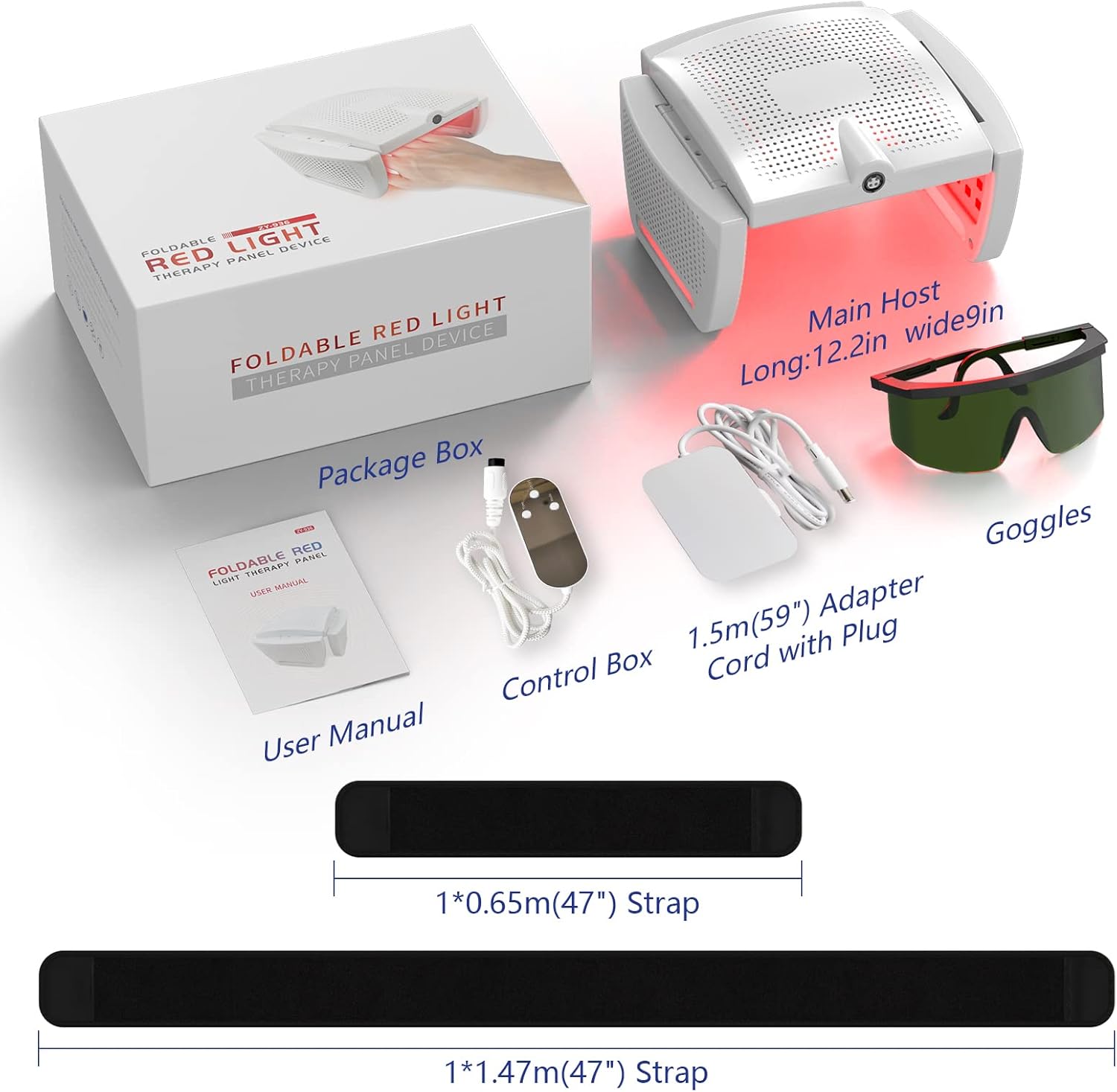
Image: The complete package contents, including the main host device, control box, adapter cord, goggles, user manual, and two straps.

Image: A visual representation of the KTS Red Light Therapy Device's complete package, clearly labeling the main host, goggles, control box, adapter cord with plug, user manual, package box, and two straps of different lengths.
4. Setup and Assembly
- Unpack: Carefully remove all components from the package box.
- Connect Control Box: Plug the main host device into the control box.
- Power Connection: Connect the adapter cord with plug to the control box and then to a power outlet.
- Attach Straps: Select the appropriate strap (longer for larger areas like the waist, shorter for smaller areas like limbs) and attach it to the main host device. The device is designed to be easily disassembled and reassembled for portability.
5. Operating Instructions
The KTS ZY-936 device is designed for simple and convenient operation.
- Wear Goggles: Always put on the provided protective goggles before turning on the device.
- Position Device: Place the main host device on the desired body area (e.g., knees, back, waist, abdomen, hips, feet, shoulders, neck). Use the strap to secure it comfortably in place.
- Power On: Press the power button on the control box to turn on the device.
- Select Mode/Intensity: The device may have different modes or intensity levels. Refer to the control box interface for specific options and select your preferred setting.
- Treatment Duration: Follow the recommended treatment duration as indicated in the device's specific instructions or by your healthcare professional.
- Power Off: After the session, press the power button to turn off the device and remove it from your body.
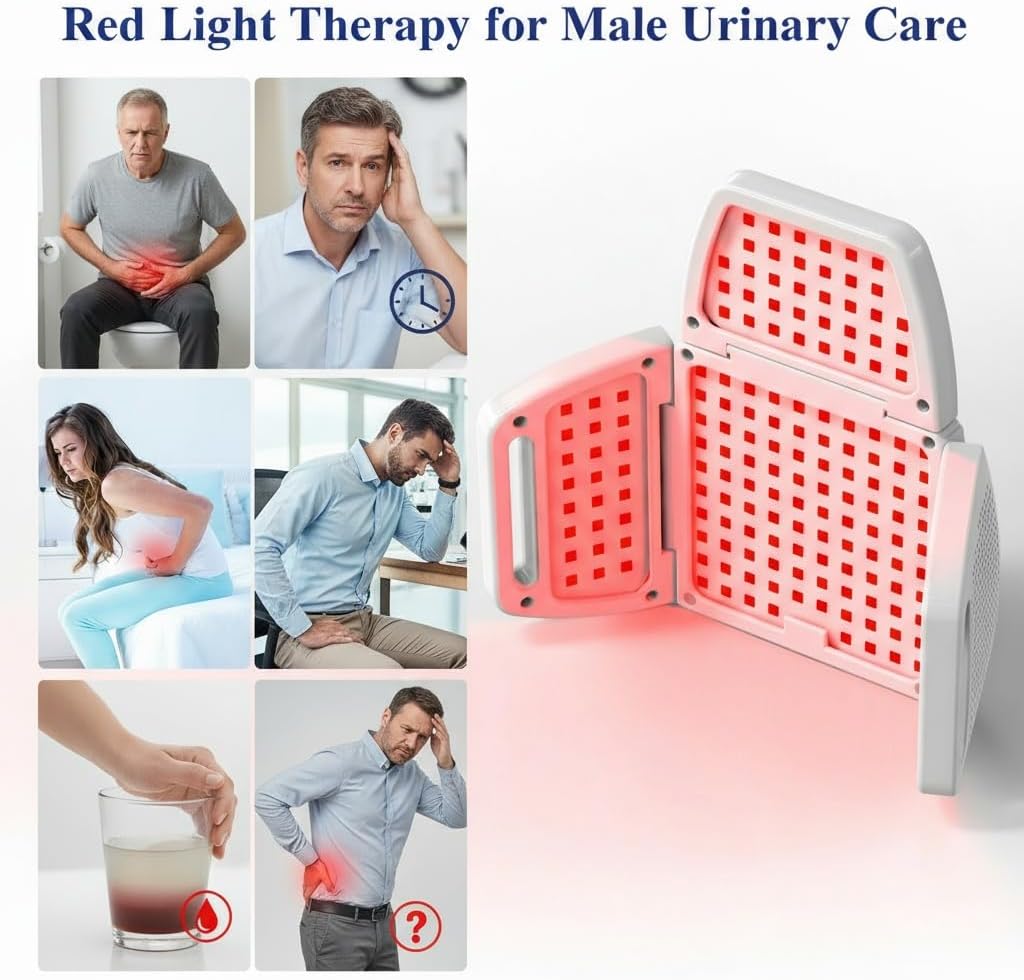
Image: The KTS Red Light Therapy Device being worn around the waist, demonstrating its wearable design and how it delivers red light to a specific area.

Image: The KTS Red Light Therapy Device positioned around the groin area, illustrating its flexible application for various body parts.
Video: This video demonstrates the mechanism of red light and near-infrared light therapy, explaining how it stimulates cellular activity, improves erectile strength by increasing blood flow, and enhances sperm motility. It also highlights the potential for boosted testosterone levels.
6. Maintenance and Care
- Cleaning: Wipe the device with a soft, dry cloth after each use. Do not use abrasive cleaners or immerse the device in water.
- Storage: Store the device in its original package box in a cool, dry place away from direct sunlight and extreme temperatures.
- Battery Care: Ensure the device is fully charged before long periods of storage. Recharge periodically if not in use for extended periods to maintain battery health.
7. Troubleshooting
- Device Not Turning On:
- Ensure the adapter cord is securely connected to the control box and a working power outlet.
- Check if the power button on the control box has been pressed correctly. - No Light Emission:
- Verify the device is powered on and the correct mode is selected.
- Ensure the device is properly connected to the control box. - Discomfort During Use:
- Discontinue use immediately.
- Ensure the device is not too tight on the skin.
- Consult a healthcare professional if discomfort persists.
8. Specifications
| Feature | Detail |
|---|---|
| Model Number | ZY-936 |
| Brand | KTS |
| Package Dimensions | 11 x 8 x 5 inches |
| Item Weight | 2 Pounds |
| Manufacturer | YJT |
| Date First Available | September 4, 2025 |
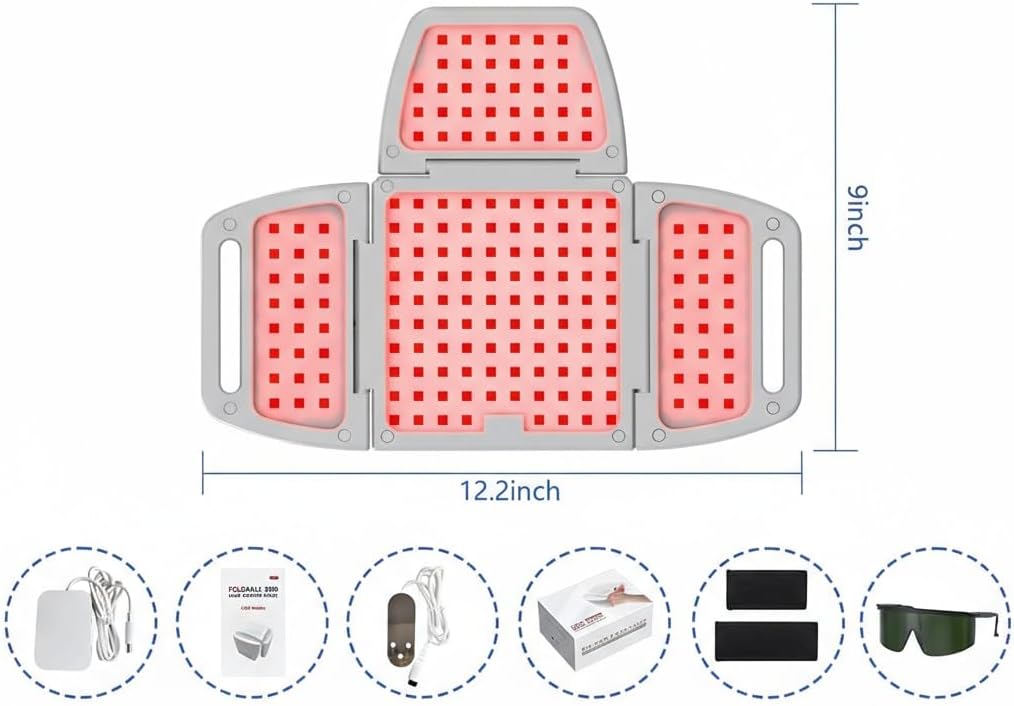
Image: The KTS Red Light Therapy Device displayed with its key dimensions, indicating a length of 12.2 inches and a width of 9 inches when unfolded.
9. Support
If you have any questions or require assistance with your KTS ZY-936 device, please do not hesitate to contact our customer support team. We aim to respond to all inquiries within 24 hours.
For further support, please visit the KTS Store on Amazon.