
Introduction
This manual provides essential instructions for the installation, operation, and maintenance of your Pyle 8-inch Bluetooth Marine Wakeboard Speakers. These dual 2-way waterproof speakers are designed for outdoor environments, including boats, ATVs, UTVs, and Jeeps, featuring integrated LED lights and Bluetooth wireless streaming capabilities. Please read this manual thoroughly before use to ensure proper functionality and longevity of your product.
Safety Information
- Water Exposure: While these speakers are IP-44 rated waterproof, avoid submerging them in water. Ensure all connections are secure and sealed to prevent water ingress.
- Power Connections: Always disconnect power before making any electrical connections. Ensure correct polarity to prevent damage to the speakers or your vehicle's electrical system.
- Mounting: Securely mount the speakers using the provided hardware. Improper mounting can lead to speakers detaching during operation, causing injury or damage.
- Volume Levels: Prolonged exposure to high volume levels can cause hearing damage. Adjust volume to a comfortable level.
- Operating Temperature: Do not operate the speakers outside their recommended temperature range.
What's in the Box
Verify that all components are present before beginning installation:
- (2) Pyle 8-Inch Bluetooth Marine Wakeboard Speakers
- (1) Mounting Bracket
- (8) Bolt Screws
- (2) Rubber Shims

Image: Components included in the Pyle speaker package.
Setup & Installation
The Pyle Marine Wakeboard Speakers are designed for versatile mounting on various outdoor vehicles. The universal mounting brackets accommodate bars and roll cages up to 2.35 inches in diameter.
Mounting the Speakers
- Select Mounting Location: Choose a secure location on your boat, ATV, UTV, or Jeep where the speakers will not obstruct vision or movement, and where wiring can be safely routed.
- Attach Brackets: Position the mounting bracket around the chosen bar or roll cage. Use the rubber shims if necessary to ensure a snug fit and prevent scratching.
- Secure Speakers: Align the speaker with the bracket and secure it using the provided bolt screws. Ensure all screws are tightened firmly to prevent vibration and movement.

Image: Pyle speakers mounted, illustrating dimensions and key specifications.

Image: Examples of speaker installation on different outdoor vehicles.
Wiring Connections
Connect the speaker wires to your audio source (e.g., marine stereo, amplifier) following the polarity markings (+/-). Ensure all connections are insulated and protected from water and corrosion.
Operating Instructions
Bluetooth Pairing
- Power On: Ensure the speakers are powered on and in Bluetooth pairing mode. The LED lights may indicate pairing status.
- Activate Bluetooth: On your smartphone, tablet, or other Bluetooth-enabled device, go to the Bluetooth settings and enable Bluetooth.
- Search for Device: Scan for available devices. You should see "Pyle Audio" or a similar name appear in the list.
- Connect: Select the Pyle speaker device to initiate pairing. Once connected, a confirmation tone may sound, and the LED lights may change their pattern.
- Play Audio: You can now stream audio wirelessly from your device to the speakers.
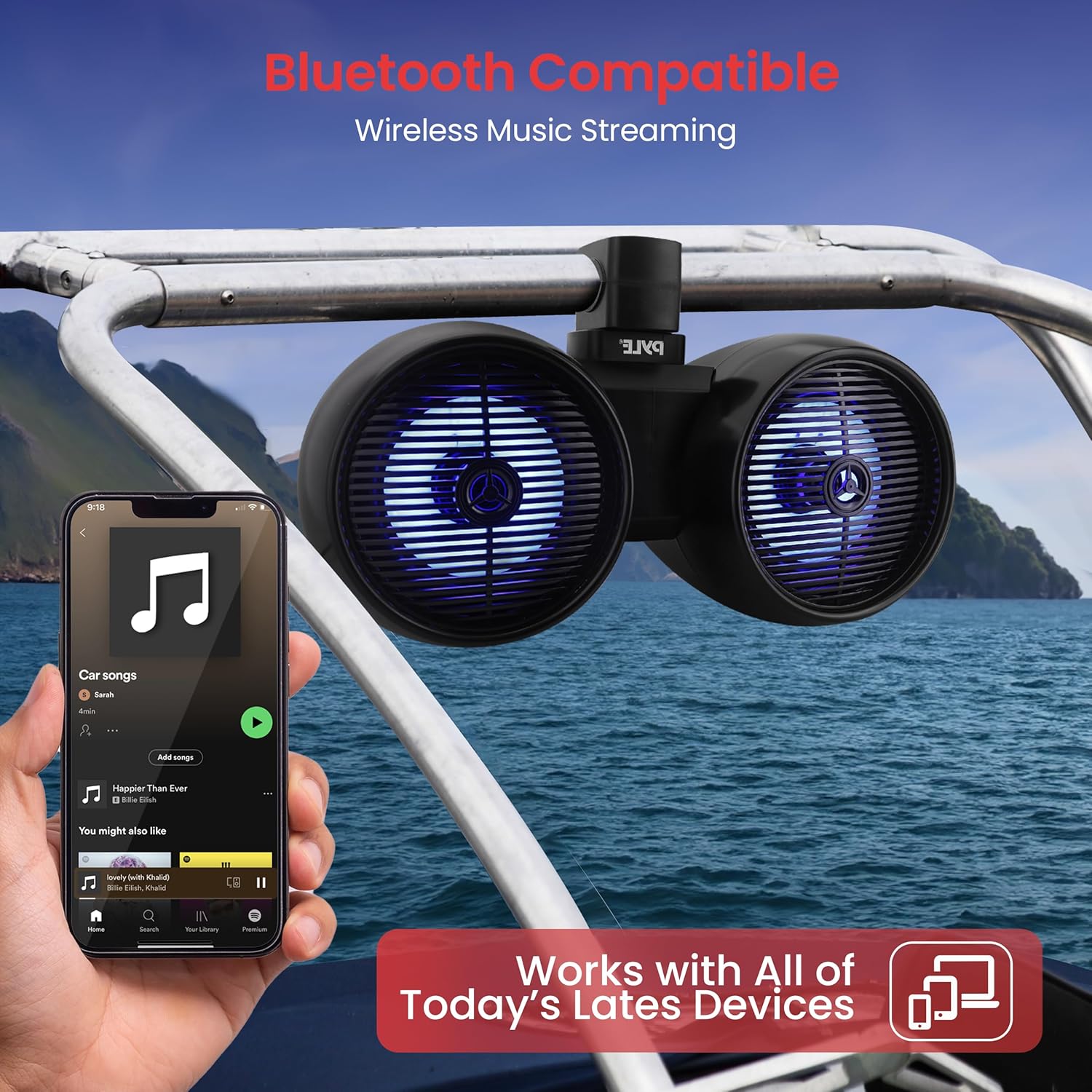
Image: Bluetooth connectivity for wireless music streaming.
LED Lights
The speakers feature integrated LED lights that enhance the visual experience. These lights typically activate when the speakers are powered on and may pulse with the music or offer different modes depending on the model's specific control method (e.g., touch control as indicated in specifications).
Maintenance
- Cleaning: Clean the speaker enclosures with a soft, damp cloth. Avoid using harsh chemicals or abrasive cleaners, which can damage the finish or waterproof seals.
- Corrosion Prevention: Regularly inspect the speakers and mounting hardware for signs of corrosion, especially after exposure to saltwater. Rinse with fresh water and dry thoroughly.
- Connection Checks: Periodically check all electrical connections to ensure they are tight and free from corrosion.
- Storage: If storing the speakers for an extended period, especially in harsh conditions, consider covering them or removing them from the vehicle to protect them.
Troubleshooting
| Problem | Possible Cause | Solution |
|---|---|---|
| No sound from speakers | No power; Incorrect wiring; Bluetooth not connected; Volume too low | Check power supply and connections; Verify wiring polarity; Re-pair Bluetooth device; Increase volume on both speaker and source device |
| Bluetooth connection unstable or failing | Device too far; Interference; Speaker not in pairing mode | Move device closer to speakers; Avoid sources of interference; Ensure speakers are in pairing mode and re-attempt connection |
| Distorted audio | Volume too high; Poor audio source quality; Damaged speaker wire | Reduce volume; Use a higher quality audio source; Inspect and replace damaged wiring |
| LED lights not working | No power; Faulty connection | Check power supply; Inspect wiring to LED components |
Specifications

Image: Speaker components highlighting dome and cone speaker sizes.
| Feature | Detail |
|---|---|
| Model Name | PLMRWKBT82BK |
| Speaker Type | 2-way marine grade speakers |
| Speaker Size | 8 Inches (Woofer Diameter) |
| Tweeter Size | 1 Inch (Polymer Dome) |
| Voice Coil | 1.5 Inches |
| Maximum Output Power | 300 Watts |
| Impedance | 4 Ohms |
| Waterproof Rating | IP-44 |
| Wireless Technology | Bluetooth |
| Control Method | Touch |
| Power Source | Corded Electric |
| Material | Injection Cone (Woofer) |
| Product Dimensions (D x W x H) | 11.42" x 22.72" x 13.39" |
| Item Weight | 20.7 pounds |
| Mounting Type | Boat Mount, Car Mount (Universal brackets up to 2.35" diameter) |
| Compatible Devices | Smartphone, Tablet, Laptop, Home Theater |
Warranty Information
Pyle products typically come with a limited manufacturer's warranty. Please refer to the warranty card included with your product or visit the official Pyle website for detailed terms and conditions regarding coverage, duration, and claims procedures. Keep your proof of purchase for warranty service.
Customer Support
For technical assistance, troubleshooting not covered in this manual, or warranty inquiries, please contact Pyle customer support. Contact information can typically be found on the official Pyle website or on the product packaging.
