
1. Introduction
Thank you for choosing the EmpireTech PTZ4M-25X-PV 4MP IP PoE PTZ Camera. This camera is designed for professional indoor and outdoor surveillance, offering advanced features such as 25x optical zoom, 4MP resolution, IR and white light dual fusion for enhanced night vision, and Power over Ethernet (PoE) for simplified installation. This manual provides essential information for the proper installation, operation, and maintenance of your camera.
1.1 Package Contents
Please inspect the package contents carefully. If any items are missing or damaged, contact your vendor immediately. Refer to the product packaging for a complete list of included items.
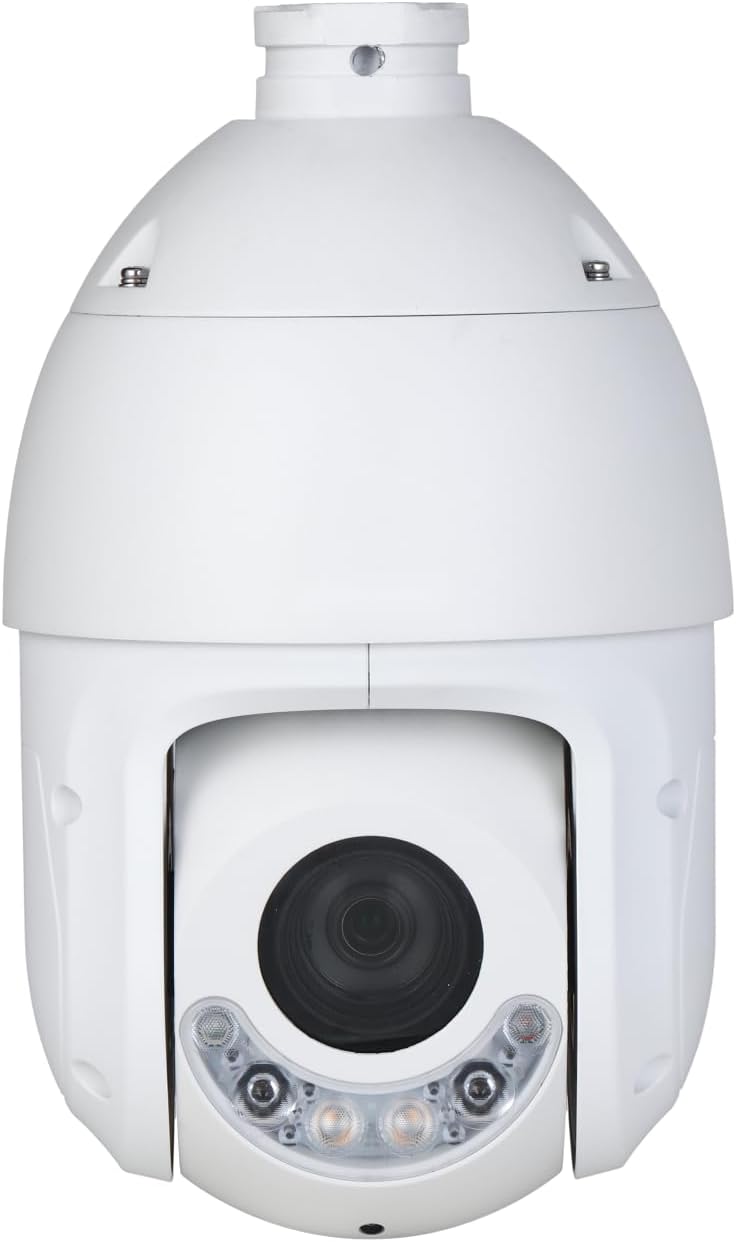
Figure 1.1: Front view of the EmpireTech PTZ4M-25X-PV camera, showing the main lens and dual light modules.
2. Safety Information
- Read all instructions carefully before installation and operation.
- Ensure the power supply meets the camera's requirements (PoE or compatible power adapter).
- Do not expose the camera to extreme temperatures, humidity, or corrosive environments.
- Avoid pointing the camera directly at strong light sources for extended periods.
- Installation should be performed by qualified personnel in accordance with local electrical codes.
- Do not attempt to disassemble or modify the camera. This will void the warranty.
3. Setup
3.1 Physical Installation
The PTZ4M-25X-PV camera is designed for wired mounting. Choose a suitable location that provides the desired field of view and protection from direct impact. Ensure the mounting surface is strong enough to support the camera's weight (approximately 5.73 lbs / 2.6 kg).
- Prepare the Mounting Surface: Drill pilot holes according to the mounting template (if provided) or the camera's base.
- Secure the Mount: Attach the camera's mounting bracket securely to the prepared surface using appropriate screws and anchors.
- Attach the Camera: Carefully attach the camera body to the mounting bracket, ensuring it is firmly locked in place.
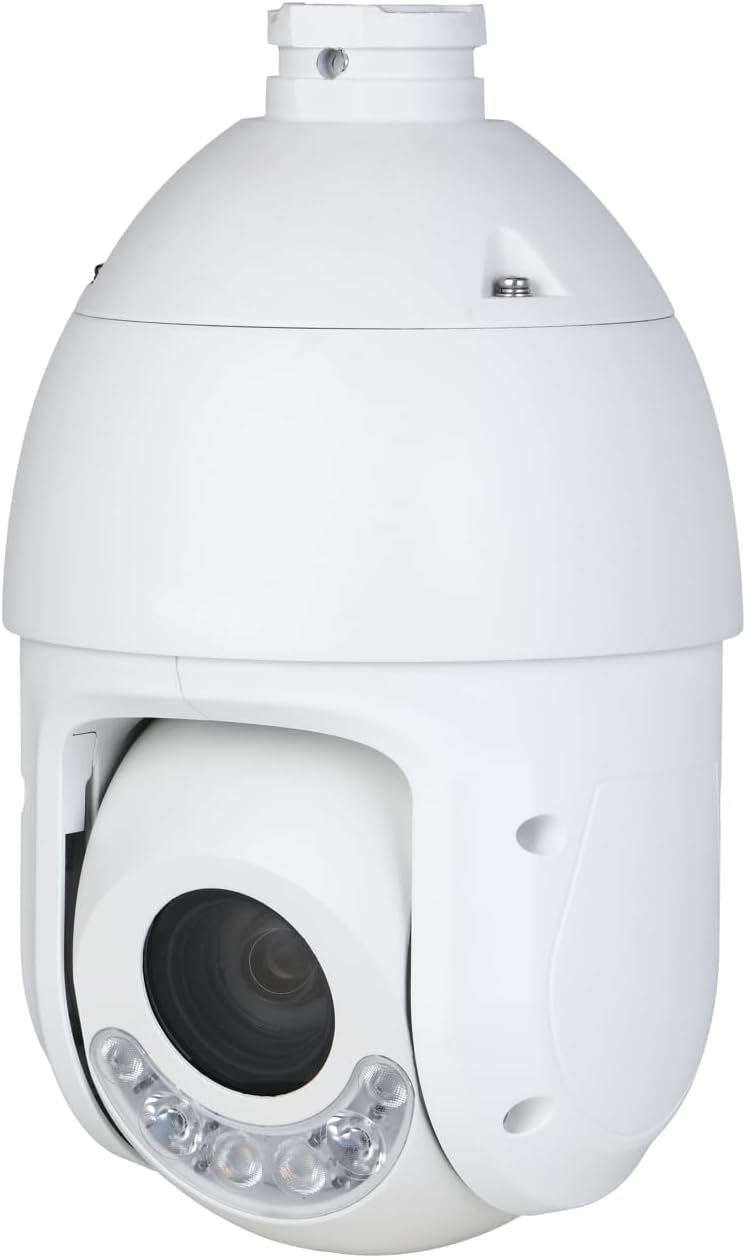
Figure 3.1: Angled view of the EmpireTech PTZ4M-25X-PV camera, showing its dome shape and side profile for mounting reference.
3.2 Wiring and Power
This camera supports Power over Ethernet (PoE), simplifying installation by delivering both power and data through a single Ethernet cable. An optional power cord type connection is also available if PoE is not used.
- Ethernet Connection: Connect a standard Ethernet cable from your PoE-enabled switch or NVR to the camera's Ethernet port. Ensure the cable is rated for outdoor use if installed externally.
- Optional Power Adapter: If not using PoE, connect a compatible 12V DC power adapter (not included) to the camera's power input port.
3.3 Initial Configuration
After physical installation and power connection, the camera can be configured using a dedicated mobile application or a web browser interface. Refer to the specific software's user guide for detailed instructions on network setup, IP address assignment, and initial password configuration.
4. Operating
4.1 Powering On
Once connected to a PoE switch or a power adapter, the camera will automatically power on. Allow a few minutes for the camera to boot up and connect to the network.
4.2 PTZ Control
The Pan-Tilt-Zoom (PTZ) functions allow you to remotely adjust the camera's viewing angle and zoom level. This camera features 25x optical zoom.
- Pan: Rotate the camera horizontally (left/right).
- Tilt: Adjust the camera vertically (up/down).
- Zoom: Magnify or de-magnify the image. Use the optical zoom for clear, lossless magnification.
Control these functions via the mobile app or NVR/VMS interface. Consult your software's manual for specific control methods.
4.3 Light Modes (IR and White Light Dual Fusion)
The camera integrates both infrared (IR) and white light illumination for versatile night vision capabilities. The dual light fusion technology allows for intelligent switching between modes.
- IR Mode: Provides black and white video in low-light conditions using invisible infrared light.
- White Light Mode: Activates visible white light for full-color night vision and can deter intruders.
- Smart Mode: The camera can automatically switch from IR to white light upon detection of motion, providing color images and acting as a deterrent.
These modes can typically be configured within the camera's settings via the mobile app or web interface.
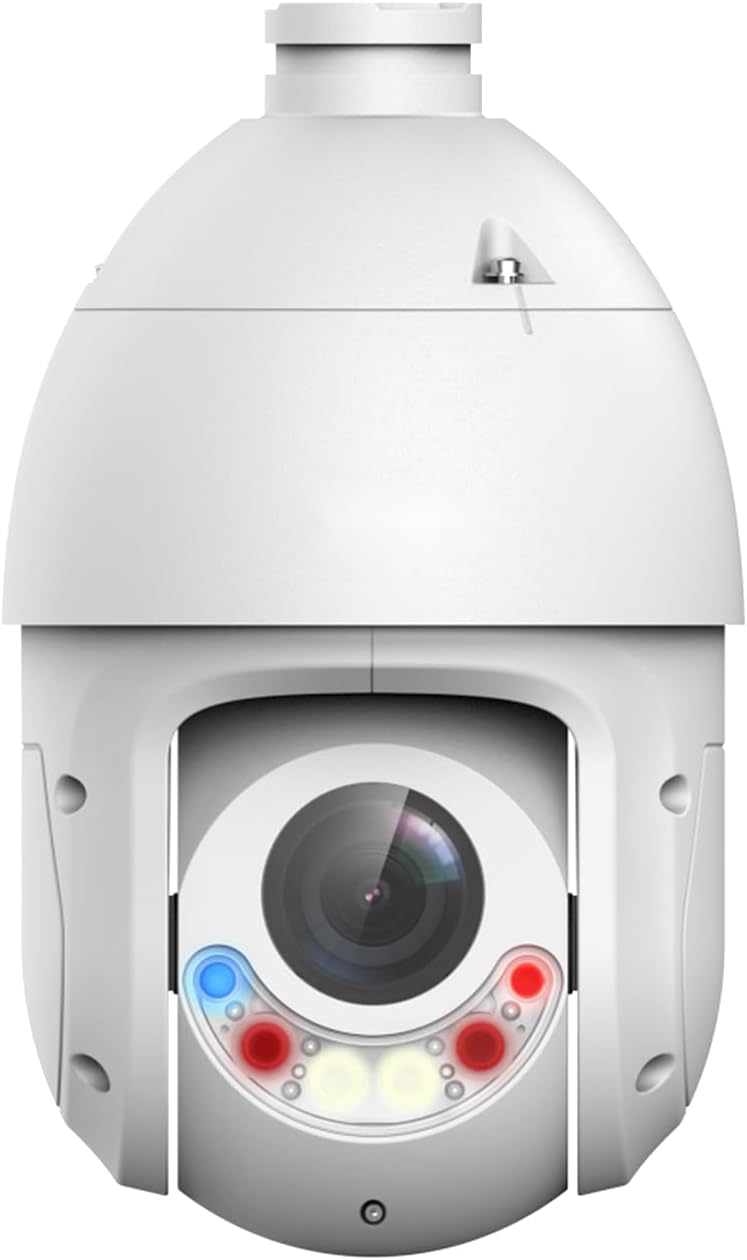
Figure 4.1: Front view of the EmpireTech PTZ4M-25X-PV camera with its dual light modules illuminated, demonstrating active night vision or warning functions.
5. Maintenance
5.1 Cleaning
Regular cleaning helps maintain optimal image quality.
- Gently wipe the camera lens and housing with a soft, damp cloth.
- Do not use harsh chemicals, abrasive cleaners, or solvents.
- Ensure the camera is powered off before cleaning.
5.2 Firmware Updates
Periodically check the manufacturer's website for firmware updates. Firmware updates can improve performance, add new features, and enhance security. Follow the instructions provided with the firmware update package carefully.
6. Troubleshooting
- No Power: Check the PoE connection or power adapter. Ensure the Ethernet cable is properly connected and the PoE switch is functioning.
- No Image: Verify network connectivity. Check if the camera's IP address is correct and accessible. Restart the camera and the viewing device.
- Poor Image Quality: Clean the lens. Adjust focus and exposure settings in the camera's interface. Ensure adequate lighting.
- PTZ Not Responding: Check network connection. Ensure the control software is correctly configured for PTZ commands. Restart the camera.
- Night Vision Issues: Ensure IR/white lights are enabled in settings. Check for obstructions near the illuminators.
For further assistance, refer to the online support resources or contact EmpireTech customer support.
7. Specifications
| Feature | Description |
|---|---|
| Model | PTZ4M-25X-PV |
| Image Sensor | 1/2.8-inch STARVIS CMOS |
| Video Resolution | 4 Megapixels (4MP) |
| Optical Zoom | 25x |
| Night Vision | IR and White Light Dual Fusion |
| Connectivity | Wired Ethernet |
| Power Supply | Power over Ethernet (PoE), Power Cord Type (optional) |
| Water Resistance | IP66 |
| Recommended Use | Indoor/Outdoor |
| Management Method | App |
| Product Dimensions | 26.9 x 16 x 16 cm |
| Product Weight | 5.73 pounds (approx. 2.6 kg) |
| Wireless Type | Not supported |
| UPC / GTIN | 666945718839 |
| ASIN | B0FPMPFKJJ |
8. Warranty and Support
EmpireTech products are covered by a limited warranty. For detailed warranty terms and conditions, please refer to the official EmpireTech website or contact your authorized dealer. For technical support, troubleshooting, or service inquiries, please visit the EmpireTech support portal or contact their customer service team directly. Keep your purchase receipt as proof of purchase for warranty claims.