1. Introduction
Thank you for choosing the Infinix-ZLOOP 4 (XEO4G) Open-ear Earbuds. These earbuds are designed to provide a comfortable listening experience with clear calls and a long battery life. This manual provides essential information for setting up, operating, and maintaining your device.
2. Package Contents
Please check the package for the following items:
- Infinix-ZLOOP 4 (XEO4G) Open-ear Earbuds
- Charging Case
- USB-C Charging Cable
- Quick Start Guide
- Safety Information & Warranty Card
3. Product Overview
Familiarize yourself with the components of your Infinix-ZLOOP 4 earbuds and charging case.
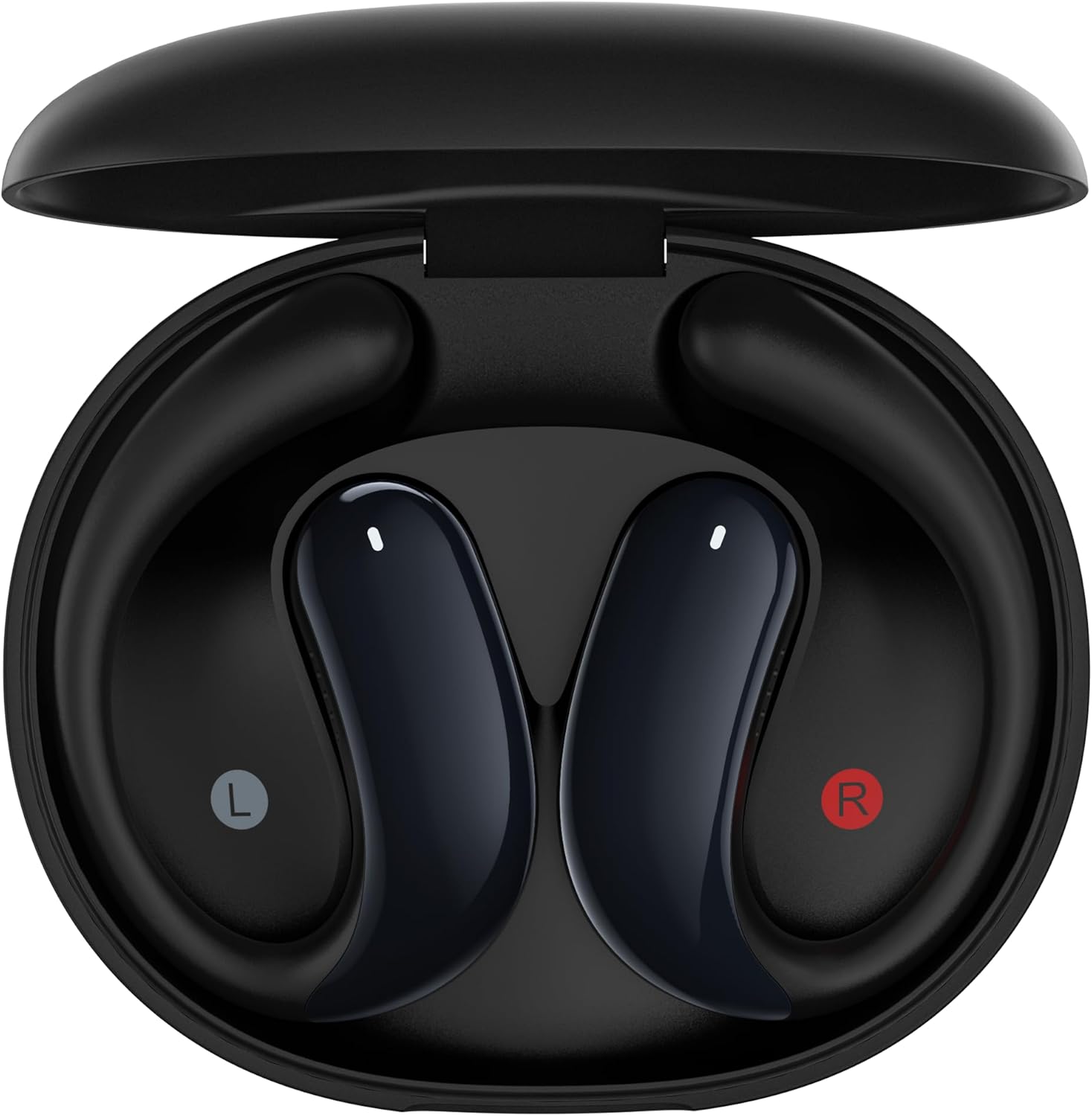
Image 3.1: The Infinix-ZLOOP 4 earbuds are shown resting inside their open charging case. The left earbud is marked with 'L' and the right with 'R'.

Image 3.2: A front view of the two Infinix-ZLOOP 4 open-ear earbuds, showcasing their ergonomic design.

Image 3.3: The closed charging case for the Infinix-ZLOOP 4 earbuds, featuring the Infinix logo on the top surface.
4. Setup
4.1 Initial Charging
Before first use, fully charge the earbuds and the charging case.
- Place both earbuds into the charging case.
- Connect the USB-C charging cable to the charging port on the case and to a power source.
- The indicator lights on the case will show the charging status. A full charge typically takes approximately 1.5 to 2 hours.

Image 4.1: The open charging case with earbuds, displaying input/output specifications for charging.
4.2 Bluetooth Pairing
To connect your earbuds to a device:
- Ensure the earbuds are charged and inside the charging case.
- Open the charging case. The earbuds will automatically enter pairing mode, indicated by a flashing LED light (refer to the Quick Start Guide for specific light patterns).
- On your device (smartphone, tablet, etc.), enable Bluetooth and search for available devices.
- Select "Infinix-ZLOOP 4" from the list of found devices.
- Once connected, the LED indicator on the earbuds will change (refer to the Quick Start Guide for specific light patterns), and you will hear an audio confirmation.
Note: The earbuds will automatically reconnect to the last paired device when taken out of the case, if Bluetooth is enabled on the device.
5. Operating Instructions
The Infinix-ZLOOP 4 earbuds feature touch controls for various functions.
5.1 Music Playback
- Play/Pause: Single tap on either earbud.
- Next Track: Double tap on the right earbud.
- Previous Track: Double tap on the left earbud.
5.2 Call Management
- Answer/End Call: Single tap on either earbud.
- Reject Call: Press and hold either earbud for 2 seconds.
5.3 Voice Assistant
- Activate Voice Assistant: Triple tap on either earbud.
5.4 Power On/Off
- Power On: Open the charging case or press and hold the touch area on both earbuds for 3 seconds.
- Power Off: Place the earbuds back into the charging case and close the lid, or press and hold the touch area on both earbuds for 5 seconds.
6. Maintenance
Proper maintenance ensures the longevity and optimal performance of your earbuds.
- Cleaning: Use a soft, dry, lint-free cloth to clean the earbuds and charging case. Do not use harsh chemicals or abrasive materials.
- Water Resistance: The earbuds are IP54 water resistant, meaning they are protected from limited dust ingress and water spray from any direction. Do not submerge them in water or expose them to heavy rain.
- Storage: When not in use, store the earbuds in their charging case to protect them from dust and damage. Store in a cool, dry place away from direct sunlight and extreme temperatures.
- Charging: Only use the provided USB-C cable or a certified equivalent for charging.
7. Troubleshooting
If you encounter issues, try the following solutions:
| Problem | Solution |
|---|---|
| Earbuds not pairing |
|
| No sound from one earbud |
|
| Charging case not charging |
|
| Poor call quality |
|
8. Specifications
| Model Number | XEO4G |
| Bluetooth Version | V6.0 |
| Earbud Battery Capacity | 45mAH (per earbud) |
| Charging Case Battery Capacity | 400mAH |
| Total Playtime | Up to 25 hours (with charging case) |
| Charging Port | USB-C |
| Water Resistance Rating | IP54 |
| Weight | 150 Grams (total package weight) |
| Manufacturer | Infinix |
9. Warranty and Support
The Infinix-ZLOOP 4 (XEO4G) earbuds come with a 12-month warranty from the date of purchase. This warranty covers manufacturing defects and workmanship under normal use.
For warranty claims or technical support, please refer to the contact information provided in your included Safety Information & Warranty Card or visit the official Infinix support website.
Please retain your proof of purchase for warranty validation.