
1. Introduction
This user manual provides comprehensive instructions for the PUSOKEI 5.4 MP3 Player. Please read this manual carefully before using the device to ensure proper operation and to maximize its lifespan. Keep this manual for future reference.
2. Safety Information
- Do not expose the device to extreme temperatures, direct sunlight, or high humidity.
- Avoid dropping or subjecting the device to strong impacts.
- Do not attempt to disassemble or repair the device yourself. Contact qualified service personnel for assistance.
- Keep the device away from water and other liquids.
- Use only the provided USB cable for charging.
3. Package Contents
Verify that all items are present in your package:
- 1 x PUSOKEI 5.4 MP3 Player
- 1 x User Manual (this document)
- 1 x USB Cable (Type-C)
- 1 x Small Memory Card (if purchased with this variant)
4. Product Overview
The PUSOKEI 5.4 MP3 Player features a compact design with a 2.01-inch IPS screen and intuitive button controls for easy navigation.

Image: Front view of the PUSOKEI 5.4 MP3 Player, highlighting the 2.01-inch IPS display, push buttons, and indicating support for up to 128GB external memory.

Image: A hand holding the PUSOKEI 5.4 MP3 Player, with icons representing its various functions such as Music, Video, FM Radio, Ebook, Recording, Picture, Settings, Folder, Variable Speed Playback, and Equalizer.
5. Setup
5.1 Charging the Device
Before first use, fully charge the MP3 player. Connect the provided USB Type-C cable to the charging port on the device and to a USB power adapter or computer USB port. The device has a built-in 500mAh lithium-ion battery, offering approximately 48 hours of playback time after 2 hours of charging.
5.2 Inserting a Memory Card
The MP3 player supports memory card expansion up to 128GB. Locate the memory card slot on the device and gently insert the memory card until it clicks into place. Ensure the card is inserted in the correct orientation.
5.3 Powering On/Off
To power on the device, press and hold the power button until the screen illuminates. To power off, press and hold the power button again until the device shuts down.
6. Operating Instructions
The PUSOKEI 5.4 MP3 Player offers a variety of functions accessible through its intuitive interface.
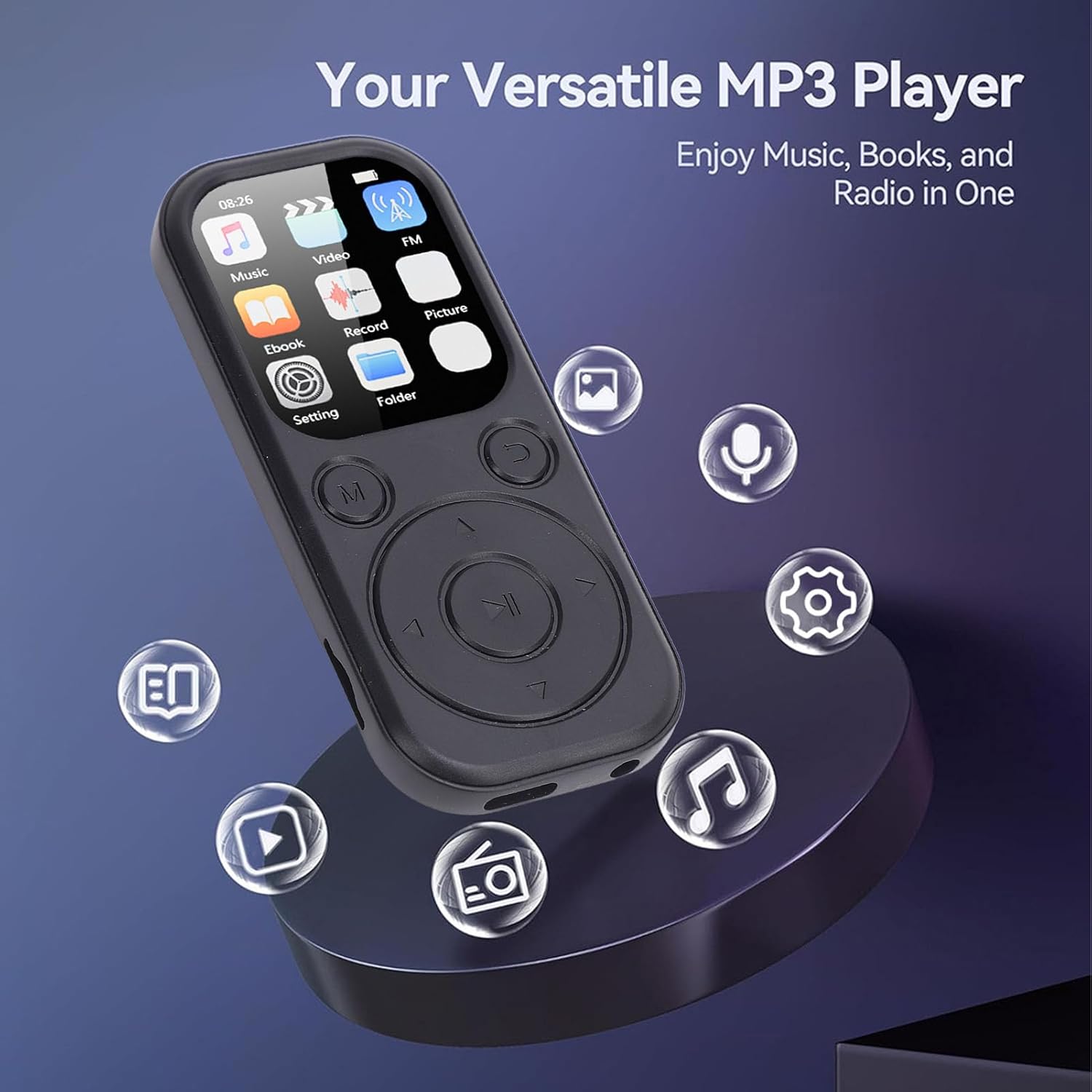
Image: The PUSOKEI 5.4 MP3 Player showing its main menu with icons for Music, Video, FM, Ebook, Record, Picture, Setting, and Folder, indicating its versatile capabilities.
6.1 Music Playback
Navigate to the 'Music' icon and select it. You can browse your music by artist, album, genre, or folder. The player supports multiple music formats including MP3 and WMA, delivering HiFi sound quality.

Image: The PUSOKEI 5.4 MP3 Player displaying music playback information, with a person wearing headphones in the background, illustrating the HiFi sound quality feature.
6.2 Video Playback
Select the 'Video' icon to access your video files. The device supports AVI video format with a resolution of 240x288. Ensure your video files are in a compatible format for optimal playback.

Image: The PUSOKEI 5.4 MP3 Player showing its screen displaying a video, with a filmstrip of various images and videos in the background, indicating its capability to watch pictures and videos.
6.3 FM Radio
To use the FM radio function, navigate to the 'FM' icon. Note: Wired headphones are required to listen to FM radio, as they act as the antenna.

Image: A woman smiling while listening to FM radio through headphones, with the PUSOKEI 5.4 MP3 Player's FM radio interface visible, showing a frequency of 93.9 FM.
6.4 Ebook Reader
The device supports TXT format for electronic books. Select the 'Ebook' icon to read your text files.
6.5 Other Functions
- Alarm Clock: Set alarms for reminders or wake-up calls.
- Picture Viewer: Browse and view image files.
- Recording: Use the built-in microphone for voice recordings.
- Settings: Customize device preferences such as language, display, and time.
- Bluetooth 5.4: Connect wirelessly to Bluetooth-enabled earphones and speakers for audio output. Note that this function supports only earphones and speakers, not other devices.

Image: The PUSOKEI 5.4 MP3 Player's main menu, with smaller inset images depicting its applicability in multiple scenarios such as meetings, interviews, and learning environments, highlighting its recording and playback capabilities.

Image: A collage of four images showing individuals using the PUSOKEI 5.4 MP3 Player during various activities: sports, reading, walking, and working, demonstrating its versatility for different scenarios.
7. Maintenance
- Clean the device regularly with a soft, dry cloth. Do not use liquid cleaners or aerosols.
- Avoid exposing the screen to sharp objects to prevent scratches.
- Store the device in a cool, dry place when not in use.
- Periodically back up important data from the memory card to prevent loss.
8. Troubleshooting
8.1 Device Does Not Turn On
- Ensure the battery is charged. Connect the device to a power source and try again.
- Press and hold the power button for at least 10 seconds to perform a hard reset.
8.2 No Sound Output
- Check the volume level.
- Ensure headphones or Bluetooth speakers are properly connected and functioning.
- If using FM radio, confirm wired headphones are plugged in.
8.3 Cannot Transfer Files
- Ensure the USB cable is securely connected to both the device and the computer.
- Check if the device is recognized by your computer. Try a different USB port or cable.
- Verify that the memory card is properly inserted and not corrupted.
9. Specifications
| Feature | Specification |
|---|---|
| Model Name | PUSOKEI5r2bcf9x46-12 |
| Material | ABS |
| Dimensions | Approx. 92x39.8x8mm / 3.62x1.57x0.31in |
| Color | Black |
| Battery | 500mAh Lithium Ion Battery (Built-in) |
| Screen | 2.01 Inch IPS Screen |
| Bluetooth Version | 5.4 |
| Charging Port | Type C |
| Sound Port | 3.5mm Earphone Jack |
| Memory Storage Capacity | Supports up to 128GB (external memory card) |
| Video Resolution | 240x288 |
| Video Format | AVI |
| Electronic Book Format | TXT |
| Supported Operating Systems | For Vista, for 8, for OS X 10.12 and above |
| Software Language | English, French, German, Russian, Spanish, Korean |
10. Warranty and Support
This product comes with a manufacturer warranty for 90 days from the date of purchase. Please retain your proof of purchase for warranty claims.
For technical support or warranty inquiries, please refer to the contact information provided with your purchase or visit the official PUSOKEI website.