
VEVOR 9282
VEVOR Electronic Dart Board User Manual
Model: 9282
Introduction
This manual provides detailed instructions for the safe and efficient operation of your VEVOR Electronic Dart Board, Model 9282. Please read this manual thoroughly before installation and use, and retain it for future reference. This electronic dartboard offers 45 game modes with 474 variations, supporting up to 8 players, and features a 13.5-inch target area with LED scoring displays.
Safety Information
- Ensure the dartboard is securely mounted to a stable wall surface to prevent falling.
- Use only soft-tip darts with this electronic dartboard. Hard-tip darts can damage the board and pose a safety risk.
- Keep darts away from small children. This product is suitable for children over 10 years old under adult supervision.
- Do not expose the dartboard to water or excessive moisture.
- Disconnect power before cleaning or performing any maintenance.
- Do not attempt to disassemble or repair the dartboard yourself. Contact customer support for assistance.
- Ensure the power cable is not pinched or damaged.
Package Contents
Verify that all items listed below are included in your package:
- 1 x VEVOR Electronic Dart Board (Model 9282)
- 6 x Dart Shafts and Flights
- 50 x Replacement Soft Dart Tips
- 1 x USB Power Cable
- 2 x Plastic Expansion Anchors
- 2 x Screws
- 1 x User Manual (this document)

Image: All components included in the VEVOR Electronic Dart Board package, laid out for inspection.
Setup
1. Mounting the Dart Board
- Choose a suitable wall height: Select a sturdy wall location. The center of the bullseye should typically be 5 feet 8 inches (1.73 meters) from the floor.
- Position and insert screws: Mark the positions for the two mounting screws. Drill pilot holes if necessary, then insert the screws, leaving a small portion exposed for hanging. Use the plastic expansion anchors if mounting into drywall.
- Align and hang securely: Align the keyhole slots on the back of the dartboard with the inserted screws. Carefully hang the dartboard, ensuring it is stable and level.

Image: Visual guide for the 3-step quick installation process of the VEVOR Electronic Dart Board.
2. Power Connection
Connect the provided USB power cable to the dartboard's power input port, typically located on the side or bottom. Plug the other end into a compatible USB power adapter (not included) or a USB port for power. The dartboard requires 5V/1A power input.
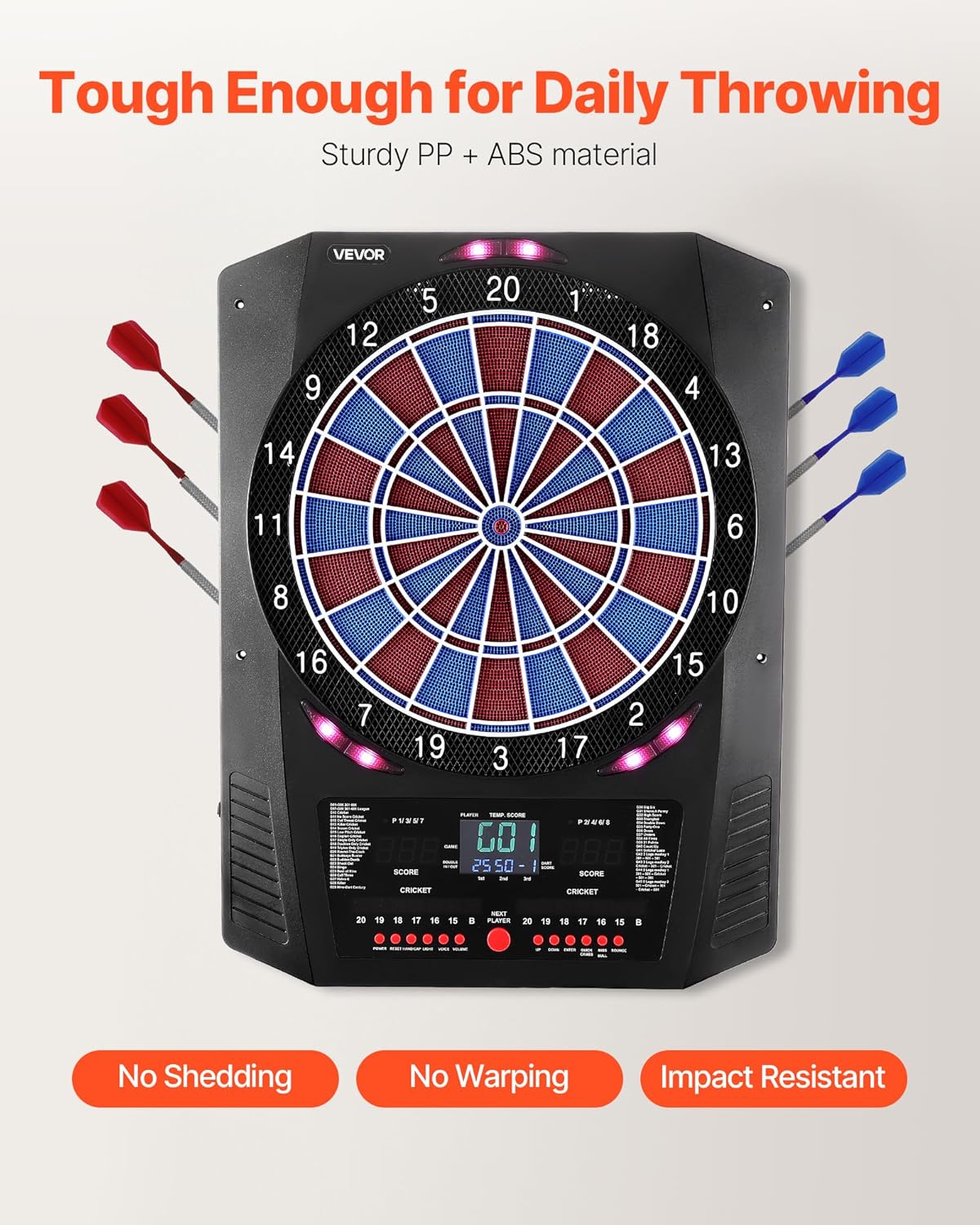
Image: Detail of the dartboard's USB power connection point.
Operating Instructions
1. Power On/Off
Press the POWER button to turn the dartboard on or off. The LED displays will illuminate upon power-on.
2. Game Selection
Use the GAME button to cycle through the 45 available game modes. Refer to the included game list (if separate) or the dartboard's display for game names and numbers. The dartboard offers 474 gameplay variations.
3. Player Selection
Press the PLAYER button to select the number of players, from 1 to 8. The display will indicate the current player.
4. Game Features and Scoring
- LED Score Displays: The dartboard features multiple LED score displays, including two main scoreboards and two XO cricket scoreboards, providing real-time feedback.
- Interactive Lighting Effects: The board includes interactive lighting to enhance the playing experience.
- Voice Prompts: Audio cues provide guidance and announcements during gameplay.
- Bullseye Options: Select between 25/50 or 50/50 bullseye scoring options using the dedicated button.
- Master Out Feature: For certain games, the Master Out feature can be enabled, requiring a double or triple to finish.
- Single/Double In-Out Function: Customize game rules for starting and ending with single or double segments.
- Quick Start Function: Allows for immediate game initiation.
- Play Against the Computer: An option to play against an AI opponent is available.

Image: Detailed view of the dartboard's LED scoring displays, showing various game information.

Image: Overview of the dartboard's control panel and display, illustrating advanced game functions.
Maintenance
1. Cleaning
To clean the dartboard, wipe the surface with a soft, dry cloth. For stubborn marks, a slightly damp cloth can be used, followed by immediate drying. Do not use abrasive cleaners or solvents.
2. Dart Tip Replacement
Regularly inspect dart tips for wear or damage. Replace worn or broken soft tips with new ones to ensure optimal performance and prevent damage to the dartboard. The package includes 50 replacement tips.
Troubleshooting
| Problem | Possible Cause | Solution |
|---|---|---|
| Dartboard does not power on. | No power connection or faulty cable. | Ensure USB power cable is securely connected and plugged into a working power source. Check if the power adapter is functional. |
| Darts bounce out frequently. | Worn dart tips or improper throwing technique. | Replace worn soft tips. Ensure darts are thrown with sufficient force and proper angle. |
| Score is not registering correctly. | Dart not fully inserted into segment or sensor malfunction. | Ensure darts are fully inserted. If the problem persists, try another dart or contact customer support. |
| Buttons are unresponsive. | Temporary software glitch or power issue. | Turn the dartboard off and then on again. If the issue continues, disconnect power for a few minutes and reconnect. |
Specifications
| Feature | Detail |
|---|---|
| Model Number | 9282 |
| Brand | VEVOR |
| Target Area Diameter | 13.5 inches |
| Product Dimensions (W x H x D) | 18.2 x 24 x 1.97 inches (462 x 610 x 50 mm) |
| Item Weight | 6.3 pounds (2.85 kg) |
| Material | Acrylonitrile Butadiene Styrene (ABS), Polypropylene (PP) |
| Color | Black |
| Display Type | Color LED Screen |
| Voltage/Current | 5V / 1A |
| Number of Games | 45 |
| Game Variations | 474 |
| Max Players | 8 |
| UPC | 197988160137 |

Image: Technical specifications and dimensions of the dartboard, along with a visual representation of included accessories.
Warranty and Support
For warranty information or technical support, please refer to the warranty card included with your product or visit the official VEVOR website. Please have your model number (9282) and purchase date available when contacting support.
Related Documents - 9282
 |
VEVOR Electronic Dartboard Model 99153 - User Manual and Game Guide Comprehensive user manual and game guide for the VEVOR Electronic Dartboard, Model 99153. Learn about setup, safety, game rules, and operations. |
 |
VEVOR Projection Screen User Manual - YD Series This user manual provides comprehensive instructions for VEVOR Projection Screens, models YD-90, YD-135, YD-150, and YD-180. It includes detailed assembly steps, technical specifications, important safety warnings, use precautions, and contact information for support. |
 |
VEVOR AH726/AH726-EU Electronic Scoring Air Hockey Table Manual Official manual for the VEVOR AH726 and AH726-EU Electronic Scoring Air Hockey Table, including specifications, safety instructions, part lists, assembly, and maintenance guidance. |
 |
VEVOR Electronic Scoring Air Hockey Table - AH718-US, AH718-EU User Manual Official user manual and e-warranty certificate for the VEVOR Electronic Scoring Air Hockey Table (Models AH718-US, AH718-EU). Includes assembly instructions, safety guidelines, specifications, and support information. |
 |
VEVOR Projection Screen with Stand SS-X80 User Manual User manual for the VEVOR Projection Screen with Stand, Model SS-X80. Includes assembly instructions, safety precautions, technical specifications, and package contents. |
 |
VEVOR Projection Screen User Manual & Assembly Guide (YD-90, YD-135, YD-150, YD-180) This user manual provides assembly instructions, technical specifications, and safety precautions for VEVOR projection screens, models YD-90, YD-135, YD-150, and YD-180. |
Ask a question about this manual
Ask about setup, troubleshooting, compatibility, parts, safety, or missing instructions. Manuals+ will review the question and use this page’s manual context to help answer it.