
Introduction
Thank you for choosing the TUUMIIST 3-in-1 Cold Press Juicer Machine. This appliance is designed to extract maximum juice yield from fruits and vegetables while preserving essential nutrients. With its smart touch controls and versatile functions, you can easily prepare fresh juices, creamy nut milks, and refreshing sorbets. Please read this manual thoroughly before use to ensure safe and efficient operation.
Important Safety Instructions
- Read all instructions before using the appliance.
- Ensure the voltage indicated on the appliance corresponds to your local mains voltage before connecting.
- Do not immerse the motor base in water or any other liquid. Clean with a damp cloth only.
- Keep hands and utensils out of the feeding chute during operation to prevent injury. Use the food pusher provided.
- Always ensure the appliance is correctly assembled and the lid is securely locked before operating.
- Unplug the juicer from the power outlet when not in use, before assembling or disassembling parts, and before cleaning.
- Do not operate the appliance if the power cord or plug is damaged, or if the appliance malfunctions or is dropped.
- This appliance is for household use only. Do not use outdoors.
- Keep the appliance out of reach of children.
Parts Overview
Familiarize yourself with the components of your TUUMIIST juicer:
- Motor Base: Contains the motor and smart touch control panel.
- Feeding Hopper: The large chamber where fruits and vegetables are placed. Features a 6.5-inch wide chute.
- Auger: The slow-masticating screw that presses produce.
- Strainer: Filters the juice from the pulp.
- Juicer Bowl: Collects the extracted juice.
- Pulp Outlet: Discharges the dry pulp.
- Juice Outlet: Dispenses the fresh juice.
- Juice Cup (100oz): For collecting juice.
- Pulp Cup: For collecting pulp.
- Food Pusher: For safely guiding produce into the chute.
- Cleaning Brush: For easy cleaning of parts.

Image: Exploded view of the TUUMIIST juicer showing all individual components.
Setup
Follow these steps to assemble your juicer before first use:
- Place the motor base on a stable, flat surface.
- Insert the juicer bowl onto the motor base, aligning the mark on the bowl with the front of the machine. Ensure the juice spout is closed.
- Place the strainer inside the juicer bowl.
- Insert the auger into the center of the strainer, ensuring the metal bar faces upwards.
- Attach the feeding hopper by aligning the unlock symbol on the hopper with the front of the machine. Push down and turn the hopper to the left until it locks into place. A red light will indicate if it's not attached correctly.
- Position the 100oz juice cup under the juice outlet and the pulp cup under the pulp outlet. The strainer can be placed on top of the juice cup.
Video: Unboxing and initial assembly of the TUUMIIST Cold Press Juicer, demonstrating how to put the components together.
Operating Instructions
The TUUMIIST juicer features a smart touch control panel with preset programs for different types of produce.
Preparing Ingredients:
- Wash all fruits and vegetables thoroughly.
- The 6.5-inch wide chute allows for whole fruits and vegetables, minimizing pre-chopping. For very hard or fibrous items (e.g., large carrots, beets, ginger), it is recommended to cut them into smaller pieces to ensure smooth operation and prevent jamming.
- Remove any hard pits, large seeds, or thick peels (e.g., citrus, pineapple skin) that are not suitable for juicing.
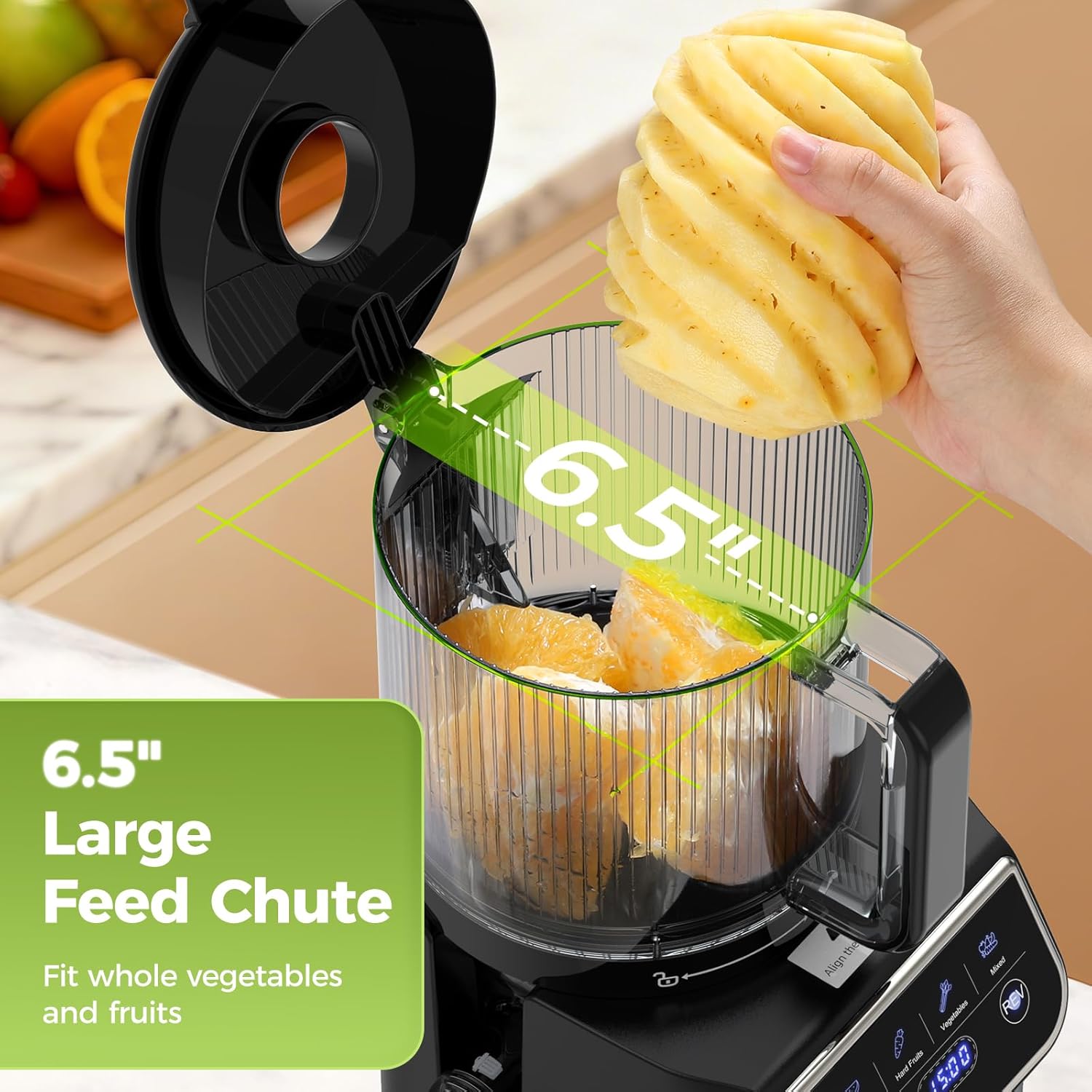
Image: The juicer's 6.5-inch wide feed chute, designed to accommodate whole fruits and vegetables, reducing preparation time.
Juicing Process:
- Ensure the juicer is properly assembled and plugged in.
- Load ingredients into the feeding hopper. For best results, load leafy greens first, followed by soft fruits, then medium, and finally hard produce on top. This helps push the softer ingredients through.
- Select the appropriate mode on the smart touch control panel:
- Soft Fruits: For items like oranges, grapes, berries.
- Hard Fruits: For items like apples, pears.
- Vegetables: For items like carrots, celery, kale, spinach.
- Mixed: For a combination of different produce types.
- Press the power button to start juicing. The juicer will automatically process the ingredients.
- The Smart Auto-Reverse function will automatically clear potential jams by reversing the motor. If a jam persists, you can manually press and hold the 'REV' button on the control panel.
- Once juicing is complete, the appliance will automatically shut off.
- Open the juice spout to dispense the fresh juice into the 100oz juice cup.
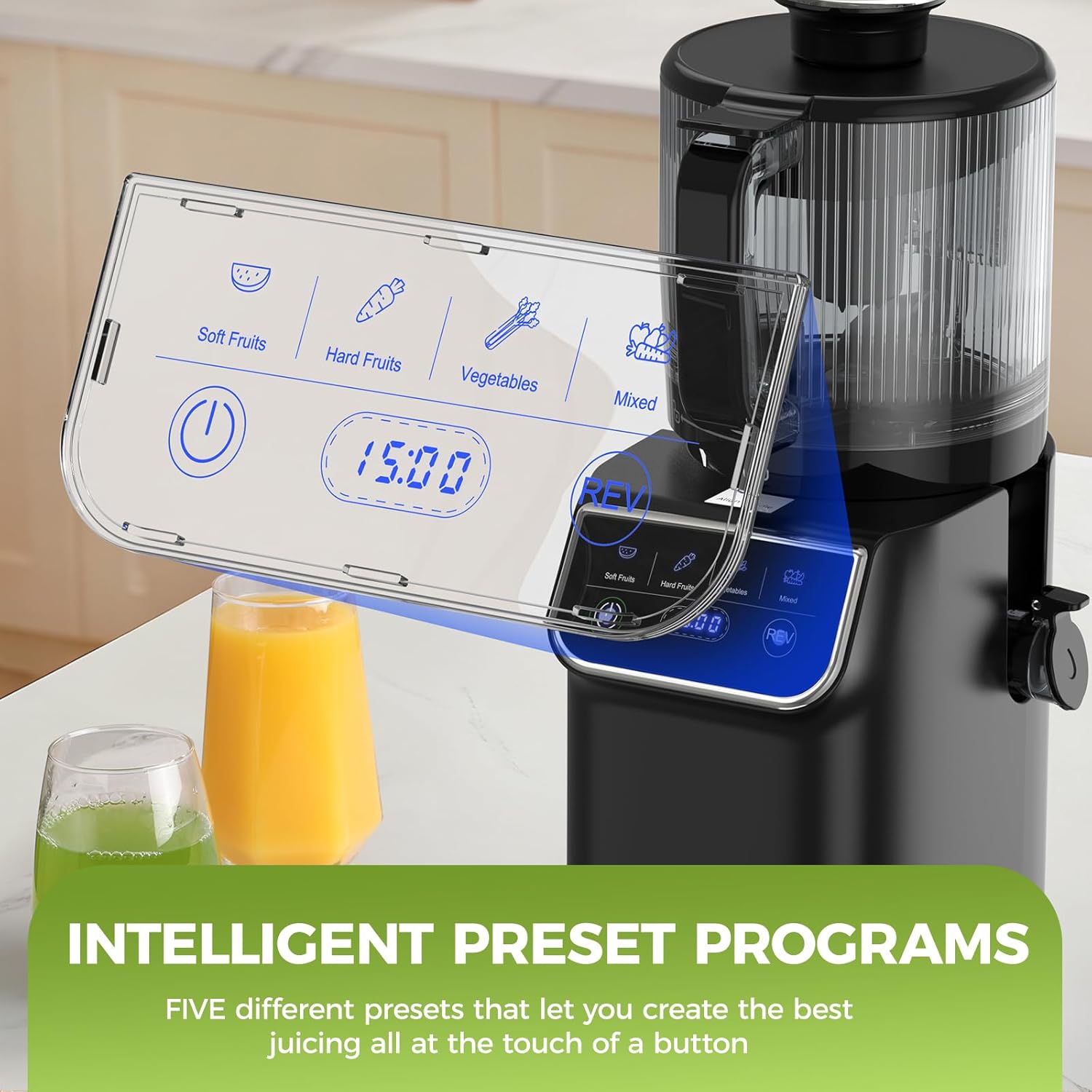
Image: The smart touch control panel, displaying various preset programs for different types of fruits and vegetables.
Making Nut Milk & Sorbet:
The 3-in-1 functionality allows for more than just juice:
- Nut Milk: Soak nuts (e.g., almonds, cashews) overnight. Rinse thoroughly. Process the soaked nuts with water through the juicer. You may need to run the pulp through a second time for maximum extraction.
- Sorbet: Freeze ripe fruits (e.g., bananas, berries, mango). Process the frozen fruit through the juicer. The texture will be similar to soft-serve ice cream.

Image: Visual representation of the juicer's versatility, showcasing fresh juice, fruit sorbet, and nut milk.
Video: A detailed demonstration of the juicer's operation, including processing various fruits and vegetables, highlighting its quiet performance and high yield.
Maintenance & Cleaning
Regular cleaning ensures the longevity and hygiene of your juicer.
Disassembly:
- Unplug the juicer from the power outlet.
- Close the juice spout.
- Press the release button on the side of the motor base and lift the feeding hopper assembly.
- Disassemble the feeding hopper, auger, strainer, and juicer bowl.
Cleaning:
- Rinse all detachable parts (feeding hopper, auger, strainer, juicer bowl, juice cup, pulp cup) under running water immediately after use. This prevents pulp from drying and sticking.
- Use the provided cleaning brush to remove any stubborn pulp from the strainer and other components.
- Many parts are dishwasher safe for convenience. Refer to the markings on the parts for specific dishwasher compatibility.
- Wipe the motor base with a damp cloth. Never immerse the motor base in water.
- Ensure all parts are completely dry before reassembling or storing the juicer.

Image: Illustration showing the simple unlocking mechanism for easy disassembly and cleaning of the juicer components.
Troubleshooting
If you encounter any issues, refer to the following common problems and solutions:
| Problem | Possible Cause | Solution |
|---|---|---|
| Juicer does not turn on. | Not properly assembled or lid not locked. Power cord not plugged in. | Ensure all parts are correctly assembled and locked. Check power connection. |
| Juicer stops during operation or jams. | Too much produce loaded at once. Hard/fibrous ingredients causing blockage. | The juicer has an auto-reverse function. If it persists, press and hold 'REV' button. Reduce load or cut ingredients smaller. |
| Low juice yield or wet pulp. | Incorrect mode selected. Ingredients not suitable for juicing. | Ensure correct mode is selected for the produce. Some produce naturally yields less juice. |
| Excessive noise or vibration. | Improper assembly. Appliance not on a stable surface. | Check assembly of all parts. Place the juicer on a firm, flat surface. |
Specifications
- Brand: TUUMIIST
- Model Name: TM880SJ
- Color: Black
- Product Dimensions: 16.92"D x 7.59"W x 13.58"H
- Capacity: 3 Liters (100oz Juice Cup)
- Maximum Power: 350 Watts
- Power Source: AC 120 Volts
- Blade Material: Stainless Steel
- Special Features: Auto-Reversing, Metal-Free Filter Mesh, Overheat Protection, Whole Fruit Processing, Smart Touch Control
- Noise Level: <60dB (Whisper-Quiet)
- Product Care Instructions: Dishwasher Safe (select parts)

Image: The TUUMIIST juicer with key dimensions highlighted for reference.
Warranty & Support
Your TUUMIIST juicer comes with a manufacturer's warranty. For specific warranty details and to activate your protection plan, please refer to the documentation included in your product packaging or visit the official TUUMIIST website.
If you require technical assistance, have questions about operation, or need to report an issue, please contact TUUMIIST customer support through the following channels:
- Online Support: Visit the TUUMIIST official website for FAQs and contact forms.
- Email Support: Refer to your user guide for the dedicated customer service email address.
Please have your model number (TM880SJ) and purchase date ready when contacting support.


