
1. Introduction
This manual provides essential information for the safe operation, assembly, maintenance, and troubleshooting of your AZHAR K8 Electric Scooter. Please read this manual thoroughly before using the scooter to ensure proper function and to prevent injury or damage.
Important Safety Information: Always wear a helmet and appropriate safety gear. Observe all local traffic laws and regulations. Do not ride in adverse weather conditions or under the influence of alcohol or drugs. Ensure all components are securely fastened before each ride.

Image 1.1: The AZHAR K8 Electric Scooter, featuring its integrated seat and rear basket.
2. Product Overview
The AZHAR K8 Electric Scooter is designed for adult commuting and leisure, featuring a powerful motor, long-range battery, and comfortable riding experience. Key features include:
- 1000W Peak Motor: Provides strong acceleration and climbing capability up to a 25° slope.
- 48V 15AH Battery: Offers an extended range of up to 30 miles on a single charge.
- Dual Suspension System: Front and rear shock absorbers ensure a smooth ride over varied terrain.
- Integrated Seat and Rear Basket: Enhances comfort and utility for carrying personal items.
- Advanced Braking System: Rear disc brake combined with electronic braking for reliable stopping power.
- Informative LCD Display: Shows speed, distance, battery level, and allows for gear shifting.
- Safety Lighting: Bright headlight, brake light, and safety warning lights for visibility.
- Foldable Design: Allows for convenient storage and transport.
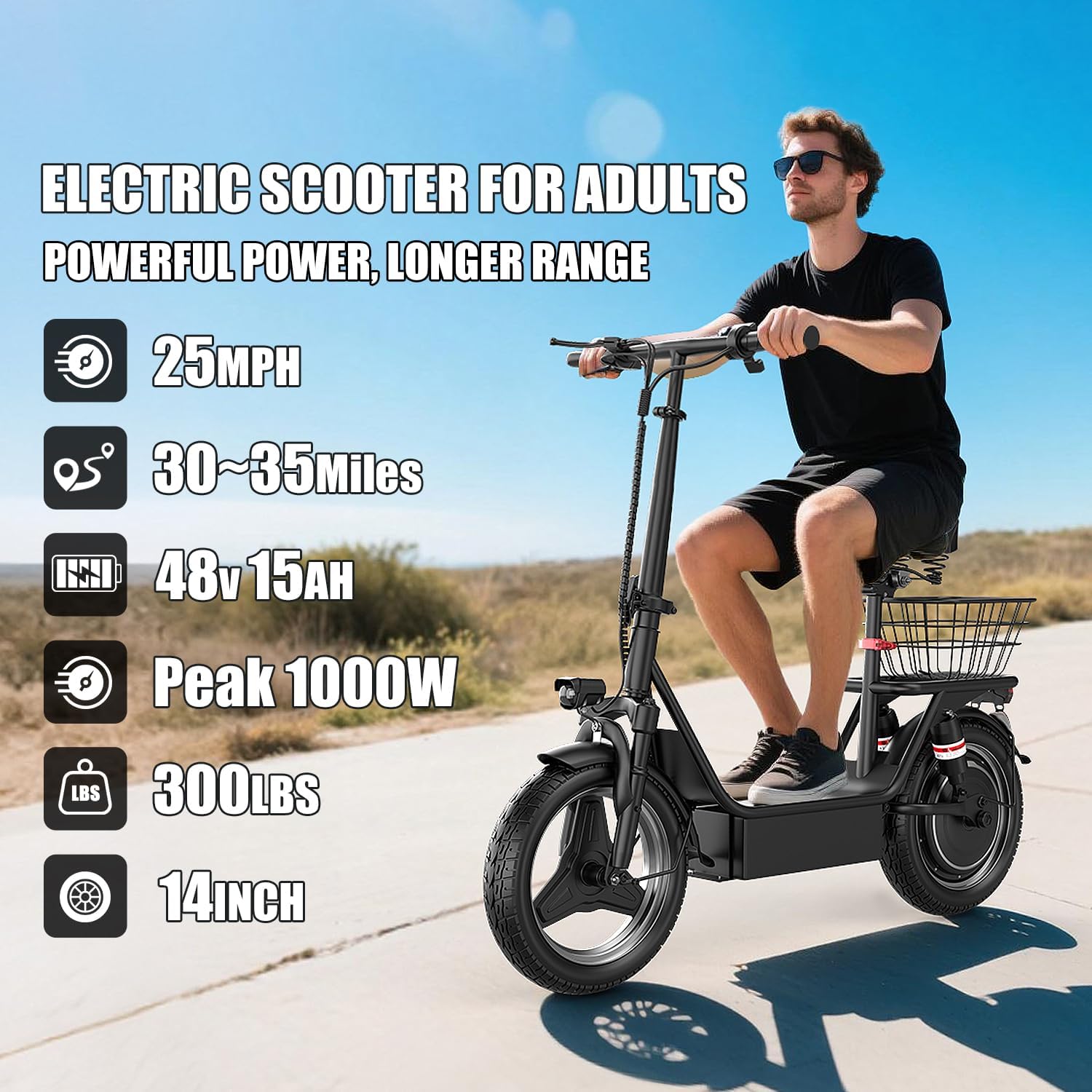
Image 2.1: An adult riding the AZHAR K8 Electric Scooter, highlighting its powerful motor, long range, and robust battery.

Image 2.2: Detail of the scooter's rear lighting, emphasizing the brake light and reflector for enhanced safety.
3. Setup
3.1 Unpacking and Initial Assembly
Carefully remove all components from the packaging. Ensure all parts listed in the packing list are present. Minor assembly may be required, typically involving attaching the handlebars, seat, and basket. Refer to the included assembly guide for detailed steps.
3.2 Initial Charging
Before first use, fully charge the scooter's battery. Connect the charger to the scooter's charging port and then to a power outlet. The charging indicator on the charger will change color (e.g., red to green) when fully charged. Charging typically takes 4-6 hours.

Image 3.1: Illustration of the 48V 15AH high-capacity battery integrated into the scooter's frame.
4. Operating Instructions
4.1 Powering On/Off
To power on the scooter, first locate the battery switch button on the underside of the scooter deck and press it. Then, press and hold the power button on the LCD display until the display illuminates.
To power off, press and hold the power button on the LCD display until it turns off. For long-term storage, also turn off the battery switch on the scooter deck to fully disconnect power and preserve battery life.
Video 4.1: Demonstrates how to use the battery switch to power on the scooter.
4.2 LCD Display Functions
The intelligent LCD display provides real-time information and control:
- Battery Level Display: Shows the current charge status.
- Speed Display: Indicates current riding speed.
- Gear Shift: Allows switching between three speed modes (Eco, Drive, Sport).
- One-Touch Startup: Power button for quick activation.
- Light Control: Press the "Menu" button once to turn the headlight on/off.
- Gear Switching: Press the "Menu" button twice continuously to cycle through speed gears.

Image 4.2: Detailed view of the LCD display, showing battery level, speed, and gear indicators.
4.3 Riding the Scooter
Ensure you are in a safe, open area for your first ride. Place one foot on the deck and push off with the other foot to gain initial momentum. Gently press the thumb throttle to engage the motor. Use the brakes smoothly and anticipate stops. Practice steering and balancing at low speeds before increasing speed.
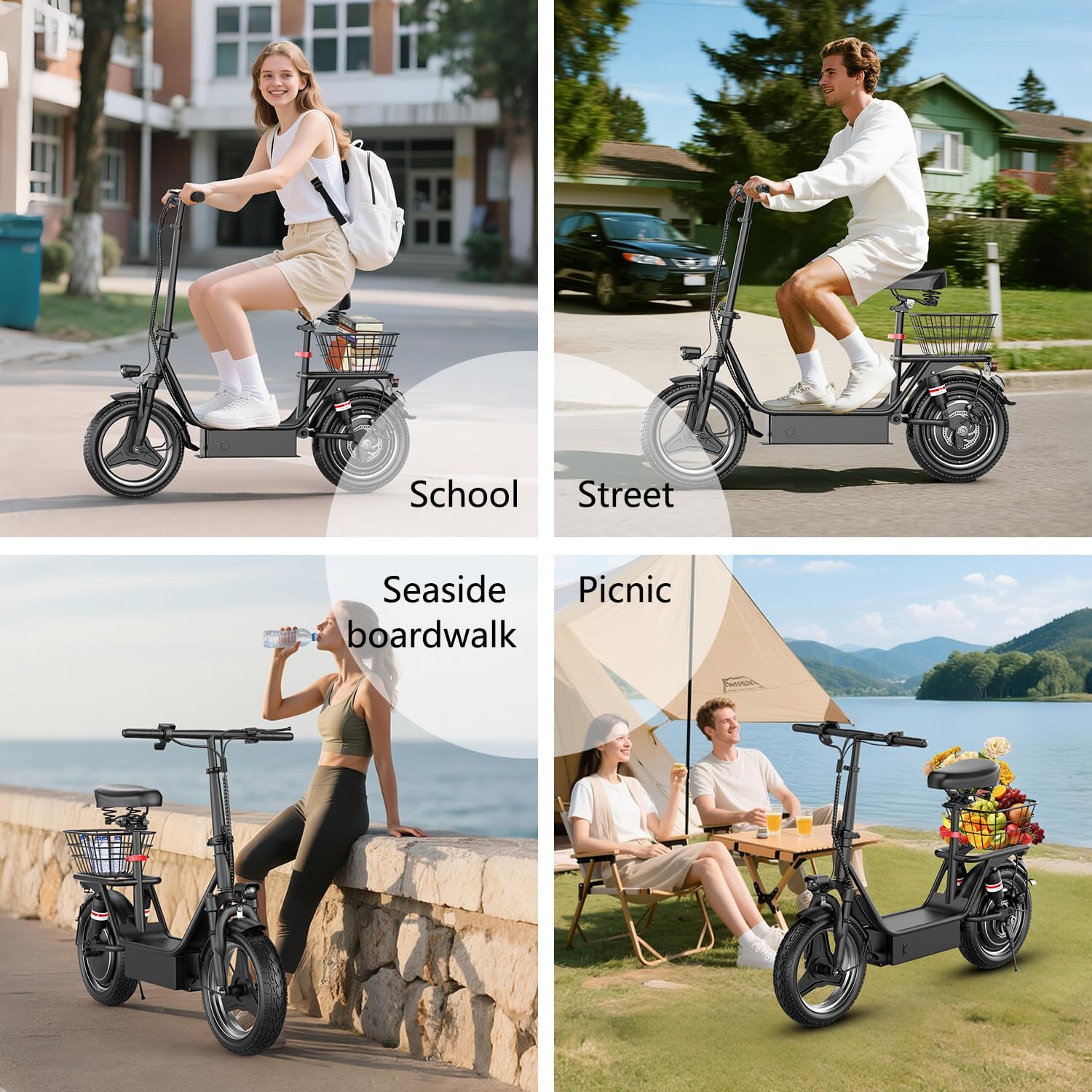
Image 4.3: Examples of the scooter being used in different environments, such as urban streets and recreational areas.
5. Maintenance
5.1 Battery Care
- Charge the battery regularly, even if not in use, to maintain its health.
- Avoid completely draining the battery before recharging.
- Store the scooter in a cool, dry place when not in use.
- If storing for an extended period, turn off the battery switch on the scooter deck to prevent power drain.
5.2 Tire Maintenance
The scooter is equipped with 14-inch pneumatic tires. Regularly check tire pressure and inflate to the recommended PSI (usually found on the tire sidewall) to ensure optimal performance and prevent punctures. Inspect tires for wear and tear before each ride.

Image 5.1: Visual representation of the front and rear hydraulic damping system, illustrating how it absorbs shocks for a comfortable ride.
5.3 General Cleaning and Inspection
Clean the scooter with a damp cloth. Avoid using high-pressure water or harsh chemicals. Regularly check all bolts and fasteners for tightness. Inspect brake components for proper function and wear. Ensure all lights are working correctly.
6. Troubleshooting
| Problem | Possible Cause | Solution |
|---|---|---|
| Scooter does not power on. | Battery switch off, low battery, or display not activated. | Ensure battery switch is on. Charge the battery. Press and hold the display power button. |
| Reduced speed or range. | Low battery, heavy load, uphill riding, low tire pressure, or cold weather. | Fully charge battery. Check tire pressure. Note that performance varies with conditions. |
| Brakes feel weak. | Brake pads worn or cable adjustment needed. | Inspect brake pads. Adjust brake cable tension. Consult a professional if unsure. |
| Unusual noises during operation. | Loose components, debris in wheel, or motor issue. | Check all fasteners. Inspect wheels for obstructions. If noise persists, contact support. |
7. Specifications
| Feature | Detail |
|---|---|
| Brand | AZHAR |
| Model Name | K8 |
| Motor Power | 1000W Peak |
| Battery | 48V 15AH Lithium-Ion |
| Max Speed | Up to 25 MPH |
| Max Range | Up to 30 Miles |
| Climbing Angle | 25° |
| Weight Limit | 300 Pounds |
| Wheel Size | 14 Inches |
| Wheel Type | Pneumatic |
| Suspension Type | Dual Suspension |
| Brake Style | Rear Disc Brake + Electronic Braking System |
| Special Features | Adjustable Handlebar Height, Basket, Digital Display, Foldable, Lights, Seat |
| Frame Material | Alloy Steel |
| Color | Black |
Note: Maximum speed and mileage depend on rider weight, riding surface, slope, ambient temperature, and battery power.

Image 7.1: Diagram illustrating the key dimensions of the scooter, including seat height, scooter length, and handle height.
8. Warranty and Support
8.1 Warranty Information
The AZHAR K8 Electric Scooter comes with a 1-year limited warranty from the date of purchase. This warranty covers manufacturing defects in materials and workmanship. It does not cover damage caused by misuse, accidents, unauthorized modifications, or normal wear and tear. Please retain your proof of purchase for warranty claims.
8.2 Customer Support
For technical assistance, warranty claims, or any questions regarding your AZHAR K8 Electric Scooter, please contact the seller or manufacturer directly through the platform where the purchase was made. Provide your model number (K8) and purchase details for faster service.