
1. Important Safety Instructions
Please read all instructions carefully before assembly and use. Keep this manual for future reference.
- Ensure all parts are present and undamaged before assembly.
- Assembly should be performed by 1-2 adults.
- Do not overtighten screws during assembly.
- Place the TV stand on a flat, stable surface.
- Do not block the air vents of the electric fireplace.
- Keep flammable materials away from the fireplace heater.
- This product is shipped in two separate packages. Ensure both packages are received before starting assembly.
2. Package Contents
Verify that all components are included in your packages. Refer to the assembly diagram for part identification.

Image: Product dimensions and indication of two packages (Fireplace and TV Console Table).
- TV Console Table components (various panels, hardware)
- 36-inch Electric Fireplace insert
- Remote Control for fireplace
- Assembly Hardware Kit
- User Manual (this document)
3. Assembly Instructions
Assembly typically takes about 2 hours with 1-2 people. Follow the detailed user manual provided in the package for step-by-step instructions. Ensure you have a clear, spacious area for assembly.
Key Assembly Tips:
- Identify all parts using the provided diagrams.
- Use the correct hardware for each step to avoid damage.
- Do not fully tighten screws until the unit is mostly assembled to allow for adjustments.
- Handle gloss doors and particleboard carefully to prevent scratches.
- Utilize the cable management holes to keep wires tidy.
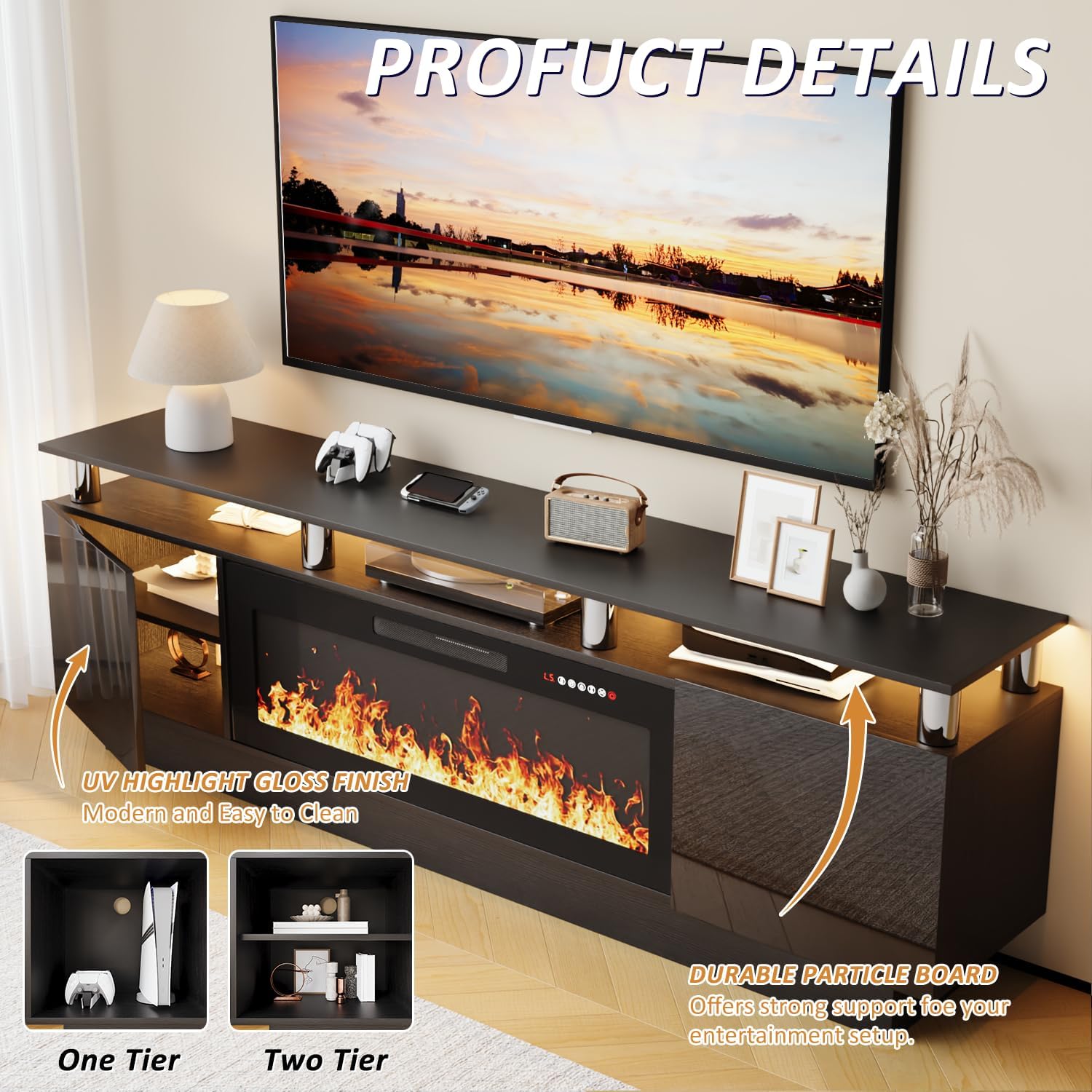
Image: Product details highlighting UV gloss finish and durable particle board construction.
4. Operating Instructions
4.1 Electric Fireplace Operation
The 36-inch electric fireplace can be operated via the digital LED display on the unit or the included remote control.

Image: Fireplace remote control functions.
- Power: Press the Power button to turn the fireplace ON or OFF.
- Heater: Adjust heat settings between 750 watts and 1,500 watts, or turn the heater OFF. The fireplace can operate with flames only (unheated).
- Timer: Set the automatic shut-off timer from 1 to 8 hours.
- Flame Brightness: Choose from 5 levels of flame brightness.
- Flame Speed: Select from 5 levels of flame speed.
- Flame Color: Adjust the flame color for customization.
The fireplace is designed to heat rooms up to 400 square feet.
4.2 LED Light Operation
The TV stand features 20-color LED lights to enhance your entertainment experience.

Image: 20-color LED lights feature.
- Use the dedicated remote control (if provided separately) or integrated controls to change LED light colors and modes.
- Experiment with different colors to match your mood or room ambiance.
5. Maintenance
Regular maintenance will ensure the longevity and appearance of your LEMBERI TV stand.
- Cleaning: Wipe surfaces with a soft, damp cloth. Avoid harsh chemicals or abrasive cleaners that may damage the finish.
- Dusting: Regularly dust the unit to prevent buildup.
- Fireplace: Ensure the fireplace vents are clear of obstructions. Periodically check the power cord for any damage.
- Hardware: Periodically check and tighten any loose screws or fittings.
6. Troubleshooting
If you encounter any issues, refer to the following common problems and solutions:
| Problem | Possible Cause | Solution |
|---|---|---|
| Fireplace not turning on. | No power, remote battery low, power switch off. | Check power outlet, replace remote batteries, ensure main power switch on fireplace is ON. |
| No heat from fireplace. | Heater setting off, vents blocked. | Ensure heater function is activated. Clear any obstructions from air vents. |
| LED lights not working. | Power connection loose, remote battery low. | Check LED power connection. Replace remote batteries. |
| Unit feels unstable. | Uneven surface, loose hardware. | Ensure the stand is on a level surface. Re-tighten all assembly hardware. |
For further assistance, contact LEMBERI customer support.
7. Specifications
- Model: B0FPLJC98Q
- Overall Dimensions: 70 inches (Width) x 11.4 inches (Depth) x 24 inches (Height)
- Fireplace Size: 36 inches
- TV Size Compatibility: Up to 80 inches
- Weight Capacity (Table Top): Up to 250 lbs
- Material: Engineered Wood (MDF, particleboard)
- Fireplace Heater Output: 750W / 1500W
- Heats Area: Up to 400 sq ft
- LED Lights: 20 colors
- Assembly Required: Yes

Image: TV size compatibility up to 80 inches.

Image: Double top design with weight capacity information.
8. Warranty and Support
LEMBERI is committed to providing high-quality products. For any issues during installation or operation, please contact our customer support team.
- Customer Support: We aim to provide a response within 24 hours for any inquiries.
- Warranty Information: Please refer to your purchase documentation or contact LEMBERI customer service for specific warranty details.
9. Product Video Overview
Watch this video for a visual overview of the LEMBERI Fireplace TV Stand's features and aesthetic appeal.
Video: A customer review showcasing the LEMBERI Fireplace TV Stand, its white finish, hidden storage, electric fireplace with various flame colors, and LED lighting. The video highlights the modern and cozy atmosphere it creates.