
1. Introduction
Thank you for choosing the Rulefiss X27 Bluetooth In-Ear Headphones. This manual provides essential information for setting up, operating, and maintaining your new headphones. Please read it carefully before use and retain it for future reference.
2. Package Contents
Ensure all items are present in your package:
- Rulefiss X27 In-Ear Headphones
- Wireless Charging Case
- USB Charging Cable (typically included)
- Multiple Eartip Sizes (typically included)
- User Manual (This document)
3. Product Overview
Familiarize yourself with the components of your Rulefiss X27 headphones.
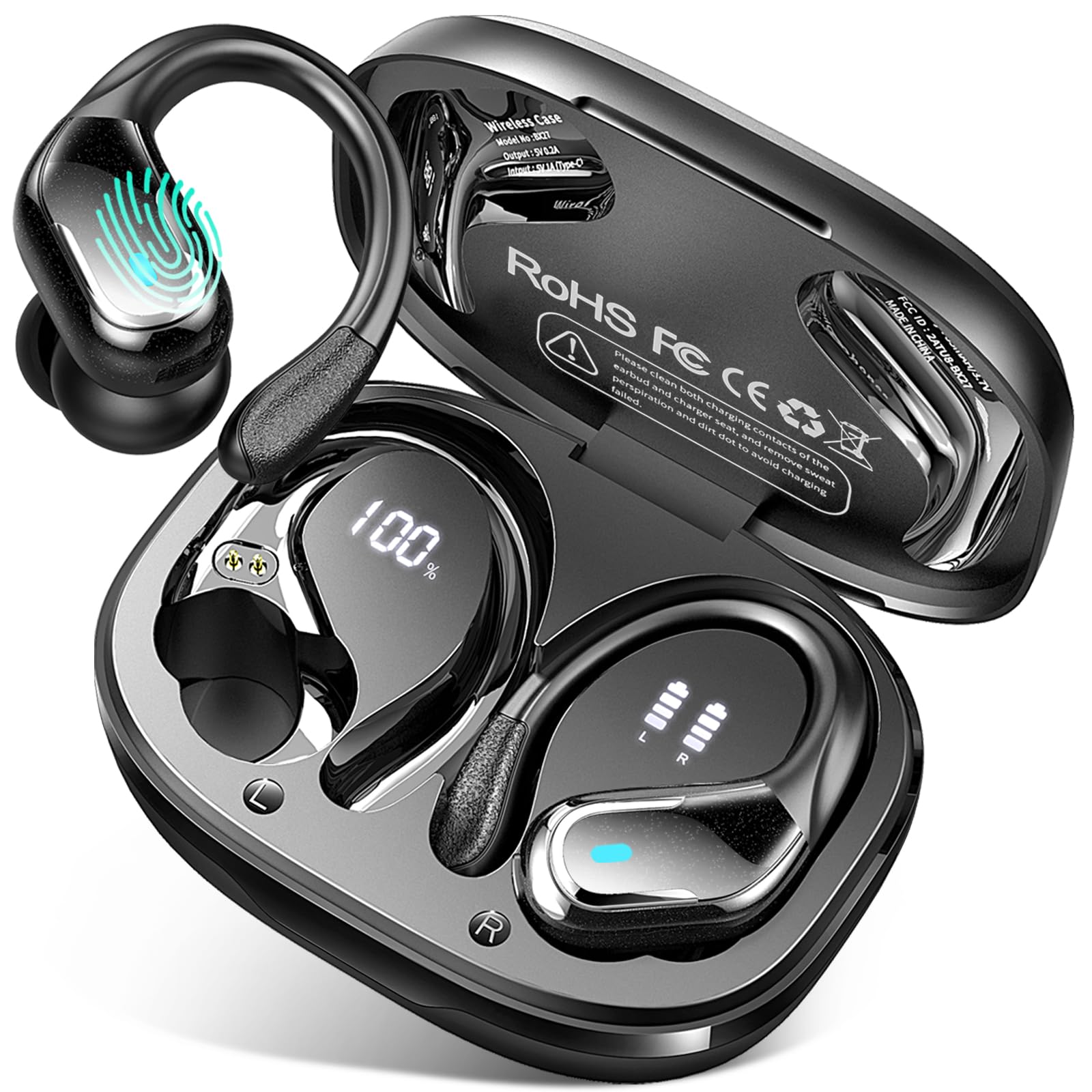
Image 3.1: Rulefiss X27 In-Ear Headphones shown with their wireless charging case. The headphones are black, compact, and designed for in-ear placement. The charging case is also black, sleek, and portable, indicating its function for both storage and power replenishment.
The image above displays the Rulefiss X27 in-ear headphones alongside their wireless charging case. The headphones are designed to fit comfortably within the ear canal, providing passive noise cancellation. The charging case serves to protect the headphones and recharge them when not in use, ensuring extended battery life.
4. Setup
4.1. Charging the Headphones and Case
- Initial Charge: Before first use, fully charge the charging case and headphones. Place the headphones into the charging case.
- Connect Power: Connect the USB charging cable to the charging port on the case and to a USB power adapter (not included) or a computer's USB port.
- Charging Indicators: Observe the LED indicators on the charging case and headphones. These indicators will typically show charging status and turn off or change color when fully charged.
4.2. Bluetooth Pairing
- Activate Pairing Mode: Open the charging case. The headphones will automatically enter pairing mode, indicated by flashing LED lights (refer to specific LED behavior in the operating section).
- Enable Bluetooth: On your device (smartphone, tablet, computer), enable Bluetooth.
- Select Device: In your device's Bluetooth settings, search for available devices and select "Rulefiss X27".
- Confirm Connection: Once connected, the headphone LED indicators will typically stop flashing or show a steady light, and your device will confirm the connection.
5. Operating Instructions
The Rulefiss X27 headphones feature touch controls for various functions.
5.1. Basic Functions
- Power On: Open the charging case or long-press the touch area on both earbuds.
- Power Off: Place headphones back into the charging case and close the lid, or long-press the touch area on both earbuds until they power off.
- Play/Pause: Single tap on either earbud.
- Next Track: Double tap the right earbud.
- Previous Track: Double tap the left earbud.
- Volume Up: Triple tap the right earbud.
- Volume Down: Triple tap the left earbud.
5.2. Call Management
- Answer/End Call: Single tap on either earbud during an incoming call or active call.
- Reject Call: Long-press on either earbud during an incoming call.
5.3. Voice Assistant
- Activate Voice Assistant: Long-press the touch area on either earbud for 2 seconds (e.g., Siri, Google Assistant).
6. Maintenance
6.1. Cleaning
- Use a soft, dry, lint-free cloth to clean the headphones and charging case.
- Do not use abrasive cleaners, alcohol, or chemical solvents.
- Gently remove any earwax or debris from the ear tips and speaker mesh using a small, soft brush or cotton swab.
6.2. Storage
- When not in use, store the headphones in their charging case to protect them and keep them charged.
- Store in a cool, dry place, away from extreme temperatures and direct sunlight.
7. Troubleshooting
| Problem | Possible Cause | Solution |
|---|---|---|
| Headphones not pairing | Low battery; out of range; not in pairing mode; previously paired to another device. | Charge headphones; ensure device is within 10 meters; open case to activate pairing; disconnect from other devices or reset headphones. |
| No sound | Volume too low; not connected; media paused; incorrect audio output selected on device. | Increase volume; re-pair headphones; check media playback; select Rulefiss X27 as audio output. |
| One earbud not working | Low battery on one earbud; earbud not properly seated in case; connection issue. | Ensure both earbuds are charged; reseat earbud in case; try resetting headphones. |
| Charging case not charging | Faulty cable or adapter; dirty charging port. | Try a different USB cable and power adapter; clean the charging port gently. |
If the issue persists after trying these solutions, please contact customer support.
8. Specifications
| Model Name | X27 |
| Brand | Rulefiss |
| Connectivity Technology | Wireless (Bluetooth 5.3) |
| Ear Placement | In-Ear |
| Form Factor | In-Ear |
| Noise Control | Passive Noise Cancellation |
| Material | Acrylonitrile Butadiene Styrene (ABS) |
| Color | Black |
| Package Dimensions | 10.9 x 8.8 x 3.9 cm |
| Weight | 130 g (package) |
| Battery | 1 A battery required, included (internal) |
9. Warranty Information
Rulefiss products are covered by a limited warranty. Please refer to the warranty card included in your product packaging or visit the official Rulefiss website for detailed warranty terms and conditions. This warranty typically covers manufacturing defects and material faults under normal use.
Note: Warranty terms may vary by region. Please check local regulations.
10. Customer Support
If you encounter any issues or have questions regarding your Rulefiss X27 headphones, please contact our customer support team:
- Email: support@rulefiss.com (Example email, please refer to actual product documentation for correct contact information)
- Website: Rulefiss Official Store on Amazon
When contacting support, please provide your product model (X27) and a detailed description of the issue.
