
Introduction
The SUPERDANNY Flat Plug Surge Protector Power Strip is designed to provide convenient and safe power distribution for your electronic devices. This unit features 6 AC outlets, 2 USB-A ports, and 1 USB-C port, making it suitable for various charging needs in home, office, or dorm environments. Its flat plug and cord design allow for placement in tight spaces, while integrated safety features protect your connected electronics.
Features
- 9-in-1 Power Solution: Equipped with 6 standard AC outlets, 2 USB-A ports (5V/2.4A), and 1 USB-C port (5V/3A) for a total USB output of up to 15W.
- Flat Plug and Cord: Features an ultra-thin 0.35-inch flat head plug and a flat cord, allowing it to fit easily behind furniture and in tight spaces without blocking other outlets. The 45° right-angle plug design further enhances space-saving.
- Advanced Safety Protection: Incorporates an 8-point safety system including 1050 Joules surge protection, 1250W overload protection, 10A over-current protection, and 1382°F fire-retardant casing to safeguard your devices.
- Wide-Spaced Outlets: Designed with 2-inch spacing between AC outlets to accommodate larger power adapters without obstruction.
- Wall Mountable Design: Includes 2 mounting holes on the back and screws for secure installation on walls or under desks, optimizing space.
Safety Information
Please read and understand all safety instructions before using this product. Failure to follow these instructions may result in electric shock, fire, or serious injury.
- Do not exceed the maximum power rating of 1250W (10A, 125V).
- Do not use in wet environments or near water.
- Do not disassemble or modify the power strip.
- Keep out of reach of children.
- Ensure the power strip is properly grounded. The 'Protected' and 'Grounded' indicator lights will confirm proper operation.
- Avoid running the cord under carpets or rugs, as this can cause overheating.
- Do not plug one power strip into another.
Setup
- Unpack the Power Strip: Carefully remove the power strip and any accessories from its packaging.
- Choose a Location: Select a dry, indoor location for the power strip. Consider using its flat design to place it behind furniture or under a desk for a tidy setup.
- Mounting (Optional): If wall-mounting, use the provided screws and the keyhole slots on the back of the power strip. Ensure the mounting surface is suitable and secure.
- Plug into Wall Outlet: Insert the flat plug into a standard 3-prong grounded wall outlet.
- Verify Indicators: Once plugged in, check the indicator lights on the power strip. The 'Protected' (green) and 'Grounded' (red) lights should illuminate, indicating that the surge protection and grounding are active.
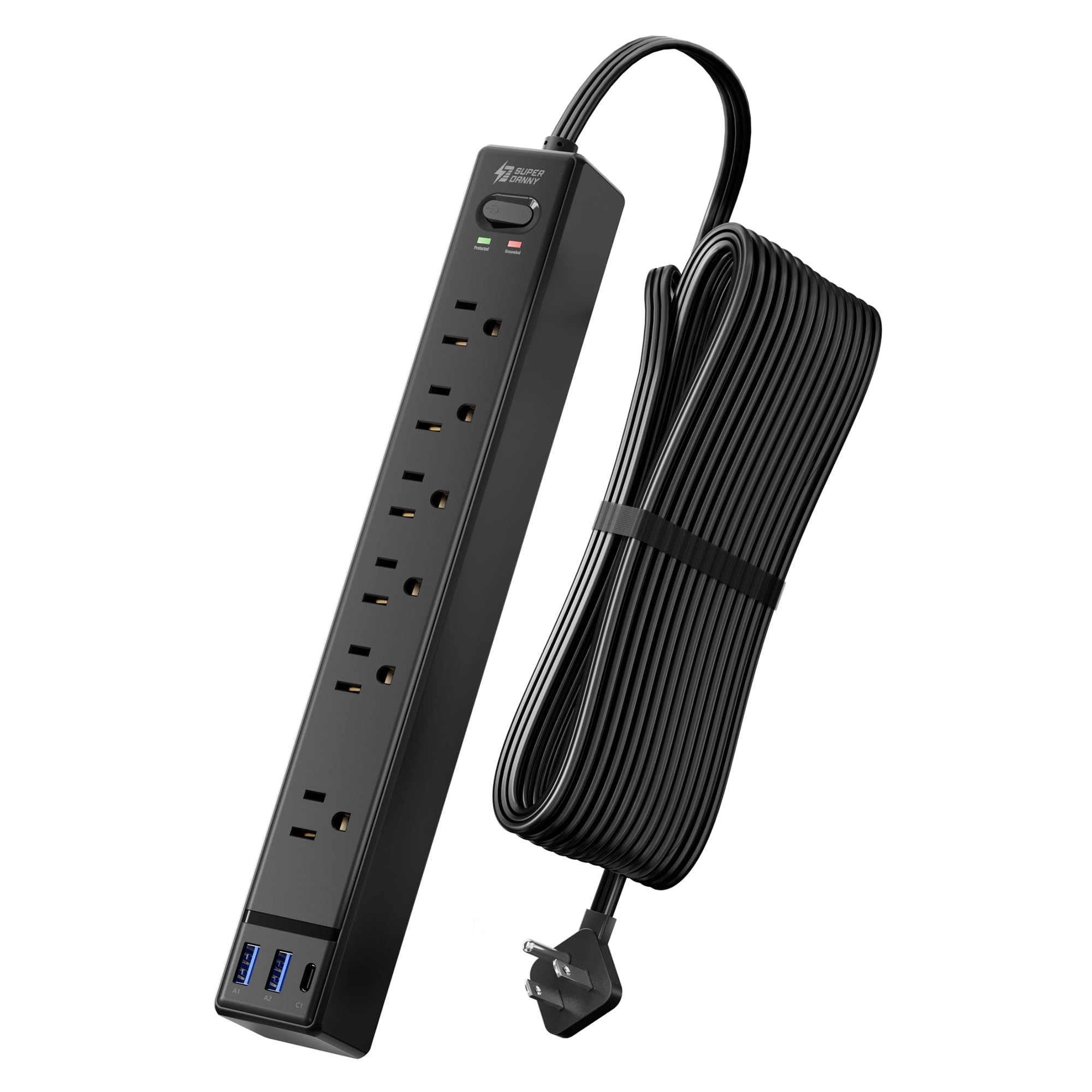
Image: The SUPERDANNY 15FT Flat Plug Surge Protector Power Strip, showcasing its compact design and multiple outlets.

Image: A visual comparison demonstrating how the 0.35-inch flat plug allows furniture to sit closer to the wall compared to a standard 2-inch plug.

Image: The power strip mounted on a wall, highlighting its 12-inch length and 1.6-inch width, with mounting screw locations indicated.
Operating Instructions
Using your SUPERDANNY power strip is straightforward:
- Power On/Off: Use the master ON/OFF switch located on the power strip to control power to all connected devices.
- Connecting AC Devices: Plug your electronic devices into any of the 6 AC outlets. The wide spacing accommodates larger adapters.
- Connecting USB Devices: Use the 2 USB-A ports or the 1 USB-C port to charge compatible devices such as smartphones, tablets, and other USB-powered gadgets. The power strip will automatically detect the optimal charging speed for your devices.

Image: The power strip in use, demonstrating the 6 AC outlets, 2 USB-A, and 1 USB-C ports, with devices connected for charging.

Image: A detailed view of the USB charging ports, showing a USB-C port delivering 5V/3A (15W Max) and USB-A ports delivering 5V/2.4A (12W Max).
Maintenance
To ensure the longevity and safe operation of your power strip, follow these maintenance guidelines:
- Cleaning: Disconnect the power strip from the wall outlet before cleaning. Use a dry, soft cloth to wipe the exterior. Do not use liquid cleaners or immerse the unit in water.
- Inspection: Periodically inspect the power cord and the unit for any signs of damage, such as frayed wires, cracks, or discoloration. If damage is found, discontinue use immediately and contact customer support.
- Storage: When not in use for extended periods, store the power strip in a cool, dry place away from direct sunlight and extreme temperatures.
Troubleshooting
If you encounter issues with your power strip, refer to the following common problems and solutions:
| Problem | Possible Cause | Solution |
|---|---|---|
| No power to devices | Power switch is off; Overload protection tripped; Wall outlet issue | Ensure power switch is ON. If tripped, unplug devices, press the reset button (if available), and plug in fewer devices. Test the wall outlet with another device. |
| 'Protected' or 'Grounded' light is off | Surge protection compromised; Improper grounding | If 'Protected' light is off, the surge protection may have absorbed a surge and needs replacement. If 'Grounded' light is off, the wall outlet may not be properly grounded. Consult an electrician. |
| USB ports not charging | Device incompatibility; Cable issue; Overload | Ensure your device is compatible with USB charging. Try a different USB cable. Reduce the number of devices charging simultaneously. |
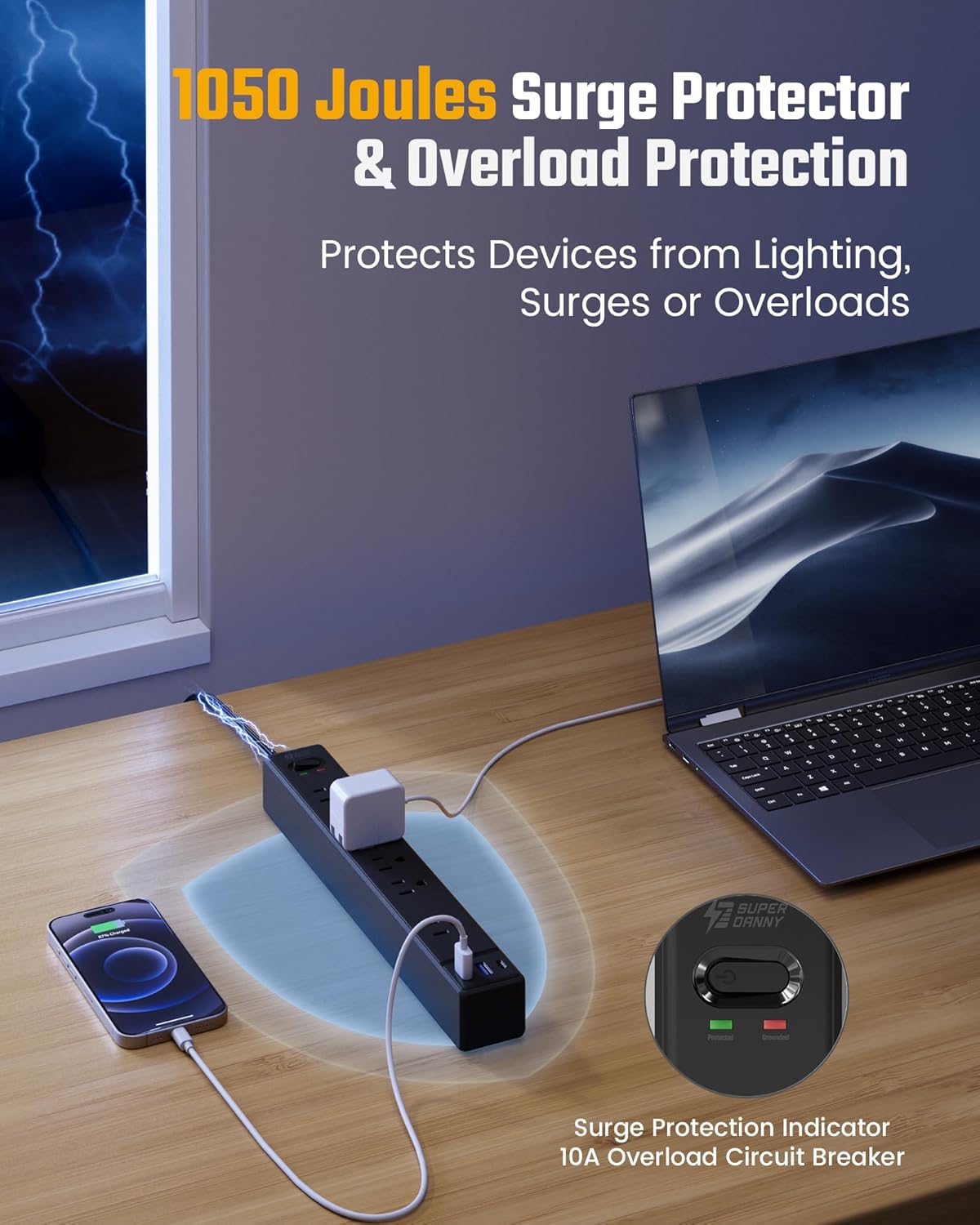
Image: The power strip highlighting its 1050 Joules surge protection and 10A overload circuit breaker, with indicator lights for 'Protected' and 'Grounded'.
Specifications
| Feature | Detail |
|---|---|
| Brand | SUPERDANNY |
| Model Number | SDCP07 |
| Color | Black |
| Total Power Outlets | 6 AC Outlets |
| USB Ports | 2 USB-A (5V/2.4A), 1 USB-C (5V/3A) |
| Voltage | 125V |
| Maximum Current | 10 Amps |
| Surge Protection Rating | 1050 Joules |
| Power Plug Type | Type B - 3 pin (North American), Flat Plug |
| Cord Length | 15 ft |
| Special Features | Mountable, On/Off Switch, Surge Protection, USB Slots, Wide Spaced Outlets |
| Item Dimensions (L x W) | 12"L x 1.65"W |
| Enclosure Material | Polycarbonate, Polyvinyl Chloride (V-0 Fire-Retardant) |
| Compatible Devices | Audio Sound System, Laptop, Fan, Air Conditioner, Coffee Machine, Speaker, iPhone, Tablets, etc. |
Warranty and Support
This SUPERDANNY power strip comes with a 1-year warranty. For warranty claims, technical support, or any product-related inquiries, please contact SUPERDANNY customer service. Refer to the product packaging or the official SUPERDANNY website for the most current contact information.
Online Resources:
- Visit the SUPERDANNY Store on Amazon for more products and information.
Video: An official product video from SUPERDANNY Direct demonstrating the features of the Flat Plug Extension Cord with Multiple Outlets.