AiJoy ADP90 88-Key Weighted Digital Piano Keyboard Instruction Manual
Model: ADP90
1. Introduction
Thank you for choosing the AiJoy ADP90 88-Key Weighted Digital Piano Keyboard. This instrument is designed to provide a realistic piano playing experience with advanced features for learning, practice, and performance. Please read this manual thoroughly to understand the product's functions and ensure proper use and maintenance.
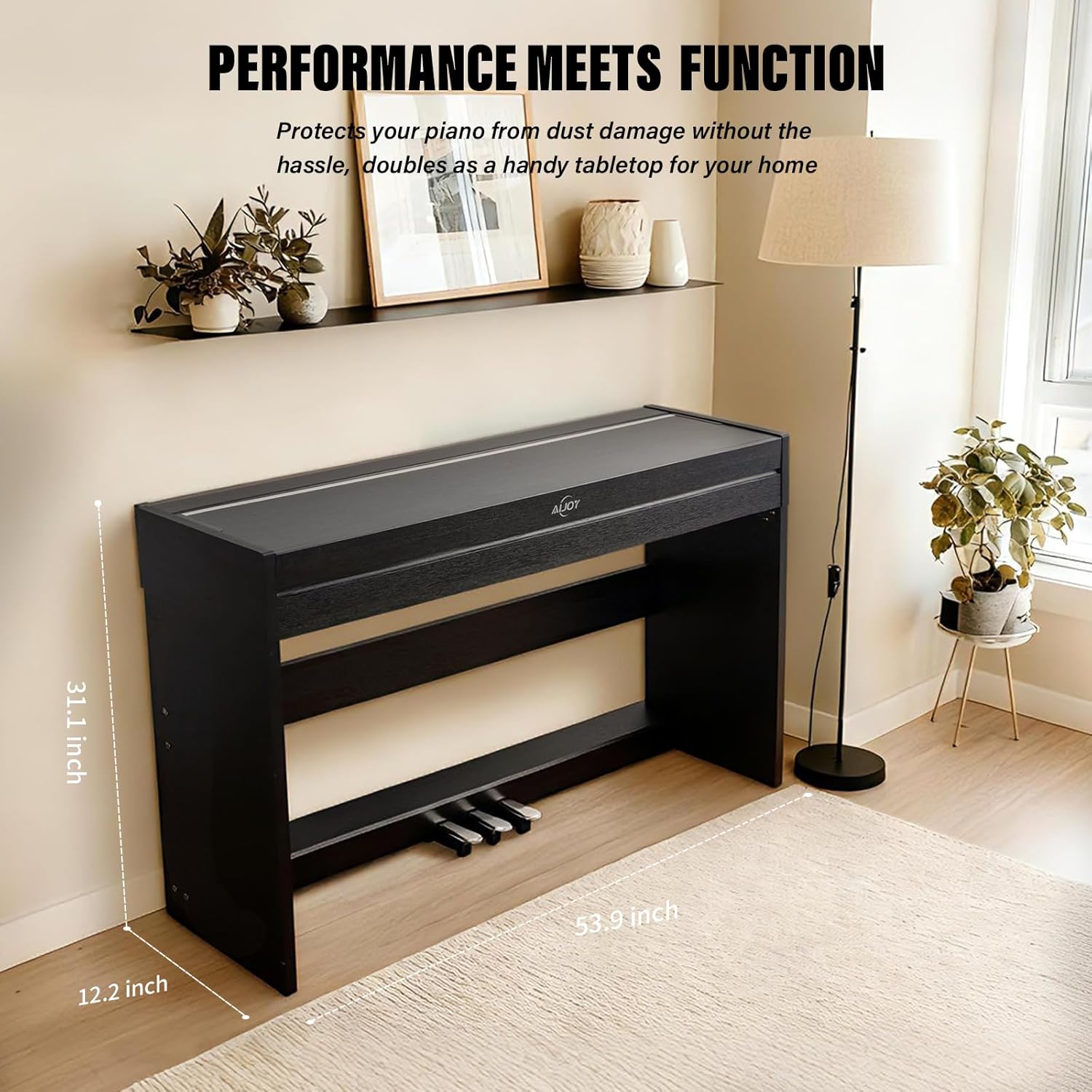
Figure 1: AiJoy ADP90 Digital Piano in a home environment.
2. Key Features
2.1. Realistic Weighted Keys
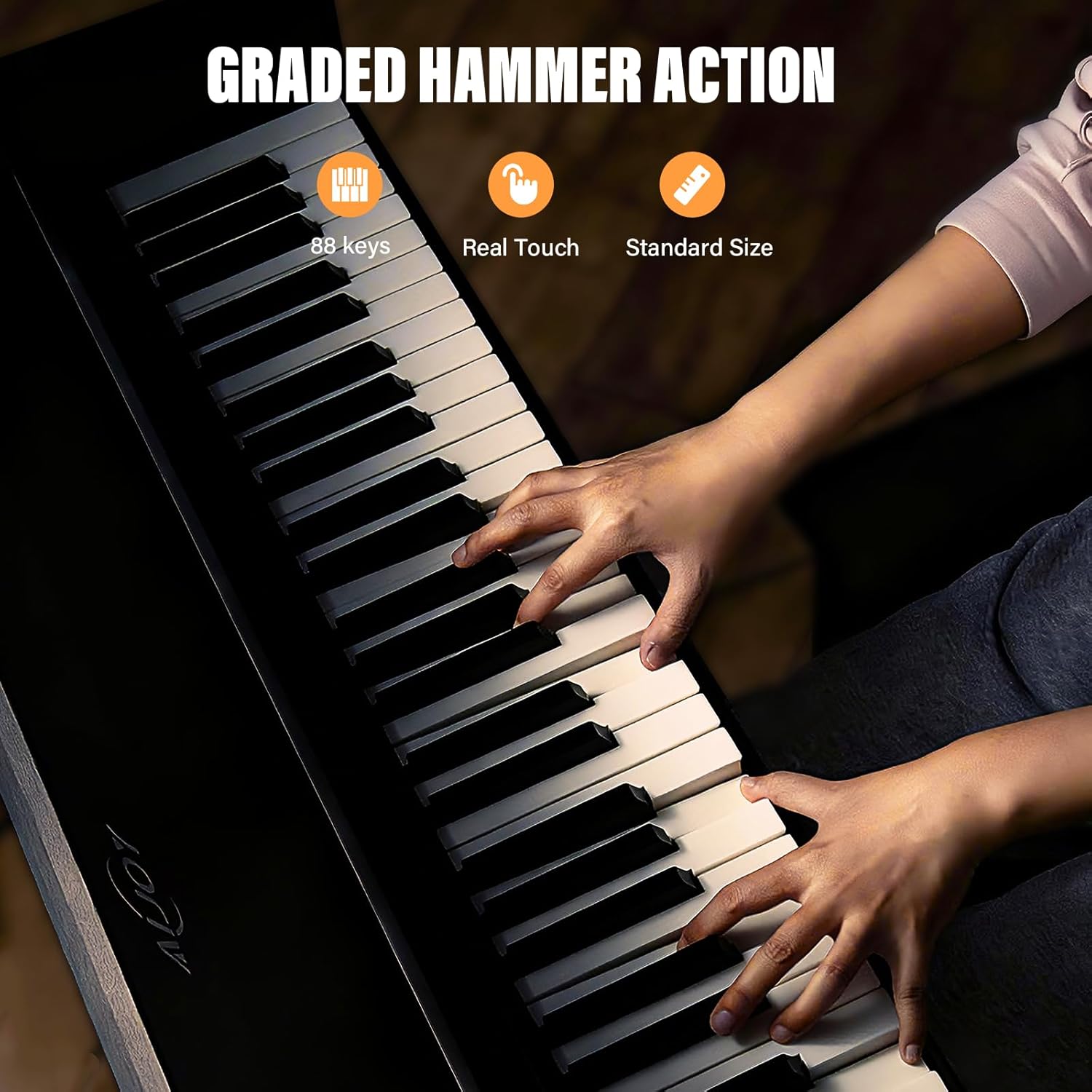
The ADP90 features a full-size 88-key weighted keyboard with graded hammer action. This design accurately simulates the feel of an acoustic piano, where bass keys have heavier resistance and treble keys are lighter, allowing for expressive playing dynamics.
Figure 2: Graded hammer action keys providing a realistic touch.
2.2. Expansive Sound Engine
Equipped with a powerful sound chip, the ADP90 offers 8 distinct tones, 128 rhythms, and 31 demonstration songs. The 128-note polyphony ensures that all notes are heard clearly, even during complex passages or when layering sounds.
Figure 3: Internal sound processing unit for clear audio reproduction.
Figure 4: Control panel showing options for tones, rhythms, and demos.
2.3. Multi-Functionality
The digital piano includes various functions such as Dual Voice, Tempo Adjustment, Chord, Transpose, and Metronome. It also features a recording capability for capturing your performances.
Figure 5: Icons representing utility features like Layer, Tempo, Metronome, Recorder, and USB-MIDI.
2.4. Soft-Close Piano Cover
The piano is equipped with an upgraded anti-pinch piano cover that closes slowly and automatically, preventing accidental finger trapping. When closed, the cover provides a flat surface for books or decorations.
Figure 6: Detail of the hidden buffer bracket and soft-close design for the piano cover.
2.5. Triple Pedal System
A sensitive damping pedal system is integrated, replicating the feel of a grand piano's damper pedal. The pedal offers varying resistance, starting light and increasing as pressed deeper, then returning to a responsive feel upon release.
3. Setup Guide
The AiJoy ADP90 digital piano requires assembly. It is recommended that two people assist with the assembly due to the weight of the unit.
3.1. Unpacking
Carefully open the packaging and remove all components.
Verify that all parts listed in the packing list are present.
Place the main piano unit and stand components on a soft, flat surface to prevent scratches.
3.2. Assembly
Attach the side panels to the main piano unit using the provided screws.
Secure the crossbar between the side panels.
Connect the pedal unit to the assembled stand structure.
Carefully place the main piano keyboard onto the stand, ensuring it is securely fastened.
Connect the pedal cable to the designated port on the underside of the piano.
3.3. Power Connection
Ensure the piano's power switch is in the OFF position.
Connect the power adapter to the DC IN jack on the rear panel of the piano.
Plug the power adapter into a standard electrical outlet.
4. Operating Instructions
4.1. Power On/Off
Press the Power button located on the control panel to turn the piano ON or OFF.
4.2. Volume Adjustment
Use the Volume knob to adjust the overall sound output level.
4.3. Selecting Tones
Press the Tone button and use the arrow keys or number pad (if available) to select from the 8 available instrument tones.
4.4. Playing Rhythms and Demos
Press the Rhythm button to browse and select from 128 rhythms. Use the Tempo function to adjust the speed.
Press the Demo button to play one of the 31 pre-recorded demonstration songs.
4.5. Recording Your Performance
To record, press the Record button. Play your desired piece. Press Record again to stop. To playback, press the Play button.
4.6. Metronome Function
Activate the Metronome to practice with a steady beat. Adjust the tempo using the dedicated controls.
4.7. Transpose Function
Use the Transpose function to shift the pitch of the entire keyboard up or down in semitone steps without changing your finger positions.
4.8. Dual Voice Mode
Engage Dual Voice mode to layer two different instrument sounds simultaneously when a key is pressed.
5. Connectivity
The AiJoy ADP90 offers various connectivity options for enhanced functionality and integration with other devices.
Figure 7: Rear panel showing various input and output jacks.
Table 1: Jack Functions
No.
Interface
Description
1
MP3 Interface
Connect an MP3 player or other audio source to play along.
2
USB Transmission Interface
Connect to a computer or smart device for MIDI data transfer and use with piano learning apps or music production software.
3
Pedals Interface
Connects the included triple pedal unit to the piano.
4
Sustain Pedal Interface
(Under the Keyboard) For connecting an optional single sustain pedal.
5
Audio Input
Connect external audio devices to play through the piano's speakers.
6
Audio Output
Connect to external amplifiers, speakers, or recording equipment.
7
Power Interface
Connect the provided power adapter.
8
Headphone Jack (x2)
Two 3.5mm headphone jacks for silent practice or duet playing without disturbing others.
5.1. USB MIDI Connection
The USB-MIDI port allows you to connect the piano to a computer, tablet, or smartphone. This enables the use of various music software, digital audio workstations (DAWs), and piano learning applications for interactive lessons and music creation.
Video 1: Sound sample demonstrating the tones of the AiJoy ADP90 Digital Piano. This video provides an auditory example of the instrument's sound quality and various tones.
6. Maintenance
Proper care and maintenance will ensure the longevity and optimal performance of your AiJoy ADP90 digital piano.
Cleaning: Use a soft, dry cloth to wipe the surface of the piano. For stubborn dirt, slightly dampen the cloth with water and a mild soap, then wipe dry immediately. Avoid abrasive cleaners, solvents, or waxes.
Key Care: Wipe the keys regularly with a soft, dry cloth. Do not use chemical cleaners on the keys as they may damage the finish.
Dust Protection: Keep the piano cover closed when not in use to protect the keys and internal components from dust.
Location: Place the piano in a stable location, away from direct sunlight, heat sources, and excessive humidity or extreme temperature changes.
Power: Disconnect the power adapter from the wall outlet when the piano will not be used for an extended period.
7. Troubleshooting
If you encounter any issues with your AiJoy ADP90, please refer to the following common problems and solutions before contacting customer support.
Table 2: Common Troubleshooting Guide
Problem
Possible Cause
Solution
No Sound
Volume is too low.
Headphones are connected.
Power not connected or turned on.
Increase the volume using the Volume knob.
Disconnect headphones if sound is desired from speakers.
Ensure power adapter is securely connected and piano is turned ON.
Keys Not Responding
Piano is in a specific mode (e.g., demo mode).
Internal software issue.
Exit any active demo or special modes.
Turn the piano off and then on again.
Pedal Not Working
Pedal cable is loose or disconnected.
Check the pedal cable connection to the piano's rear panel.
Distorted Sound
Volume too high.
External audio source is distorted.
Lower the volume.
Check the volume and output of any connected external audio devices.
Figure 8: Diagram showing the approximate dimensions of the digital piano.
9. Warranty and Support
For warranty information and customer support, please refer to the documentation included with your purchase or visit the official AiJoy website. If you require assistance with setup, operation, or troubleshooting that is not covered in this manual, please contact AiJoy customer service.
Contact Information: Please refer to your product packaging or the official AiJoy website for the most current customer support contact details.
Ask a question about this manual
Ask about setup, troubleshooting, compatibility, parts, safety, or missing instructions. Manuals+ will review the question and use this page’s manual context to help answer it.