
Introduction
The Jurtmy KWS-1902L is a compact and versatile Type-C voltage and current tester designed for monitoring the charging status and performance of various electronic devices. It provides real-time data on voltage, current, and power, making it an essential tool for device diagnostics, commissioning, and maintenance. This manual provides detailed instructions on how to set up, operate, and maintain your KWS-1902L tester.
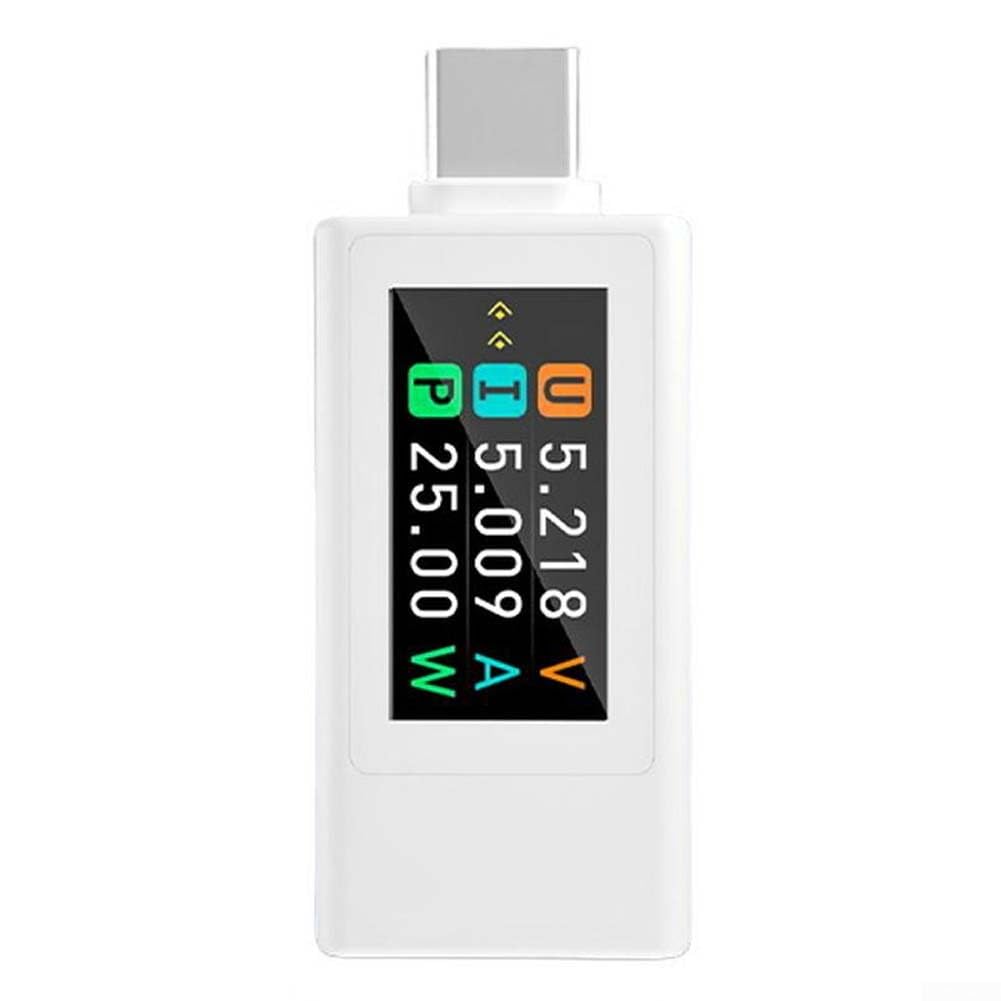
Figure 1: Front view of the Jurtmy KWS-1902L Type-C Voltage and Current Tester.
Product Overview
The KWS-1902L tester offers a range of features to assist in monitoring and diagnosing Type-C powered devices:
- Multi-function Monitoring: Provides real-time display of voltage, current, and power during device charging.
- Type-C Interface: Compatible with a wide array of devices utilizing the latest Type-C standard.
- 0.96-inch HD TFT Display: High-resolution color screen for clear and intuitive data presentation.
- Accurate Measurement: Delivers precise readings for voltage, current, and power, aiding in device analysis.
- High Brightness & Wide Viewing Angle: Ensures data is easily readable from various perspectives.
- Power-Off Data Storage: Retains capacity and energy data even after power disconnection.
Specifications
| Part Name | Digital Voltage Meter |
| Material | ABS |
| Color | White (also available in Black) |
| Dimensions | 48 x 20 x 9.4 mm (Product), 7 x 4 x 3 cm (Package) |
| Model | KWS-1902L |
| Voltage Range | DC 4-30V |
| Current Range | 0-8A (Peak 12A) |
| Power Range | 0-240W |
| Capacity Range | 0-999999mAh |
| Timer Range | 0-99 hours |
| Energy Range | 0-9999mWh |
| Voltage Resolution | 0.002V |
| Current Resolution | 0.002A |
| Display | 0.96-inch Color TFT Screen |
| Interface | USB-C 24-pin |
| Current Test Direction | Bidirectional |
| Item Weight | 11 Grams |
Setup
The Jurtmy KWS-1902L is designed for simple plug-and-play operation. No software installation or complex configuration is required.
- Connect to Power Source: Insert the male Type-C connector of the KWS-1902L tester into a compatible Type-C power source (e.g., wall charger, power bank, computer USB-C port).
- Connect Device: Plug your Type-C device (e.g., smartphone, tablet, laptop) into the female Type-C port on the KWS-1902L tester.
- Begin Monitoring: Once both connections are secure, the tester's display will automatically illuminate and begin showing real-time voltage, current, and power readings.

Figure 2: Example of connecting the KWS-1902L to a multi-port charger.

Figure 3: Example of connecting the KWS-1902L to a wall charger and a smartphone.
Operating Instructions
The KWS-1902L features a single button on its side for controlling display functions and clearing data.
- Switch Display Page: A single short press of the button will cycle through different display pages, showing various parameters such as voltage, current, power, capacity, energy, and timer.
- Rotate Display Direction: Quickly double-click the button to rotate the display orientation by 180 degrees. This is useful if the tester is plugged in an inverted position.
- Clear Stored Data: Press and hold the button for approximately 3 seconds to clear the accumulated count, memory capacity, and battery level data. This action resets the measurement values.

Figure 4: Button functions for the KWS-1902L tester.
Maintenance
To ensure the longevity and accurate performance of your Jurtmy KWS-1902L tester, follow these maintenance guidelines:
- Cleaning: Use a soft, dry cloth to gently wipe the device. Avoid using liquid cleaners, solvents, or abrasive materials, as these can damage the display or casing.
- Storage: Store the tester in a cool, dry place away from direct sunlight, extreme temperatures, and high humidity.
- Handling: Avoid dropping the device or subjecting it to strong impacts, which could damage internal components or the display.
- Connector Care: Keep the Type-C connectors free from dust and debris. Do not force connections.
Troubleshooting
If you encounter issues with your KWS-1902L tester, refer to the following common troubleshooting steps:
- No Display:
- Ensure the tester is securely connected to a working Type-C power source.
- Verify that the power source is active and providing power.
- Check if the connected device is drawing power. Some devices may not activate the tester if they are fully charged or in a low-power state.
- Incorrect Readings:
- Ensure all connections are firm and free of debris.
- Test with a different power source and/or device to isolate the issue.
- The tester measures the power passing through it; ensure the connected device is actively charging or consuming power.
- Button Not Responding:
- Ensure you are performing the correct press duration (short press, double-click, or long press for 3 seconds).
- If the device is unresponsive, disconnect and reconnect it to power.
Package Contents
The Jurtmy KWS-1902L package includes:
- 1 x Jurtmy KWS-1902L Digital Voltage Meter
Warranty and Support
Information regarding product warranty and customer support was not provided in the product details. Please refer to the retailer or manufacturer's official website for specific warranty terms and support contact information.