
1. Product Overview
The RECOLX AI Voice Recorder is a compact, intelligent device designed for capturing, transcribing, summarizing, and analyzing audio recordings. It integrates advanced AI capabilities, including GPT-5 and Claude 3.5, to support 112 languages and offer various productivity templates. The device features a slim design, magnetic attachment options, and app control for enhanced usability.
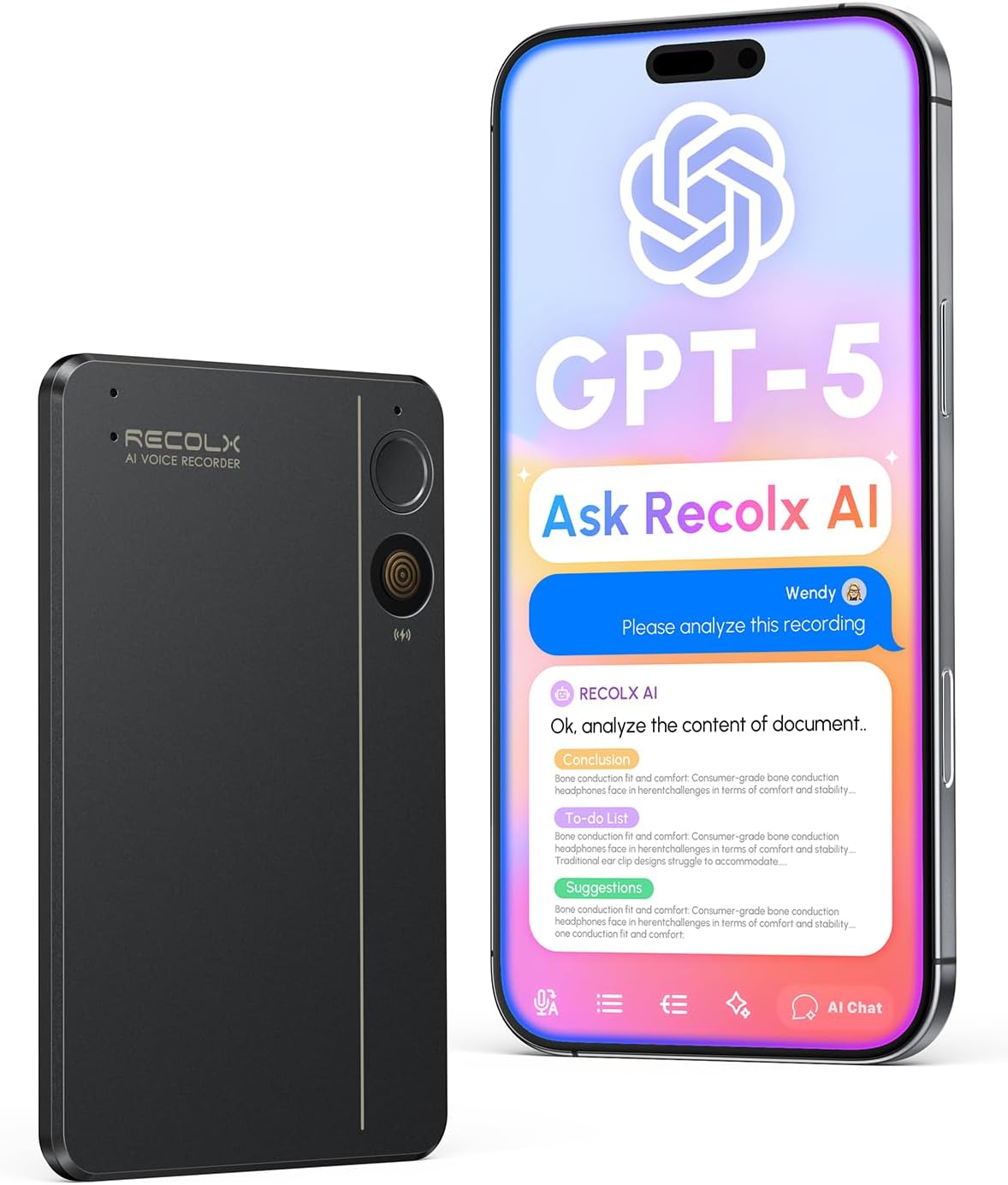
Image 1.1: The RECOLX AI Voice Recorder next to a smartphone displaying its AI analysis capabilities.
2. What's in the Box
Your RECOLX AI Voice Recorder package includes the following items:
- AI Voice Recorder
- Protective Case
- Magnetic Ring
- Carrying Pouch
- Charging Cable
- USB to USB-C OTG Adapter
- User Manual

Image 2.1: All items included in the RECOLX AI Voice Recorder package, including the recorder, protective case, magnetic ring, carrying pouch, charging cable, USB-C OTG adapter, and user manual.
3. Setup
3.1 Device Pairing and Connection
To connect your RECOLX AI Voice Recorder to the companion application on your smartphone, follow these steps:
- Step 1: Briefly press the function button for approximately 1.5 seconds to turn on your RECOLX recorder.
- Step 2: The device's blue indicator light will flash, and you will feel a slight vibration, indicating that the device is ready to pair with the application.
- Step 3: To ensure a stable connection between the recording device and your phone, and to provide the best user experience, please enable the following permissions:
- Bluetooth Permission: Allows the device to connect wirelessly with the application and facilitate data transfer.
- Location Permission: The system requires enabling location services to optimize Bluetooth connection and functionality use. Location data is used solely for the purpose of device connection and will not be used for any other purposes.
Note: For the best sound capture, please use the device within 2 meters in a quiet environment. A stable internet connection is required for accurate cloud-based transcription and fast uploads.
3.2 Magnetic Installation
The RECOLX AI Voice Recorder can be magnetically attached to your smartphone for convenient use. Follow these steps for installation:
- Step 1: Remove the tape from the magnetic ring.
- Step 2: Stick the magnetic ring onto your phone case.
- Step 3: Place the recorder into the protective case.
- Step 4: Snap it onto the phone case.

Image 3.1: Visual guide for attaching the magnetic ring to a phone case and then securing the recorder.
4. Operating Instructions
4.1 Basic Recording
The device features a single button for simple operation:
- Power On/Start Recording: Briefly press the function button for approximately 1.5 seconds to power on. A second press will initiate recording (indicated by a red light).
- Stop Recording/Standby: A third press will end the recording. The device will auto shut off after inactivity or enter standby (blue light).
- Power Off: Long press the button for about 6 seconds to power off the device completely.
4.2 App Control and Features
The RECOLX AI-Note app provides comprehensive control and access to advanced features:
- Remote Recording: Control start/stop recording directly from the app.
- Recording Modes: Select from various function settings to optimize recording for different environments:
- Short Distance: Suitable for close-range conversations.
- Telephone: Optimized for recording phone calls.
- Long Distance: Ideal for meetings or lectures in larger rooms (above 2 meters).
- Outdoor: Designed for recording in outdoor environments with noise reduction.
- Transcription: The app utilizes GPT-5 and Claude 3.5 to provide crystal-clear transcriptions in 112 languages. You can play back recordings and view the synchronized text.
- Summarization & Analysis: Leverage 71 productivity templates to auto-apply structured, industry-specific note formats. The AI can summarize content, extract key points, and perform deep analysis.
- File Management: All recordings are listed in the app, allowing for playback and organization.
- Sharing: Export recordings and their analyses to various formats including PDF, Word, Markdown, MP3, TXT, and JPG. Share instantly via platforms like Notion, Google Docs, and Slack.

Image 4.1: The RECOLX AI-Note app interface demonstrating the core functionalities: Record, Transcribe, Summarize, and Analyze.

Image 4.2: A selection of 71+ summary templates available within the RECOLX AI-Note app for different use cases like meetings, interviews, and content creation.

Image 4.3: The RECOLX AI-Note app illustrating the one-click sharing functionality across various file formats and platforms.
5. Maintenance
5.1 Charging
The RECOLX AI Voice Recorder charges via a magnetic charging port. When charging, the blue indicator light will flash green. The device offers continuous recording for up to 30 hours and has a standby time of 60 days.
5.2 Battery Life and Storage
The device is equipped with a 64 GB internal memory for storing recordings. Battery status and remaining storage can be monitored through the companion app.
6. Troubleshooting (FAQ)
6.1 Call Recording with Bluetooth Headset
Q: Will the RECOLX AI Voice Recorder capture call recordings if I'm using a Bluetooth headset?
A: No, it cannot capture voice from the phone when using a Bluetooth headset.
6.2 Subscription Requirements
Q: Do I need to subscribe to the app to use the RECOLX AI Voice Recorder?
A: No subscription is required initially. RECOLX offers both a Starter Free-Plan and a Pro Plan. There's a three-month free trial of the Pro plan available upon first activation. After the trial, you can select the plan that best suits your needs.
6.3 Key Distinguishing Features
Q: What distinguishes the RECOLX AI Voice Recorder from others?
A: The RECOLX AI Voice Recorder, powered by GPT-5, GPT-4o and GPT-OSS & o3, excels in transcription, summarization, and offers an advanced AI-driven deep analysis feature.
6.4 Language Support
Q: How many languages does the RECOLX AI Voice Recorder support?
A: The RECOLX AI Voice Recorder supports 112 languages, including English, Mandarin Chinese, Spanish, French, Arabic, German, Russian, Hindi, Portuguese, Japanese, Italian, Dutch, Persian, Cantonese, Greek, Polish, and more.
7. Specifications
| Feature | Detail |
|---|---|
| Product Dimensions | 3.35 x 2.13 x 0.13 inches (8.51 x 5.41 x 0.33 cm) |
| Item Weight | 0.96 ounces (27.22 g) |
| Memory Storage Capacity | 64 GB |
| Digital Recording Time | 8 hours (continuous recording up to 30 hours) |
| Hardware Interface | Bluetooth |
| Microphone Form Factor | Built-In |
| Audio Format | MP3 Audio, WAV |
| Compatible Devices | Smartphone |
| Headphones Jack | No headphones jack |
8. Official Product Videos
The following videos provide additional information and demonstrations of the RECOLX AI Voice Recorder:
Video 8.1: "Watch BEFORE You Buy This AI Voice Recorder - Review" by Gavin Wilkinson. This video provides an overview and review of the RECOLX AI Voice Recorder's features and functionality.
Video 8.2: "Productivity Hack! Brilliant Design Recolx Ai Vouce Recorder" by Reezy Reviews. This video highlights the design and productivity benefits of the RECOLX AI Voice Recorder.
9. Warranty and Support
For product support, please refer to the official RECOLX website or contact customer service. While specific warranty details are not provided in this manual, the product may be covered by standard manufacturer warranties. Additionally, a three-month free trial of the Pro AI tools is included with your purchase.

