Important Safety Instructions
Please read and understand all instructions before assembly and use of this product. Failure to follow these instructions may result in injury or damage to the product.
- Keep all packaging materials away from children.
- Assemble the product on a soft, clean surface to prevent scratches.
- Ensure all parts are securely fastened before use. Periodically check and re-tighten fasteners as needed.
- Do not overload the cabinet. Refer to the specifications section for weight limits.
- This product is designed for indoor use only. Do not expose to moisture or direct sunlight.
- To prevent tipping, always use the included anti-tip kit to secure the cabinet to a wall.

Package Contents
Before beginning assembly, verify that all components listed below are present and undamaged. If any parts are missing or damaged, please contact customer support.
- Cabinet panels (top, bottom, sides, back)
- Door panels (4 pieces)
- Adjustable shelves (quantity as per model)
- Legs and adjustable feet
- Hardware pack (screws, bolts, magnetic catches, hinges, anti-tip kit)
- Assembly tool (e.g., Allen key)
- Instruction manual
Assembly Instructions
Follow the illustrated instructions provided in the package. All parts are numbered for quick and easy assembly. It is recommended to have two people for assembly.
- Unpack and Identify Parts: Carefully unbox all components and lay them out. Match each part to the corresponding number in the instruction manual.
- Assemble the Frame: Attach the side panels to the bottom panel using the provided hardware. Ensure all connections are firm.
- Install Back Panel: Slide or fasten the back panel into place.
- Attach Top Panel: Secure the top panel to the assembled frame.
- Install Legs and Adjustable Feet: Attach the legs to the bottom of the cabinet. Screw in the adjustable feet.

- Install Shelves: Insert the adjustable shelves into the desired positions.
- Attach Doors: Mount the door hinges to the cabinet frame and then attach the doors.
- Install Magnetic Catches: Secure the magnetic catches to ensure doors close properly.
- Install Anti-Tip Kit: Follow the instructions for the anti-tip kit to secure the cabinet to a wall. This is a crucial safety step.
Operating Instructions
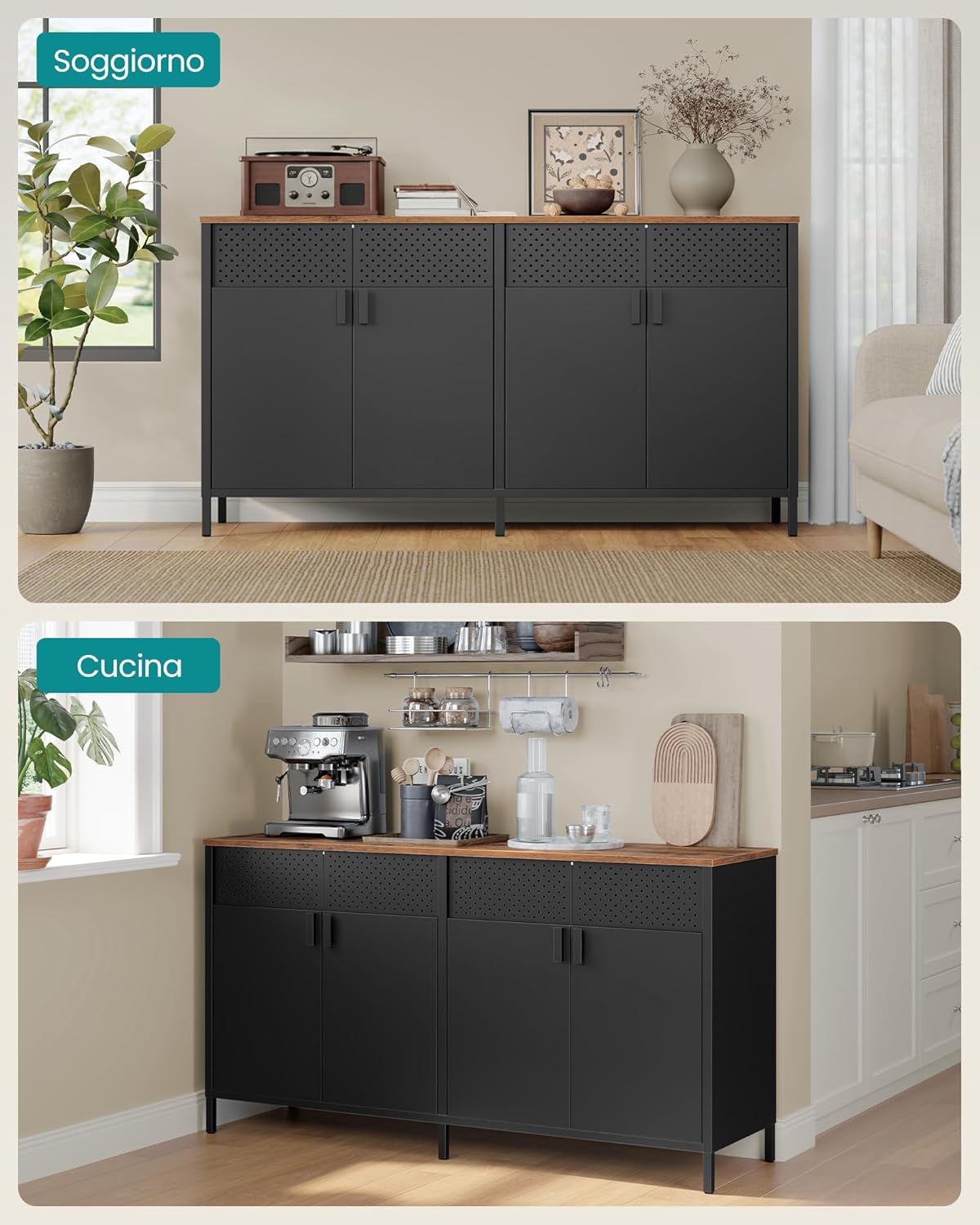
This metal storage cabinet is designed for versatile use in various rooms, offering flexible storage solutions.
Adjustable Shelves
The cabinet features adjustable shelves, allowing you to customize the storage space according to your needs. Each shelf level can be adjusted by 2 cm increments.

Magnetic Door Closure
The four doors are equipped with magnetic catches to ensure they remain securely closed, keeping your stored items tidy and out of sight.

Multifunction Perforated Panels
The top sections of the cabinet feature perforated panels. These holes promote air circulation and can also be used to attach hooks (not included) for hanging small items like keys or accessories.

Versatile Placement
The cabinet's classic color and essential design make it suitable for various environments, functioning effectively as a sideboard in a living room or a storage unit in a kitchen.
Maintenance and Care
Proper care will ensure the longevity and appearance of your SONGMICS storage cabinet.
- Cleaning: The steel body is easy to maintain. Wipe surfaces with a soft, damp cloth. For stubborn marks, use a mild detergent and dry immediately.
- Drying: Always keep the top surface dry and clean to prevent water stains and ensure durability.
- Avoid Harsh Chemicals: Do not use abrasive cleaners, solvents, or harsh chemicals, as these can damage the powder coating and anti-rust finish.
- Indoor Use: This cabinet is not suitable for outdoor use. Protect it from extreme temperatures and humidity.

Troubleshooting
If you encounter any issues with your cabinet, refer to the following common problems and solutions:
- Cabinet is Wobbly:
Solution: Ensure all screws and bolts are tightened. Use the adjustable feet at the bottom of the legs to level the cabinet on uneven floors. - Doors Do Not Close Properly:
Solution: Check if the magnetic catches are correctly aligned and securely installed. Adjust hinges if necessary to ensure doors are flush. - Parts Missing or Damaged:
Solution: Do not proceed with assembly. Contact SONGMICS customer support immediately for replacement parts. - Difficulty During Assembly:
Solution: Review the assembly instructions carefully. Ensure you are using the correct hardware for each step. If issues persist, contact customer support.
Product Specifications
| Feature | Specification |
|---|---|
| Model Number | LSC205BD01 |
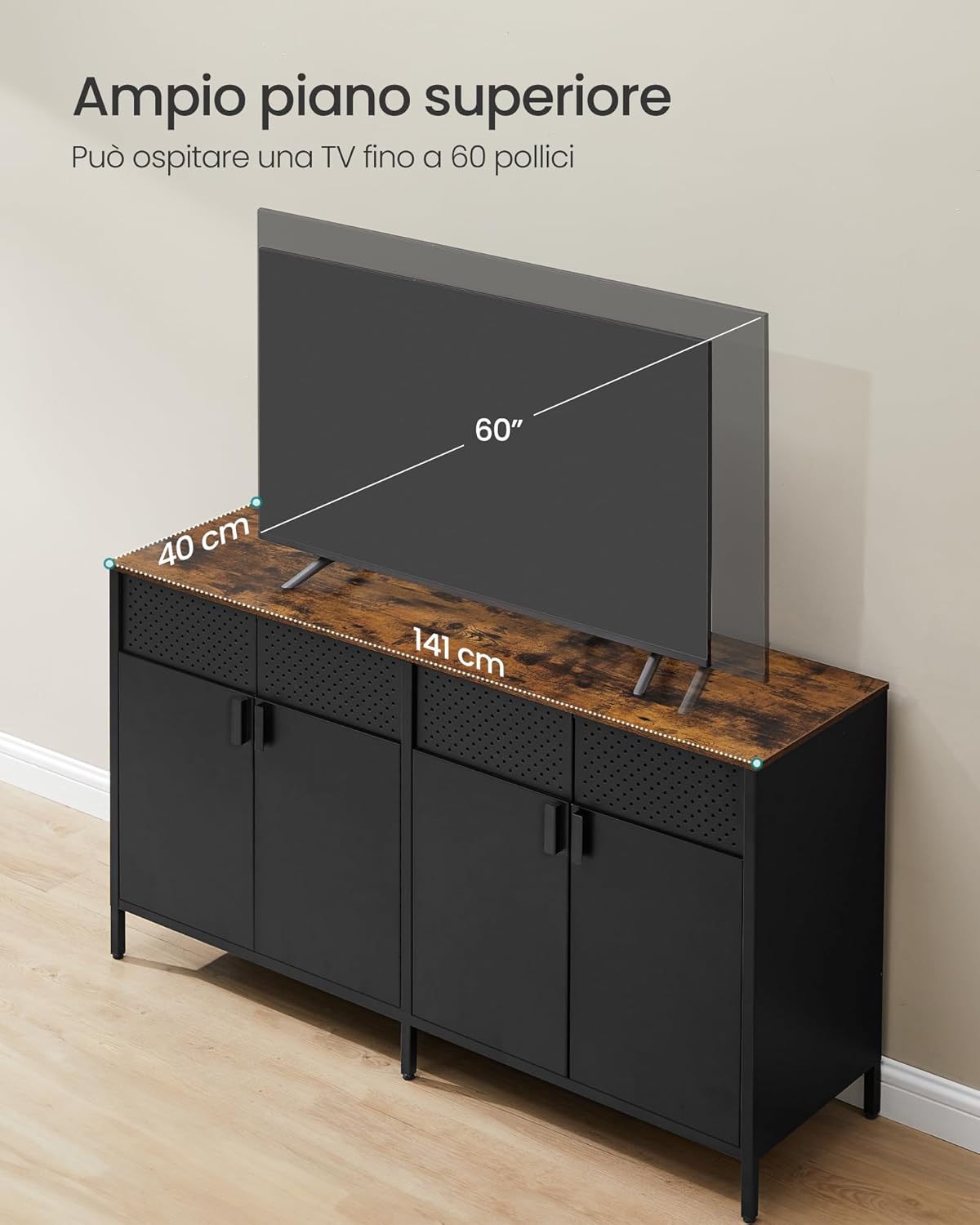
| Dimensions (L x W x H) | 141 x 40 x 76 cm (55.5 x 15.7 x 29.9 inches) |
| Weight | 30.1 kg (66.4 lbs) |
| Material | Reinforced Steel Alloy, Engineered Wood (top surface) |
| Color | Ink Black + Vintage Brown |
| Number of Doors | 4 |
| Adjustable Shelves | Yes, adjustable by 2 cm increments |
| Static Load Capacity (Top Surface) | 75 kg (165 lbs) |
| Static Load Capacity (Each Shelf) | 20 kg (44 lbs) |

Warranty and Support
SONGMICS products are designed for quality and durability. This product comes with a standard manufacturer's warranty against defects in materials and workmanship.
- Warranty Period: Please refer to your purchase documentation or the official SONGMICS website for specific warranty details and duration.
- Customer Support: For any questions, concerns, or assistance with assembly or parts, please contact SONGMICS customer service. Have your model number (LSC205BD01) and purchase information ready.
- Online Resources: Visit the official SONGMICS website for additional product information, FAQs, and support.


