
Introduction
The KENPANG AK87 Smart Watch is a versatile and durable wearable device designed to enhance your daily life and fitness activities. It features a 1.7-inch HD touchscreen, robust construction, comprehensive health monitoring, and smart connectivity. This manual provides essential information for setting up, operating, and maintaining your smartwatch.
Package Contents
Upon unboxing your KENPANG AK87 Smart Watch, please ensure all items are present:
- KENPANG AK87 Smart Watch (1)
- Magnetic USB Charging Cable (1)
- Watch Straps (3: Metal, Black Silicone, Gray Silicone)
- Strap Adjustment Tool (1)
- User Manual (1)
- Screen Cleaning Wipes (1 set)
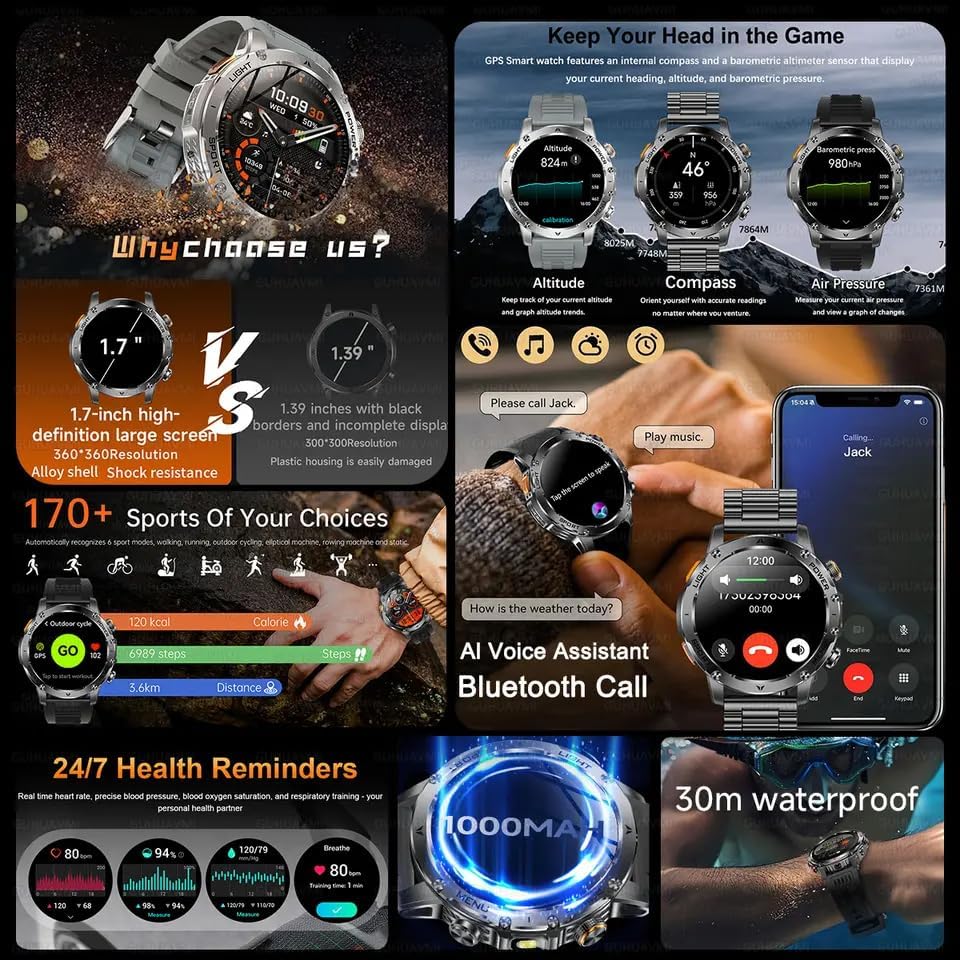
Image: The KENPANG AK87 Smart Watch displayed with its various accessories, including multiple straps, charging cable, and tools.
Setup
1. Charging the Smart Watch
Before initial use, fully charge your smartwatch. Connect the magnetic USB charging cable to the charging points on the back of the watch and plug the USB end into a compatible power adapter (not included). A full charge takes approximately 2 hours and provides up to 7 days of typical usage.

Image: The KENPANG AK87 Smart Watch connected to its magnetic charging cable, displaying a charging icon on its screen.
2. App Download and Pairing
To unlock the full potential of your smartwatch, download the FitCloud Pro app from your device's app store (compatible with iOS 11 and above, and Android). Follow the in-app instructions to pair your watch via Bluetooth. Ensure Bluetooth is enabled on your smartphone.
Video: A demonstration of how to connect the smart watch to a smartphone using the FitCloud Pro app, including scanning a QR code and binding the device.
3. Strap Adjustment
The watch comes with multiple straps and a tool for adjusting the metal strap's length. Use the provided tool to remove or add links as needed for a comfortable fit. Silicone straps can be easily interchanged using the quick-release pins.
Operating Your Smart Watch
1. Basic Navigation
The 1.7-inch HD touchscreen allows for intuitive navigation. Swipe left/right or up/down to access different menus and features. The side buttons provide quick access to power, sport modes, and other functions.
Video: A demonstration of the basic functions and UI navigation of the smart watch, showing how to swipe through menus and access various features.
2. Bluetooth Calling & Smart Alerts
Once paired, you can make and receive calls directly from your wrist. The watch also displays real-time notifications for SMS, WhatsApp, Instagram, and other apps. Manage notification settings through the FitCloud Pro app.

Image: The smart watch screen showing an incoming call and various social media app icons, indicating notification capabilities.
3. Built-in LED Flashlight
Activate the built-in LED flashlight for convenience in low-light conditions. It offers long range, high brightness, and three lighting modes (bright, flash, SOS).

Image: The smart watch's LED flashlight function is demonstrated, showing its illumination in various outdoor scenarios.
4. Customizing Watch Faces
Personalize your watch with a variety of custom dials available through the FitCloud Pro app. You can also upload your own images to create unique watch faces.

Image: The smart watch displaying various customizable watch faces, including options for different styles and personal photos.
Health Monitoring
The KENPANG AK87 Smart Watch is equipped with a VC30F-S sensor for medical-grade 24/7 health tracking.
- Heart Rate Monitoring: Continuously tracks your heart rate throughout the day.
- Blood Oxygen Monitoring: Measures your blood oxygen levels.
- Blood Pressure Monitoring: Provides blood pressure readings.
- Sleep Tracking: Monitors your sleep patterns, including awake, light sleep, and deep sleep stages.

Image: The smart watch screen showing heart rate, blood oxygen, blood pressure, and sleep tracking data, with a person exercising and sleeping in the background.
Sports Modes & Waterproofing
Track your workouts with over 100 sports modes, including 8 core activities like swimming, hiking, basketball, and more. The watch is IP68 waterproof, built to withstand rain, sweat, and dust, making it suitable for various environments.
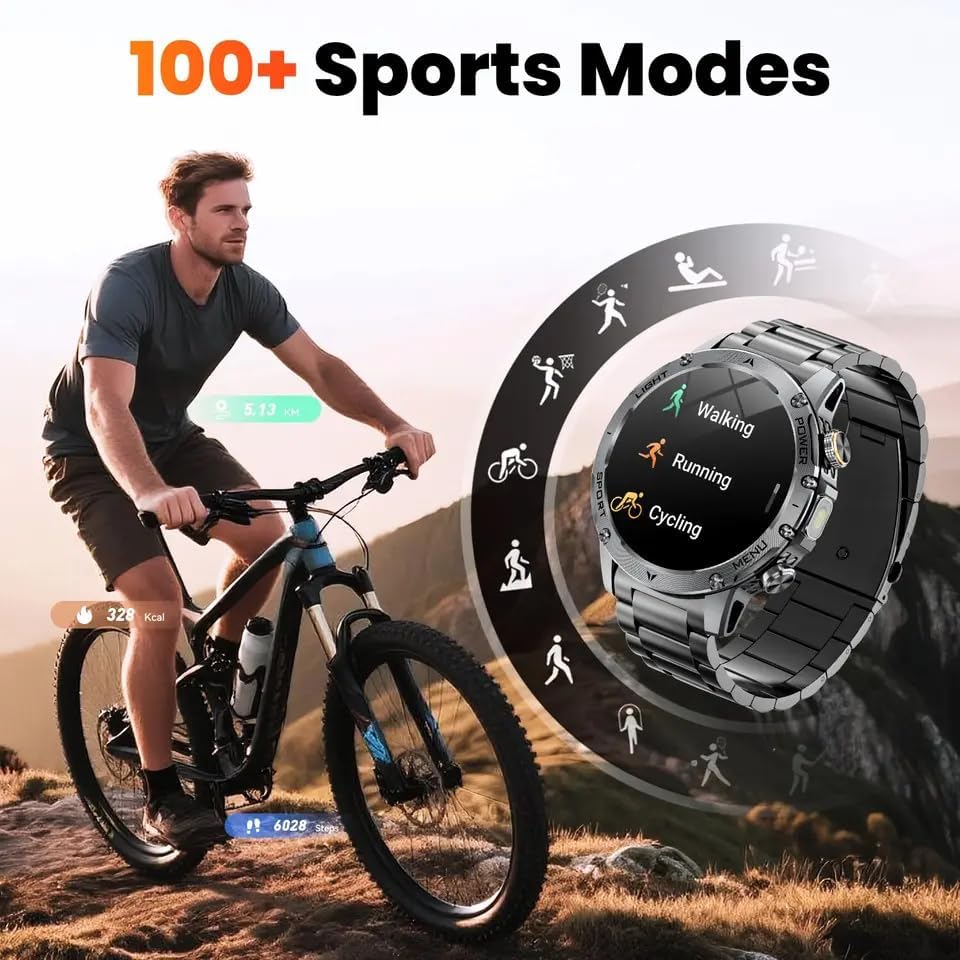
Image: A man cycling outdoors, with the smart watch screen showing various sports mode icons.
Video: A demonstration of the smart watch's ruggedness, including being submerged in water and resisting impacts, highlighting its military-grade durability.
Durability
The KENPANG AK87 Smart Watch is built to MIL-STD standards, ensuring high reliability and durability. It is:
- Drop-resistant: Designed to withstand accidental drops.
- IP68 Waterproof: Protected against dust and water immersion.
- Corrosion Resistant: Built with materials that resist corrosion.
- High and Low Temperature Resistant: Operates reliably in extreme temperatures.
- Dust-proof: Prevents dust ingress for consistent performance.

Image: A collage of images showing the smart watch enduring various tests, including being frozen in ice, hammered, and submerged in water, illustrating its MIL-STD durability.
Specifications
| Feature | Detail |
|---|---|
| Model Number | AK87 |
| Screen Size | 1.7 Inches HD Display |
| Resolution | 360x360 |
| Memory Storage Capacity | 256 MB |
| Battery Capacity | 1000 Milliamp Hours (mAh) |
| Battery Life | Up to 7 days (typical usage) |
| Charging Time | Approx. 2 hours |
| Waterproof Rating | IP68 |
| Connectivity | Bluetooth 5.2 |
| Operating System Compatibility | iOS 11 and above, Android |
| Special Features | Built-in GPS, Flashlight, Heart Rate/Blood Oxygen/Sleep Monitor, 100+ Sports Modes, AI Voice Assistant |
Troubleshooting
- Watch not turning on: Ensure the watch is fully charged. Connect it to the magnetic charger for at least 15 minutes.
- Unable to pair with phone: Check if Bluetooth is enabled on your phone and the watch. Ensure the FitCloud Pro app is installed and has necessary permissions. Try restarting both devices.
- Inaccurate health data: Ensure the watch is worn snugly on your wrist. Clean the sensor on the back of the watch regularly.
- Notifications not appearing: Verify that notification permissions are granted to the FitCloud Pro app in your phone's settings. Check that specific app notifications are enabled within the FitCloud Pro app.
- Short battery life: Reduce screen brightness, disable unnecessary notifications, and limit continuous heart rate monitoring if not needed.
Warranty and Support
KENPANG is committed to providing high-quality products and customer satisfaction. Your KENPANG AK87 Smart Watch comes with the following:
- 24-Hour Online Service: For immediate assistance with any product inquiries or issues.
- 6 Months Returns Service: For returns within six months of purchase, subject to terms and conditions.
- 2 Years Repair Service: Comprehensive repair service for two years from the date of purchase, covering manufacturing defects.
For detailed warranty information or to access support, please refer to the contact information provided in your product packaging or visit the official KENPANG website.

Image: A graphic detailing KENPANG's customer support offerings, including 24-hour online service, 6-month return policy, and 2-year repair service.


