
Introduction
Thank you for choosing the VEKJ L8 Pro Bluetooth Wireless Earbuds. This manual provides detailed instructions for setup, operation, maintenance, and troubleshooting to ensure optimal performance and longevity of your device. Please read this manual thoroughly before use.
The L8 Pro earbuds are designed for comfort, especially for side sleepers, weighing only 3.0g per earbud. They deliver Hi-Fi audio with a 14.2mm dynamic driver and feature passive noise cancellation for an immersive listening experience.
Package Contents
Ensure all items are present in the package:
- L8 Pro Wireless Earbuds (Left/Right)
- Portable Charging Case
- USB Type-C Charging Cable
- User Manual
- Silicone Eartips (S/M/L sizes)
Setup
1. Initial Charging
Before first use, fully charge the earbuds and charging case. Connect the provided USB Type-C cable to the charging port on the case and a power source. The LED display on the case will indicate charging status.

Image: The charging case with earbuds inside, connected via a Type-C cable for charging. The display shows battery levels.
A full charge takes approximately 1.5 hours for the earbuds, providing 6-8 hours of playback. The charging case provides additional charges for a total playback time of up to 48 hours.
2. Pairing with Your Device
The L8 Pro earbuds feature Hall Technology for easy one-step pairing using Bluetooth 5.4.
- Open the charging case. The earbuds will automatically power on and enter pairing mode.
- On your smartphone or other Bluetooth-enabled device, go to Bluetooth settings.
- Select "L8 Pro" from the list of available devices.
- Once connected, you will hear a confirmation tone, and your device will show "Connected."

Image: A smartphone screen displaying Bluetooth settings with "L8 Pro" connected, alongside the earbuds and charging case.
The earbuds will automatically reconnect to the last paired device when the case is opened, if Bluetooth is enabled on the device.
Operating Instructions
Touch Controls
The L8 Pro earbuds feature a multi-function touch screen on the charging case and touch controls on the earbuds themselves. This allows for easy management of music, calls, and settings.

Image: A diagram illustrating various functions accessible via the touch screen on the charging case, including screen lock, language switching, finding earbuds, brightness adjustment, music playback controls, timer, sound equalizer, and sleep mode.
| Action | Function |
|---|---|
| Single Tap (L/R) | Play/Pause Music, Answer/End Call |
| Double Tap (Right) | Next Track |
| Double Tap (Left) | Previous Track |
| Triple Tap (Right) | Volume Up |
| Triple Tap (Left) | Volume Down |
| Long Press (2s) (L/R) | Activate Voice Assistant / Reject Call |
Sleep Mode
The L8 Pro features a dedicated sleep mode designed for undisturbed rest. When activated, this mode automatically blocks incoming calls and disables touch controls on the earbuds to prevent accidental operations. It also eliminates power-off beeps or low battery alerts during sleep.

Image: A person sleeping comfortably with the earbuds, illustrating features like sleep mode, no power-off alarm, no low battery alarm, and touch disablement.
To activate sleep mode, use the touch screen on the charging case. This mode is supported only when both earbuds are in use.
EQ Modes
Customize your audio experience with 5 equalizer (EQ) modes available through the charging case touch screen:
- Standard: Balanced audio for general listening.
- Pop: Enhanced vocals and bass for pop music.
- Rock: Boosted bass and treble for rock genres.
- Classic: Optimized for classical music with clear instrument separation.
- Jazz: Warm and smooth tones for jazz music.
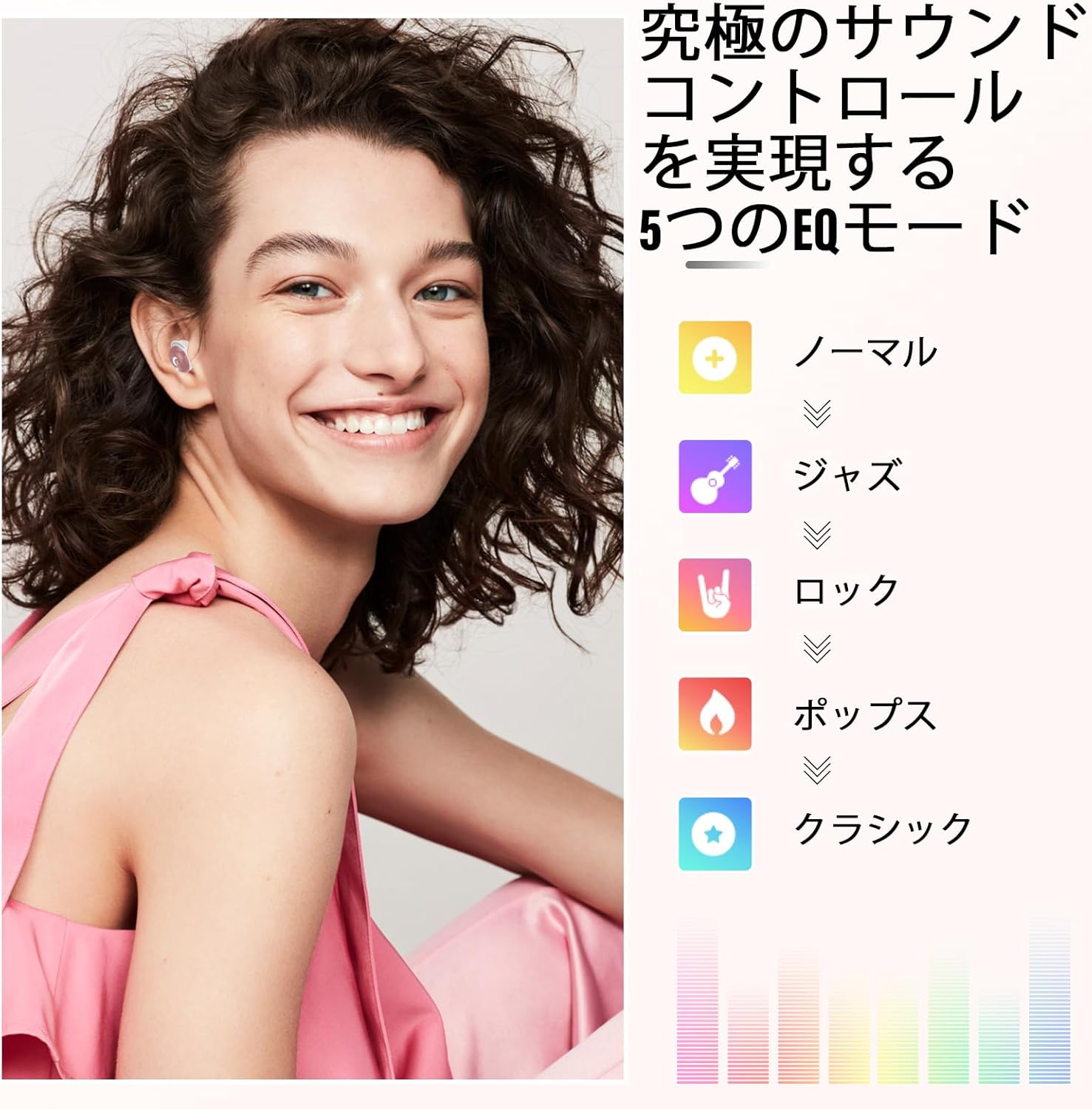
Image: A person smiling while wearing the earbuds, with an illustration of the five EQ modes: Normal, Jazz, Rock, Pop, and Classic.
Maintenance
Proper maintenance ensures the longevity and performance of your earbuds.
- Cleaning: Regularly clean the earbuds and charging case with a soft, dry, lint-free cloth. Do not use abrasive cleaners or solvents.
- Eartips: Remove and clean the silicone eartips periodically with mild soap and water. Ensure they are completely dry before reattaching.
- Charging Port: Keep the Type-C charging port free of dust and debris.
- Storage: When not in use, store the earbuds in their charging case to protect them and keep them charged.
- Water Resistance: The earbuds are IPX7 waterproof, meaning they can withstand sweat and rain. However, they are not designed for swimming or submersion in water. Ensure the charging port is dry before charging.

Image: A person wearing the earbuds, highlighting features such as ergonomic design, ultra-lightweight (3.0g), 42dB noise isolation, and IPX7 waterproofing.
Troubleshooting
| Problem | Solution |
|---|---|
| Earbuds not pairing |
|
| No sound from one earbud |
|
| Earbuds not charging |
|
| Poor sound quality |
|
Specifications
| Feature | Detail |
|---|---|
| Model Name | L8pro |
| Brand | VEKJ |
| Connectivity Technology | Wireless (Bluetooth 5.4) |
| Noise Control | Passive Noise Cancelling, Sound Isolation |
| Driver Size | 14.2mm Dynamic Driver |
| Playback Time | 6-8 hours (earbuds), up to 48 hours with charging case |
| Charging Time | Approx. 1.5 hours (earbuds) |
| Charging Port | Type-C |
| Water Resistance | IPX7 |
| Control Type | Touch Control |
| Ear Placement | In-Ear |
| Headphone Form Factor | In-Ear |
| Impedance | 32 Ohm |
| Material | Silicone |
| Product Dimensions | 8.9 x 7.9 x 3.4 cm; 80 g |
| Compatible Devices | iPhone 17/16/15/14/13/12/11/XS/XR/X/8/7 series, Apple Watch, iPad Pro/Air/mini; Samsung Galaxy S8/S6, Note5/4/3; Moto X/G/E, DROID Turbo 2/Maxx 2; SONY Xperia X/Z5/C4/M4/Z3/Z2 series; Xiaomi 6/5s/5; Huawei mate9/8/P10/P8/mate30/mate40. Compatible with almost all Bluetooth devices. |
Warranty and Support
For warranty information or technical support, please refer to the contact details provided with your purchase or visit the official VEKJ website. Keep your proof of purchase for warranty claims.