
Introduction
This manual provides essential information for the safe and efficient use of your Homiflex Kitchen Island with Storage and LED Light. Please read these instructions carefully before assembly and operation, and retain them for future reference.
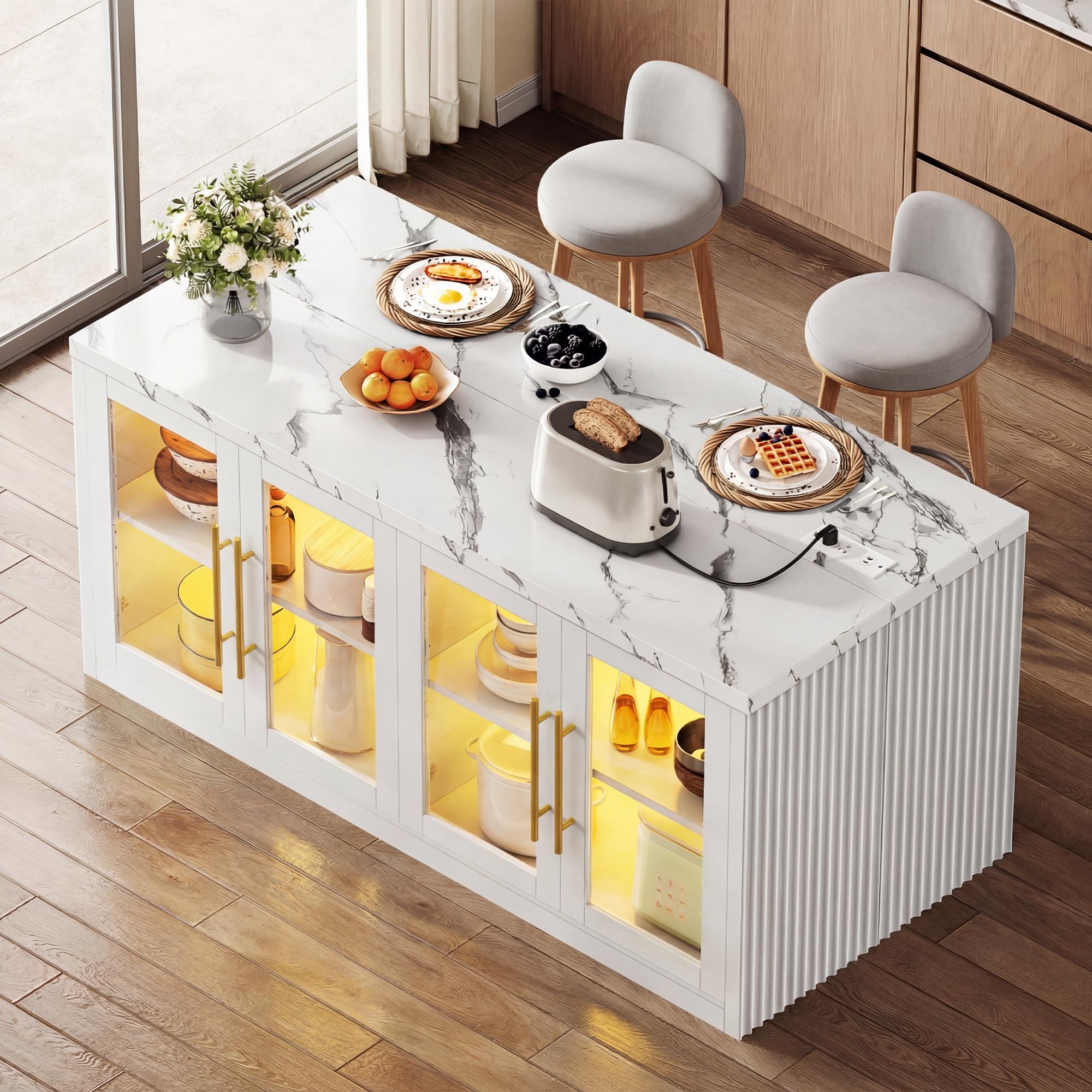
Image: The Homiflex Kitchen Island, showcasing its design and functionality within a kitchen environment.
Safety Information
WARNING: Failure to follow these safety instructions may result in injury or damage to the product.
- Do not exceed the weight capacity of 141.81 lbs (64.32 kg).
- Use caution when moving the island on uneven surfaces to prevent tipping.
- Be careful around sharp edges during assembly.
- Ensure all parts are properly secured before use.
- Do not allow children to play on, with, or around the cart.
- Always unplug the power cord before cleaning or performing maintenance.
Product Features
- Mobile Design: Equipped with four smooth-rolling wheels for easy repositioning.
- RGB LED Lighting: Customizable lighting along the tabletop to enhance ambiance.
- Integrated Power Hub: Features two standard outlets and two high-speed USB ports for convenient device charging and appliance use.
- Adjustable Storage: Extra-deep cabinet with adjustable shelving to accommodate various kitchen items.
- Space-Optimized Dimensions: Measures 55.12"W x 27.6"L x 31.5"H, providing ample workspace and seating height.

Image: Detailed view of the power outlets, 360-degree universal wheels, spacious storage cabinet, and the color-changing LED light feature.
Setup and Assembly
Your Homiflex Kitchen Island is designed for straightforward assembly. All necessary parts are clearly labeled, and detailed illustrated instructions are included in the packaging. Assembly typically takes approximately 60 minutes.
- Unpack all components and verify against the parts list provided in the assembly guide.
- Follow the step-by-step instructions carefully, ensuring all fasteners are tightened securely.
- Attach the universal wheels as directed, ensuring they are properly locked if stationary use is desired.
- Connect the LED lighting and power hub according to the electrical connection instructions.
Video: An overview of the Homiflex Kitchen Island with Storage, demonstrating its features and potential uses after assembly.
Operating Instructions
LED Lighting
The kitchen island features customizable RGB LED lighting. Use the included remote control (if applicable) or integrated button to cycle through various colors and lighting modes to set your desired ambiance.

Image: The kitchen island illuminated with different RGB light settings, demonstrating the customizable lighting feature.
Power Outlets and USB Ports
The integrated power station provides convenient access to electricity. Plug small appliances into the two standard outlets and charge your mobile devices using the two high-speed USB ports. Ensure the island is connected to a grounded power source.
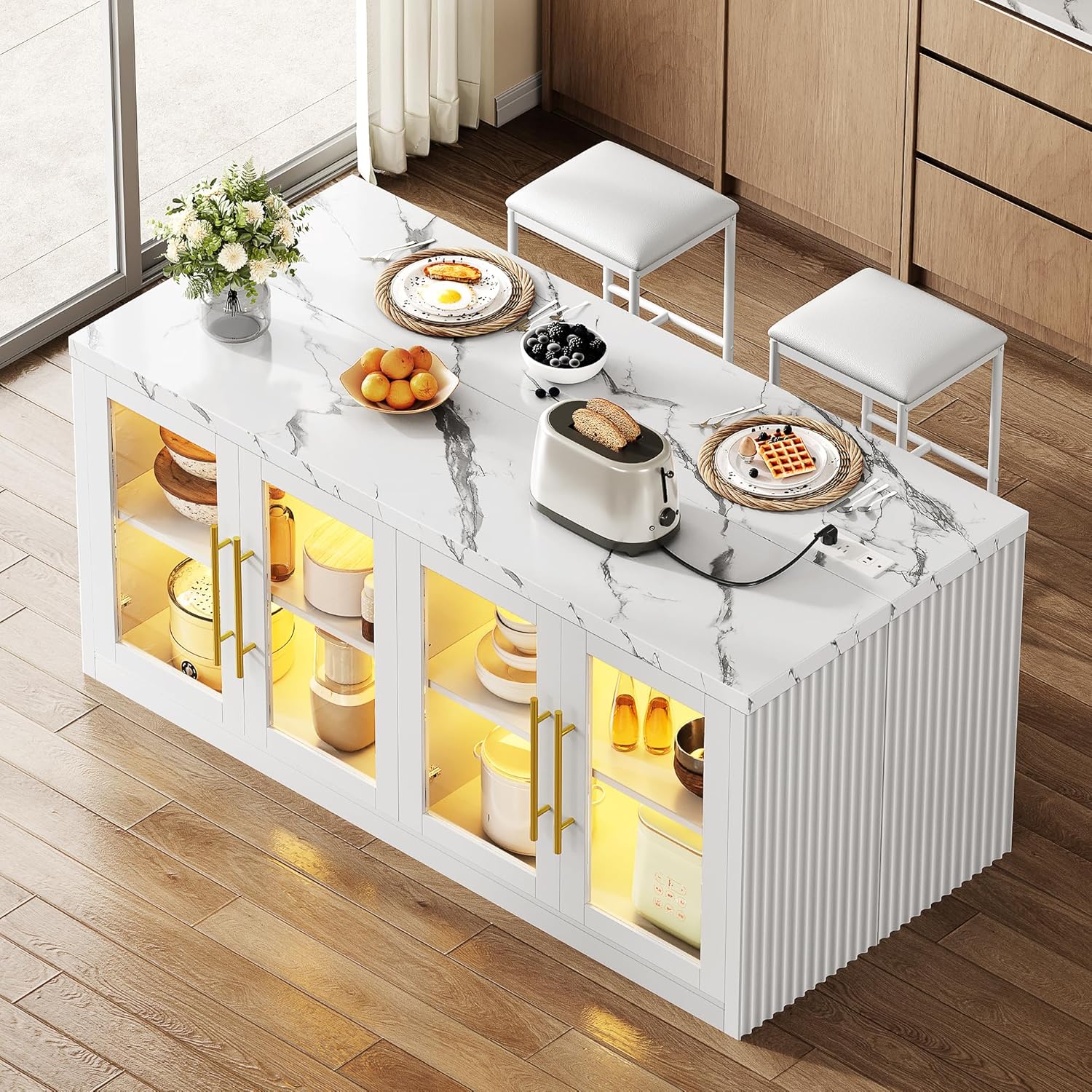
Image: A toaster actively using the integrated power outlet on the island's surface, highlighting the convenience of the power hub.
Mobility
The island is equipped with universal wheels for easy movement. To move the island, unlock any engaged wheel brakes. To secure the island in place, engage the wheel brakes on at least two wheels.
Maintenance
- Cleaning: Wipe surfaces with a soft, damp cloth. Avoid abrasive cleaners or harsh chemicals that may damage the finish.
- Hardware: Periodically check and tighten all screws and fasteners to ensure stability.
- Electrical Components: Keep the power outlets and USB ports dry and free from debris. Do not attempt to repair electrical components yourself.
- Wheels: Keep wheels clean and free of hair or debris to ensure smooth movement.
Troubleshooting
| Problem | Possible Cause | Solution |
|---|---|---|
| Island is wobbly or unstable. | Loose fasteners or uneven floor. | Check and tighten all screws. Adjust leg levelers if present, or place shims under wheels on uneven floors. |
| Cabinet doors do not close properly. | Misaligned hinges or obstruction. | Adjust hinge screws to realign doors. Ensure nothing is blocking the door's path. |
| LED lights are not working. | Power connection issue or faulty LED strip. | Ensure the island is plugged into a working outlet. Check all electrical connections for the LED strip. Contact support if the issue persists. |
| Power outlets/USB ports are not working. | Island not powered or internal wiring issue. | Verify the island is properly plugged into a live electrical outlet. Test the outlet with another device. If still not working, contact support. |
Specifications
| Feature | Detail |
|---|---|
| Product Dimensions (D x W x H) | 27.6" x 55.12" x 31.5" (70cm x 140cm x 80cm) |
| Material | Engineered Wood, FSC-Certified Wood (Tabletop) |
| Color | White |
| Item Weight | 98.32 Pounds (44.6 kg) |
| Number of Shelves | 3 (Adjustable) |
| Additional Features | Adjustable Shelf, Easy Assembly, Storage, USB Port, LED Lights, 4 Wheels |
| Model Number | MAHfle2ibtp |

Image: Product dimensions diagram, illustrating the width, depth, and height of the kitchen island.
Warranty and Support
For warranty information or technical support, please refer to the documentation included with your purchase or contact Homiflex customer service. Keep your purchase receipt for warranty claims.
Contact Information:
- Visit the official Homiflex website for support resources.
- Refer to your purchase platform for seller contact details.