
1. Introduction
The Lian Li Hydroshift II-S LCD 360TL ARGB Liquid CPU Cooler is an advanced all-in-one (AIO) liquid cooling solution designed for high-performance computing. It features a 3.4-inch IPS LCD square screen for real-time monitoring and customization, daisy-chainable TL120 ARGB fans, and a low-noise design. This manual provides detailed instructions for installation, operation, and maintenance to ensure optimal performance and longevity of your cooler.

Image: Overview of the Lian Li Hydroshift II-S LCD 360TL ARGB Liquid CPU Cooler installed in a system, showcasing its aesthetic and LCD display.
Video: Official product video showcasing the features and design of the Lian Li Hydroshift II LCD-S AIO cooler.
2. Safety Information
Please read and follow these safety guidelines carefully to prevent damage to the product, your computer, or personal injury:
- Ensure your computer system is powered off and unplugged from the wall outlet before installation or maintenance.
- Handle components with care to avoid electrostatic discharge (ESD). Consider using an anti-static wrist strap.
- Do not open the pump or radiator. Tampering with the sealed liquid cooling system can cause leaks and void the warranty.
- Keep the product away from water, moisture, and extreme temperatures.
- Use only the provided accessories and mounting hardware.
- If any issues arise during installation or operation, refer to the troubleshooting section or contact customer support.
3. Package Contents
Verify that all components are present in the package before proceeding with installation:
- Lian Li Hydroshift II-S LCD 360TL ARGB Liquid CPU Cooler (Radiator with integrated pump and pre-installed fans)
- Mounting Hardware for Intel LGA 1851/1700 and AMD AM5/AM4 sockets
- USB 2.0 Cable
- PWM Power Cable
- L-Wireless 2.4G Controller (for Wireless Mode)
- Thermal Paste (pre-applied or included in a tube)
- User Manual
Video: Unboxing the Lian Li Hydroshift II-S 360 AIO water cooler, showing all included components.
4. Setup & Installation
4.1 CPU Socket Compatibility
The Hydroshift II-S LCD 360TL supports the following CPU sockets:
- Intel: LGA 1851, LGA 1700
- AMD: AM5, AM4
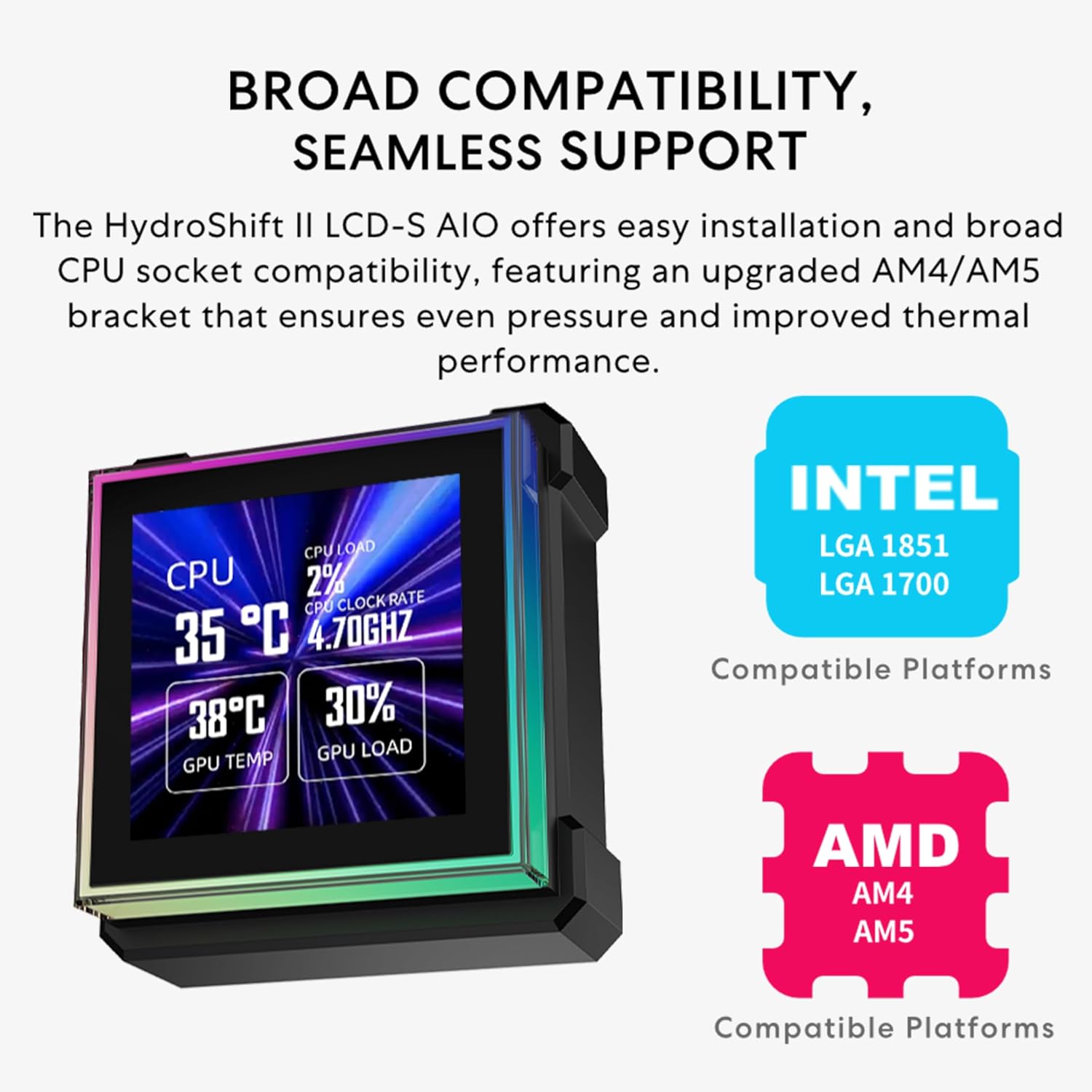
Image: Diagram illustrating the broad CPU socket compatibility for Intel and AMD platforms.
4.2 Mounting Bracket Installation
The CPU liquid cooler features a redesigned mounting system for easier, faster, and more secure installation. For AMD motherboards, remove the original retention brackets and install the provided brackets, ensuring correct orientation as indicated by arrows on the brackets.
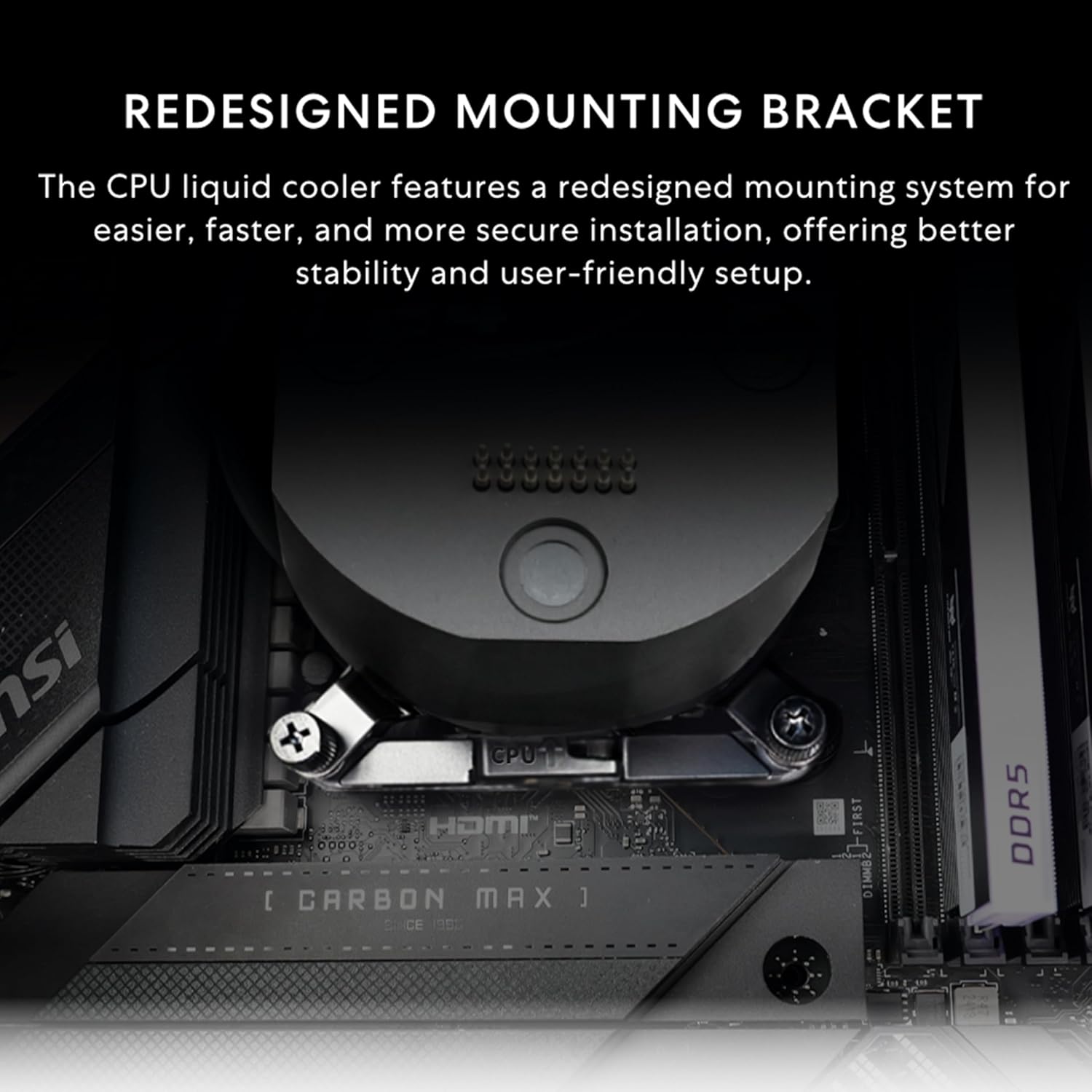
Image: Close-up of the redesigned mounting bracket on a motherboard.
Video: Detailed installation guide for the Hydroshift II-S, including mounting bracket setup.
4.3 Pump Block Installation
Apply thermal paste to the CPU if not pre-applied on the cold plate. Carefully place the pump block onto the CPU, aligning it with the mounting brackets. Secure the pump block using the four threaded thumb screws. Ensure even pressure for optimal thermal contact.

Image: Close-up of the magnetic mounting points and hot-swap contact pins on the pump block.
4.4 Radiator and Fan Installation
The slim 24mm thick radiator (400×122×24mm) ensures compatibility with various cases. The innovative sliding tube clamp allows for precise tube alignment, enhancing aesthetics and installation ease. The clamp is conveniently mounted on the side of the radiator and can be attached to a fan bracket designed for 140mm fans.

Image: Diagram showing the compact dimensions of the radiator and its placement within a PC case.

Image: Illustration of the side-mounted tubing and integrated cables for a clean aesthetic.
4.5 Cable Connections
Connect the PWM power cable to the motherboard. If the motherboard cannot read the pump's RPM, connect the 4-pin PWM header to a SATA power adapter for a more stable power supply. The 2-pin connector functions independently and does not require an additional power connection. Connect the USB 2.0 cable for Streaming Mode and Advanced Wireless Mode to transfer media files. For Standard Wireless Mode, only JPG uploads are supported.

Image: Details on connecting the PWM power cable and USB 2.0 cable to the radiator.
Video: Demonstration of the Hydroshift II-S LCD screen mounting and connection.
5. Operating Instructions
The Hydroshift II-S LCD cooler offers three distinct operating modes for its 3.4-inch IPS LCD screen:
5.1 Offline Mode (No USB Connection)
In Offline Mode, the cooler operates with preset themes to monitor coolant temperature and pump speed. No cables or system resources are required for this basic monitoring. Note that lighting themes and effects cannot be changed in Offline Mode.

Image: The LCD screen displaying water temperature and pump RPM in Offline Mode.
5.2 Wireless Mode (L-Wireless Controller Connection)
Connect through the L-Wireless 2.4G Controller to customize screen themes, parameters, and lighting effects via L-Connect 3 software. Wireless Mode also allows for lighting synchronization with other wireless products, including CL Wireless and TL Wireless, while keeping your motherboard's USB 9P ports free. This mode offers a cleaner setup with reduced cable clutter and minimal system load.
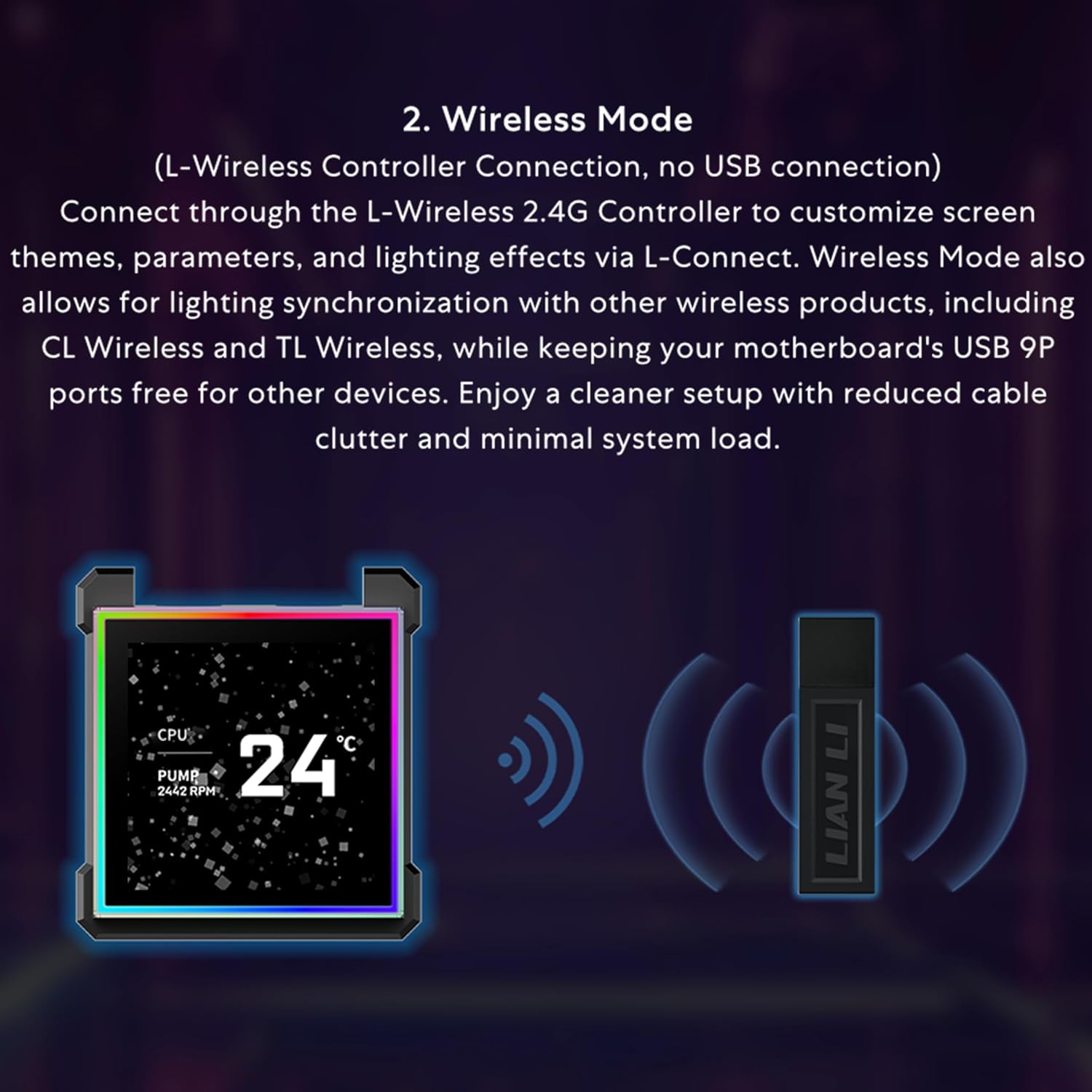
Image: The LCD screen operating in Wireless Mode, with the L-Wireless dongle visible.
5.3 Streaming Mode (USB Connection)
Connect via USB to gain full control through L-Connect 3. Easily switch screen themes, upload custom images or videos, and design personalized layouts. This mode turns the display into a dynamic secondary screen that enhances both functionality and visual appeal, offering secondary display support, image/video uploads, and customizable widgets.

Image: The LCD screen in Streaming Mode, showing various customization options through the L-Connect 3 software.
5.4 L-Connect 3 Software
The L-Connect 3 software offers fast theme switching and layout customization with integrated hardware monitoring. Easily capture screenshots or record videos using built-in editing tools, and enhance your display with 3D effects, sensor-based visuals, overlays, and watermarks. All designed for a personalized, immersive experience.

Image: Screenshot of the L-Connect 3 software interface, demonstrating its intuitive control and customization features.
6. Maintenance
Regular maintenance helps ensure the longevity and optimal performance of your Lian Li Hydroshift II-S LCD 360TL ARGB Liquid CPU Cooler.
6.1 General Cleaning
- Periodically clean the radiator fins and fans to prevent dust buildup, which can impede airflow and cooling performance. Use compressed air or a soft brush.
- Wipe down the exterior of the pump block and tubing with a soft, dry cloth. Avoid using harsh chemicals or abrasive materials.
6.2 Screen Care
- The 3.4-inch IPS LCD screen is hot-swappable. To clean the screen, gently remove it from the pump block.
- Use a microfiber cloth specifically designed for electronics to clean the screen surface. If necessary, dampen the cloth slightly with distilled water or a screen-safe cleaning solution.
- Avoid pressing too hard on the screen.
7. Troubleshooting
If you encounter issues with your Lian Li Hydroshift II-S LCD 360TL ARGB Liquid CPU Cooler, refer to the following common solutions:
- No Power/No Display: Ensure all power cables (PWM, SATA, USB) are securely connected. Check motherboard headers for proper connection.
- Poor Cooling Performance: Verify that the pump block is securely mounted to the CPU and thermal paste is properly applied. Ensure fans are spinning and radiator fins are free of dust. Check pump speed and coolant temperature via the LCD or L-Connect 3 software.
- LCD Display Issues: If the screen is blank or flickering, ensure the magnetic connection is secure. Re-seat the screen. If using Streaming Mode, check the USB connection.
- Software Not Detecting Cooler: Ensure the USB 2.0 cable is correctly connected to both the cooler and the motherboard. Reinstall L-Connect 3 software if necessary.
- Excessive Noise: Check fan speeds and pump RPM. Adjust fan curves in L-Connect 3. Ensure no cables are obstructing fan blades.
For further assistance, contact Lian Li customer support.
8. Specifications
Key technical specifications for the Lian Li Hydroshift II-S LCD 360TL ARGB Liquid CPU Cooler:
| Feature | Specification |
|---|---|
| Model Number | HS2LCDS36TB |
| Radiator Dimensions | 400 x 122 x 24 mm |
| LCD Display | 3.4" IPS, 480x480 resolution, 500 nits brightness, 60Hz refresh rate |
| Fans | 3x TL120 ARGB Fan |
| Fan Speed | 0, 200-2600 RPM |
| Air Flow Capacity | 90.1 CFM |
| Static Pressure | 3.97 mmH2O |
| Noise Level | 33 dBA |
| Pump Speed | Up to 3200 RPM |
| Cooling Method | Water |
| Material | Aluminum |
| Compatible Devices | Desktop |
| CPU Socket Support | Intel LGA 1851/1700, AMD AM5/AM4 |
| Item Weight | 6.6 pounds |
| Product Dimensions | 15.75 x 4.8 x 0.86 inches |

Image: Comprehensive table detailing the specifications of the Hydroshift II LCD-S series.

Image: Illustration highlighting the upgraded high-performance pump with speeds up to 3200 RPM.

Image: Table showing temperature test results comparing Hydroshift II LCD-S with other models.
9. Warranty & Support
Lian Li offers a comprehensive warranty and support policy for the Hydroshift II-S LCD 360TL ARGB Liquid CPU Cooler.
9.1 Hardware Protection
The product comes with a 6-year hardware protection for lasting confidence and smooth performance.

Image: Graphic indicating the 6-year hardware protection offered by Lian Li.
9.2 AIO Cooler Protection Policies
- Leakage Issues: If a product quality issue (non-human damage) causes leakage during the hardware protection period, Lian Li provides full liquid damage coverage.
- Proof of Purchase: Customers must provide a valid purchase record and receipt to confirm the product was purchased through an authorized dealer.
- Product Return: The product must be returned to Lian Li for inspection. If confirmed to be a quality issue (non-human damage), Lian Li will provide repair or replacement service handled by a dedicated support representative.
9.3 Compensation Policy
For non-human-related leakage issues causing damage to internal computer components (motherboard, CPU, memory, hard drive, or GPU, excluding data loss), compensation will be provided according to the following terms:
- Depreciation Calculation: Hardware compensation is calculated with a 15% annual depreciation rate.
- Year 1: 100% of hardware value
- Year 2: 85% of hardware value
- Year 3: 70% of hardware value
- Year 4: 55% of hardware value
- Year 5: 40% of hardware value
- Year 6: 25% of hardware value

Image: Details of Lian Li's AIO Cooler Protection Policies and Compensation Policy.
For further support, visit the official Lian Li Store or contact their customer service.


