1. Introduction
This manual provides instructions for the WDZP Treadmill Remote Control Replacement. It is designed to offer seamless control over your compatible walking pad or treadmill, allowing for easy adjustment of speed, incline, and other settings. Please read this manual thoroughly before use to ensure proper operation and longevity of your remote control.
2. Compatibility
This remote control is compatible with various 2-in-1 walking machine treadmills, including the FUNRAY 520A-A and Lichico AD-4000 models. If your original remote control matches the design and button layout of this replacement, it is likely compatible.

Image: The WDZP remote control, emphasizing its compatibility with various treadmill and walking pad models. Icons represent stability, quality assurance, quick response, and strong signal.
3. Key Features
- No Programming Required: Ready to use immediately after battery installation.
- Efficient Control: Allows precise adjustment of speed, incline, and settings for an effective workout.
- Durable Construction: Made from high-quality ABS material, ensuring wear-resistance and long-lasting durability.
- Lightweight Design: Weighs approximately 0.705 ounces (0.02 kg) for comfortable and easy handling.
- Ergonomic Design: Shaped for a comfortable grip during use.

Image: A comparison chart illustrating the advantages of using a dedicated treadmill remote control, such as enhanced safety, ease of use, accuracy, distraction-free operation, and portability.
4. Setup Instructions
Follow these steps to set up your new remote control:
- Unpack: Carefully remove the remote control from its packaging.
- Install Batteries: Open the battery compartment on the back of the remote. Insert two 1.5V AAA batteries (not included), ensuring correct polarity (+ and -).
- Power On: Press the power button (⏻) on the remote control. The remote should function immediately with your compatible treadmill without requiring additional programming or pairing.

Image: A visual guide demonstrating the simple process of installing two AAA batteries into the remote control's battery compartment.
Video: This video demonstrates how to install batteries into the remote control and shows its immediate functionality with a compatible treadmill (Lichico AD-4000). It highlights the ease of use without requiring any setup or pairing.
5. Operating Instructions
The remote control provides intuitive buttons for managing your treadmill workout:
- Power Button (⏻): Press to turn the treadmill on or off.
- Speed Adjustment (+/-): Use the '+' button to increase speed and the '-' button to decrease speed.
- Start/Pause Button (▶/‖): Press to start or pause the treadmill belt.
- Mode Button (M): (If applicable) Press to cycle through different workout modes or display settings on your treadmill.

Image: A clear view of the WDZP treadmill remote control's front face, displaying its primary control buttons for speed adjustment, play/pause, and mode selection.
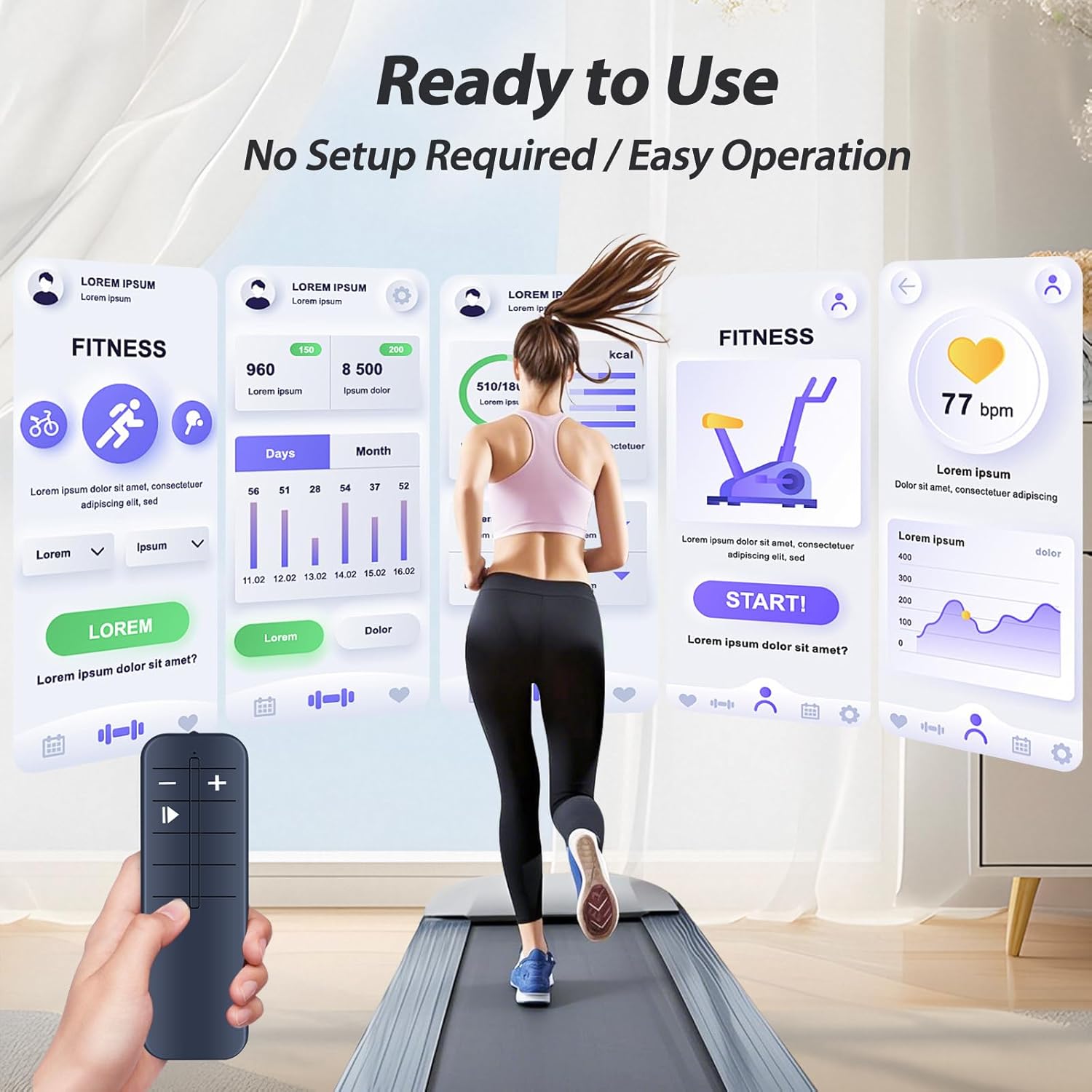
Image: The WDZP remote control actively being used with a walking pad, alongside a digital display showing various fitness metrics, illustrating its functional integration.
6. Maintenance and Care
To ensure the longevity and optimal performance of your remote control, follow these maintenance guidelines:
- Cleaning: Wipe the remote control with a soft, dry cloth. Avoid using abrasive cleaners, solvents, or liquids, as these can damage the surface or internal components.
- Battery Replacement: Replace batteries when the remote's response becomes sluggish or it stops functioning. Always use new, high-quality AAA batteries to prevent leakage and damage.
- Storage: Store the remote in a dry place away from direct sunlight, extreme temperatures, and high humidity.
- Avoid Drops: Protect the remote from drops or impacts, which can cause internal damage.
7. Troubleshooting
If you encounter issues with your remote control, refer to the following troubleshooting tips:
Remote Not Responding
- Check Batteries: Ensure batteries are inserted correctly with the right polarity and are not depleted. Replace with fresh AAA batteries if necessary.
- Line of Sight: Ensure there is a clear, unobstructed line of sight between the remote control and the treadmill's infrared receiver. Obstructions can interfere with the signal.
- Treadmill Power: Verify that the treadmill is powered on and functioning correctly. The remote will not operate if the treadmill is off.
Intermittent Functionality
- Battery Strength: Weak batteries can cause intermittent operation or reduced range. Replace them with new ones.
- Interference: Other electronic devices or strong light sources might cause infrared interference. Try using the remote away from such devices or in a different lighting condition.
8. Product Specifications
- Brand: WDZP
- Item Model Number: 520A-A
- Compatible Devices: Treadmill (specifically FUNRAY 520A-A, Lichico AD-4000, and similar models)
- Color: Black
- Material: High-quality ABS
- Item Weight: 0.705 ounces (approximately 0.02 kg)
- Package Dimensions: 1.5 x 1 x 0.55 inches
- Power Source: 2 x 1.5V AAA Batteries (not included)
- Special Feature: Ergonomic design for comfortable use

Image: This image provides the precise dimensions of the remote control, detailing its length (4.56 inches), width (1.53 inches), and thickness (0.59 inches).
9. Warranty and Customer Support
The WDZP Treadmill Remote Control Replacement comes with a 6-MONTH warranty from the date of purchase.
For any quality issues, compatibility concerns, or support needs, please contact WDZP customer service. We offer free exchange or refund options for eligible issues. Refer to your purchase documentation or the seller's contact information for specific details on how to reach customer support.