
1. Product Overview
The GLLAVA 7D Head Shaver SB-520 is a versatile grooming device designed for efficient and comfortable shaving. It features a 7D rotary floating head system, IPX8 waterproofing for wet and dry use, and a powerful 10000 RPM motor. The shaver includes multiple attachments to cater to various grooming needs.
1.1 Key Features
- 7D Floating Shaving Head: Adapts to facial and head contours for a close shave.
- IPX8 Waterproof: Suitable for both wet and dry shaving, including use in the shower.
- Removable Magnetic Shaving Head: Facilitates easy cleaning and maintenance.
- LED Display: Shows battery level and charging status.
- USB Fast Charging: 1 hour charge provides up to 180 minutes of continuous use.
- 3 Adjustable Modes: Allows customization of shaving intensity.
- Multifunctional Attachments: Includes a sideburn trimmer, hair trimmer, cleaning brush, facial massage brush, and nose trimmer.
1.2 Package Contents
Please check the package for the following items:
- GLLAVA 7D Head Shaver Unit
- 7D Rotary Shaving Head (pre-installed)
- Sideburn Trimmer Attachment
- Hair Trimmer Attachment
- Nose Trimmer Attachment
- Facial Cleaning Brush Attachment
- Facial Massage Brush Attachment
- Cleaning Brush
- USB Charging Cable
- User Manual (this document)

Image: The GLLAVA 7D Head Shaver unit displayed with its various attachments, including the main shaving head, sideburn trimmer, hair trimmer, nose trimmer, facial cleaning brush, and facial massage brush.
2. Safety Information
WARNING:
- Do not submerge the entire shaver in water. While the shaver is IPX8 waterproof for wet shaving and rinsing, prolonged full submersion is not recommended.
- Keep the charging port dry. Do not charge the shaver while it is wet to prevent electrical hazards.
- Always unplug the charger before removing or cleaning the shaving head.
- Exercise caution when using the shaver to avoid cuts, especially around sensitive areas.
- Always keep the shaver clean and dry when not in use to prevent bacterial growth and maintain hygiene.
- This appliance is not intended for use by persons (including children) with reduced physical, sensory or mental capabilities, or lack of experience and knowledge, unless they have been given supervision or instruction concerning use of the appliance by a person responsible for their safety.
3. Setup and Initial Use
3.1 Initial Charging
- Before first use, fully charge the shaver.
- Connect the USB charging cable to the shaver's charging port and to a compatible USB power source (e.g., laptop, car charger, mobile power bank).
- The LED display will indicate the charging status and battery percentage. A full charge typically takes 1 hour.
- Once fully charged, disconnect the charging cable.
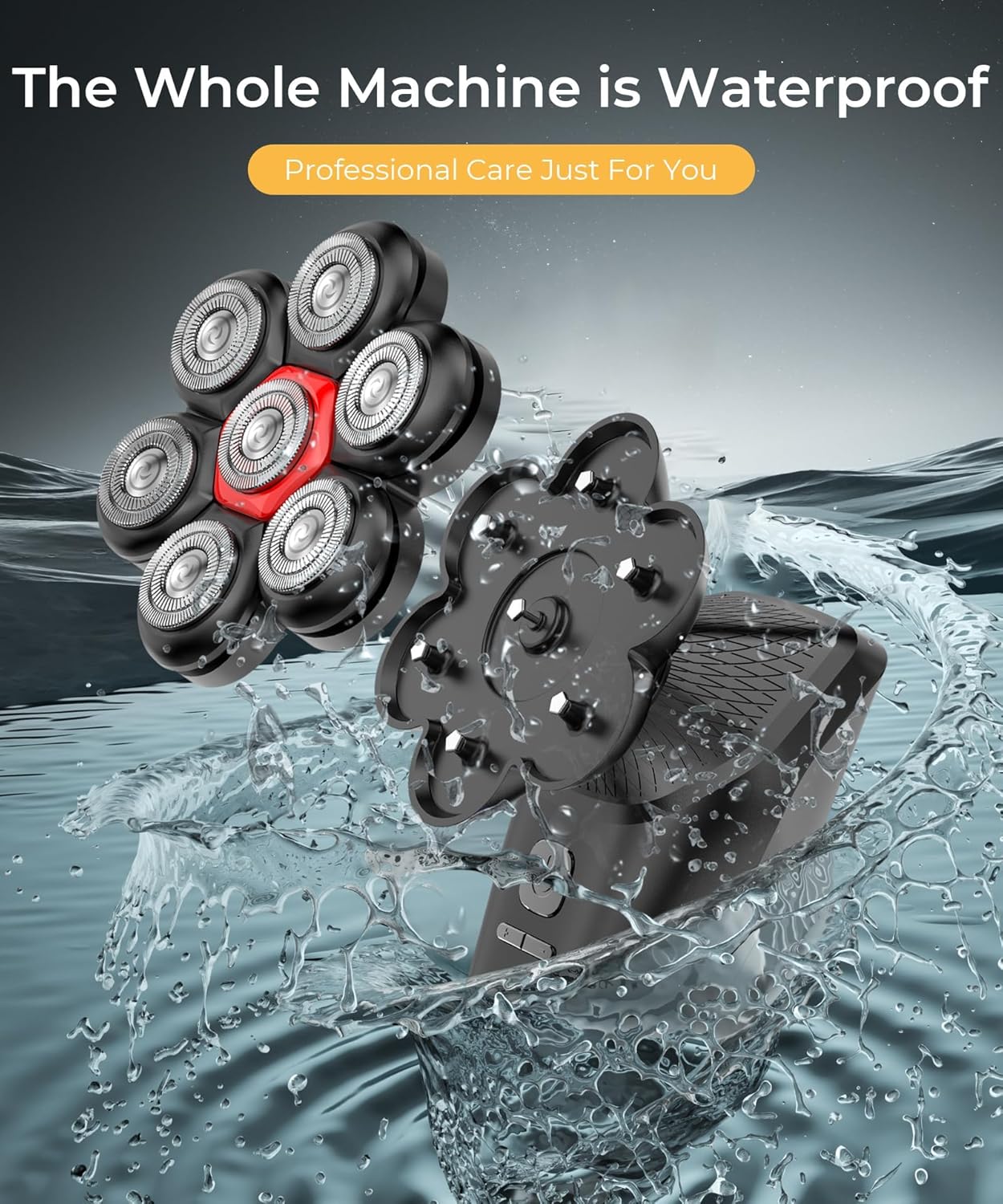
Image: Close-up of the GLLAVA 7D Head Shaver's LED display showing battery percentage and RPM, with a USB-C cable connected for charging.
3.2 Attaching and Detaching Heads
The shaver features a magnetic design for easy attachment and detachment of the shaving head and other accessories.
- To attach a head: Align the desired attachment (e.g., 7D shaving head, hair trimmer) with the shaver body. The magnetic connection will secure it in place.
- To detach a head: Gently pull the attachment away from the shaver body.

Image: A visual representation demonstrating the magnetic attachment and detachment mechanism of the shaver head, highlighting its ease of use.
4. Operating Instructions
4.1 Power On/Off
- To turn on: Press the power button once. The LED display will illuminate.
- To turn off: Press the power button again.
4.2 Shaving Techniques
The GLLAVA 7D Head Shaver can be used for both wet and dry shaving.
- Dry Shaving: For a quick shave, ensure your skin is clean and dry. Move the shaver in small, circular motions over the desired area.
- Wet Shaving: For a smoother, more comfortable shave, apply shaving foam or gel to your skin. Move the shaver in small, circular motions. Rinse the shaver head under running water during and after use.

Image: Demonstrates the shaver's IPX8 waterproof capability, showing a user performing both wet shaving in a shower and dry shaving.
4.3 Using Attachments
Each attachment serves a specific grooming purpose:
- 7D Rotary Shaving Head: Ideal for shaving the head and face. Move in circular motions for best results.
- Sideburn Trimmer: Use for precise trimming of sideburns and shaping facial hair.
- Hair Trimmer: For general hair trimming and detailing.
- Nose Trimmer: Carefully insert into nostrils or ears to trim unwanted hair.
- Facial Cleaning Brush: Use with facial cleanser to deep clean pores.
- Facial Massage Brush: For gentle facial massage to improve circulation.

Image: A user holding the shaver, with an illustration of the facial massage brush, nose trimmer, hair trimmer, and facial cleaning brush attachments.
4.4 Adjustable Modes
The shaver features 3 adjustable speed modes (6500 RPM to 7500 RPM) to suit different hair types and skin sensitivities. Press the mode button (often integrated with the power button or a separate button) to cycle through the available speeds. The LED display will show the current RPM.
5. Maintenance and Cleaning
5.1 Cleaning the Shaving Head
Regular cleaning ensures optimal performance and hygiene.
- Turn off the shaver.
- Detach the shaving head from the shaver body.
- Rinse the shaving head thoroughly under running water. For a deeper clean, use the included cleaning brush to remove any trapped hair or debris from the blades.
- Shake off excess water and allow the head to air dry completely before reattaching or storing.
- The shaver body can be wiped clean with a damp cloth. Ensure the charging port remains dry.
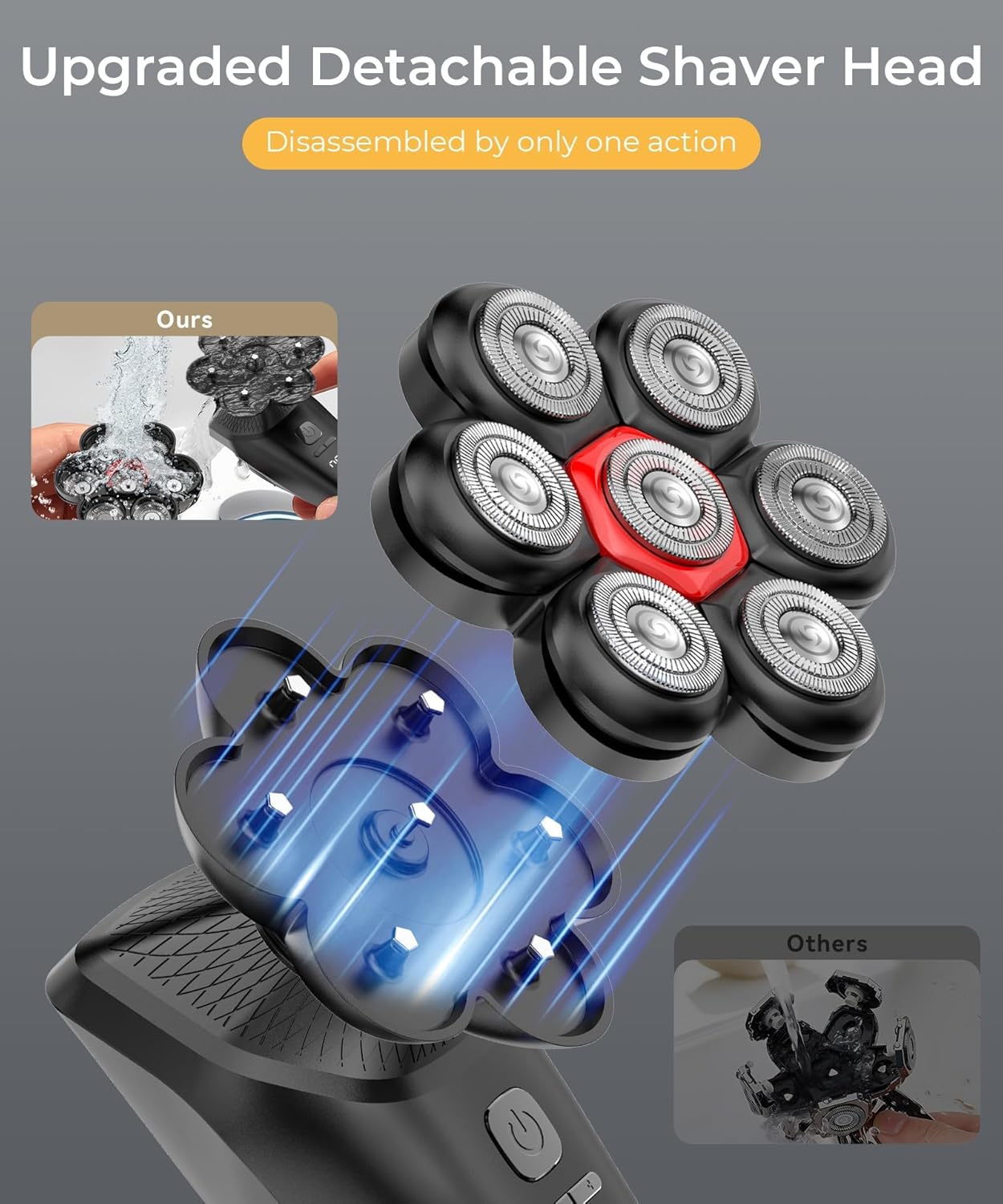
Image: The GLLAVA 7D Head Shaver being cleaned under running water, illustrating its IPX8 waterproof design for easy rinsing.
5.2 Storage
Store the shaver in a cool, dry place away from direct sunlight and out of reach of children. Ensure the shaver is clean and dry before storage.
6. Troubleshooting
| Problem | Possible Cause | Solution |
|---|---|---|
| Shaver does not turn on. | Battery is depleted. | Charge the shaver fully (approximately 1 hour). |
| Poor shaving performance or pulling hair. | Blades are dull or clogged with hair. | Clean the shaving head thoroughly. Consider replacing the shaving head if blades are dull (replacement heads sold separately). |
| Shaver not charging. | Charging cable or adapter is faulty; charging port is wet or obstructed. | Ensure the charging port is dry and clean. Try a different USB cable or power adapter. |
| Attachments do not fit securely. | Incorrect alignment or debris in connection. | Ensure the attachment is correctly aligned with the magnetic connection points. Clean any debris from the connection area. |
7. Specifications
- Model Name: SB-520
- Power Source: Battery Powered
- Special Features: Detachable Head, Floating Head, LED Display, IPX8 Waterproof
- Motor Speed: Up to 10000 RPM (with 3 adjustable modes)
- Battery Type: 1 A battery (rechargeable)
- Charging Time: Approximately 1 hour
- Running Time: Up to 180 minutes (continuous use)
- Waterproof Rating: IPX8
- Manufacturer: GLLAVA
- Package Dimensions: 7.05 x 5.94 x 3.31 inches
- Item Weight: 1.26 Pounds
8. Warranty and Support
GLLAVA products are manufactured to high-quality standards. For information regarding warranty coverage, product support, or to purchase replacement parts, please refer to the official GLLAVA website or contact their customer service directly. Please retain your proof of purchase for warranty claims.
For further assistance, please visit the GLLAVA brand store on Amazon or contact your retailer.