
GOD PTT H18
GODPTT Global Zello Walkie-Talkies H18 User Manual
Model: H18 | Brand: GOD PTT
1. Product Overview
The GODPTT Global Zello Walkie-Talkie H18 is a 4G LTE-enabled two-way radio designed for nationwide communication. It supports Zello and offers features such as encrypted calls, advanced noise reduction, and compatibility with major carriers. This manual provides instructions for its proper use and maintenance.

Image 1.1: Front view of two GODPTT H18 walkie-talkies.
Key Features:
- Global 4G LTE Coverage: Utilizes 4G-LTE networks for extensive communication range across the United States.
- Pre-installed SIM Card: Includes a SIM card with one year of unlimited data service.
- Enhanced Security: Features enterprise-level security for encrypted calls and private conversations.
- Superior Audio Quality: Advanced noise reduction chip filters over 90% of ambient noise for clear voice transmission.
- Wide Carrier Compatibility: Supports AT&T, Verizon, and T-Mobile networks.
- Zello Application Support: Integrated with the Zello platform for flexible communication.

Image 1.2: GODPTT H18 displaying network and group information.
2. Setup and Initial Use
2.1. Unboxing and Package Contents
Carefully unpack your GODPTT H18 walkie-talkie and verify all components are present:
- 2 x GODPTT H18 Walkie-Talkie Units
- 2 x Pre-installed SIM Cards
- 2 x Belt Clips
- 2 x Chargers (with Type-C Cable)
- 2 x Lanyards
- 1 x User Manual (this document)
2.2. Battery Installation and Charging
The H18 walkie-talkie comes with Lithium Ion batteries pre-installed. Before first use, fully charge the device.
- Connect the Type-C charging cable to the charging port on the walkie-talkie.
- Connect the other end of the cable to the provided charger or a compatible USB power source.
- The indicator light will show charging status (refer to device screen for details).
- A full charge typically takes several hours. Disconnect once fully charged.
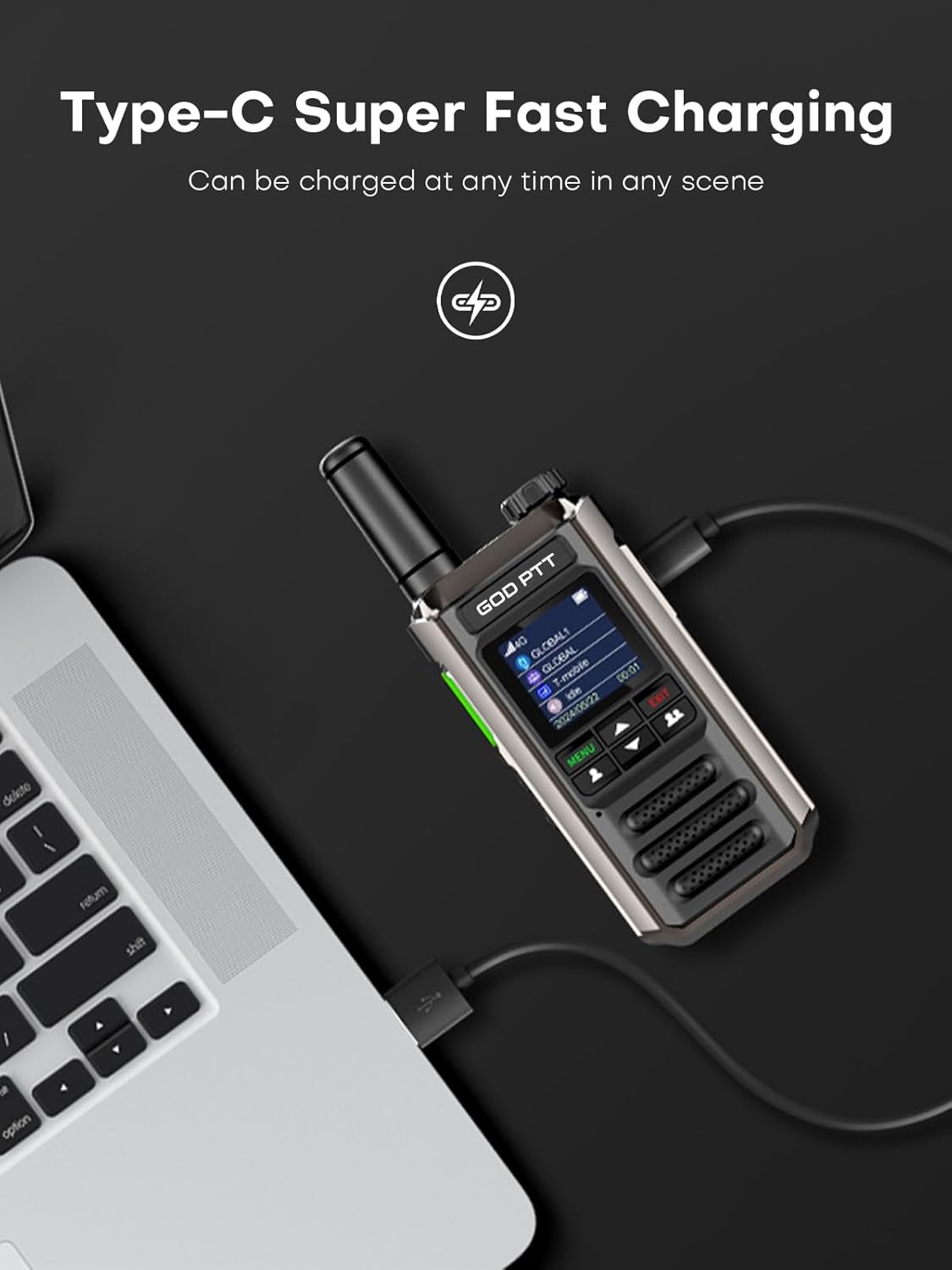
Image 2.1: Type-C Super Fast Charging connection.
2.3. Powering On/Off
To power on the device, rotate the Volume/Power Switch clockwise until the screen illuminates. To power off, rotate it counter-clockwise until the device shuts down.
3. Operating Instructions
3.1. Button Description
Familiarize yourself with the buttons and their functions:

Image 3.1: GODPTT H18 Button Layout and Functions.
- Aerial: Antenna for signal reception.
- Indicator Light: Displays device status (e.g., charging, transmitting).
- PTT Emission Key: Press and hold to transmit voice.
- Menu: Access device settings and options.
- Side Key 1 & 2: Programmable keys for quick access to functions.
- Member Key: Used for managing group members or contacts.
- Select Key: Used for selection within menus.
- Speaker: Audio output.
- Volume/Power Switch: Rotates to adjust volume and press to power on/off.
- Headphone Jack: For connecting external audio accessories.
- LCD Display Screen: Shows status, menus, and communication information.
- Return Key: Navigates back in menus.
- Group Key: Used for selecting or managing communication groups.
3.2. Basic Communication
- Select a Group: Use the Group Key and navigation buttons to select your desired communication group on the LCD screen.
- Transmit: Press and hold the PTT Emission Key. Speak clearly into the microphone. Release the PTT key to listen.
- Receive: The device will automatically receive transmissions from the selected group.
3.3. Group Modes
The H18 supports various communication modes:

Image 3.2: Available Group Communication Modes.
- Single Call: Private communication with a specific individual.
- Group Call: Communication with a pre-defined group of users.
- All Call: Broadcast message to all users within the network.
Refer to the device's on-screen menu for detailed instructions on selecting and managing these call types.
3.4. Zello Application
The device is compatible with the Zello Push-to-Talk application. Ensure your Zello account is configured on the device for seamless communication. For Zello-specific settings and usage, refer to the Zello application's official documentation.
4. Maintenance and Care
4.1. Cleaning
- Wipe the device with a soft, damp cloth. Do not use harsh chemicals or abrasive cleaners.
- Ensure the charging port and headphone jack are free from dust and debris.
4.2. Battery Care
- Avoid fully discharging the battery frequently.
- Store the device in a cool, dry place when not in use for extended periods.
- Use only the provided charger and cable to prevent damage.
4.3. Water Resistance
The GODPTT H18 is water-resistant. While it can withstand splashes and light rain, it is not designed for submersion. Avoid exposing the device to excessive moisture or liquids.
5. Troubleshooting
| Problem | Possible Cause | Solution |
|---|---|---|
| Device does not power on. | Low battery; Power switch off. | Charge the battery; Rotate the Volume/Power Switch clockwise. |
| No signal or poor reception. | Out of network coverage; SIM card issue. | Move to an area with better 4G LTE coverage; Contact support if SIM card is not functioning. |
| Cannot transmit or receive. | Incorrect group selected; PTT key not pressed correctly; Network issue. | Verify the correct group is selected; Ensure PTT key is held down during transmission; Check network status. |
| Audio is unclear or distorted. | Volume too low/high; Obstruction near microphone/speaker; Environmental noise. | Adjust volume; Ensure microphone/speaker are clear; The device has noise reduction, but extreme noise may still affect clarity. |
| Battery drains quickly. | High usage; Old battery; Background applications. | Reduce screen brightness; Close unnecessary applications; Consider battery replacement if device is old. |
6. Technical Specifications

Image 6.1: Summary of Product Information.
| Feature | Detail |
|---|---|
| Model Number | H18 |
| Dimensions (L x W x H) | 5.95 x 2.24 x 1.02 inches (15.11 x 5.69 x 2.59 cm) |
| Weight | 1.41 pounds (0.64 kg) |
| Network Connectivity | 2G/3G/4G LTE (Full Network Connectivity) |
| Frequency Range | 700 MHz - 2.6 GHz |
| Talking Range | Unlimited (Nationwide via 4G LTE) |
| Number of Channels | 200 |
| Battery Type | Lithium Ion (2 included) |
| Voltage | 3.7 Volts |
| Charging Port | Type-C |
| Standby Time | 3-5 Days |
| Special Features | Long Range, Noise Reduction, Shockproof, Water Resistant |
7. Warranty Information
The GODPTT H18 walkie-talkie comes with a 1-Year Limited Warranty from the date of purchase. This warranty covers manufacturing defects and workmanship under normal use. It does not cover damage caused by misuse, accidents, unauthorized modifications, or natural disasters.
Please retain your proof of purchase for warranty claims.
8. Customer Support
For technical assistance, warranty claims, or further inquiries regarding your GODPTT H18 walkie-talkie, please contact GOD PTT customer support.
You may also visit the official GOD PTT store on Amazon for additional resources and product information: GOD PTT Amazon Store
Ask a question about this manual
Ask about setup, troubleshooting, compatibility, parts, safety, or missing instructions. Manuals+ will review the question and use this page’s manual context to help answer it.